Following on from my post this morning, regarding the problem I was having with _mkdocstrings.css being 404 any time I deployed my documentation, built with mkdocs/mkdocstrings, to GitHub Pages...
It's come to light that I was doing this on hard mode, pretty much.
While trying to figure out the best way of deploying the docs, I'd stumbled on ghp-import and had been using that. On the other hand, MkDocs has it's own command for doing the same thing: mkdocs
gh-deploy.
Timothée pointed out to me that he never runs into this problem, but he used this command. As it turns out, if you use mkdocs gh-deploy it creates the .nojekyll file by default.
I've just made a wee update to textual-fspicker, my dialog library for Textual which adds FileOpen, FileSave and SelectDirectory dialogs. There's no substantial change to the workings of the library itself, but I have added something it's been lacking for a long time: documentation!
Well... that's not quite true, it's always had documentation. I'm an avid writer of Python docstrings and I make a point of always writing them for every class, function, method or global value as I write the code. As such the low-level "API" documentation has always been sat there ready to be published somehow, eventually.
Meanwhile the description for how to use the library was mostly a pointer to some example code inside the README. Not ideal, and something I really wanted to improve at some point.
While writing some of the general guide took a bit of work, of course, the work to get the documentation up and running and generating was simple enough. The effort comes down to 3 rules in the Makefile for the project:
############################################################################### Documentation..PHONY:docsdocs:# Generate the system documentation$(mkdocs)build
.PHONY:rtfmrtfm:# Locally read the library documentation$(mkdocs)serve
.PHONY:publishdocspublishdocs:docs# Set up the docs for publishing$(run)ghp-import--pushsite
The rtfm target is useful for locally-serving the documentation so I can live preview as I write things and update the code. The publishdocs target is used to create and push a gh-pages branch for the repository, resulting in the documentation being hosted by GitHub.
This is, however, where I ran into a wee problem. I noticed that the locally-hosted version of the documentation looked great, but the version hosted on GitHub Pages was... not so great. I was seeing a load of text alignment issues, and also whole bits of text just not appearing at all.
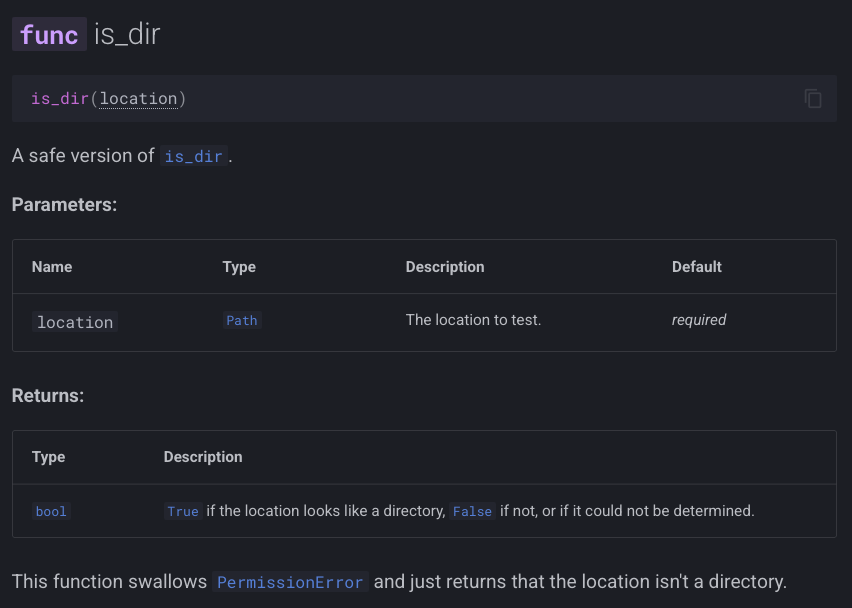
Here's an example of what I was seeing locally:
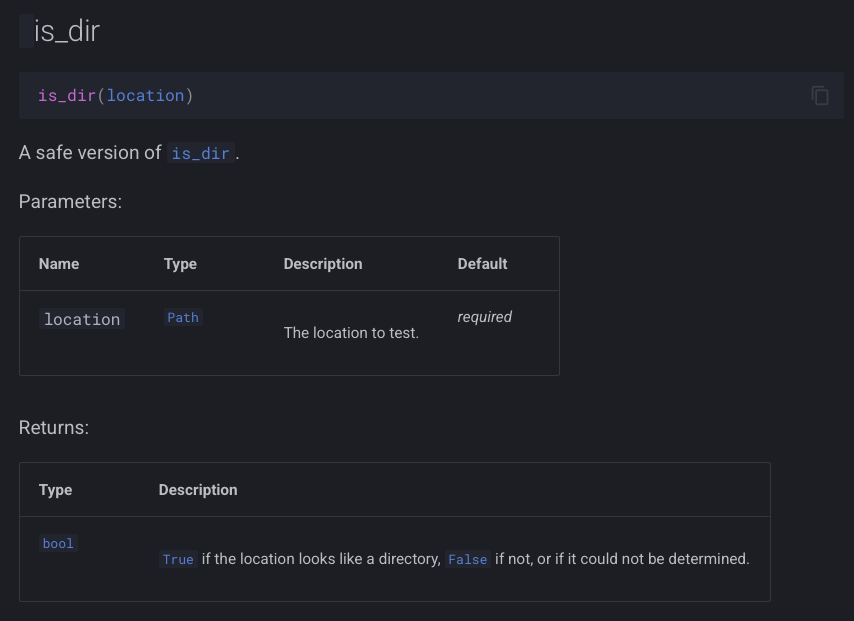
and here's what I was seeing being served up from GitHub Pages:
As you can see, in the "bad" version the func label is missing from the header, and the Parameters and Returns tables look quite messy.
I spent a little bit of time digging and, looking in Safari's console, I then noticed that I was getting a 404 on a file called _mkdocstrings.css in the assets folder. Problem found!
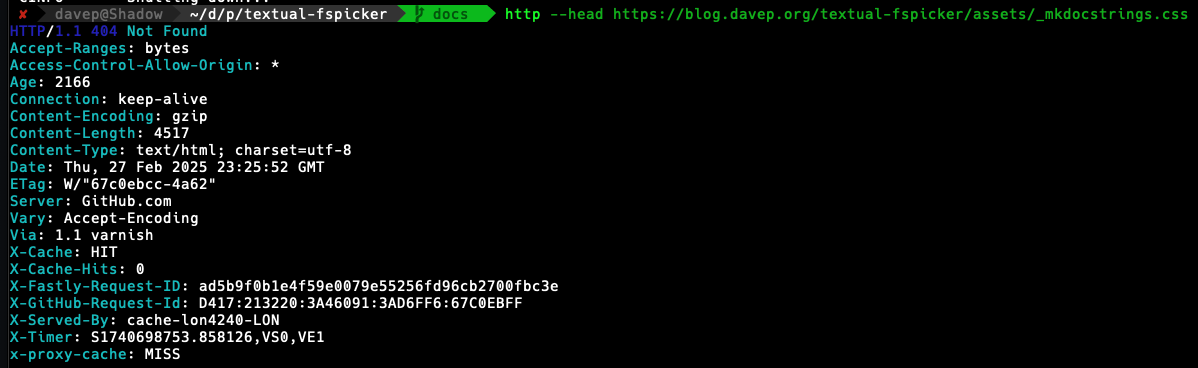
Only... was it though? If I looked in the gh-pages local branch the file was there (and with fine permissions). If I looked in the remote branch, it was there too. Thinking it could be some odd browser problem I even tried to grab the file back from the command line and it came back 404 as well.
As it turns out, it looked like I hadn't messed up and the reply from the always super-helpful Timothée was, in effect, "yeah, that should work fine". At least I wasn't the only one confused.
Fast forward to this morning and, with breakfast and coffee inside me, I decided to try and methodically get to the bottom of it. I wrote up the current state of understanding and looked at what might be the common cause. The thing that stood out to me was that this was a file that started with an underscore, so I did a quick search for "github pages underscore" and right away landed on this result.
Bingo!
That had to be it!
A little bit of testing later and sure enough, the documentation hosted on GitHub Pages looked exactly like the locally-hosted version.
So, TIL: by default sites hosted by GitHub Pages will pretend that any asset that starts with an underscore doesn't exist, unless you have a .nojekyll in the root of the repository, on the gh-pages branch (or whatever branch you decide to serve from).
To make this all work I added .nojekyll to docs/source and added this to mkdocs.yml:
exclude_docs:|!.nojekyll
All done!
And now I've worked out a simple workflow for using mkdocs/mkdocstrings for my own Python projects, in conjunction with GitHub Pages, I guess I'll start to sprinkle it over other projects too.
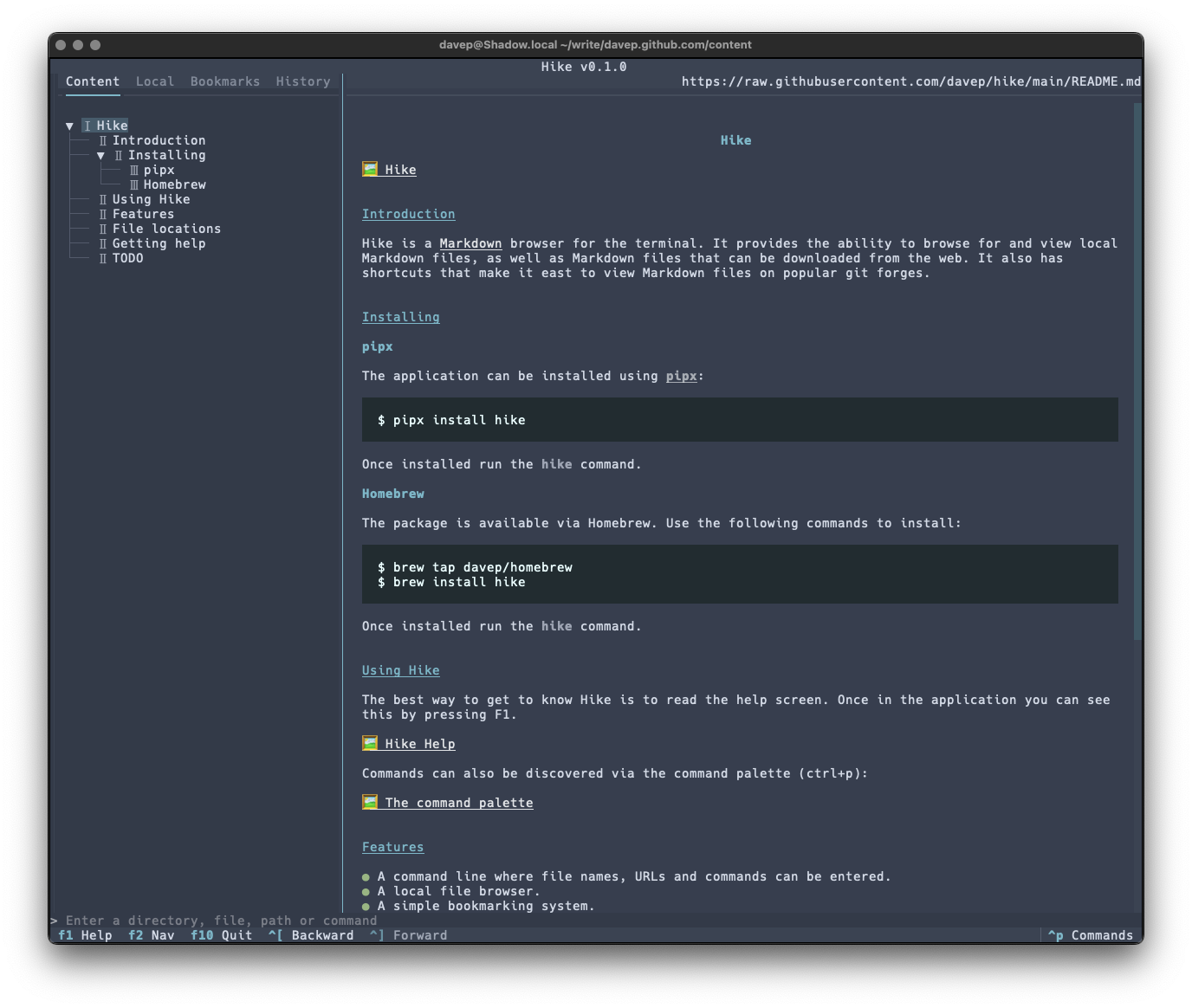
The run of writing new terminal-based tools that I want still keeps going. First there was Braindrop, then there was Peplum, and now, released today, there's Hike.
Hike is yet another terminal-based Markdown browser. While it's far from the first, and unlikely to be the last, it's mine and it looks and works exactly how I need. Perhaps it'll be your sort of thing too?
This initial release has a bunch of handy features, including things like:
A command line where file names, URLs and commands can be entered.
A persistent history for the command line.
A local file browser.
A simple bookmarking system.
A browsing history.
Commands for quickly loading and viewing files held on GitHub, GitLab, Codeberg and Bitbucket.
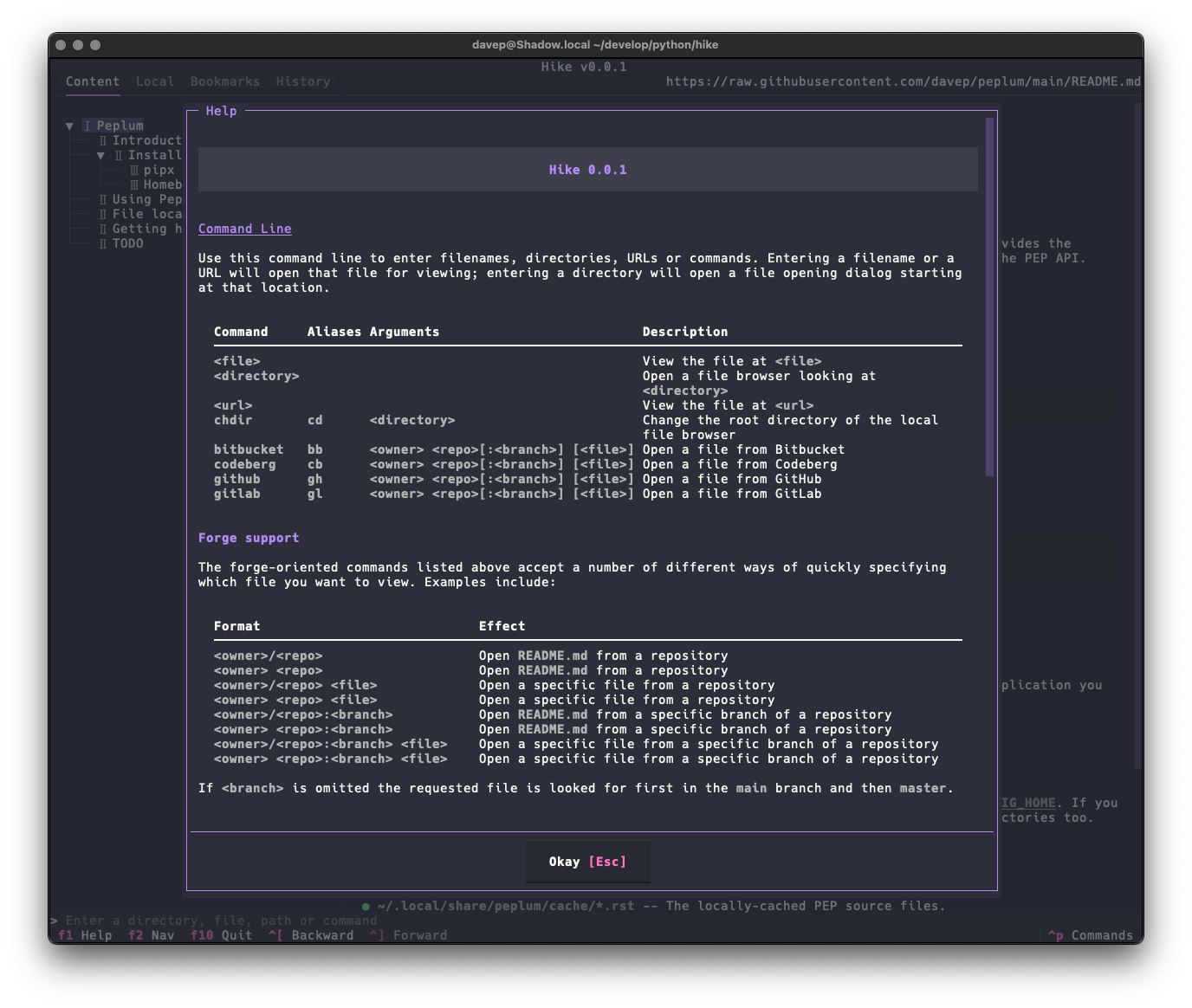
As there's a lot to discover in the application, I've tried to make the help screen as comprehensive as possible:
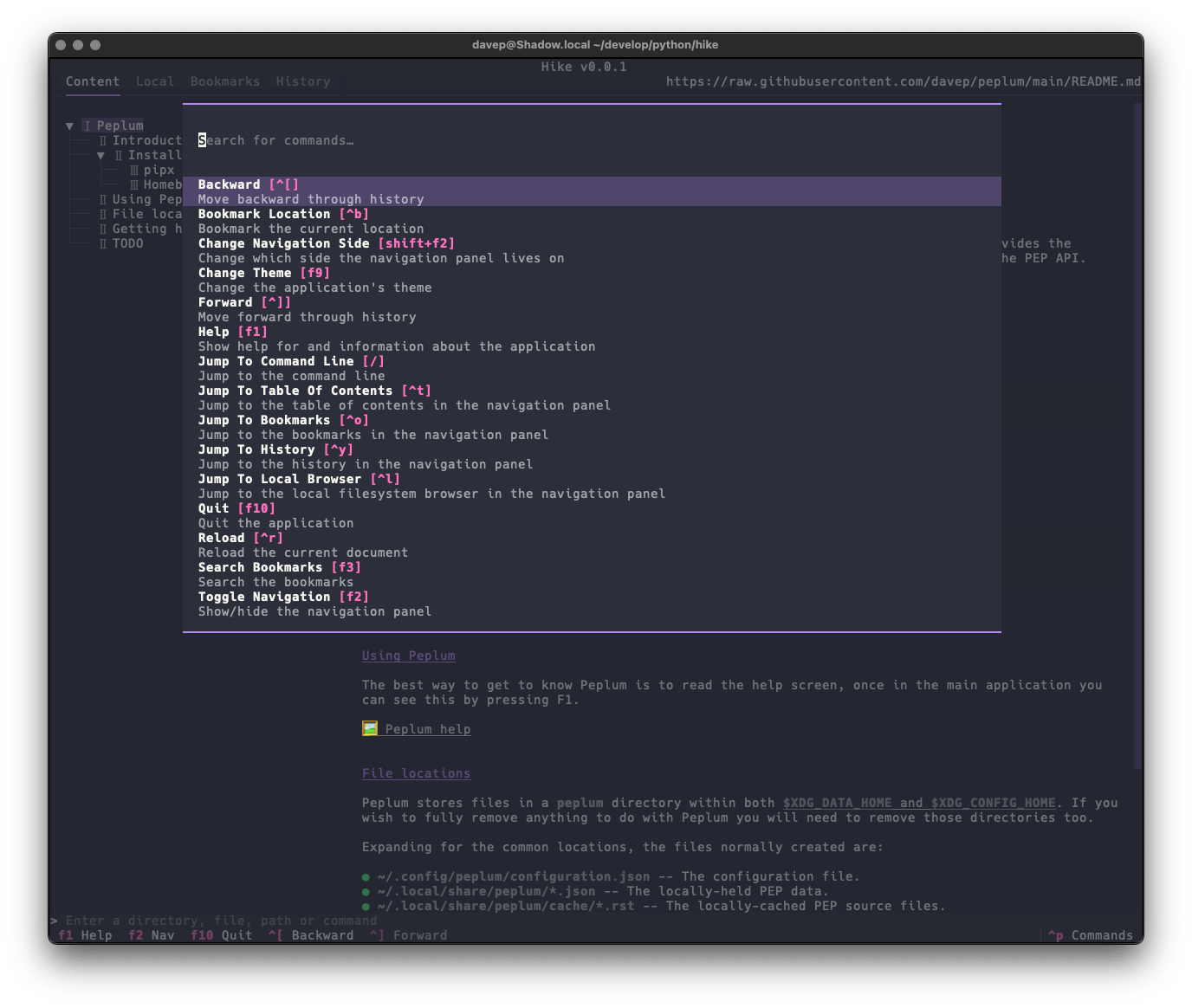
and there's also the command palette to help with discovering commands and the keys that are associated with them:
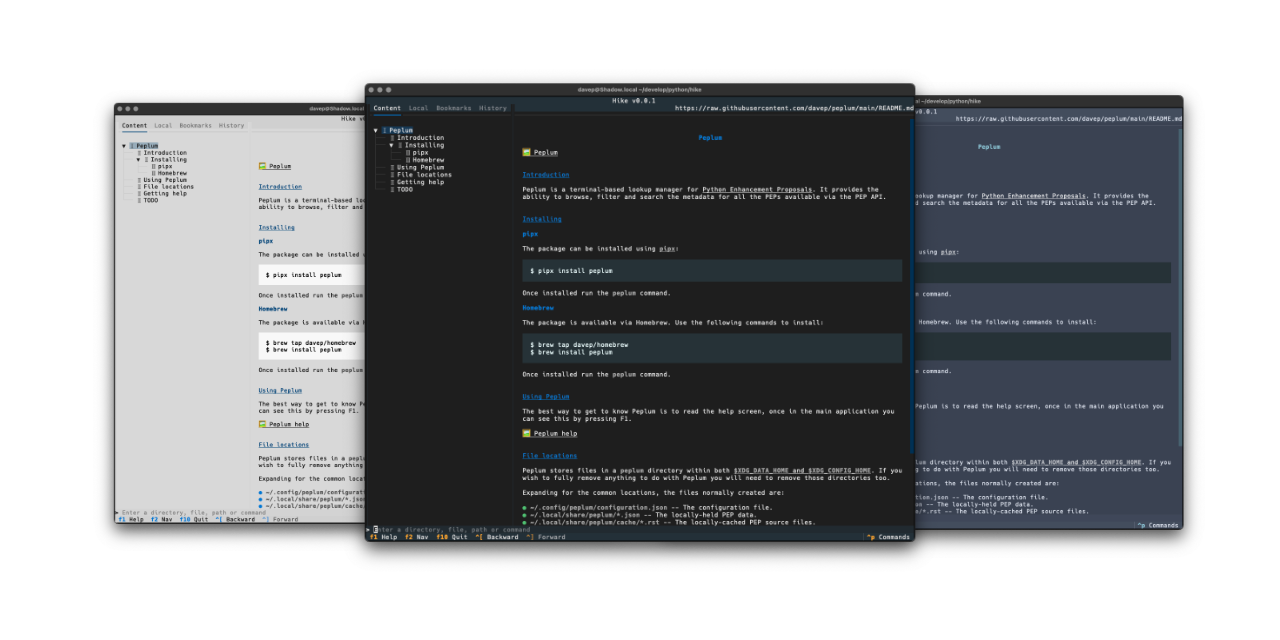
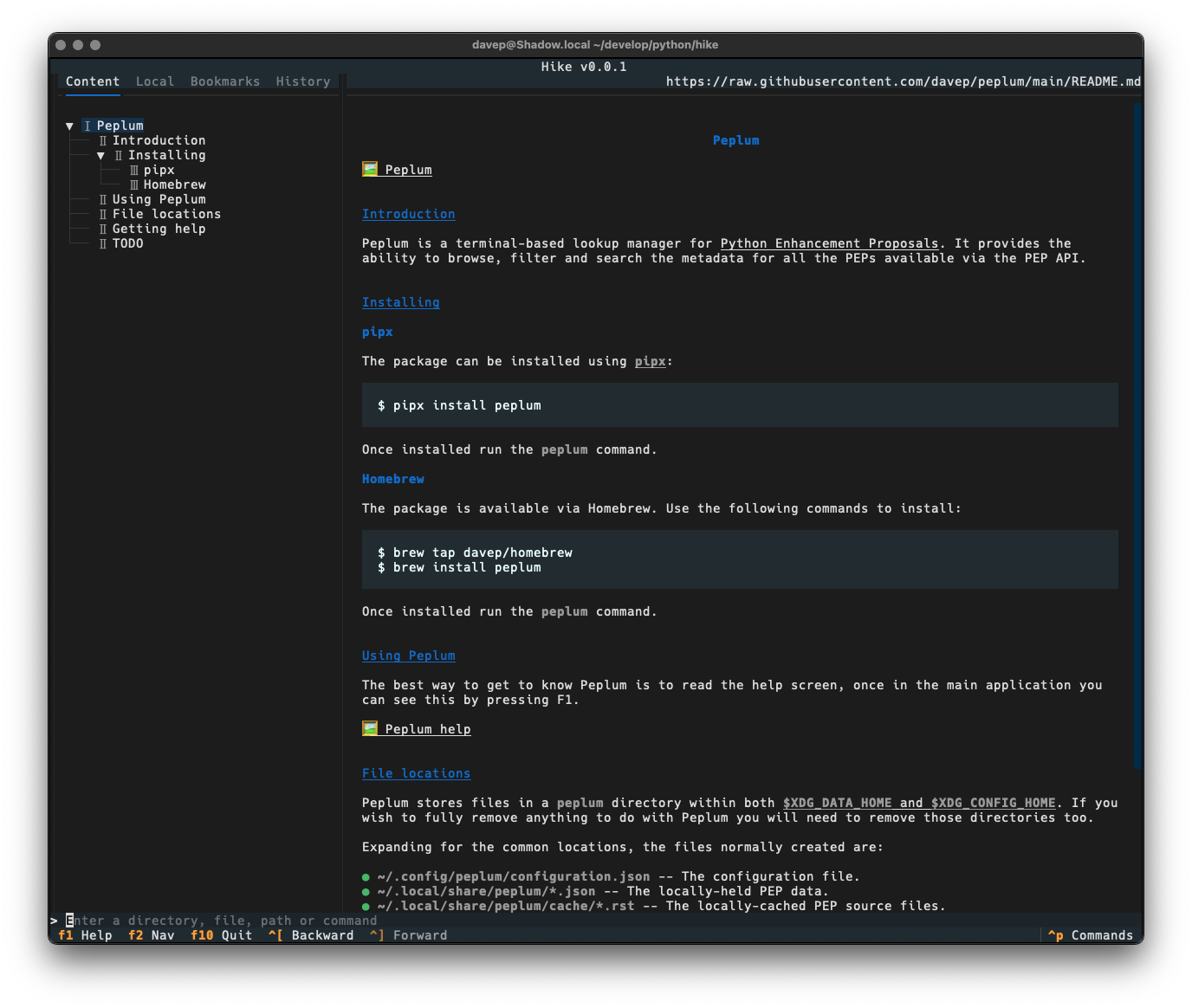
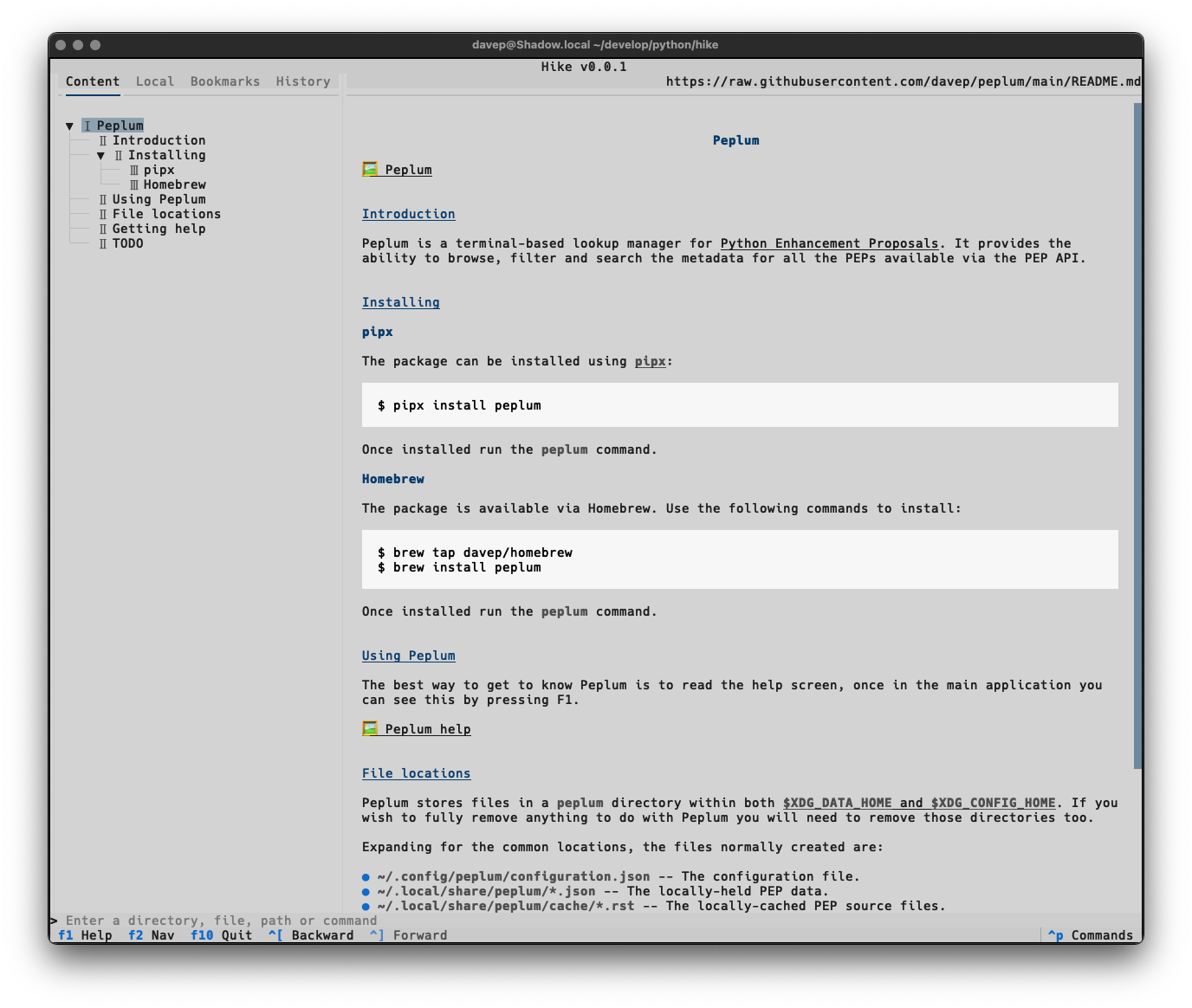
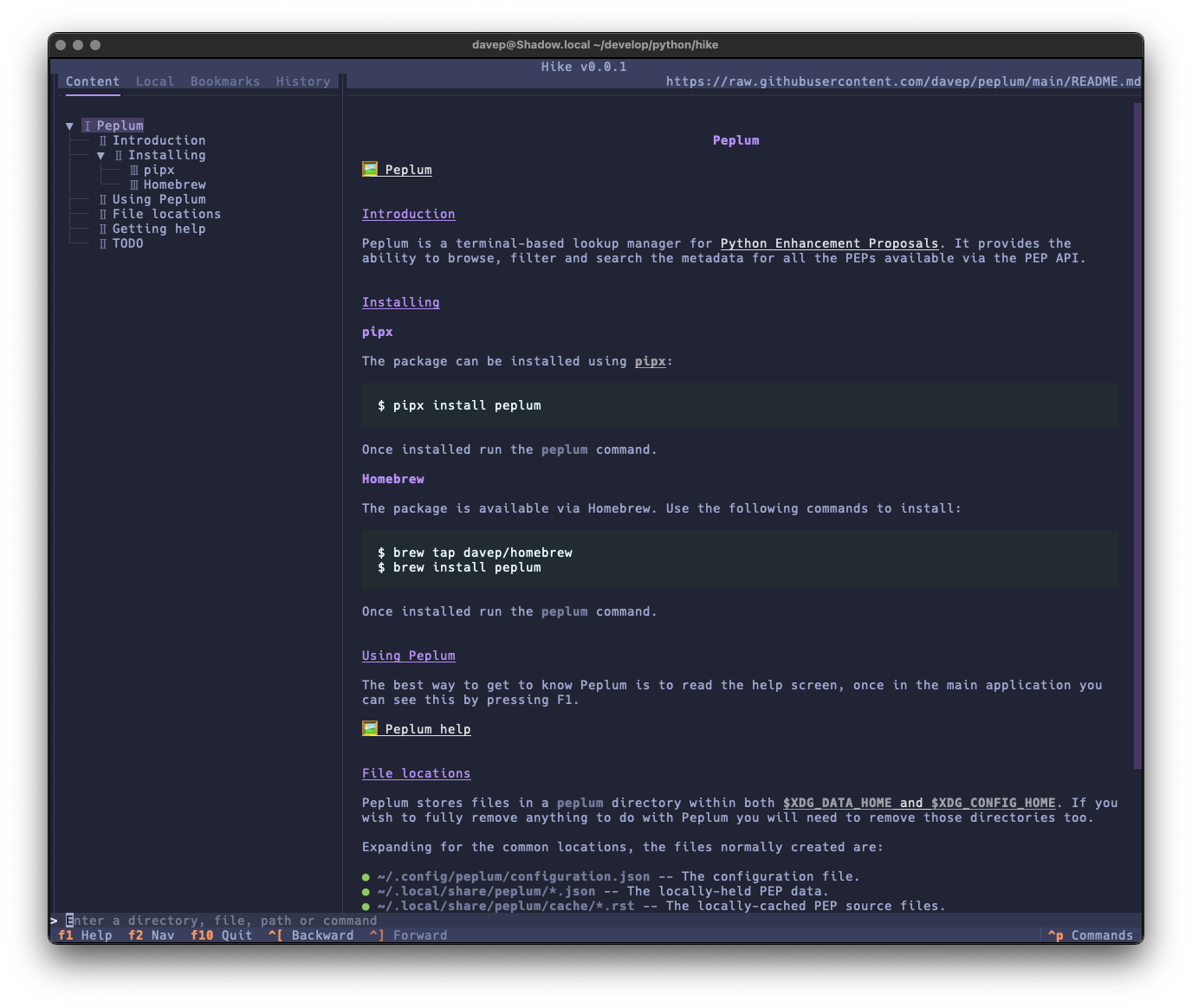
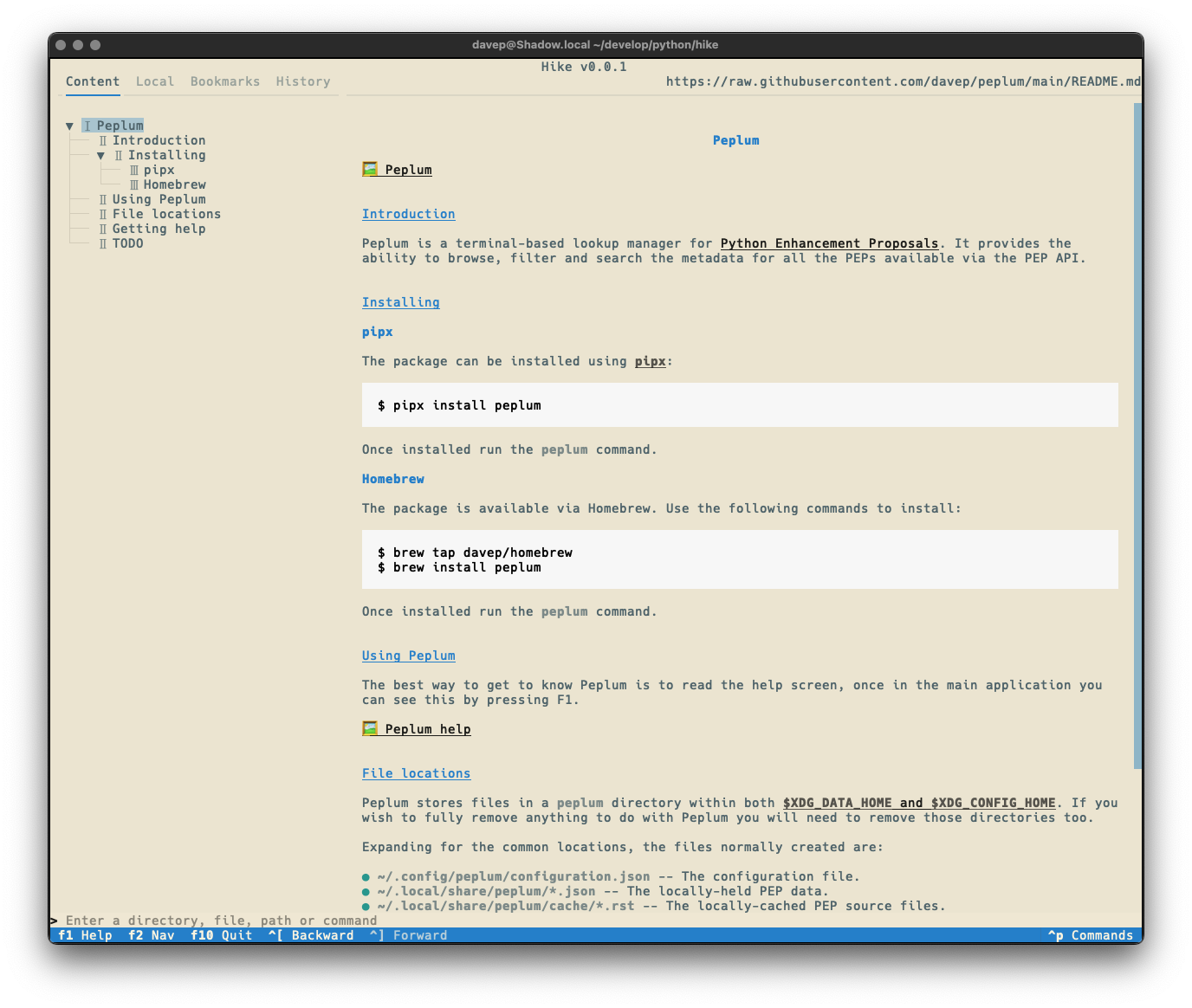
Once again, themes are supported so no matter your taste you should find something that's easy on your eyes:
Hike is licensed GPL-3.0 and available via GitHub and also via PyPI. If you have an environment that has pipx installed you should be able to get up and going with:
pipxinstallhike
It can also be installed with Homebrew by tapping davep/homebrew and then installing hike:
brewtapdavep/homebrew
brewinstallhike
Expect to see more updates in the near future; this is very much an ongoing tinker project.