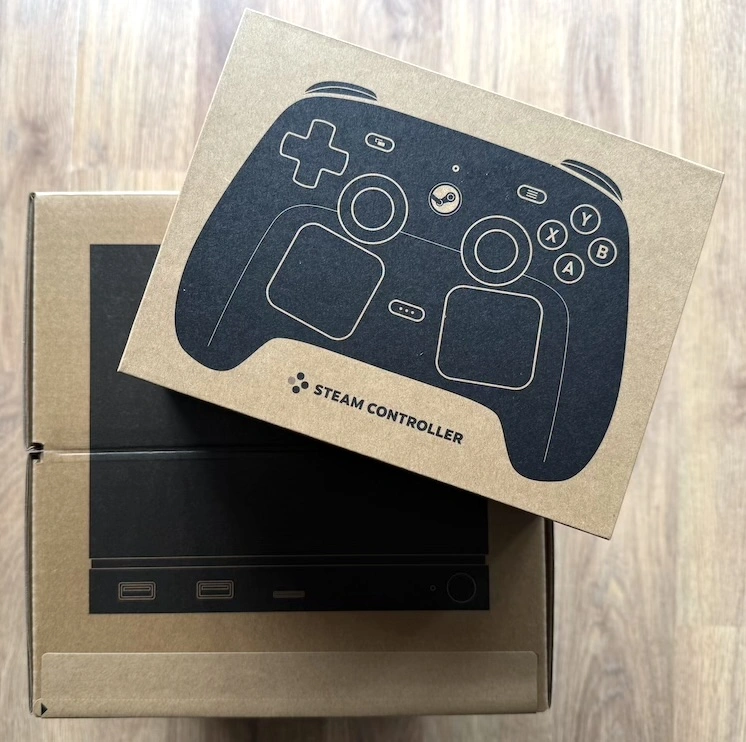
Yesterday evening I finally had the chance to unbox my Steam Frame and have an initial play with it. Here are my impressions of it after playing for a couple of hours. Note that this isn't intended to be any kind of review, just some jotted notes about things I noticed and concluded. The order might appear a little random too.
Unboxing
The first thing I noticed was the obvious lack of any actual instructions. Either I missed the obvious, or there was no leaflet and nothing on the box to tell me how to get it up and running. I had already read online what to do so didn't have any issues, but this still strikes me as odd. I guess the Frame isn't intended for the full consumer market and so the kind of enthusiast who plays with SteamVR is likely curious enough to go find information or work things out, but it still feels like an odd omission.
The other thing that feels like a serious omission is the complete lack of any sort of welcome experience. I remember when I first got my Quest 2, the introduction app was a whole thing and did a great job of showing off the hardware. Heck, even the Steam Deck has Aperture Desk Job. It seems like a very odd choice that something new for the Frame wasn't created.
For example, The Lab is a decade old now; it seems strange to me that they didn't refresh it and promote it as a standalone initial experience for the Frame -- perhaps using it to show off some of the new capabilities or something.
Comfort
While I did buy the ergonomic kit, I didn't set any of that up right away. I was keen to try the device out so my initial test was without the top strap in place. While I've since fitted it, and find it a useful addition, I'm amazed at just how comfortable the headset is to wear. I've spent many hundreds of hours wearing the Quest 2 and the PSVR2, neither of which was horrible, but both of them felt uncomfortable after some use. Based on my initial impressions the Frame feels like something that could be worn for pretty long sessions without any problem.
To be clear: The Steam Frame is by far the most comfortable headset I've worn. This in turn makes it feel like the headset with the least activation energy required when it comes to being motivated to "jump into VR".
Controllers
The controllers are... okay, I guess. Compared to the headset they feel cheap, which they might well be. Based on my experience with the Quest 2, the controllers are the things that take the most punishment and so they're most likely to be the things that need replacing most often. Perhaps they're designed with the right balance of "last long enough" and "affordable to replace".
The main issue I have with the controllers is they seem to have crammed too much into them. They've put all four buttons on the right controller, and a D-pad on the left controller. Perhaps I'm missing something here but this feels like overkill. I found that this made the controllers feel far too busy. All of this also means that the two top buttons (the ones normally used to pull up menus of some description) feel just out of reach. During my time playing last night I found I was having to constantly readjust my grip to reach different buttons, which then meant I was often having to peek under the headset to actually see where my fingers were landing.
Honestly, in terms of ergonomics, I'd say the Frame's controllers are worse than those of the Quest 2, but slightly better than the ones that come with the PSVR2.
There's also the complication of the controller straps that come in the ergonomic kit. I love these sorts of straps (the kind that goes around the back of your hand) as they generally make controller use more comfortable. It's great to not have to keep gripping the controller all the time, and it also feels more natural if you need to throw something in VR. But it really feels like whoever designed the controller layout never spoke with whoever designed the straps. The combination ends up being pretty awkward.
I've never used the Index controllers, but everyone I've spoken to who has always seems to sing their praises. Based on that, the Frame's controllers feel like they can't have come from the same company.
Inside the headset
I've read a good few comments from people on Reddit that say that the display in the headset is pretty dark. That wasn't my experience at all. Out of the box I found the display bright enough, and that wasn't even turned up as high as it will go.
The other thing I found was that the display felt like the clearest one I've tried out yet. I wear glasses; I'm short-sighted and have an astigmatism that needs correcting. Given the design of the headset there's no way I was going to wear my specs while using it, so for the moment I'm playing unaided. Despite that I found the display very readable (to be fair, I'm not that short-sighted).
What is slightly disappointing is the lack of an actual "home" when you boot up the headset. This feels like a missed opportunity. Like, sure, the floating menus and the stark landscape are fine and do the job, but the actual home to exist in always felt like a fun thing. Even the Quest 2 has this -- surely it could be done on the Frame?
Audio
I really like the audio. My VR audio experience comes from the stock Quest 2 and also stock PSVR2. The Frame is obviously very similar to the Quest 2, in that the speakers are "near" your ears but don't cover them in any way. I like this. I like this a lot. I find this a really comfortable way to experience VR (and, while it's not an issue at the moment, the ideal setup for recording your voice for video-making or streaming purposes -- you're less likely to end up shouting). I've never liked the PSVR2 in-ear buds so I'm glad it's nothing like that.
While playing, I found that the sense of direction of sounds was pretty spot on, which is something that very obviously matters to immersion. That level of immersion, combined with an awareness of your own surroundings, feels like just the right balance.
Battery life
The battery life is not great, it has to be said. I think I got something like 40 minutes out of the device when I first booted it up. In all fairness, I can't remember what level it was on to start with, and I was also doing an OS upgrade, controller update, and the installation of a game or two.
The second part of my initial session started with something like 95% battery available. That second session ended up on about 20% battery left after playing Alyx for the better part of an hour, give or take (I didn't make a point of actually timing it).
I feel like, with a full charge, and depending on what I do, I might get around 90 minutes out of the device. This feels less than I'd get out of the Quest 2 back in the day.
All of this was, of course, playing a game locally on the headset itself. It will be interesting to see how it compares when in PC-based PCVR streaming mode using the supplied dongle.
Given my interest in using this mostly in standalone mode, I can see myself buying an external power unit and hooking it up while it's stuck in a pocket or something.
Ergonomic kit
The ergonomic kit feels like a thing that should have been included in the price, if I'm honest. The additional strap for the headset is, as I mentioned above, nice to have and improves the comfort from comfortable to very comfortable. The straps for the controllers feel a little cheap but do the job.
I've not tried out the nose guard thing yet. There's no doubt that a lot of light leaks around the nose, but at the same time that's actually quite handy for quickly glancing at the world around you if you need to be able to check on something (your phone, or where your fingers are on the controller because of the issues I mention above).
Now, this might just be me being a bit dense: I found the instructions that came with the kit kind of confusing when it came to the controller straps. I got there in the end, but I feel like the visuals printed on the box could have been so much better.
Thankfully my kit was complete. I've seen reports of people finding broken parts, missing parts, or things like two right-handed controller straps rather than a left and a right.
Gaming
For my initial session I only played games standalone. While I do have a PC for PCVR purposes, it's still packed away after my move last year. I will drag it out and give it a go at some point, but the standalone gaming abilities are what interest me most at the moment.
Gunman Contracts - Stand Alone
The first game I decided to try out was Gunman Contracts - Stand Alone. While the "Stand Alone" in the name is in reference to it no longer being a mod for Half-Life: Alyx, my understanding is that it is intended to be playable standalone on the Steam Frame.
It isn't. It so very isn't.
The FPS was horrible, and I noticed lots of graphical distortion as I tried to play. I never made it out of the home bunker as the whole thing was just a laggy mess.
This doesn't surprise me though. Based on other reviews it looks like it's not the best experience even when playing in full PCVR mode. I've also played it flat-screen on the Steam Deck and it's okay there, but obviously needs some work.
I will revisit this, as I noticed in the settings for it that everything seemed to be turned up to the max. Textures were on Ultra for example, which seems like a wild choice out of the box for a game running on a standalone VR headset. Given this I'm going to assume the game makes zero effort to detect the environment it's running in and to configure good defaults.
Gun Club VR
Next up I tried Gun Club VR. This is a game I've played before native to the Quest 2, and also in PCVR. Given it's an older game I had high hopes for it. I was right to. This was pin-sharp and buttery smooth. In terms of how it looked and felt in the headset it was night and day compared to Gunman Contracts.
Sure, I'm comparing apples and oranges there in terms of game age and what's being asked of the hardware, but I think it's a good comparison of the different ends of that spectrum.
While Gunman Contracts left me concerned that a lot of VR gaming would be off-limits on the Frame, Gun Club VR gave me hope that many of the classics will run well (perhaps after some tweaks by the authors).
Half-Life: Alyx
The third and final game I tried out was Half-Life: Alyx. I've played this in full PCVR mode before, and do feel it's pretty much the peak VR experience. The idea that this could work standalone was wild to me. I know Valve have worked hard on making it work, and are promoting it to the point of bundling it with the Frame, but it still felt like it was going to be a bad time.
It wasn't a bad time. It was a good time.
While it's very obvious that the graphics have been dialled down, and while I did see a fair bit of pop-in of assets from time to time, generally it looked good and performed well. In my peripheral vision I could obviously see that the resolution was super-low, but no matter where I was directly looking, I saw a quality image (presumably eye-tracked foveated rendering at work, although I've not checked if it is used in Alyx). There was almost no stutter, no lag to speak of, and it felt as good as I remember when playing it in full PCVR mode.
Conclusion
Overall my first experience is pretty positive. Out of the box the Steam Frame is the most comfortable VR experience I've had yet. Given I'm writing this just one week after getting the purchase invitation email, I have high hopes for this device. It seems obvious that there's a load of software and firmware improvements to come, and I can imagine a good third-party market of add-on products to augment the use of the headset (mics, headphones, care and storage, power without full tether, etc.). I also imagine there will be a scramble to optimise a good number of VR games and experiences to get them working well standalone.
It is, without question, expensive for what it is. I very much doubt that this was Valve's intention or doing. The demand for various types of hardware is having a broad impact and I don't need to detail that. Taking this fact into account, this feels like a great little product that's only going to improve with time.
While I'm not sure I'll return to recording VR videos again, at least not with the frequency I used to, I will be returning to enjoying playing VR again thanks to this little device making it very accessible.