BlogMore has been bumped to v2.30.0. This release is pretty heavy on new features, but it does also include one small accessibility tweak too. While looking through some of the neutral feedback from PageSpeed Insights I noticed it mentioned that in some cases I had a category and a tag linked on the same page, where the text of the link was the same. That's pretty common on my blog. For many of the categories (especially things like AI, Coding, Emacs, Python, etc.) I'll also have a corresponding tag. The idea is that categories are essentially sub-blogs within the blog, whereas tags characterise a post.
Given that the same text for different purposes doesn't give much context from an accessibility point of view I've added appropriate aria-label attributes to differentiate these links.
Now for the new features.
The first is another "discover other posts" type feature, that might encourage a reader to venture further into a blog. While BlogMore does support backlinks (as was added back in v2.16.0), I have been thinking that a "related posts" feature would be interesting to add. So now it's added. This is enabled with the with_related configuration option (or the --with-related command line switch) and provides control over how many related posts are shown; the default is three.
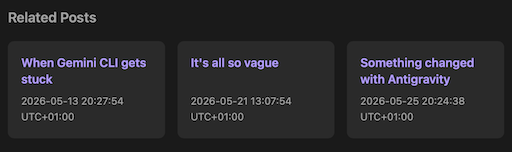
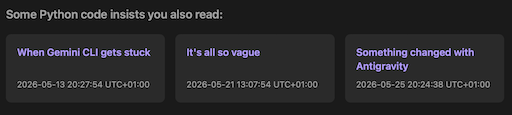
Because calculating the best related posts, for every post, will cost in time and memory, some control over how "accurate" the hits are is given. You're also not stuck with "Related Posts" as the title either.
The rest of the new features are more admin-based and are all commands on the BlogMore command line. The first is the drafts command which simply lists the filename of all the posts that are in a draft state.
The second new command is links
dump. This is a utility command for dumping a CSV list of all the external links that can be found in your posts, along with the filename of the post the link was found in. This could be useful for all sorts of things; for example writing your own external link statistics tool, or perhaps writing your own external link checker.
Talking of external link checkers: I've also added links
check. This is a bit experimental, but is intended to be a simple checker of all the external links, seeing if they're still out there. By default, when run, it'll check every link it finds and, if there's a problem with it, it'll report the issue. There's a --verbose mode as well if you want feedback on all the links that are working.
It seems like every time I think I'm done adding features, something else is either suggested or pops into my head. I feel like I'm near the end of adding stuff now and should be getting back to refining the code.
I'm fairly sure I've said that before.
Have a comment or query about this post? Feel free to drop me a line about it.