As mentioned in the last release, I've been afk for a week and a bit, enjoying some downtime over in the Netherlands. Although... it wasn't exactly all afk. I did take a keyboard with me and, while time permitted, I did tinker on Rogallo. That's resulted in quite a few TODO items being ticked off, and quite a few changes and improvements being made.
Visible MIME type
It's a small tweak, but I found it useful. The status bar of the main viewer panel now shows the MIME type of the document currently being viewed. Normally it will be showing text/gemini:
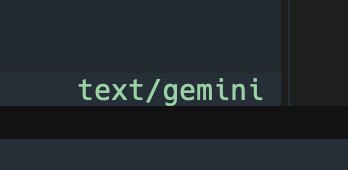
but Rogallo can show some other text/ types too, so this will also make it obvious what you're looking at:
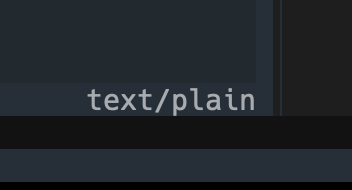
You might also notice that, depending on the theme being used, the "correct" MIME type gets a "this is fine" colour whereas anything else is in a more "neutral" colour.
Better handling of text/plain and friends
Now, if a document comes in that isn't text/gemini, there is no attempt to parse and render it as Gemtext; it's just shown as a simple block of plain text.
MIME type handling of local files
Given the above changes, Rogallo now makes an effort to guess the MIME type of any local file you view. This should help ensure that only Gemtext files get parsed and rendered as such.
OS hand-off for other MIME types
Where possible, when confronted with a MIME type that Rogallo can't handle, it will attempt to hand it off to your environment's main web browser. While not ideal, I have no wish to turn Rogallo into a terminal-based general content browser/viewer; this is all about Gemini and Gemtext.
History enhancements
The history list has been updated to allow the removal of individual items, and also clearing down the whole history.
Added home page support
It's now possible to set a home page with either a SetHome (which prompts for a URI) or a SetHomeToCurrentLocation (it does what it says) command. There is also a GoHome command that takes you to the home page you've set. The default bindings for all of these can be found by either running rogallo bindings, or by viewing the help screen; pulling up the command palette is also an option.
Added support for bookmarks
Bookmarks are now supported. The ToggleBookmarks will show/hide the bookmarks list. AddLocationToBookmarks will add the current location to the bookmarks. SearchBookmarks lets you search the bookmarks.
More command line suggestions
The completion suggestion facility in the application's command line (where you enter URIs or commands) has been enhanced to include suggestions from the navigation history, the location visit history and the bookmarks. This should make it a little easier to enter a URI you're trying to remember.
Added a history search
Having added the SearchBookmarks command, it made sense to also add a SearchHistory command too. So with that you can quickly search all the locations you've visited (within the limits of the history) and head back to one.
Optimised Gemtext rendering
While not something that should generally be obvious to the user, the Gemtext rendering engine has been optimised a little to reduce the number of Textual widgets used to display a document by consolidating all adjacent plain paragraphs.
Cleaned up quoted paragraphs
I've cleaned up an issue with adjacent quoted paragraphs. Until now there was an empty line between each quote; this spoiled the layout.
View source and ANSI escape sequences
Some Gemini sites use ANSI escape sequences to add colour to pages. While this isn't, as far as I can tell, part of the standard for Gemtext, it's a simple thing to support and so Rogallo has supported rendering this for a while; if a page has colours, they'll be used.
This meant that if you asked to view the source of a page, you'd also see that rendered in colour. I felt that wasn't in the spirit of viewing the source.
So now, if viewing a page like this:

When you go to view the source, instead of all of the colours still being rendered, you now get to see which ANSI escape codes were used where:

Viewer auto-focus
One small change is that, any time a document is loaded (from bookmarks, history, the command line, etc), the viewer now gains focus. Something I kept forgetting to do and finally I got fed up with having to tab over to the viewer each time.
Content cache
Rogallo now has a content cache for pages loaded from capsules (the aim is to never bother caching content loaded from the filesystem). Any page that is loaded with a success status code (20) gets cached, and when you go back to it, if it's within the TTL of the cache entry (by default set to one hour), the content of the page will be loaded from the cache rather than making a fresh request.
Using the Reload command always bypasses the cache.
There is also a ClearCache command which will delete all cached data.
The TTL of the cache can be changed in the configuration file by updating the value for cache_ttl. Also, if you don't wish to ever use a cache, you can set with_cache to false to disable it.
What's next
With all of the above, I feel this gets Rogallo close to being v1.0.0-ready. Not quite, but very close. The main addition that still needs to be tackled is client-side certificates. I don't anticipate this being too tricky, it's just more a case of needing to play around with the code I've got so far, and needing to think about how to implement it in a TUI-friendly way (if, indeed, there are any considerations there at all).
For now though, as long as you don't need a client-side certificate, there's plenty to play with and try out.
Have a comment or query about this post? Feel free to drop me a line about it.