Rogallo v2.2.0 is available. This release contains a handful of small new features and also a very minor cosmetic change.
First to the small cosmetic change: the overall design behind the UI of Rogallo is that it's split into a couple of key panels -- the side-panel and the main viewer. The styling of a panel when focus is within it, and when it is outwith it, is different; the idea being that your eye should be drawn to the active panel. This is an approach I take with all my Textual applications.
Part of this styling is to have a thin border to the left of the active panel, which also helps signify that the panel is the one you should be paying attention to. In applications where there's always two or more panels on the screen all the time, this makes sense -- you want the line between the panels anyway to help break up the content. In Rogallo, however, it's going to be normal to only ever have the one panel in view (the viewer).
The other day I realised that, when it's just the viewer available, I should remove that left-hand border. So that's how Rogallo works now. If the viewer is the only panel visible: no border. If the side-panel is also visible: borders. I think it makes the display look a little cleaner; for what it's worth it also saves one column of the display for something more useful.
I've also added a couple of useful features to the active link in the viewer. Now, when a link is selected, you can press c to copy the URI of that link to the clipboard. You can also press o to open the URI by passing it to the operating system. Both these changes should make it easier to take a link out of a document and go and do something else with it.
The last couple of changes are around visiting finger:// URIs. The first is a quick and simple change: any finger content now makes use of Rogallo's document cache, so if you find yourself navigating back and forth between finger responses, there should be fewer requests made in a short period of time.
I added caching partly in anticipation of another change to finger responses: making them interactive where possible. Having created finger2gemtext, I've updated Rogallo so that, where possible, the response is turned into Gemtext and anything that can be turned into a link is now interactive. This means that some finger services should be easier to navigate, no longer requiring that you copy/edit/paste text to get a fresh finger:// URI to follow.
This can be seen if you visit somewhere like finger://plan.cat or finger://redterminal.org/. Whereas before you would just be shown some plain text:
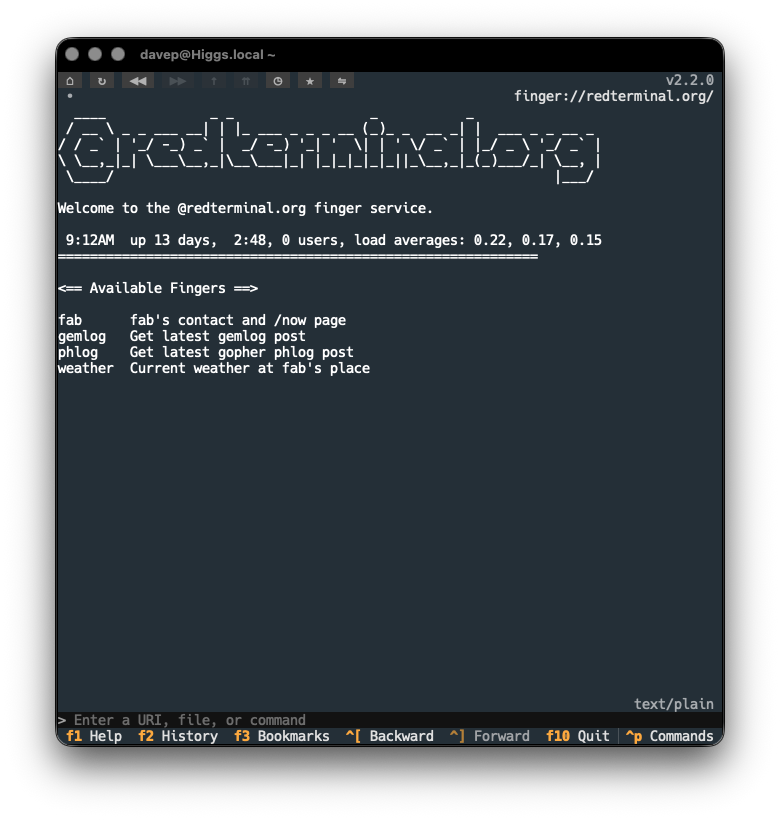
Now you get a version that lets you follow the implied links in the response:
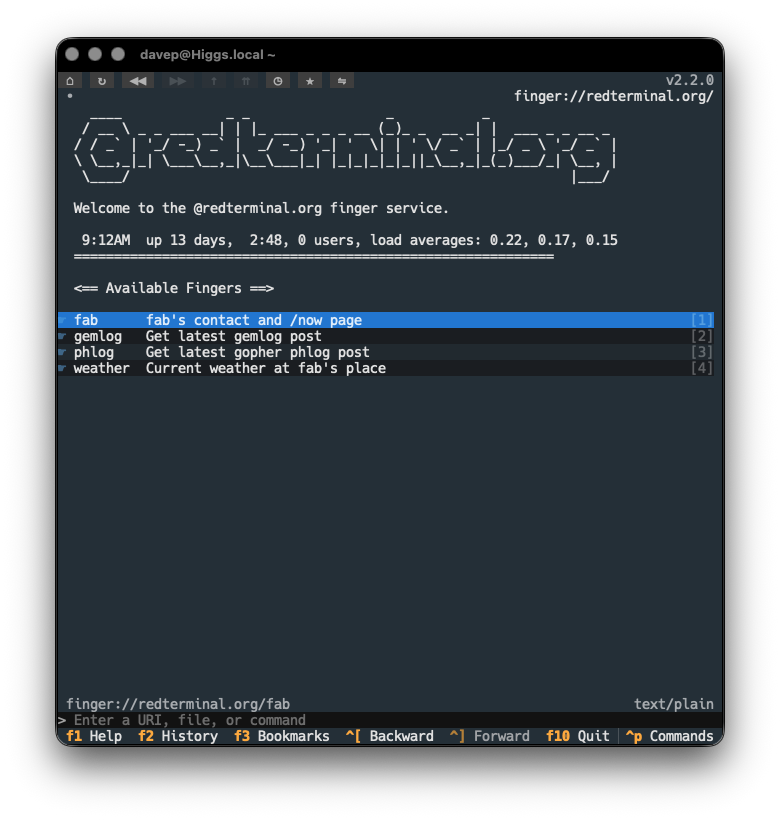
This is, of course, going to be reasonably brittle. If any of the services change their output format such that the "links" can't be detected any more, the output won't be turned into Gemtext. Likewise, it's not impossible that false positives might turn up. I'm going to run with this for a while and see how it works out. I also have a vague plan for how the detection and smarter rendering of finger responses could be made configurable by the user.
Anyway, that's it for this release of Rogallo. Now I can return to the main change I was making a start on this week: Titan support. I've not so much been putting it off as I have been allowing myself to get distracted by the above changes -- mostly because I don't quite get Titan support yet and I don't have a good location to play around with it. Time to solve that problem...
Have a comment or query about this post? Feel free to drop me a line about it.