Rogallo v3.3.0 has been released. This update adds the ability to ignore some types of errors you may encounter when navigating Geminispace.
The update was prompted by the fact that, yesterday, the certificate for AstroBotany expired. Rogallo, quite rightly, alerted me to this and didn't carry on with loading the content. But it got me realising that it's easy enough to inspect the situation, realise that it's just a blip that will be fixed pretty quickly, and meanwhile you just want to get on with watering your plant, etc. At that point, Rogallo didn't allow you to do this.
So v3.3.0 adds the ability to ignore some errors that might crop up when visiting a capsule.
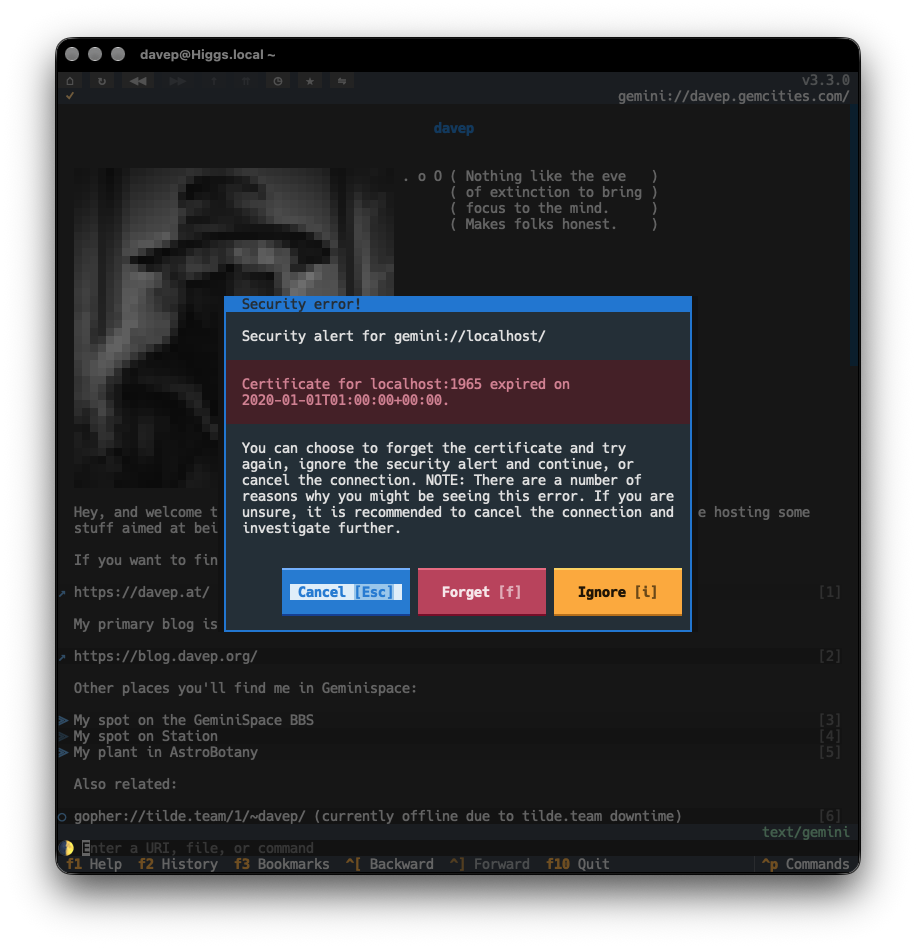
When an error is ignored, it is only valid for that host, that port, and that particular error for the duration of your Rogallo session. If you close Rogallo and start it again, you'll be shown the same dialog when visiting that host/port.
As a reminder, if an error is being ignored for the document you're viewing, the verification icon in the document title will indicate an error with its background colour:
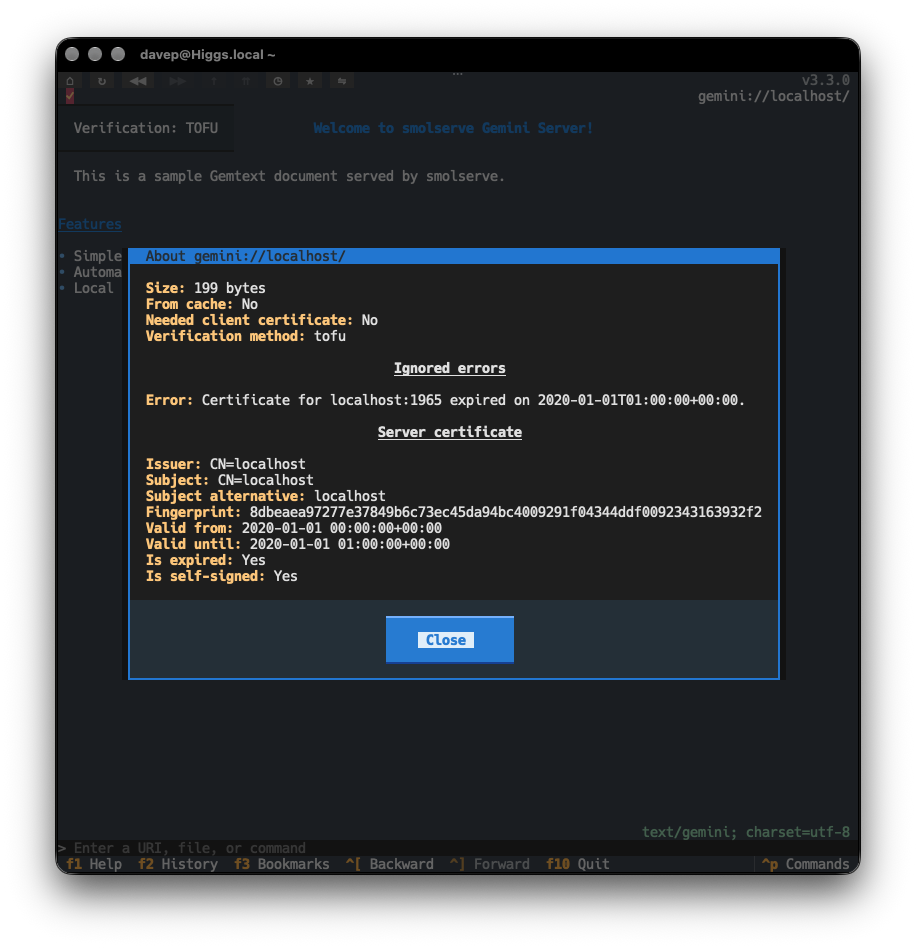
If you click on the icon (if using a mouse), or use the AboutThisPage command (bound to F7 by default), any ignored errors will be shown along with the other document information.
With all this in place, all being well, if AstroBotany has a wee certificate update lag again in the future, I should still be able to visit the Koi pond without a problem.
Well, okay, with an ignored problem.