It's the best part of two years now since I dropped Pinboard in favour of Raindrop. It's also seven years now since I first created a Pinboard account and started collecting possibly-useful bookmarks1. I've found this process useful, and it continues to be a great way to find and remember things. The way it works these days is:
Spend most of the week scrolling social networks, Reddit, the Orange Site, etc.
See something I find interesting.
Add it to the unsorted collection in Raindrop (mostly via the iOS app)
Normally once a week fire up Braindrop and filter, edit, describe, and tag the links.
This approach gets used for a few different reasons:
It lets me collect links I want to refer to in the future.
It lets me collect links I want to review as a reminder to look at a thing.
It lets me collect links to posts and articles I want to make a point of reading.
As such, I use it as both a long-term bookmark/information store as well as a read-it-later queue. It works well.
When going through this routine over the weekend, I got to thinking: while I do publish a public list of my bookmarks (complete with RSS feed), it might be interesting to make an occasional post where I list out the links I discovered, which I found interesting and worth hanging on to, and explain what caught my interest. It might also be a worthwhile process to look further through the past seven years of bookmarks and write about some of the older links (or at least use that occasional review to weed out the history).
So, that's the plan. I'm not sure quite how long it will last, but I think it would make for a good occasional series. I was going to call it "This week I found...", but then I realised that that puts pressure on me to make it a weekly thing. Perhaps it should be more like "Recently I found..."; that way it can either be multiple posts in a week, or once every few weeks.
I say "started collecting"; I was a del.icio.us user back in the day. ↩
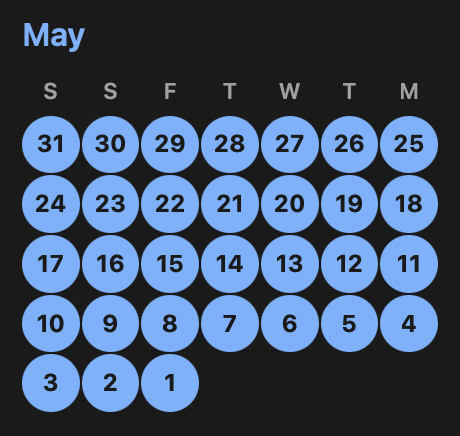
I've just realised that, somehow, I've managed to post something on this blog, every single day this month.
A large part of this is, of course, because I've been doing a lot of stuff on BlogMore, but there's no getting away from the fact that BlogMore exists and I feel compelled to make use of it, and also that blogmore.el helps make it a lot easier to kick off and edit a post.
Thinking back to other blogs I've maintained over the past couple of decades, I don't think I've ever come close to this. Last month did come close, broken only by the couple of days I was chilling in Whitby. The month before also came close, minus 2 days where I just didn't have something to write.
I don't imagine this will last; in fact, I know for sure that there will be fewer posts next month (I have a trip coming up). What I do know is that I feel more compelled to jot something down when an idea turns up, and I'm enjoying the habit of blogging more frequently. While I expect this run to calm down, I hope I don't fall back to leaving it months at a time before opening a fresh Emacs buffer and kicking off some new Markdown.
Since kicking off the work on BlogMore and blogmore.el, I've absolutely found that I've reduced the friction involved when it comes to writing a quick (or not so quick) blog post. I've also found that I want to go back and tidy up lots of my old posts. Over the past few weeks I've gone and cleaned up the size and positioning of images; converted most images to WebP format; cleaned and consolidated the tags used; hunted down and fixed broken internal links; and a few other things besides.
Another thing I want to do is go back and hunt down, and clean up, typos and spelling mistakes, and the like. While I'm careful to try and not make any errors when typing out a post, and while I've always made a point of reading my posts back to try and catch problems, I've not always been successful. Sometimes I'm just blind to the errors, sometimes I'm just rushing. There's over a decade of mistakes on this blog.
This alone makes it nice and easy to go back and clean up some obvious issues. A problem I ran into though was that I was getting a lot of false reports for things in the front matter of the files (especially parts of the cover: file name) and also in the end-of-file comments I like to use. So, with a little help from Gemini (because it's a moment since I last wrote any awk in anger), I wrote a filter to "clean" the Markdown content before running it through aspell.
Already, using this setup, I've caught a few things that deserved cleaning up, and because there will be a lot of words that are correct but particular to this blog and what I write about, I'm also building up a local ignore list.
While this setup isn't going to make the content of this blog error-free, it should give me everything I need to go back and slowly improve some of the older text, and to harmonise some of the spellings of some technical terms.
As I mentioned before: I've done this by hand, one post at a time, also adding missing covers as I go. The process went faster than I anticipated and I found that adding linting support to BlogMore really helped with this process. Each time I made a batch of changes I could run the linter to make sure I'd not broken any image links.
As for the result: I've brought the total size of images on the blog down from around 56MB to about 32MB, give or take (keep in mind the latter figure also includes all the WebP images I've added while blogging since I started this process). While I don't really have to worry so much about the storage costs of these images (I'm using GitHub Pages after all), overall, over time, there should be savings in the time it takes for readers to load any given page.
The new linting tool I've added to BlogMore has paid off already. While it is the case that it helped me find a couple of broken links and one or two other things to tidy, as I was working on the feature; by the time I released it, my blog was lint-free.
But last night I did a little more work on the slow migration of images over to WebP. As I've mentioned before: this is a process I'm doing by hand, one post at a time, for a couple of different reasons. The thing is, I'm in a part of my blog now where I was often posting about updates to projects I was working on (Tinboard being a good example), and the cover for all of the posts would be the same. To save having multiple copies of the cover image, all subsequent posts would point back to the first cover image1.
So what was happening was, I'd have a cover image that got transitioned from PNG to WebP, and then the covers of a number of posts, later in time, would be broken. While I would get to them eventually, if I'd called it a day there and rebuilt my blog, those would have been published broken.
Using blogmore lint while making those changes yesterday evening alerted me to this right away.
It's worth noting that I break down the post attachments by day. ↩
I've finally made a proper start on the planned migration to webp for images. I did consider writing a tool that would go through and migrate the files, and update the Markdown, all in one go, but something about that makes me kind of nervous. While it wouldn't be a destructive approach (the whole blog is under version control after all), I just have this niggling feeling that I'd miss something and it would sit broken, unnoticed, for ages.
So instead I've decided to take a one-post-at-a-time approach, making the migration by hand. As well as having the benefit of letting me go slowly and check my work as I go, I can also do some tidying up of old posts. So while I do this I'm also going to tidy up obviously broken links when I notice them, and also remove embedded tweets (swapping to the simple blockquote version).
Another thing I'm doing is adding cover images where possible. I'd been running this blog for a long time before I started to use cover (it might be that I didn't start until I moved to Pelican). Since then I've tried to use it any time there's an appropriate image in a post. More recently, I added cover images to the graph view so they're even more useful now. Back-adding a cover to older posts will make them more appealing to discover in the graph because those older notes will acquire attention-grabbing thumbnails too.
One thing I wanted to do was have an easy way to keep track of where I'm up to in the migration. It's going to be a steady process that's going to take a few days, doing a few posts at a time. So to aid this I've added this to the Makefile of the blog:
With this I get a handy list of dates of posts that still have unconverted PNG or JPEG files.
Of course, for a wee while, this will not get to an empty list because I want to make sure some of the more recent posts still have their older images available as they might be in feeds out there. More recently I've only been using webp for images, so once the webp-using posts fill the main RSS and Atom feeds I can clean out the last of the bulkier images.
Ever since I kicked off the work on BlogMore I've had a renewed interest in writing on this blog (as you can probably tell from the stats and the calendar). But not just writing: also tweaking it, tidying it up, thinking about maintaining it into the future, thinking about the links and the categories and so on.
In doing so, I've also been looking at other folk who persist in keeping a blog, and especially those who maintain blogs built with static site generation tools, and in some cases I'm mildly envious of how far back some of them stretch.
I maintained this for a while, the engine for it all being some self-written PHP engine that was what could be best described as a dynamic static site (in other words it generated everything on request from underlying text files and HTML snippets because I had no wish to be faffing around with databases on a web host). Eventually though the blog side of this got to be too much trouble and I jumped over to Blogger.
I maintained that blog for quite a few years, with the first post being made in 2006 and the last in 2011. Sadly it's all quite broken now. I used to include a lot of images and, while some of them are embedded in the site itself, most were hosted on the older version of my website, as part of the photo gallery I also had there.
This all fell apart when I finally killed off the PHP version of my site and all the images were removed. Now the blog is a wasteland of broken image icons (not to mention a wasteland of broken external links -- so many of the sites I referred to back then have fallen off the net).
I hate this. I hate that thirty-something me was fired up enough to want to write stuff down and communicate to other people (and to future me) and it's all decayed. I especially dislike that the original version of my blog, now only stored on the Wayback Machine (and perhaps on a hard drive that I think is in a box somewhere in storage, perhaps also on some burnt-as-a-backup DVDs) is otherwise inaccessible. Much like I did with my original photoblog, I want to rescue this. I want to rescue all of this.
The technical challenges of teasing out the original posts from the Internet Archive and from Blogger aren't too great. Turning a bunch of HTML into Markdown isn't impossible either -- the library that I use in OldNews should do the job fine there. All that sort of work feels like a fun little challenge that will keep me amused for a few evenings.
There are two main things that cause me to pause when thinking about doing this.
The first is that some of those very old posts, as I mentioned above, link to places that don't exist and haven't existed for a long time. It raises the question: do I even care to preserve things that have no context any more?
The second is that many of the posts in the Blogger blog, as I mention, relied on images hosted on my old site. Right now I'm not actually sure where those photos are! While I took a backup of all the code and other data for www.davep.org when I did the big reboot (storing it all up on GitHub), I seem to have stripped out all of the photos. This makes sense as there was a lot of data there. Making sure I had a backup of those files feels like something I would do -- I hang on to all sorts of data -- but at the moment I can't locate them1.
To make this work, for this to stand any chance of working, I need to pull them all back out from somewhere.
Will I do this? I don't know yet. The seed is there, the itch is waiting to be scratched. I look at the age span of this blog, and the calendar page, and think it could be really cool to really back-fill it from my older blogs. The graph might end up looking really funky.
On the other hand: am I just trying to preserve irrelevant things as a way to make work for myself (albeit "work" that is fun; after all coding is a hobby as well as a living).
On the gripping hand: if I can get the images back, a wasteland of links to sites that don't exist any more does, at the very least, provide a history of what was and is no longer.
I should point out that I have the original photos all backed up any number of ways and in multiple locations, but it's the specific jpeg files with their specific names as appeared in the photo library on my site that I need to make this work. ↩
For a good while now I've been pretty happy with the PageSpeed measurements of this blog, which in turn means I've been happy with the state of what's generated by BlogMore. I have pretty much everything that can be minified nice and minimal. At this point, the main thing that causes the speed measurement to fluctuate is image sizes.
I use a lot of PNGs on this blog. When I'm using images, they're almost always in posts that include screenshots, which in turn pretty much demand that I use a lossless format. When I take these screenshots I don't worry too much about the dimensions (within reason), and of course I don't really do anything to optimise how they'll work and appear on different display sizes. If I was to get too into that, it would add friction to writing something, and the whole point of this is to feel less friction when it comes to sitting at the keyboard.
So I've been living with the fact that some images can be pretty big. While I do make a point of using pngcrush on every image, it generally doesn't make a huge saving.
In my case, at least in the initial experiment, I decided to keep it all lossless. So far the results have been really good, cutting the image sizes down by a significant amount. For example, if I look at the images for yesterday's posts:
So far all I've done is convert the few latest posts that make up the front page of my blog, just so I can see what impact it has. I'm getting improved load times on mobile, for sure.
There are a couple of downsides to this, of course.
Now I want to do the whole blog, so while I can easily go through and convert all the png files to webp, converting all the image markup in the Markdown files isn't quite so simple, and even if I do write something to automate it, I'm then going to want to review it to make 100% sure nothing has broken.
I can't just then remove all the png files to cut back on the space used by the generated site. The front page of the site has a feed, and all the categories have a feed each too. This means that there could be HTML out there from some of my oldest posts, referring to the png files, and just removing them will result in broken images.
Overall though, it might be worth doing at some point soon. Meanwhile, from now on, I think I'm going to replace my pngcrush step with a mkwebp step and just use webp instead of png now.
For about 2 and a half years now this blog has been built with Pelican. For the most part I've enjoyed using it, it's been easy enough to work with, although not exciting to work with (which I think is a positive thing to say about a static site generator).
There were, however, a couple or so things I didn't like about the layout I was getting out of it. One issue was the archive, which was a pretty boring list of titles of all the posts on the site. It would have been nice to have them broken down by date or something, at least.
Of course, there are lots of themes, and it also uses templates, so I could probably have tweaked it "just so"; but every time I started to look into it I found myself wanting to "fix" the issue by building my own engine from scratch.
Thankfully, every time that happened, I'd come to my senses and go off and work on some other fun personal project. Until earlier this week, that was.
The thing is... I've been looking for a project where I could dive into the world of "AI coding" and "Agents" and all that nonsense. Not because I want to abandon the absolute thrill and joy I still get from writing actual code as a human, but because I want to understand things from the point of view of people who champion these tools.
The only way I'm going to have an informed opinion is to get informed; the only way to get informed is to try this stuff out.
So, here I am, with my blog now migrated over to BlogMore; a project that gives me a blog-focused static site generator that I 100% drove the development of, but for which I wrote almost none of the code.
At the moment it's working out well, as a generator. I'm happy with how it works, I'm happy with what it generates. I also think it's 100% backwards-compatible when it comes to URLs and feeds and so on. If you do see anything odd happening, if you do see anything that looks broken, I'd love to hear about it.
As for this being a "100% AI" project, and how I found that process and how I feel about the implications and the results... that's a blog post to come.