It's been quite a while since I used voiced search on my Nexus 6. Ever since
I got the Moto 360 I've not really had a need to say "OK Google" to my phone
because I could simply say it to my wrist. Today though, because I wanted to
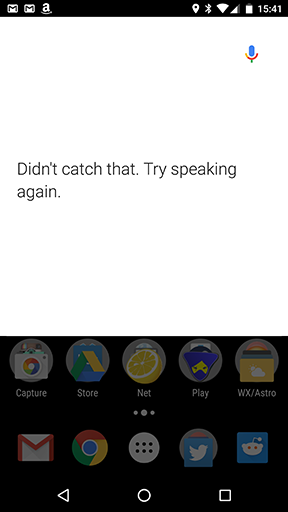
quickly look something up and my phone was to hand, I spoke to it and got this:
Brilliant.
I've been here before. I had exactly this sort of problem with my Xperia Z
at one point.
The problem appeared to go away eventually (actually, it sort of came and
went a few times over a matter of weeks, if I recall correctly), although I
never really got to the bottom of the cause.
I've tried rebooting the phone and that hasn't helped at all. While it's more
of a vague annoyance than anything else (like I say above, my Android Wear
device is my goto tool for talking to Google these days) it does frustrate a
little when fairly expensive tools don't "just work".
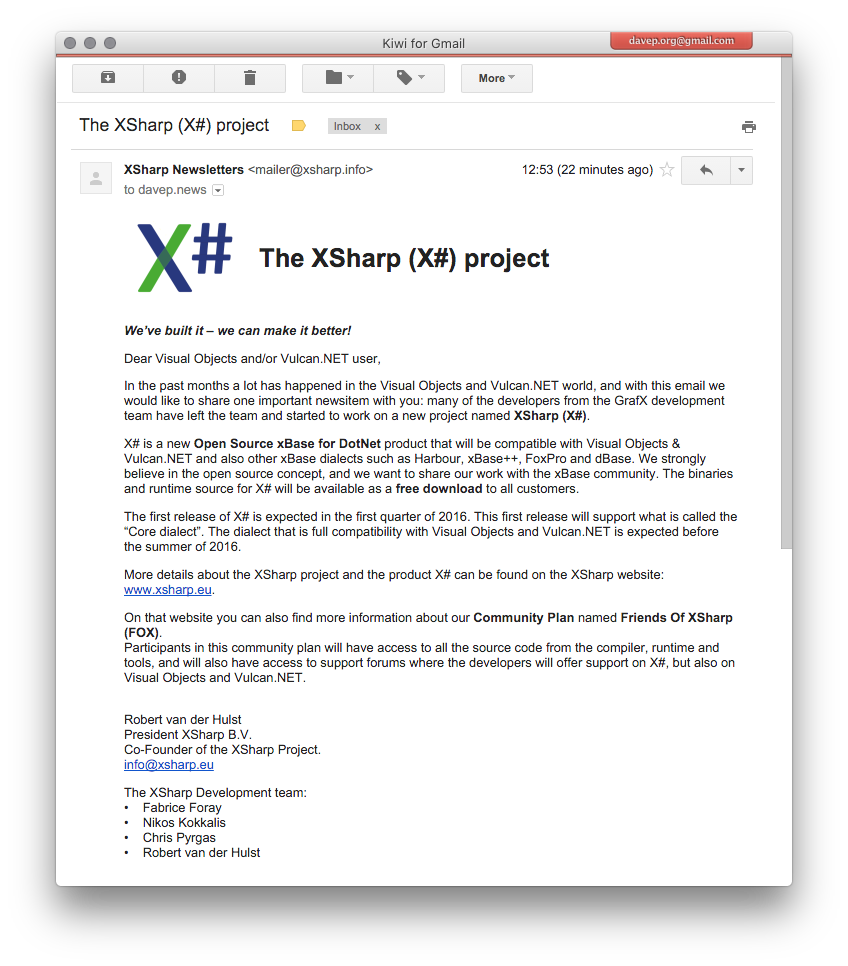
What's of particular interest is the email address this was sent to. It was
one that I only ever (to my knowledge) used for posts to Usenet. While my
gmail spam folder is filled with emails to that and other addresses I used
for Usenet over the years this is the first bit of "proper" spam I've had
to it in a long time.
It's signficant that it's some sort of Xbase-related
thing too. I think the Usenet group I posted to more than any other will have
been comp.lang.clipper. Unless I had some lapse of
judgement at some point in the late 1990s or early 2000s (I think I only got
the davep.org domain in 1999, now I think about it) the address this was sent
to was used nowhere else.
I've also never been a "Visual Objects and/or Vulcan.NET user". While I did
once own a copy of Visual Objects (two copies actually -- a beta and then a
final release) it wasn't in a way that I'd have been on some mailing list and
even if I had the address in question wouldn't have been the one used.
So, yeah, great way to impress me with a new product: make your first contact
with me look exactly like some old Usenet spam.
Edit to add: I've since had it confrimed by the sender of the email that
my address was indeed pulled from comp.lang.clipper.
A little earlier today I decided it was time that I read up a little more about
the abilities of OS X's Spotlight facility. I use it a little -- it's a handy
tool to get at some often-used applications that I don't really need laying
around in the dock -- but I was starting to wonder if I could get more out of
it.
The obvious first place to look was in the HelpViewer; all the information I'm
ever going to need will be on the local machine, right?
So I open the HelpViewer, from the Spotlight bar, and type in that I want
information about Spotlight. The page comes up blank. The page was pretty small
so, while I pondered why it might be blank, I resized it and it disappeared!
I tried to open it again and.... nothing. Nothing I did would make the
HelpViewer show again.
I then tried following the advice
on this page but
none of that appeared to help. I then looked for the HelpViewer in the
Activity Monitor and killed it with that.
Running it again after that got me back to where I started. I tried the while
process again and, sure enough, trying to resize the window made it disappear.
I can make it happen every single time:
So it looks like another fine example of the Apple "it just works" thing.
For "doesn't always just work" values of "just works".
As much as I like my iMac, and as much as I am generally impressed with OS X
the more I use it, I'm constantly frustrated by the little issues I run into
that make life so much more interesting and which fly in the face of the
"it just works with Apple" fandom thing. The more I use the iMac, the more I
appreciate that Macs and OS X are just as "fun" as anything running Windows.
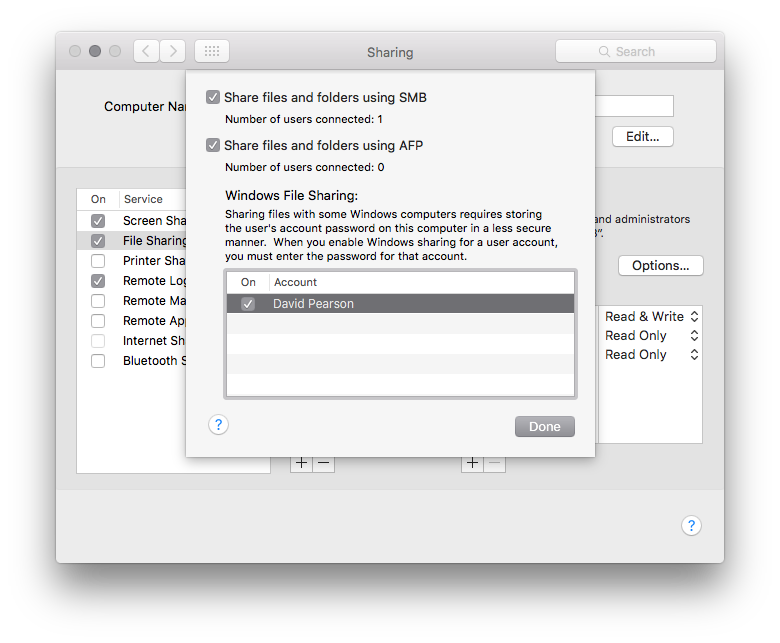
A little earlier was a good example. I wanted to share part of the iMac's
filesystem using SMB.
This seemed easy enough, the instructions on how to do it were clear and,
after following them, it utterly failed.
Brilliant.
So I Googled the issue a bit and ran into
this handy forum post.
Apparently you can't actually connect with SMB if the account you're going to
be using to connect with is using iCloud login rather than a separate login.
Brilliant.
Not an obvious thing. Nothing said this was the case. According to the forum
post even Apple couldn't help the person who'd been trying to make it work.
But at least there was a workaround. All I'd need to do is split the password,
have a login for the machine that wasn't the iCloud login and I'd be all good.
I did it, it worked. I could browse the iMac's filesystem from my Windows
machine and all was good (I'd been able to do this the other way around
for ages and with no problems whatsoever).
Then I got curious.
What would happen if, once I had this set up, I "unsplit" the password and
went back to using the iCloud password to log in? That's when it got really fun.
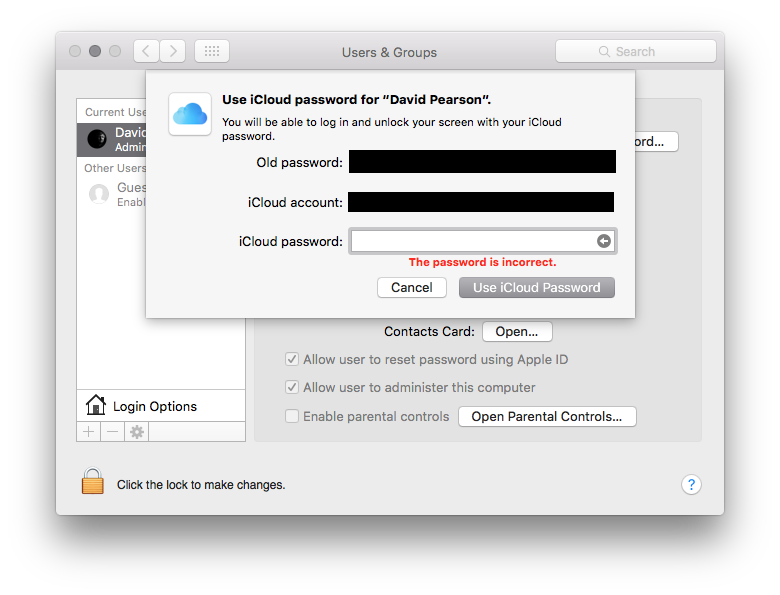
To do this it asks you for the current password and also your iCloud password.
I entered both and...
Yup. It refuses, every single time, to accept that the iCloud password I'm
entering is valid. Trust me, it is. I'm entering the correct password. I can
log in to the iCloud website with it just fine. But when I use it to try and
"unsplit" my password.... nope.
Brilliant.
I've even tried disabling SMB sharing for my account, and even turning off
SMB sharing altogether. This doesn't seem to make any difference. Right now,
as far as I can see, now that I've split the password I can't go back
despite the fact that there's a method of doing it made available.
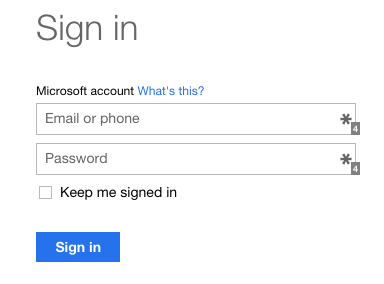
I have too many Microsoft accounts. Far too many. And they still confuse
the hell out of me.
I found out over the weekend that the office was closing down the old internal
email server. Everything moving to Office365. I use Gmail for my email (I have
a freebie Google Apps account that I use as the front end for it -- when it
comes to things like email I'm Gmail all the way). So, as of today, I have
a new work-oriented Microsoft account.
Problem is, I already had a work-oriented Microsoft account because that's how
I use MSDN and download stuff from that.
I also have a personal outlook.com account for reasons I can't remember now.
And then there's the Windows gaming login, which might or might not be related
the the one above.
And then there's the old Xbox live account that I think has nothing to do with
the above.
And then...
The problem I have is that I never seem to be able to log in with an existing
MS account any time something new crops up, and so I somehow seem to end up
having to make a new one. And now I have too many and there's no obvious way
to merge them or kill them off without losing some service I don't even know
I need to use any more.
And then there's my two Skype accounts (personal and work)...
Make it stop! Please! And give me a merge facility!
I woke up this morning to see this being retweeted by a few people I follow:
Even if I was to let my usual net-cynic side take over and decide there's a
good chance it's a made-up story there's no getting away from the fact that
this is a story that isn't in isolation. I hear this sort of thing time and
again; especially from people who have to deal with the fallout from this
first hand.
This is something that is happening, in 2015, in the country I live in.
I wish it wasn't.
This is why I find
Labour's accusation of lying
so damn annoying and frustrating. For a short while I simply decided that
that was that. They're as corrupt as the rest of them and only in it for the
money. This was made even more clear by how often they kept trumpeting the
new member numbers. It's all about the numbers -- all about the money.
and got to thinking that perhaps, just perhaps, some change for the better
is actually happening inside Labour. Perhaps I should give the organisation
the benefit of the doubt. Perhaps, if I contacted the membership team and
asked why they'd decided I was lying, they'd give me the information and I
could sort things out.
So I did. I wrote to them. I sent this to them, via the form on their
website, on 2015-09-28:
On September 5th 2015 I received an email from you accusing me of
having lied when I sought to become a supporter, with a view to
applying to be a member after seeing the results of the leadership
election. This was a rather hurtful event and one I wrote about here:
http://blog.davep.org/2015/09/07/labour-said-no-thanks-to-my-support.html
Having watched https://www.youtube.com/watch?v=RYNPzJgV8TI I find
myself in the odd position of liking the message of a party that, at
the same time, accused me of something without evidence.
Given this I'd like to get to the bottom of what happened, hopefully
find out what evidence was used to make the accusation and, perhaps,
get an apology so that I can seriously consider joining and supporting
what is happening.
I look forward to your reply.
I, of course, gave all my full details -- the email address I'd used, my home
address, my full name, etc. All the information that I'd given when I signed
up as a supporter. From what I could tell they had everything they needed to
be able to check and give an adequate reply.
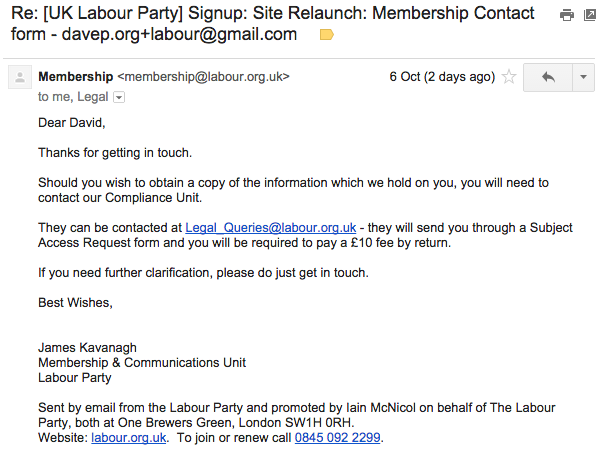
It took a while but I finally got a reply. This email came through on
2015-10-06:
So that seems pretty clear: a non-answer to my question and they're asking
for another £10 on top of the £3 they already have off me to find out what
evidence they have that meant it was okay for them to take my £3 and then
accuse me of lying.
What's the betting that I'll spend that £10 and get a non-answer?
What's even more infuriating is that I'm not actually asking for information
they have on file about me, I'm asking for clarification for something they've
already told me.
It's really hard not to view this as a simple bait and switch.
So now I'm left wondering what to do next; trying to decide if I just give it
up as a bad job and accept that, really, nothing has changed and they're as
bad as ever. Corbyn might well be talking a good game but, under that cover,
it's still just another money-grabbing organisation that wants power and
very little change.
I'll be the first to admit that I'm a creature of habit. Once I get used to
something I find it hard to change. In many areas of my life there has to be
really compelling reasons to change something. I've found that this is the
case with my Android Wear watch.
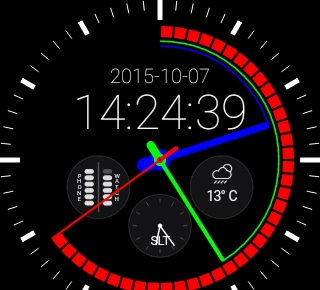
When I first got it it took me a couple or so days to find a face that I was
happy with and, in the end, I went with Pujie Black,
along with a colour scheme I set up myself (called RGB, for obvious reasons).
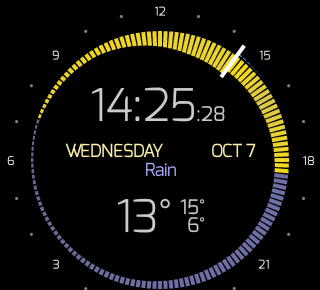
Today though I stumbled on Krona Sunlight.
This face really got my interest. Part of the reason is that, while what I'm
wearing is normally called a "watch", I don't see it as a watch (just like
my phone isn't really a phone). It's a wearable Android device that gives me
handy info at a glance and lets me set reminders and things without even
having to reach for my phone, tablet, Chromebook or desktop machine.
This face fits perfectly into that.
While it lacks the battery information (edit to add: it doesn't lack battery
information, it's just an option that is off by default), and second time display, that Pujie
Black has, it more than makes up for it with the rather fantastic display
of weather and sunrise/set information -- especially how it displays temperature.
This was enough to not only have me buy a copy, but also to switch to it. I'm
going to be sticking with it for the next couple of days to see how I feel
about it and see if I miss any of the other information.
This might be a little bit of change I can cope with.
Apparently that famous Apple obsession with design doesn't apply to the time
display on the OS X login screen (the wake-from-sleep password confirmation
one anyway):
I've never noticed it before. I'm not sure if this came about with
the upgrade to El Capitan or not.
But now I've seen it I can't unsee it.
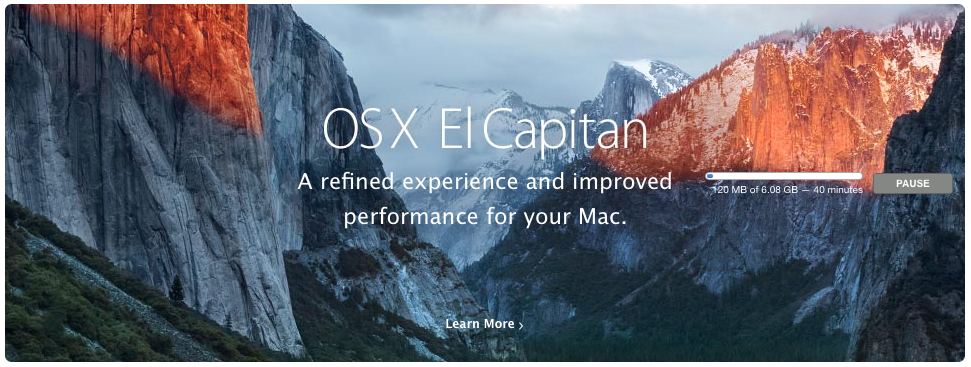
Almost a week ago (yes, I have being meaning to write something down about
this and have kept failing to do so) my iMac told me that there was a new
version of the OS waiting for me. While this is doubtless no big deal for
most Mac owners, this was interesting to me because it's the first time
I've experienced an OSX upgrade since I got the iMac.
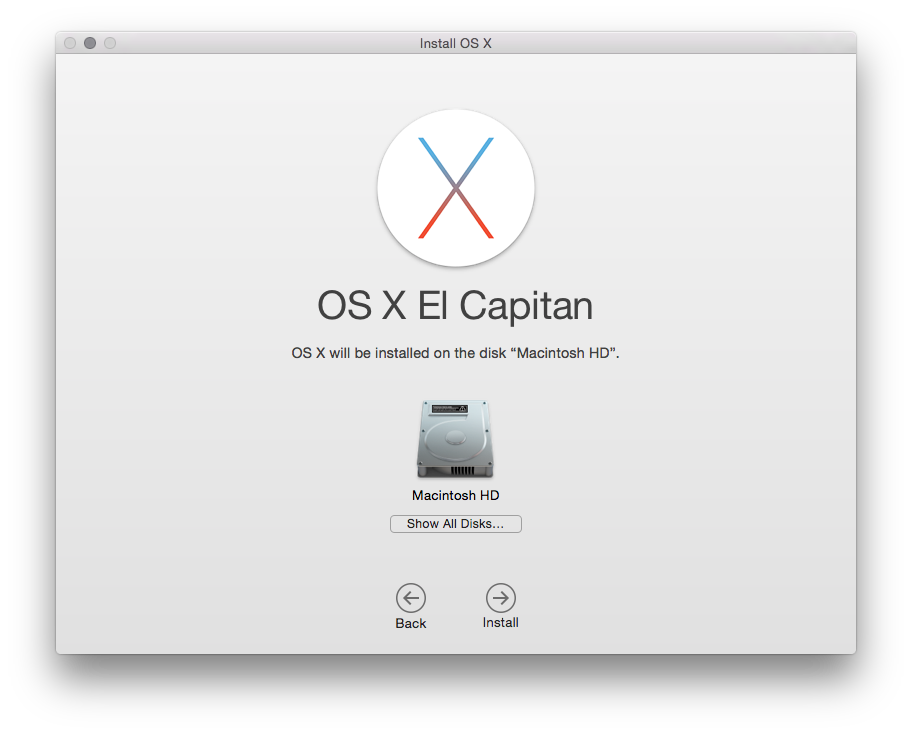
The download took a while and, while the install had a couple of curious
bumps along the way, nothing seemed to actually go wrong.
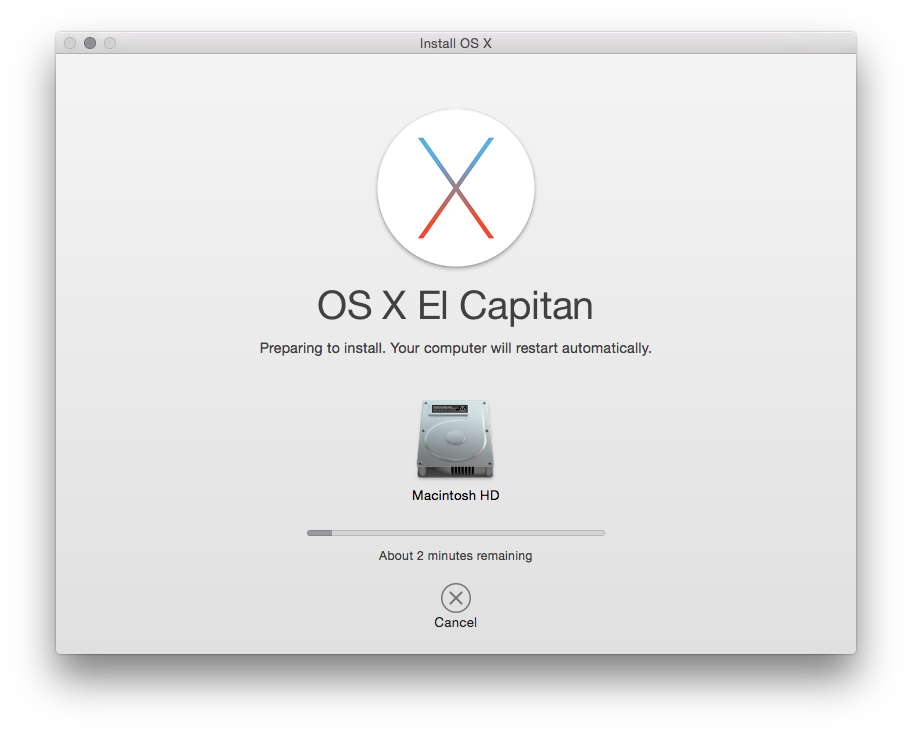
The two main things I noticed were that it seemed to take the installer an
absolute age to close down all running apps before it got to doing the
installation. The other was that Mac progress bars seem to have a very odd
way of calculating things. Often it would tell me that there was (for example)
28 minutes to go, it'd stay like that for 20 minutes, then drop 5 minutes,
then appear to finish very soon after.
Mostly though I just left it alone and let it do its own thing. While the whole
process took quite a while, it came back just fine (if I'm fair I'm not sure
it took much more time than when I upgraded my laptop from Windows 8.1 to
Windows 10).
The changes and improvements aren't really that obvious. I think I would say
that the machine feels a little quicker in places, but nothing I can really
put my finger on. One of the things I do like is the new split-screen facility
for full-screen apps. While I don't use the full-screen facility that much
I have found the need to split the screen before.
Some of the other improvements I've read about seem to involve things I'm
never going to use: either improvements to Safari (Chrome all the way for
me), the Mac Mail app (Gmail all the way for me, with Kiwi for Gmail
being my client of choice on the iMac) or various iOS-oriented things which
are of little use (while I do own an iOS device it's not one I use much).
Overall the thing I'm taking away from this is that the upgrade was smooth,
nothing was obviously broken or changed in a way that was confusing (unlike
some Windows or ChromeOS updates I've experienced in the past) and I didn't
have to do anything that required much in the way of knowledge to keep it
all going.
Doubtless that won't always be the case, such is the nature of OS upgrades.
While on the phone earlier I was doing that thing you often do when chatting
with someone where you don't have to concentrate on something in front of you:
I was randomly clicking around stuff on a machine. In this case I was
faffing around on my iMac.
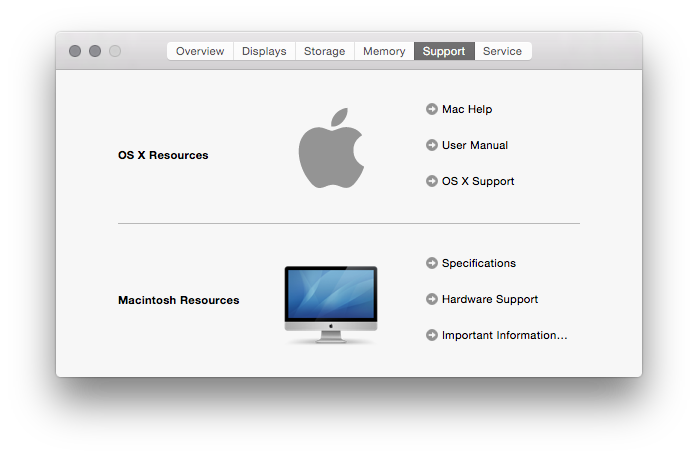
One of the places I landed was in the About dialog, looking at the support
details:
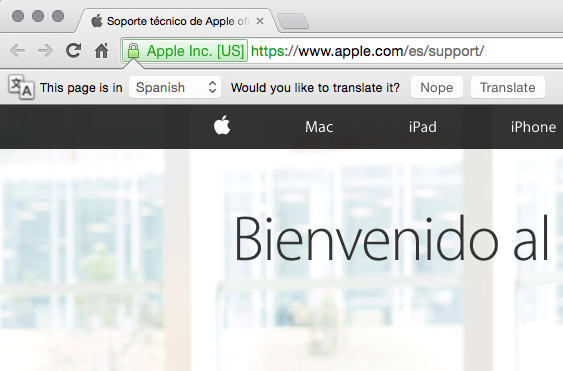
Out if idle curiosity I clicked the "OS X Support" link, which opened my
browser and took me to Apple's website. Only.... it didn't take me to a part
of the site that was that useful to me:
Yes, for reasons best known to Apple or my iMac, I apparently need my help to
be in Spanish. O_o
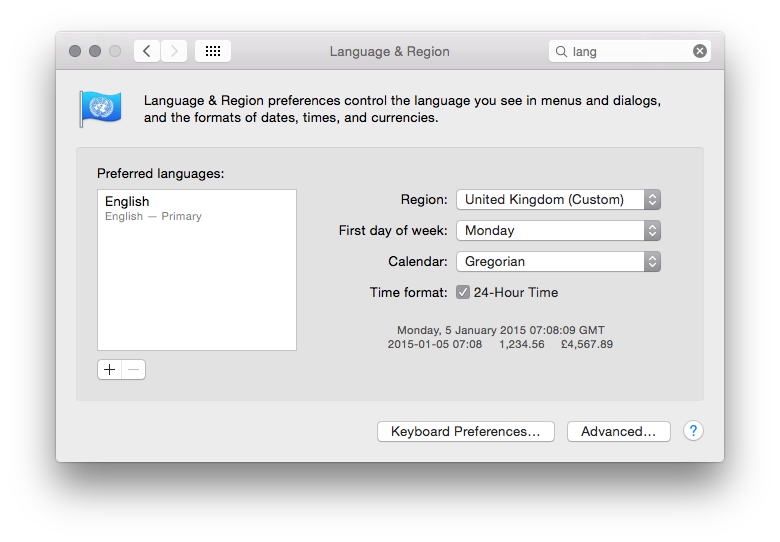
I could understand this if I had my system set to Spanish, which I don't:
About the only "non-standard" thing I have in my setup is the date, which I've
set to ISO 8601 style rather than
the usual UK style. I even experimented with changing that to the default on
the remote chance that it was tickling some sort of odd bug in OS X.
So, yes, another wonderful example of Apple stuff "just working" and being
good for mortals. Well, for interesting values of "working" anyway.