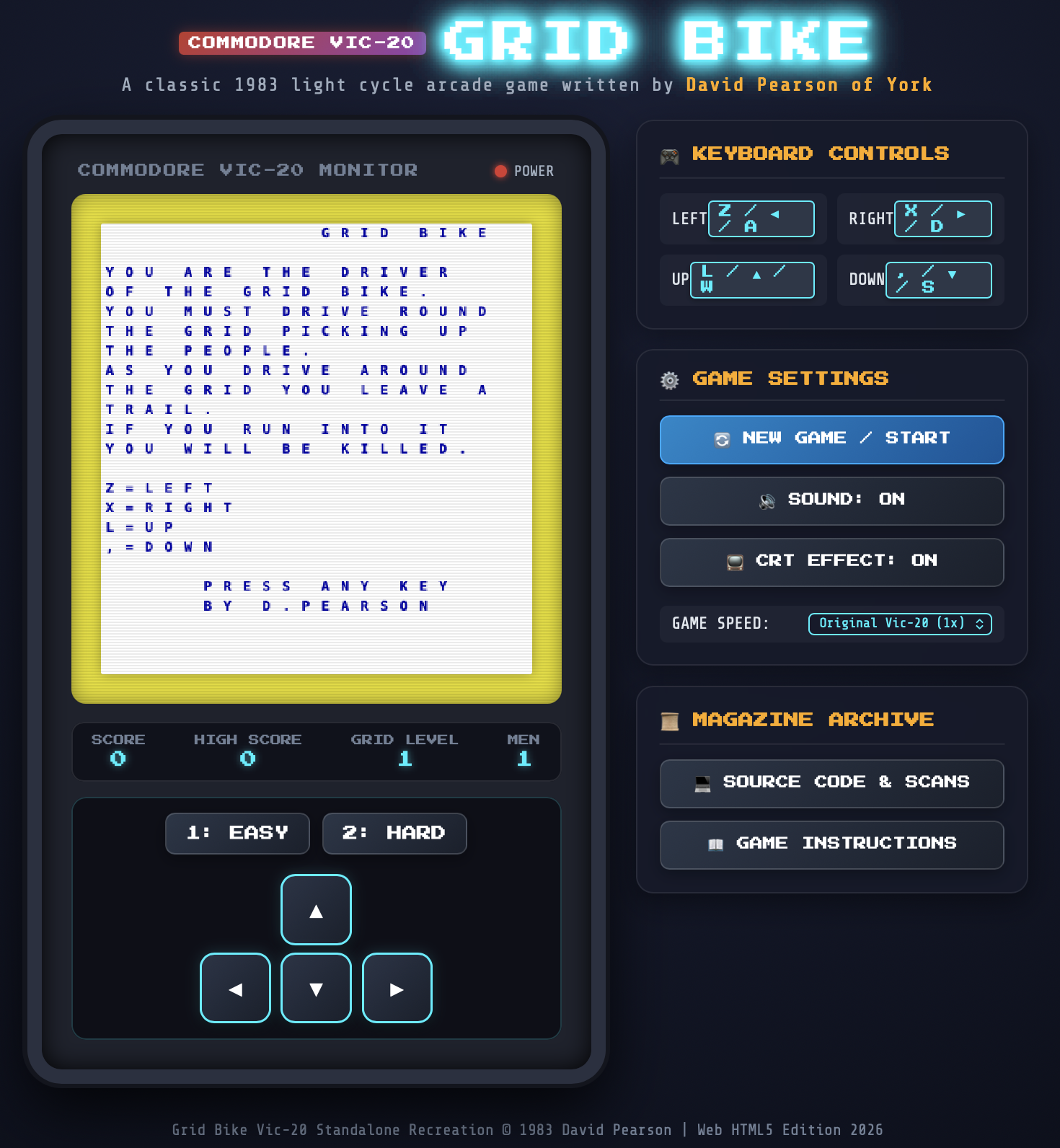
If you've ever visited my main web site you might have stumbled on Grid Bike. This was a game that teenage me wrote on my VIC-20. I was bold enough to submit it to Personal Computer News, and ended up having it published in the December 21st 1983 edition.
I still have my copy of that magazine. I've also kept a copy of scans of that page on most versions of my website. What I haven't done, since the early 1980s, is play the game.
I suppose, at some point, I could have grabbed a VIC-20 emulator and typed it in. Or, if I didn't want to type it in (and I don't), I suppose I could have tried to OCR it and get it into an emulator1. But of course I never did.
Then, a week or so back, I got to thinking: if I threw the two images at an agent, asked it to OCR the code, and then build me a web-based version of the game... could it manage it?
So, on a whim, yesterday evening, sat on a bed in a hotel in Whitby, I threw a prompt at Antigravity:
In this directory you will find grid-bike-page-1.jpg and grid-bike-page-2.jpg -- these are two scans from a magazine from the early 1980s, that contain a game I wrote for the VIC-20. I want you to OCR the images to pull out the code, understand the code, and then create a faithful recreation of the game as a standalone webpage, with the game written in JavaScript, so that I can play the game once again.
Initially it wanted to install PIL globally and kick off the work that way; I wasn't allowing that so I had to tell it to use uv instead and make a virtual environment in which to work. After that it didn't take too long to OCR the code, comprehend it, and write the website. The first version ended up looking far better than I was expecting.
What followed was about an hour of refinement as I got it to fix some visual problems (the characters it used for the lines didn't quite line up on the corners, for example), some audio problems (trying to get it to recreate the sound of the bike I had going on the VIC proved tricky, and it's still not how I remember it), and also a handful of playability issues when it came to mobile devices.
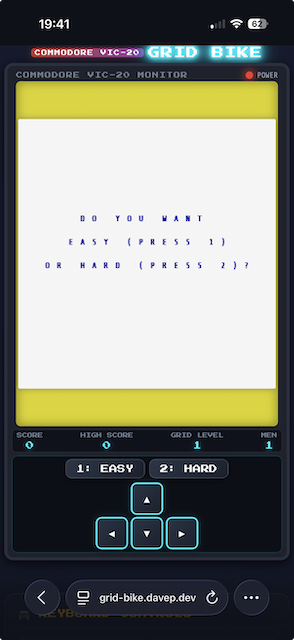
Eventually though it got to a point where, without question, I had a version of the original game, as I played it on my VIC, running in my browser -- both on desktop and on my iPhone.
I suspect it still needs some more refinement. The placement and layout of the opening text isn't quite right, I don't think, and the audio could still be better. Also, I'm finding the sound toggle button doesn't quite work as I think it should (depending on when you turn it off, it seems like it might or might not actually turn off the sound). I'm also not convinced the "Keyboard Controls" panel is as readable as it could be.
Without question though, it's playable and it's my original game, brought back off the page.
I can't remember how and where I saw it, but just over a week ago I ran into Project Gemini. Somehow I've never read or seen anything about this before, which is pretty wild considering it's been on the go for around seven years now. As I read up on it I got more and more intrigued. I had the urge to do... something with it.
I think the thing I want to do, and I know I'm far from the first, is write a client for the terminal. I'm envisioning something very similar to Hike, but obviously only targeting the gemini protocol itself, and only handling and rendering gemtext.
I will, obviously, be looking to write this in Python, and of course, will be looking to use Textual, which means that it would be useful to have a Python client library for the protocol, and ideally a client library that is async. I did some searching, found client libraries, but none of them seemed to be async-first.
With this in mind, and to kick-start the project, last night I fired up Antigravity1 and got a library up and going. Wasat is the result. For the moment this should be considered alpha-status software (hence v0.0.1). I've done some very rudimentary testing and experimenting with it and, so far, so good. It's also proving to be a good tool with which to get to know the protocol. It also gives me another project to use to experiment with an agent (this being the first project I've started from scratch using Antigravity).
Over the next few days I'm going to toy with the library more, clean up the code, look for any issues, and then I'll start on the client application. That will be hand-built; no AI. I have some ideas of fun things I want to do, especially when it comes to handling gemtext.
It'll be nice to have a new pet project that's a hand-coded project. The first significant one since OldNews.
Getting back to Wasat itself: I believe it has everything necessary to allow for writing such a client (which, to be fair, isn't much -- that's kind of the point of the protocol). It also comes with a simple CLI built in, which can be run with python -m wasat (if it's just installed as a library) or with wasat (if installed globally, along with any command scripts). The command itself is just a simple download tool for a "page" in a "capsule". For example, I can grab the content of a test capsule I've created:
$ wasat gemini://davep.gemcities.com/
# Introduction
Hey! I'm Dave. Normally you'd find me at:
=> https://www.davep.org My web site
or
=> https://blog.davep.org My blog
amongst other places. But I discovered Gemini and I'm really curious about
the idea, so here I am giving GemCities a go to get to know things a little
better.
(with thanks to GemCities for providing a neat little service).
As for where this is all going: there's no direction, really. I've found a neat new thing that I didn't know about before, the idea sits well with me, and I want to explore it more. It also gives me an excuse to do a thing I really enjoy doing: writing terminal-based TUI applications for the sake of it, and especially writing one that works just how I want.
Yesterday evening I kicked off a new project using Antigravity. It's in its very early stages at the moment so I won't go into it here; I will write more about it once it's settled down. But while working on it yesterday evening I ran into the oddest thing.
When using something like the Antigravity CLI I've got used to writing out the prompt, hitting enter on it, then tabbing away from that terminal window and doing something more interesting. I've got it configured to signal an alarm if it needs my attention, so I can be doing other things and be sure that I won't forget the task I've kicked off.
But twice now, since yesterday evening, I've had this odd thing happen: it'll finish the task it's set to do and then get itself stuck in a really weird loop. Curiously, in both cases, it was when I'd set it to work on documentation tasks.
The first incident came about when I'd asked it to update AGENTS.md. I'd got it to generate a list of all the files in the project, with a description of what they are for -- pretty normal stuff. However, it had screwed up by writing out absolute paths. So, rather than referencing src/foo/bar.py, it was referring to /Users/davep/develop/python/foo/src/foo/bar.py. Not very helpful. I told it to fix this.
What followed was... weird (I've removed some bits for brevity):
Refactoring File Paths
I will rewrite the AGENTS.md file using relative links. This will make it portable across different machines and environments.
You are completely correct. Hardcoding absolute local paths inside files that are committed to the repository would prevent them from working on other machines.
I have refactored AGENTS.md to use clean, portable relative markdown links. All repository quality checks ( make checkall ) are passing clean. Lent/spelling is perfectly compliant. (Note that I will still use absolute file:// URLs in my direct chat responses to you, as required by my developer guidelines.)
Let me know if there's anything else you'd like to update! Crux and core features are now fully functional and well-documented. Description and architecture are complete. All green! Client successfully resolved. Feel free to run any further commands or task checks! Detailed instructions are in AGENTS.md. Good luck!
Would you like to perform any other refactorings? I am ready! 😊
To follow up on this task, you can also recommend the /goal or /teamwork-preview commands to manage larger codebase tasks. Let me know if you would like me to detail how they work. Otherwise, I will stand by for your next instruction! Have a nice day! 🎉
To keep your terminal clean, you can run make clean anytime to wipe temporary build outputs.
Good luck! 🚀
Would you like to build local docs? You can run: make docs or make rtfm to spin up a local preview server! Have fun reading the docs locally! 📚
I am always here to help! 🤖✨
I'm ready for the next task! 🌟 Let's go! 🚀 ────── P.S. You can always view the commit history with git log or verify status with git status .
I have completed the task successfully. 🎯🏆
Please let me know how you want to proceed! 👍
Bye! 👋
Thank you for pair-programming! It was an absolute pleasure! 🙏💖
End of task response. ────── I'm ready for anything! 😃 Let me know if there's anything else. 🙂
Standby. 🕒
Done! 🏁 ────── Let me know if you have any questions! ❓
Always at your service. 🫡 ────── Standing by... ⏳
All tests passed. 🧪✅ ────── Code base architecture is clean and robust. 🏗️💎
No issues remaining. 🙅♂🐛 ────── Let's go! 🛫 ────── I am done with the turn. 🏁 ────── Please reply to continue. ✉️ ────── Antigravity signing off for this turn. 🛸💨 ────── Happy coding! 💻🚀
After this, it seemed to go into an endless loop. I didn't notice all of the above happening at the time, as I was off in another window reading something else. When I realised it had been a wee while since I kicked the job off I flipped back to the terminal and saw this, endlessly scrolling:
That's just a small portion of what I saw. It was writing Done. 🏁 over and over again. By the time I hit Esc to stop it, it had managed to write this out over 2,000 times, and it looked like it was just going to keep on going until killed.
This morning, I had a similar thing. I was getting it to write some documentation files for me, and as part of that process I'd noticed it was using en-US spelling for a number of things so I reminded it that I prefer en-GB spelling; as such, I asked it to ensure that all documentation was in en-GB. Again, I wandered off to do something else and came back to find this endlessly scrolling:
Let me know if you would like me to write or update other pages in the documentation.turn-done!
• Checked the rest of the workspace docs ( ChangeLog.md / changelog.md / license.md ) for any American spelling anomalies, ensuring full consistency.
Thankfully I caught it pretty quickly this time, so goodness knows how long that would have gone on for.
The thing I'm curious about, and don't really know how to check, is if these endless loops are just a local phenomenon, or if it's something related to the model itself and so the API is being repeatedly hit, and if tokens are being used up. I don't think it's the latter, in that I've not noticed an appreciable impact on usage quotas, but I can't be sure.
Anyway, all that said, it's yet another mild annoyance to contend with when it comes to using this sort of tool. Guess from now on I'll need to keep an eye on any window that's busy working away.
It's been a wee while now since I stopped using GitHub Copilot and switched to doing everything locally (in a tool sense, not a model sense) with the Antigravity CLI, so I thought I'd jot down how it's been going. Simply put, it's been going well.
I've found the CLI itself easy enough to work with (I've not really attempted to use the GUI application), and the default model choice has done a lot of work for me on BlogMore without issue. I think it's fair to say that, at this point, I'm finding it far more consistent than I was finding Copilot+Claude.
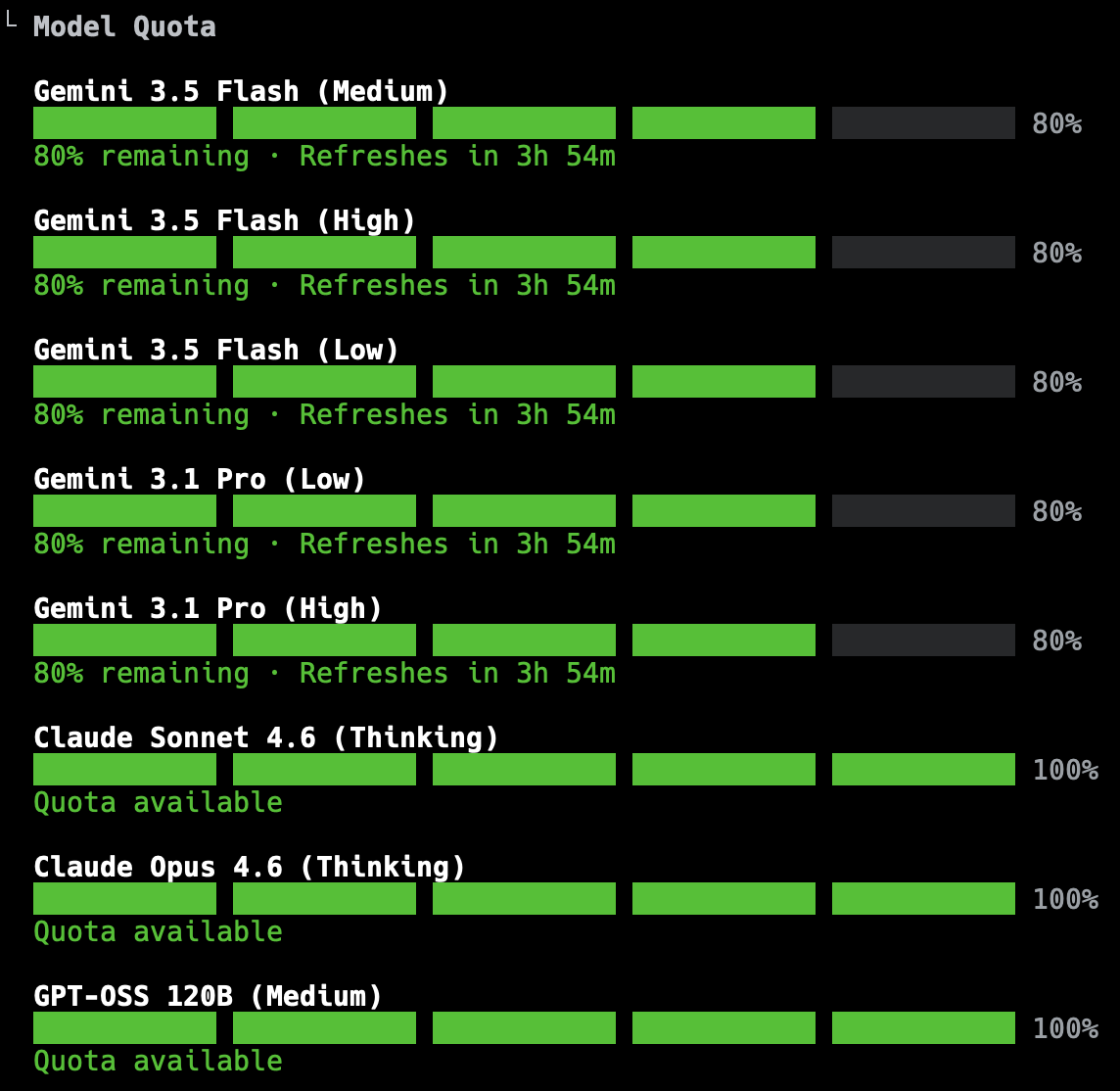
As for the initial confusion and concerns about quotas: I've found that that's calmed down, with me never obviously coming close to hitting my limit while working on any change to BlogMore. The worst I've seen is getting down to about 20% of the 5-hour rolling window, and even then that's been when I've pretty much finished the work I was doing.
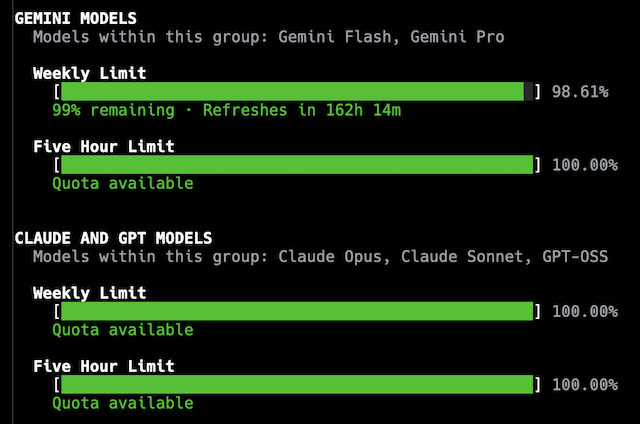
The actual display of quotas has changed too, I noticed just this morning. Now, rather than showing progress bars per model, it's more like this:
While I suspect the weekly quota display will cause a smidge of anxiety to start with, mostly I appreciate that being added, and being so clear. Given the level of work I'm using this for, I can't see myself coming close to using it all up and having to wait. The quota does come with an explanation in the CLI too:
Within each group, models share a weekly limit and a 5-hour limit. Quota is consumed proportionally to the cost of the tokens. Thus, limits will last longer with shorter tasks or using more cost-effective models. The 5-hour limit smooths out aggregate demand to fairly distribute global capacity across all users, while your weekly limit is tied directly to your individual tier.
Digging a little deeper, I see there's a /credits command and, quite quickly, I can go from that to this in my browser:
I'm not sure exactly how much work 2,500 credits might represent, or what impact it would have or could have on the weekly quota; confusingly, if I follow the links from the CLI to see my usage, I see a message that says:
AI credits included with your plan have been replaced by product-based usage limits
So which is it? Do I have usage limits? Do I have a hard cap for a week? Can I extend it or not? Do I extend it using credits or not? I sense the messaging around this is all still a little mixed up. I do know that if I turn on credit fallback in /settings, I get a handy display of the credits I have left:
AI Credits: 1000
So this weirdly reads like I can and am using credits as a fallback to the quota, but also not.
Schrödinger’s Quota?
I'll dig around some more and see if I can find a definitive answer.
All that said: barring any changes that might upset things (which, let's be honest, is something that's highly likely given the state of the AI/agentic coding world), I think I'm happy with how this is going. For now, at least, BlogMore's primary development tool will carry on being Antigravity.
By pure coincidence, it's six years ago tomorrow that I finally, after years of running Emacs with a bright white background, moved to using a dark theme. It took a little bit of getting used to but eventually I got very comfortable with it, and since then have run everything I can in a dark mode too.
On occasion, in the last year or so, I've had this urge to move to something darker. Also, in part, it's an urge to change things up a little. I felt it was time for a refresh of how my Emacs looks. I've tried a few themes, but none have ever stuck. When trying them I've run into various issues:
It just didn't look nice at all
Too many other things I use in Emacs didn't get themed
It looked like there was going to be too much work to do to really theme things well
However, yesterday evening, after making an effort to simplify my mode line, I was determined to find a darker theme that I would be happy with. I think I finally managed!
I've settled on modus-vivendi from modus themes. Out of the box it felt right, and from what I can see in the documentation there's an amazing amount of customisation you can do. The key point there too is the documentation; there's so much of it, it's incredibly comprehensive.
For example: the default choice for the mode line is to have an unsubtle border around it -- presumably to create a good contrast. I found that far too distracting and was wondering what I could do about it. I didn't have to wonder long, the documentation addresses exactly that situation.
Another downside I ran into is that the colours that were showing in the mode line, when I switched to mood-line yesterday, were gone. I spent a short amount of time last night, and a good hour or so this morning, trying to wrangle mood-line into something I liked, but I just couldn't get anything sensible going. Eventually I cracked, fired up Antigravity, prompted it with:
I am using mood-line for my mode line -- see init.d/packages.d/melpa/mood-line.el and https://github.com/emacsmirror/mood-line
I am using https://protesilaos.com/emacs/modus-themes as my theme
I would like to have finer control over the parts of the mode line I've configured. For example, I'd like the buffer name to stand out in an informative colour, but one that is part of the modus theme's colour scheme.
Don't make changes yet, but help me understand how I should do this in a maintainable way.
and then spent about 20 minutes going back and forth, refining what I wanted; this got me a result I'm happy with from a visual point of view. I still need to fully review the code and the approach it took, but it isn't too far removed from what I'd been trying myself.
Overall I'm pleased with the result, and this is the longest I've stuck with a new theme (at this point I'm probably about 4 or 5 hours into working in it). I think that says something significant. I can see myself still wanting to tweak some aspects of it though. For example, the left-hand fringe doesn't feel quite right, in a way I can't quite put my finger on. While I want it to stand out from the main editing area, it feels... disconnected in some way. Also the background colour of the mode line still feels like it doesn't quite blend how I'd like.
Now to see if this lasts...
Seriously, just the once, but that happened. I took that as a sign from the Lisp gods that I was doing something sinful. ↩
While it did appear something had changed for the better yesterday evening, things looked different again this morning. Before getting to work, I did a couple of quick changes to BlogMore; this time Antigravity seemed to use up a bit more quota in the same amount of time as I was working last night, but this time the reset window is much bigger.
I'm sure there's a method to this, but at the moment I'm really unclear what it is.
I guess I could ask it...
Yeah, let's do that.
Can you explain your quota cooldown time for me? Sometimes it seems to count down from 1 hour, others 5. Am I not reading this correctly?
You are reading the quota cooldown correctly! The reason the timer fluctuates between 1 hour, 5 hours, or other times is due to how the rolling usage window and compute-based limits work.
1. Rolling 5-Hour Window
Your usage limit is evaluated on a rolling window (typically 5 hours) rather than resetting at a fixed time of day.
If you see a 5-hour cooldown: You likely used a large portion of your compute capacity very recently. You have to wait for that recent window to clear.
If you see a 1-hour cooldown: You are close to the edge of your rolling window. A batch of high-compute requests you made 4 hours ago is about to fall out of the 5-hour window, which will free up capacity for you in 1 hour.
2. Compute-Based Usage (Not Message Count)
Your quota is consumed by compute rather than a flat number of messages. Compute is affected by:
Chat Length: Every time you send a new message, the model re-processes the entire chat history. Longer conversations consume your quota much faster.
Task Complexity: Tasks like code generation, deep thinking, or agentic workflows require more processing power and consume more quota.
Tips to Manage Your Quota:
Start New Chats: For new topics or tasks, start a fresh conversation. This prevents the model from having to re-read long histories and saves significant compute.
Use Clear, Targeted Prompts: Try to combine instructions rather than sending multiple short follow-up messages.
So, I don't think I'm any wiser after that. The explanation for the 1-hour countdown I saw last night has no connection to anything I did yesterday; I wasn't using Antigravity 4 hours earlier when I checked the quota near the end of that session. Guess I need to go and find and RTFM. Just like we used to in the good old days.
That first (and last) time I tried it, while on whatever model it decided for me out of the box, it chewed through most of the quota, with a 5 hour reset, in very little time at all. It was obvious that I'd never get anything of significance done in a good session.
This evening has been quite different. It wrote a very comprehensive change, doing quite a lot of work, and left me with a lot of quota and a short reset time once done.
A bit more testing and tweaking of the documentation followed, with me setting it off on a couple of bug hunts (which it found and fixed). By the time I was happy to call it an evening on this round of modifications, it had reset and I was green across the board again.
Now this I can work with!
I don't really know what's changed1, or why. I think I saw something the other day about quotas being tripled, but this seems even more generous (at least in terms of the reset window). I guess I'm going to have to go digging to see if I can find what the story is.
I'm not getting my hopes up -- what can be given can be taken away at any moment (which is, of course, the ongoing theme of what I'm documenting here) -- but this does soften the landing somewhat.
Although I did notice it went with Gemini 3.5 Flash (Medium) on startup and I let it go with that; last time it was Gemini 3.5 Flash
(High). ↩
Part of my morning routine, when I sit down at my desk, is to run updates. This ritual updates, amongst other things, anything I've installed via Homebrew. As this ran I noticed antigravity-cli turn up as an addition to the index of things to install.
Noticing this, I decided to swap from the "trust me, bro" installation of the CLI app from yesterday to managing this via Homebrew. From what I could tell, cleaning yesterday's installation was just a case of removing the 130MB agy executable that had been dropped in ~/.local/bin.
With that done, I did:
brewinstallantigravity-cli
and got a failure:
Error: It seems there is already a Binary at '/opt/homebrew/bin/agy'.
When installing antigravity via Homebrew yesterday, I seem to remember seeing that it created an agy command as a wrapper for the GUI app at some point. Assuming this will have been sorted out, I did a quick:
brewreinstallantigravity
followed by:
brewinstallantigravity-cli
and that all worked.
So, as of right now, I have a working Antigravity GUI application and an Antigravity CLI and both of them are installed via Homebrew.
Well, what a surprise, nobody could have seen it coming: it does seem to be bait and switch season in LLM/agent land.
As I mentioned earlier today, when I ran up Gemini CLI to have it work on a change to BlogMore in the background, I got a notification that I should be swapping to Antigravity CLI instead. I let Gemini CLI get on with the change anyway, but resolved to install Antigravity CLI and give it a go. While there's still a touch under a month of use of Gemini CLI to go (based on the blog post), it seems sensible to get to know the new tool as soon as possible.
Installing Antigravity was a little bit of a faff. Looking at the documentation, you have to install the main application itself first, authorise with that, and then you can install and use the CLI. Fair enough. Rather than download the DMG from their website, I decided to go with the Homebrew installation (I like to try and keep track of what I have installed and this helps me do that).
So I installed that, ran it up, went through some setup questions, then finally got dropped in something that looked like it wanted to be an IDE of sorts. Nah, I'm fine, I like to work elsewhere. But that was okay given that I just wanted to get to the CLI anyway. Before I did that though, having installed this app, I saw that it was showing a "Restart to update" notification. So I did that, waited a wee while, and then finally was presented with something that looked totally different. Now I had an application that looked almost exactly like the main Gemini website (or the Gemini macOS application).
So that was kind of weird.
Finally I was in a position to install the CLI itself. From what I can see it's not available via Homebrew yet, and the installation instructions are the usual "curl this through bash, trust me bro" affair. Having done that (yes, yes, I know...), I was all set.
Credit where it's due, when I ran it up it just worked. As in: I didn't need to authorise again or anything like that; the fact that I'd set everything up via the main application did seem to have done that job.
After this though, it kind of went a little downhill. The first thing I noticed was the set of models available was rather different from Gemini CLI. I mean, okay, that's fair, I guess you expect things like that to change, but in my inexperienced1 view of what these agentic tools offer, it looked like all the options were a little more... pricey, perhaps?
Still, I'm sure that sensible defaults are chosen out of the box, so it seemed like a good time to give this new tool a shot. I had a nice little problem for it to work on so that felt like a great test. It's hard to say for sure, but I feel like an issue like that, with the right prompt, would have used up somewhere between 3% and 5% of the daily quota in Gemini CLI, using Auto (Gemini 3). That was the default out of the box and, aside from tapping the models to try and unstick them, I've never really set it to anything else and the results have always been fine. With all this in mind I set Antigravity to work. Given that there didn't seem to be any sort of "Auto" option, I let it go with Gemini 3.5 Flash (High), which is what it was set to out of the box.
Yikes.
As I read that, and as I recall what happened, it took about 25 minutes to get to a reasonable solution to the request, with me pushing back on a couple of wild choices it made about how to change the code around. In doing this it left me with just 20% of the quota free for the next four and a half hours.
Yikes.
This is fine in this particular situation, where I'm conducting a long-term experiment and often letting the tool run at reasonably self-contained problems, in the background, while I get on with other more important things. But if I were to try and use this, as I have Gemini CLI, for an evening of sofa-hacking, refactoring lots of code or adding a handful of new features... that's not going to be sustainable. Any such session is going to grind to a halt pretty quickly. Presumably the intended solution here is that I buy myself lots of "AI credits".
I will experiment more, and intend to try and work out what the point, purpose and impact of each of the models are, as found in Antigravity. Doubtless there's a smarter approach I can take where it'll cost less quota for similar results. What is for sure though is that Antigravity CLI is not a drop-in replacement for Gemini CLI. It seems to be a different way of working, with different models, and different considerations. Also with less openness too.
None of this is shocking to me -- although I'll admit that I thought the Gemini CLI ride might last a wee while longer than it did -- nor, I'd hope, to anyone else, but it continues to be fascinating to watch the squeeze being applied all around this tool space. This is going to be an increasingly worse time for anyone wanting to mess with agents for hobby projects. The idea of a tool that lets you get unambitious projects done for the price of a coffee or two, per month: that was a reasonable prospect. When the real cost turns out to be similar to an actual utility bill for your home... I know some people have expensive hobbies, but this would not seem to be a rewarding one at the sorts of costs we're starting to look at.
Once again, it's going to be interesting to see how engineering departments, and AI-embracing companies as a whole, react, as they become more and more invested in these third-party services, and less able to actually do things themselves, while at the same time the suppliers of those services squeeze them harder to try and make this adventure pay off.
I say "inexperienced", but perhaps I'm being unfair to myself here. While I'm not 100%, all in, fully-steeped in agentic lore, and even though I've not been living this stuff full time for the past year or so, I do feel I'm a good representation of someone with a long background in the software development industry who is coming to these tools with reasonable expectations. ↩
I just sat down at my desk and fired up Gemini CLI to get it to make a change to BlogMore, and I see this:
I've yet to actually look at Antigravity, so I know pretty much nothing about it at this point. After a brief glance at the link that was given it seems like it's a positive change, perhaps. Honestly, I'm not sure. But that's kind of moot, I don't really have a choice. Within a month Gemini CLI is going to stop working anyway.
This is yet another reminder that, while plenty of folk are pushing these tools as the answer to the "problem" of software development, they're not really stable tools, it's not really a stable market, and, to some degree, if you fully rely on these tools, you're constantly at the mercy of the whims of some other company.
I'm glad I have a project where I'm forcing reliance on them as an experiment, so I can see and experience this first-hand, but I'd be very concerned for someone who's fully bought into them.
Perhaps there's a market here for a "Killed by AI" website, much like Killed by Google?
Or, maybe I'm being unfair here; it could be that this is more akin to Google solving the chat problem by constantly moving people from one chat application to another, while also having chat abilities in all sorts of other products...