Posts tagged with "Apple"

Hello MacBook Air (again)

3 min read

As I mentioned yesterday I decided it was time to update my portable/sofa hacking setup and treat myself to a nice new MacBook Air. It's here (well, I picked it up yesterday evening after dinner).
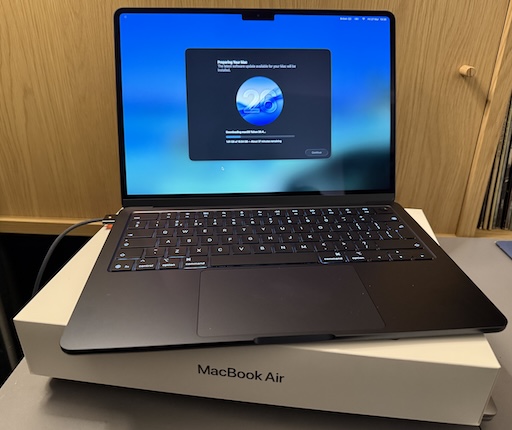
MacBook Air M5

So far I'm very pleased with the choice. It's light but feels sturdy. The screen is very pleasing to read. The keyboard is really nice to type on (albeit I do prefer the old MacBook Pro, but on the other hand this is a bit more quiet, which matters if you're sharing a living room with someone else). It's fast. So fast! It's also so quiet! So very quiet! And cool too. The Intel-based MacBook Pro would get very warm as I worked; this just stays cold.

The really great part though is the battery life. Depending on what I was doing, with the Intel Pro, I'd get a couple of hours off the cable. On the other hand, last night, I spent a few hours setting things up on the Air and I barely noticed the battery drop at all. This, more than anything, is what I wanted.

Well, okay, I wanted the speed, the quiet, the lack of heat, and the long battery life.

Oh, and the rather lovely "Midnight" colour. It's not black, but it's close enough.

The setup itself went pretty well, although for some odd reason I ran into problems when setting up Emacs. These days I always use Emacs Plus via Homebrew and have never had issues. Weirdly though, this time, if I did the installation method that builds locally all sorts of things went wrong. I don't know if I missed a step or something but I did what I normally do when dropping Emacs on a Mac. So I started again with the pre-built approach and that worked better.

Even then though, I ran into problems with my setup downloading everything. Things mostly worked but I kept seeing all sorts of issues relating to git-gutter and git-gutter-fringe not being able to load (despite the fact they'd downloaded fine, from what I could see).

In the end I gave up trying to get it to all work from scratch and hand-removed and then hand-installed via package-list-packages instead. Not the most scientific of approaches, and one I'm sure I'll regret at some point in the future, but at least I got to a point where I could get other stuff done on the machine.

All of which is to say: if you're reading this blog post I got my Emacs and git environment to the point I can write things and push them out to the world. At which point that's the really important stuff up and going and I can call this "set up".

Once I'm happy that's working, I think it's time to revisit my Emacs setup. While I don't think it needs another complete restart, I think it might be time to at least look through what I have loading in and perhaps remove some things I don't use any more (for example, I always carry around vterm from the days when I was testing every possible terminal I could get my hands on -- that's less important to me these days.)
MacBook Air M5

3 min read

It's just over a month shy of being 10 years since I bought my first MacBook. As I mentioned at the time: I'd bought my first Mac about 10 months earlier than that, had got used to it, had grown to like the OS, and had need of a small and light hacking machine to use while doing a lot of train travel (and I really did do a lot of train travel after that).

Fast forward a touch over 3 years and, by accident of a windfall due to work things, I ended up treating myself to a MacBook Pro. This was one of the last Intel models. It worked well and served as my main hack-at-home machine for quite a long time. I used it to code and edit videos and a bunch of other things. It sat there, on my desk, plugged into a couple of screens, and never really served as a portable machine.

Fast forward around 4 years and, having been using a MacBook Pro M1 for a while through where I worked then, I had a desire to get a M-chip Mac for personal use and settled on an M2 Pro Mac Mini. That thing was, and remains, a beast of a machine. It's set up here in my office right now and I'm sure will last me for some time to come.

The thing is, in the last 6 months, my home life has changed. I moved. I now share a place again. It's nice to sofa hack and hang out and all that "share a space with other people" stuff. To that end I've been using the Intel MacBook Pro again but I'm noticing that it's getting old now. It's not that it isn't coping with what I need it for -- far from it -- but having the fans kick in lots, and just the heat, and also the fact that the OS is stuck in the past because it's now a "legacy" machine... I sensed it was time for an upgrade.

A new MacBook Pro was an option, of course, but that feels like overkill for some sofa hacking. If I want to do any heavy video editing or any heavy coding the M2 Pro Mini is still the machine for the job. The new Neo looked really good too, but the entry-level storage seemed a bit stingy these days and once you bump up to the next level, while still stuck with the same memory, well the price starts to get dangerously close to...

The MacBook Air M5

So, yeah, as of today, I've kind of come full circle; a decade on from that MacBook Air purchase I have a new sofa hacking machine coming in the shape of the new M5 MacBook Air1.

So this weekend will involve me digging out my "new macOS environment" checklist and working through it, getting a hacking environment up and going again. One thing I do want to do is follow that list but also write out a fresh copy, because this time around I want to see if I can get a good Python environment up and going minus the use of pyenv. Not that pyenv is a problem, at all, but I feel like I should be able to achieve everything I need using just uv.


  1. I'm not a hardware nerd, so don't dive deep into this stuff. Despite what I said about the M2 Pro Mini still being there for heavy coding and video editing, it wouldn't surprise me to find out the Air is more than capable too. 

When it doesn't just work

3 min read

My journey into the Apple ecosystem has been gradual but all-consuming. I've gone from, around a 8 years ago, being unconvinced about how good the whole Apple world is, to pretty much having all the hardware they make available, in some form, that I have an actual use for1.

One of the devices I was late to, but won over by, after moving away from Android to iPhone, was the Apple Watch. These days I have two: the original SE, and also a Series 8. Generally I've marvelled at just how seamless the experience is. I swap watches: the connection to my phone "just works" and it figures all that out. Stuff syncs. Stuff stays in sync.

I lean heavily on the watch. The Series 8 is my daily driver, and the SE acts as my nighttime tracking device while the 8 charges and I sleep.

I record walks. I record runs. I record lots of heart rate data. I pay for things, pretty much everything, with it. I... take it for granted really.

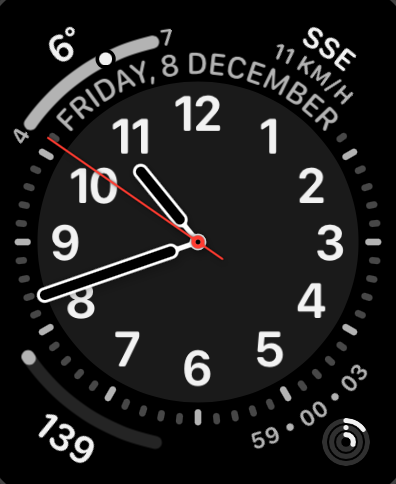
My main watch face

Yesterday though, something odd started to happen. I noticed that some things didn't seem to be syncing from my watch to the phone. Health-related things weren't turning up. A recorded workout didn't show. The control of all things audio seemed to decouple and the watch kept taking over use of my AirPods from the phone in an annoying way I'd never experienced before. Things like that.

I tried a reboot of the watch. Stuff turned up.

It happened again. I tried a reboot of the phone. Stuff turned up.

It happened again.

I then rebooted watch and phone, stuff seemed fine, and I didn't think much more about it.

Then this morning I swapped from the SE back to the Series 8 as I sat down for breakfast, my usual routine, and the syncing was failing again.

This, for me, this is when Apple stuff gets really frustrating. There's no easy or obvious way to diagnose what's going on. Like: I could not sync some health data from the watch to the phone, but I could use "Find My" to ping the watch (presumably a difference in communication route, BT vs Wi-Fi perhaps). There's no obvious error dialog. There's no obvious log to look at. There's no "your BT is borked" alert or something.

Searching online the advice seemed to be the nuclear option: unpair the watch, reset it, start again. So I've done that this morning and it's been quite the pain. Getting it set up again was straightforward enough, but having to go through the whole thing of dismissing all the "here's some tips on how to use this watch you've had for a year and used every day" cards was annoying, also having to set up my payment cards again was annoying. Also, and this is on me for not backing them up recently, trying to recreate my watch faces from memory and remembering which ones they were based on was also annoying.

Apple are actually so good at a lot of this seamless shit; but damn do I wish they'd also be good at making a tool that lets you easily and smoothly diagnose some issues. I would imagine sync issues between watch and phone are common enough that a wee tool where you run through diagnostics, and where there's a Q&A to help narrow down the issue, would be a great experience.

Anyway... it seems to be up and running again, so hopefully that's that issue solved. I tried a couple of things that would need to sync from the watch to the phone and they showed up instantly; actually faster than I've been used to for quite a while.

Fingers crossed...


  1. During a conversation about this at work the other week, I think I figured out that the only Apple product category in which I don't own an example of the hardware is displays2. :-/ 

  2. When the VisionPro comes out I'll be able to say there's two. 

Constant Siri voice loss

1 min read

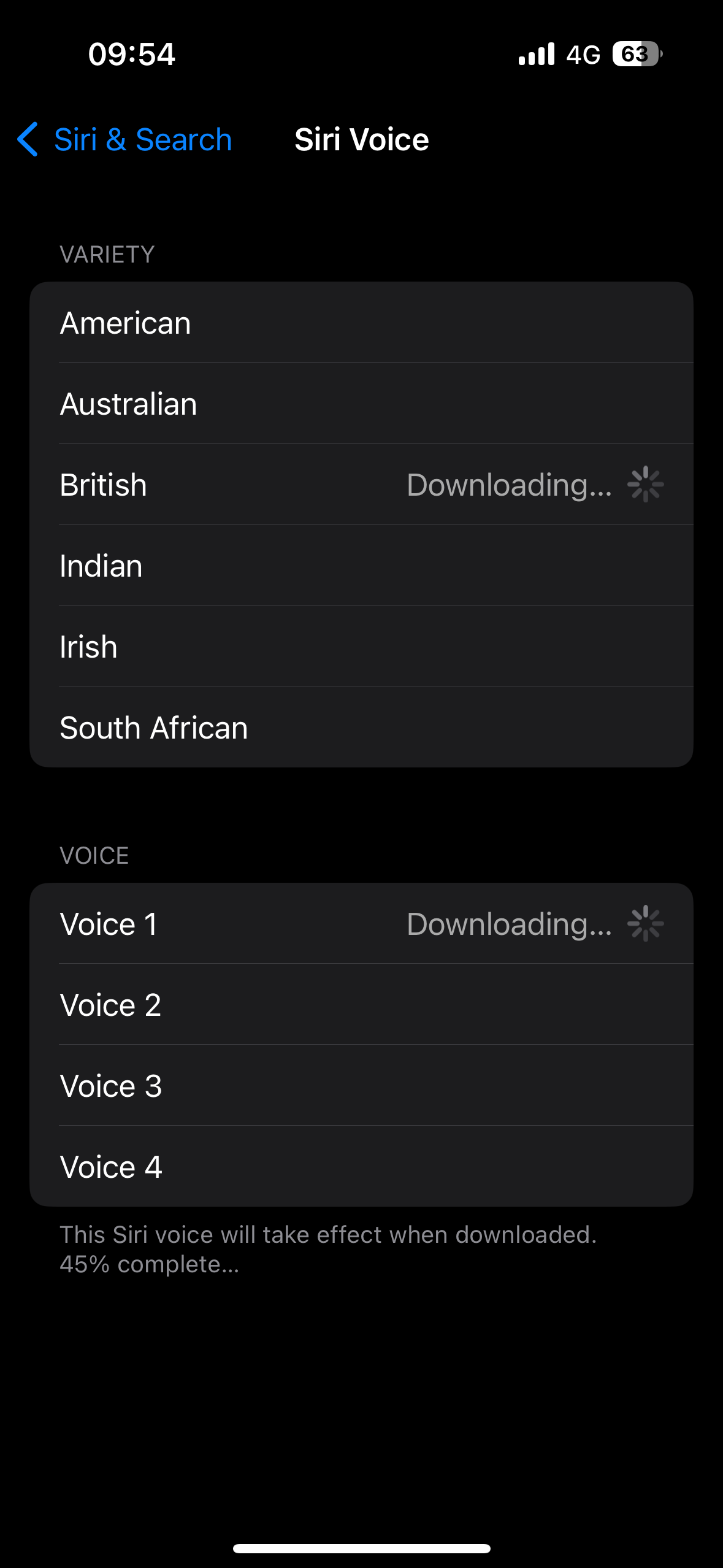
This seems to have started with iOS 17, and I can't narrow down the how and the when of it happening, but over the last week or so I've found that every couple of days Siri seems to lose their voice. By this I mean the high quality voice that's used when they speak seems to disappear. I notice this when I ask my phone or headphones a question or to do something, and I get a really low-quality voice that speaks back to me.

The voice itself seems to be a version of the voice I normally use, but like it's using an on-device much-cut-down version. If I go into the settings to check what voice is selected, it's the one I normally use, but it wants to download it again.

Downloading the voice all over again

Sure enough, once the download is complete all is good again. I've not kept track of when it happens -- and I think I should from now on -- but it feels like it happens every couple of days; I almost always notice it first thing in the morning, the first time I ask the phone or the headphones something.

I hope it is some sort of iOS 17 weirdness and is gone when 17.1 turns up.

Going full Apple search

1 min read

For as long as I've had a smartphone -- so ever since the HTC Magic was released -- I've used whatever search tool Google have had available as my way of searching for stuff from my phone. Even when I made the switch to the iPhone, back when the iPhone 11 was around, I still installed and used the Google Search app.

Since jumping ship from Android to iPhone, I've followed the usual track that some do of "embracing the ecosystem", and it generally has paid off. The more I lean into "the Apple way", the more stuff actually does work together and work together well (I won't say "it just works", because that can sometimes so very not be true, but really I do find that Apple's ecosystem is more coherent and more stable than the one Google provided). But searching for stuff... that stuck with the Google search app.

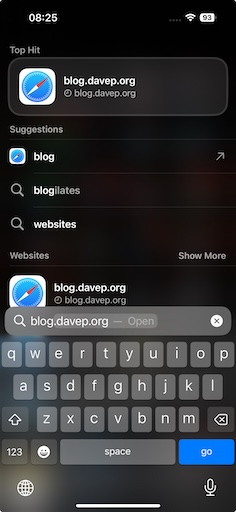
So, more as an experiment than anything else, starting this morning I've removed the Google search app from the home screens of my iPhone and my iPad and I'm going to force myself to use Spotlight to do all my searching, and see how I get on with it.

Searching with Apple

Of course, when it comes to searching for stuff on the web, it's not going to make a whole heap of difference; it's still going to end up searching with Google, but I do like the idea of search leaning into what Spotlight knows about my stuff too.

Also, on my phone at least, it has the added benefit of freeing up a slot in the dock at the bottom of the home screen.

Apple Design

2 min read

As someone who started out in the Android ecosystem when it came to smart phones -- starting out with a HTC Magic and going through a few different phones before settling on Pixels (until I finally jumped ship to iOS in 2020) -- I have to admit that there's always been something nice about the design of iPhones. iOS, less so... My first exposure to iOS was back in 2015 when I got an iPod, and I wasn't terribly impressed. It looked okay, but it felt so far behind Android in terms of functionality.

Much has changed and improved since then. These days, 3 years into being totally consumed by the Apple ecosystem (one day I should write a post about how comprehensively I've moved over), I'm won over and I like how iOS works now.

Except this...

Bad design

That thing where, when you're in one app, it will show the most useless link "back" to another app, and in doing so bump the time up and out of the way a little. Like, seriously, compare it to when the app link thing isn't there:

Good design

Once you see it, you can't unsee it.

Toggle of the two images

After all this time you'd think they would have found a less janky way of doing this; perhaps even simply removed it (I can't remember the last time I needed or wanted the ability to go "back" an app like this, especially not with the bottom-of-screen swipe gesture being a thing). If nothing else you'd think that, by now, they'd have found a way of doing it that doesn't look so terrible.

The "eh, let's just shove it here" approach that seems to be on display here almost reminds me of the "time wiggle" that used to mildly annoy me back on my iMac.

The HomePod fixed itself

1 min read

A couple of weeks back I mentioned home my main HomePod had got stuck installing 16.6 of the software that runs it. This situation persisted for days after writing that post and I kept promising myself that I was going to see if I could unstick it by removing it from the Home, doing a factory reset and adding it back again.

Of course, during the week that followed, I never got round to that. You can imagine what it's like: no time in the morning, and by the time I get home in the evening I want to watch TV and use the HomePod as the speaker for the Apple TV, I don't want to be doing tech support shit.

The following weekend... yeah, I kinda forgot.

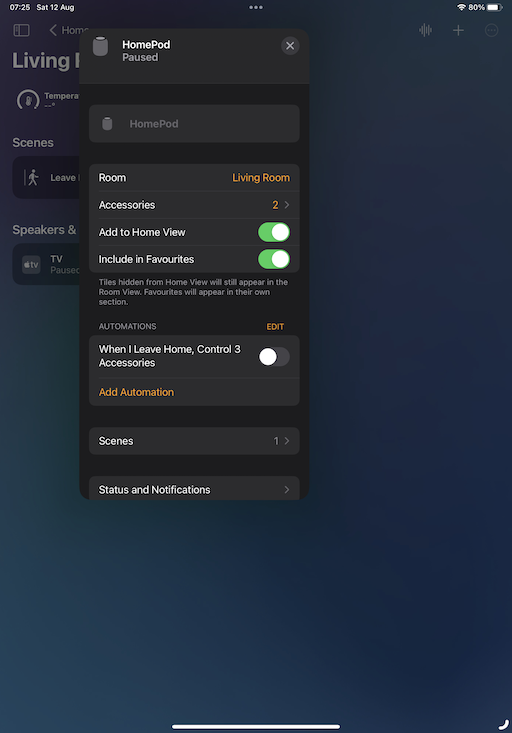
So, here I am, a couple of Saturdays on, it's early morning, I've had breakfast and I'm having coffee and I think it's the perfect time to do this. I hope the Home app my on iPad and... it's sorted!

HomePod all good again

So, yeah, it looks like it somehow managed to unstick itself in the end. A quick test of some of the issues I was seeing suggested there was still an issue, for example asking for the temperature in the bedroom would still result in a "working on it" reply followed by it telling me it wasn't responding. A quick reset seems to have fixed that.

I guess it's good to know: if it happens again, it'll keep on working as the speaker for my Apple TV, and it'll eventually sort itself out even if I don't muck about with a hard reset.

I turned it off and on again

1 min read

Following on from the previous entry, where I outlined a weird problem I'd started having with syncing Obsidian via iCloud, I finally decided to sit down and try and work out the exact flow of the problem. Today, for example, I'd created an entry in two different vaults on my phone while on the bus into work, and when I got to my desk the vault I use on my work machine had updated.

However, when I got home this evening, the vault for my personal stuff hadn't updated on my home Mac Mini. I tried a few edits, in both vaults, on the iPhone, and nothing came through to the Mac.

So... before I started really diving into things I decided to "turn it off and on again" -- the iPhone that is -- and when it came back I ran up Obsidian, which told me it wasn't allowed to access my iCloud drive!

I took a moment to go into the settings to try and figure it out, didn't find what I wanted right away, then got to thinking that perhaps some of the phone's services were still spinning up, so I ran Obsidian up again (after killing it).

Sure enough, this time, it saw my vaults. With both vaults open on my Mac I made edits to open entries and the edits started to flow.

So, yup, looks like it was a simple case of "turn it off and on again".

Apple: #ItJustWorks.

Strange Obsidian sync issue

2 min read

Since October last year I've been getting into using Obsidian. Not that heavily, not to the extent some people do, but just as a way to keep a daily journal of work-related things. Each day at Textual HQ we finish off with a chat about how our day has gone, stuff we're wondering about, etc, etc... So I don't lose tack of what I've been up to I keep notes and Obsidian is how I do that.

One of the things I really like about it is how I can have iPhone, iPad and macOS versions on the go and have it all sync via iCloud. It generally works well.

But in the last couple of days I've noted the oddest problem, and I've yet to pin down the exact flow. But it seems to be this:

  • If I create or edit a note on my iPhone, it doesn't turn up on my Mac.
  • If I create or edit a note on my Mac, it turns up on my iPhone.

I think I might have seen variations on that theme but I've not made careful note -- normally I'm made aware of it when I'm trying to get something done.

What's super weird is this: on the iPhone, if I create a note, and then go into the Files app and look at the iCloud folders for Obsidian, the file isn't there! It's there in Obsidian itself, I can move it about, edit it, etc, etc... but it's not in the "vault" as seen from the Files app.

It's the last part that has be really puzzled.

If I get to the bottom of this I'll try and remember to write up what I find. I suspect I'm going to need some proper clear time, without other distractions, and experiment with all the edit and sync options and see what works and what fails.

HomePod Stuck Installing Update

1 min read

I have three HomePods. I have a Mini in the kitchen and one in the bedroom. I then have one of the newer-gen "big" HomePods in the living room, which amongst other things is the speaker for my Apple TV device (yeah, I'm kinda Apple all over the place these days).

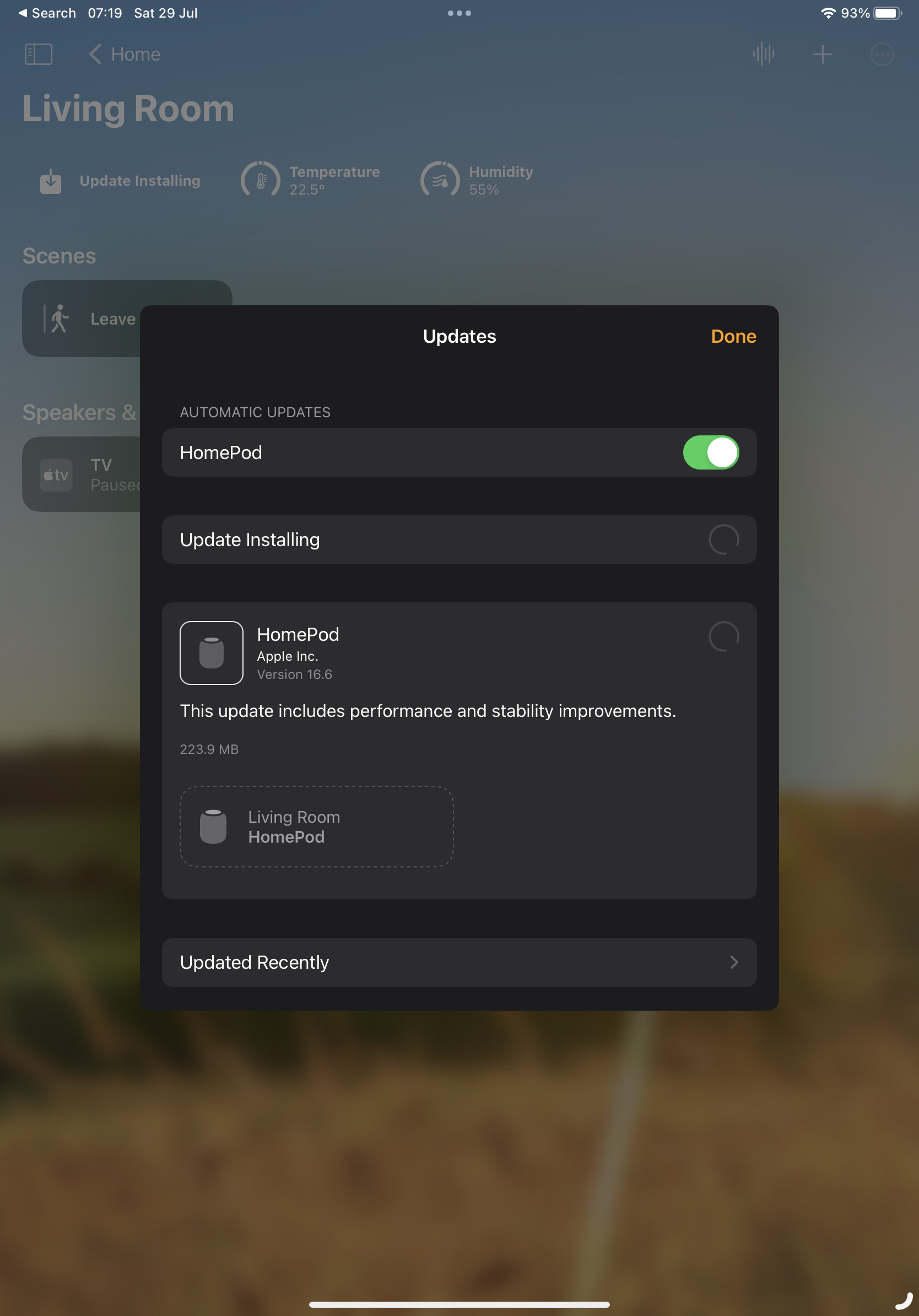
This week there was an update to the software, updating to 16.6. The two Minis updated just fine. The big one, however, days later...

HomePod stuck installing the update

It's been like this all the time since the update turned up. I've tried a reboot from the Home app. I've tried pulling the plug and plugging it in again. Nope. It just keeps sitting there like this.

Meanwhile... it's working (more or less) fine. It's still playing music. It's still being the speaker for the Apple TV. It still answers most questions and performs most commands (most of the commands I give it are to add stuff to my Reminders).

On occasion if I ask it questions about other devices in the apartment ("hey siri, what's the temperature in the bedroom?") it'll do the "working on it" thing and then give up saying the thing wasn't responding. That seems to be about the worst of it.

Having checked this online it looks like, annoyingly, the one option I have left is to do a full reset, removing it from my Home, doing a factory reset, and then setting it up again. I'm sure it's something that'll take 10 minutes or so; but it's an annoyance.

Apple: #ItJustWorks.