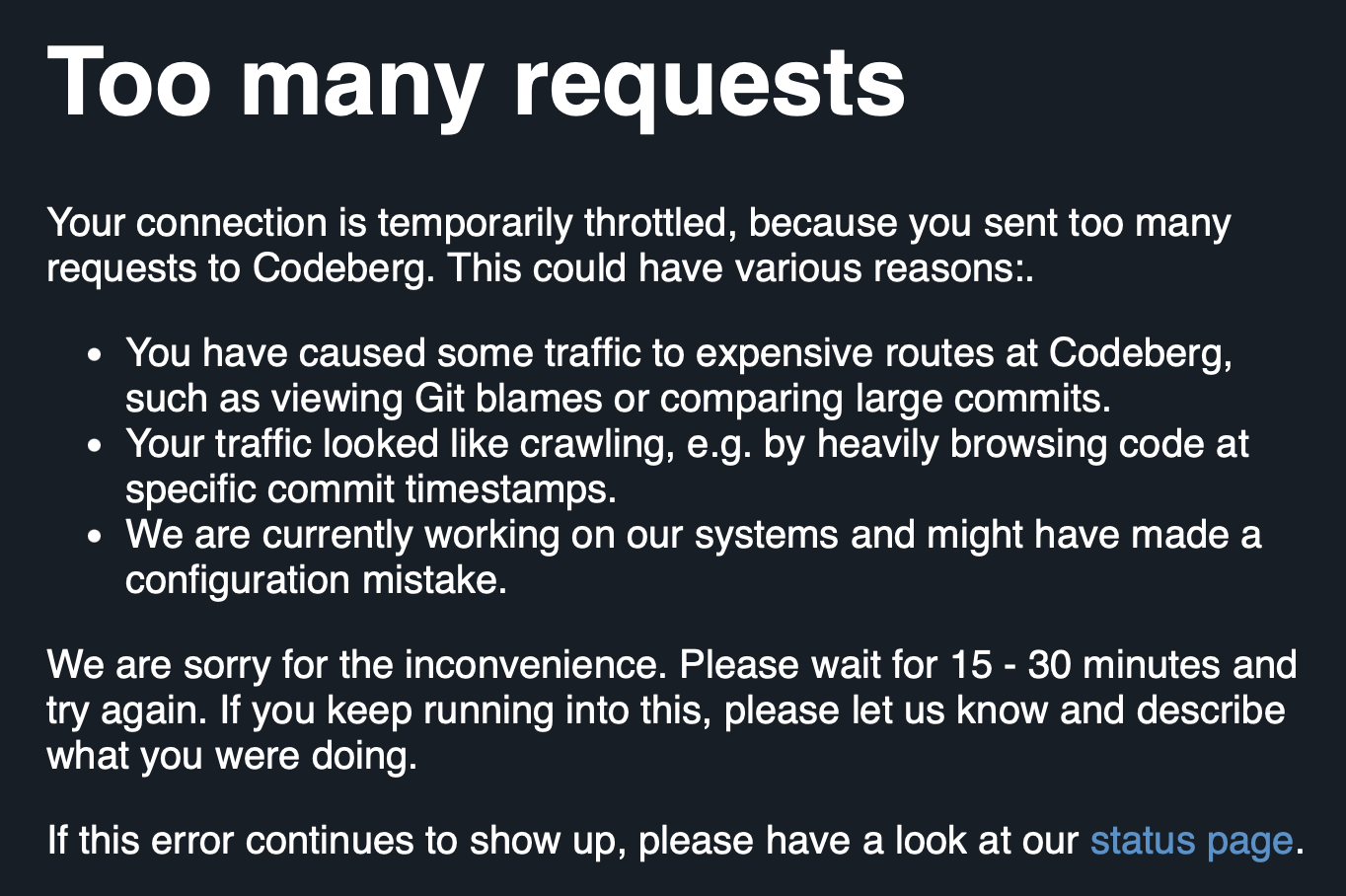
I'm out and about, MacBook Air in tow, with a couple of hours to kill. So I dip into a coffee shop and decide to tinker with stuff. I open up Codeberg and...
I've released an update to blogmore.el, my Emacs package that helps me out when writing this blog. I've added two commands to this version which help me be lazier than ever.
The first is blogmore-become-like. When run, this prompts for another post and, once selected, it sets this post's category and tags to be the same as the other one. I added this because I'm often writing an occasional series of posts that are all about the same project, and so I always find myself copying and pasting those frontmatter properties from another post.
The second command I've added is blogmore-toggle-image-centre. Built into BlogMore is a little bit of styling that will ensure an image is placed in the centre of the page, if the URL for the image has #centre on the end. This means that, for most images I add, I have to go and edit the URL to add that. Now I can just run a single command when the cursor is on an image and it'll add (or remove, if it's already there) that styling hint.
In both cases, I've added the commands to the transient menu too.
I was delighted to find my preferred user name was actually available, which made me more inclined to create an account. The account creation process itself seemed a bit of a faff. I can't remember the details now, but it took a couple of goes and necessitated a password reset and recovery to actually get in (I recall there was some sort of error when I tried to use the activation link sent in the email, which took quite a while to turn up, but the rest is hazy, and I wasn't taking notes). It might be that it didn't help that I was signing up in a mobile browser.
That aside, though, I got up and going in the end.
At this point I'm not quite sure what I want to do with the account. While I'm nowhere near being willing or able to move my GitHub activity over there, it at least feels like it might be a viable backup location via which I can make code available. Also, and probably more importantly, it makes it easier for me to follow projects that use it as their primary (or only) forge.
This morning I found myself following a link to a project hosted there. It looked interesting, it looked like something I'd want to follow. It didn't go so well. I hit the star button and... busy circle.
This lasted for a while with nothing happening. So I refreshed the page, no star on the repo, so I tried again. Same result. I tried a third time and got something different right away.
At some point I ended up with a big fat 500 page.
Do I see this as an issue? Of course not. Could be I caught it on a bad day. Stuff happens. I've seen a 500 from things I'm responsible for before now. I'm not going to expect perfection. But it does remind me that leaping from one forge to another, to chase platform stability, and in doing so give up a long history, is a risky endeavour without a guaranteed payoff.
It's a small thing, but here's round 2 of me vs Claude. This time I'm directing the agent to clean up the code that does word counts, getting it to use the Markdown to plain text code that exists in BlogMore, rather than the regex-based Markdown-stripper it was using. The approach it landed on made sense to me, adding another text extractor class, but one that ignores fenced codeblocks1. So, in addition to this code (I've removed all docstrings and comments for the sake of including here):
The function that converts Markdown to plain text then decides which extractor to use, based on if the caller asked for codeblocks to be included or not.
All pretty reasonable.
Only... that text property on both those classes is identical. The __init__ method is the same save for one extra line. Even handle_data is more or less the same except for that guarding if.
I can't. I can't let that stand. It's almost copy/paste. For me, this is the ideal time to use just a little bit of inheritance. Here's my take (with classes renamed too, the leading _ didn't feel necessary for one thing):
I was tempted to prompt Copilot/Claude about this and see what clean-up it would do, if it would arrive at similar code. But really it didn't seem like a good use of a premium request (perhaps I should have given Gemini a shot).
I see this kind of thing in the code quite a bit, and it speaks to what I've said before about what I'm seeing: the code it writes is... fine. It's okay. It does the job. The code runs. It's just not... to my taste, I guess.
This is important for working out word counts and so read times. It doesn't make sense that embedded code counts towards those. ↩
Given the concerns I wrote about yesterday, in regard to the core generation code in BlogMore, I've been thinking some more about how I would probably have the code look. First thing this morning, over breakfast and coffee, I concluded that I'd probably have gone with something that was a single orchestration function/method, into which would be composed some modular support code. Back when I started the process of breaking up the generator I seem to recall that Gemini sort of went along those lines, but the code it created seemed pretty messy and the main site generation class was still a lot bigger than I would have liked. This is why, at the time, I went with Copilot/Claude's mixin-based approach; it felt a bit more hacky but the code felt tidier.
I wanted a similar separation of concerns as the mixin approach was aiming for.
I wanted to move away from mixins.
I wanted to favour something closer to composition.
I wanted to favour simple functions over classes where possible.
I then set it off working and left it to get on with things. Overall I think it took around an hour, with the need for me to approve things now and again (so probably could have been faster, I wasn't there to answer right away every time), but it got there in the end. This has resulted in a third PR to clean up the generator typing issues. In doing so I feel I've also addressed most of the unease I was feeling yesterday evening, and might actually have got closer to where I'd rather the code was.
Glancing over the result, I can still see things I'd want cleaned up, and done in a slightly different way, but overall I have a better feeling about this third approach. I sense this is a better place to move on from.
So that's three PRs I have lined up to address the code smell that's been bugging me for a couple of days. One fixes it with an ABC; one fixes it with a protocol; and now one fixes it by reworking the submodularisation of the generator to use a different approach entirely. On the one hand, this seems like a lot of work and a lot of faff (and, as I said yesterday, I wouldn't start here to get where I want to be), but on the other hand I do kind of understand the appeal of being able to get hours of work done in a relatively short period of time, so you can experiment with the results.
Would I recommend someone work this way? No, of course not. Does it make for an interesting side-quest when I'm in "it is still my hobby too" mode? Yeah, it does.
The tidying of the BlogMore source carries on; sometimes by hand, but also sometimes by using either Copilot/Claude or Gemini to decide how best to nudge the codebase in a desired direction. When I do the latter, if I like the suggestions the agents make, but it looks like a bunch of work and I can't be faffed with all that typing, I get them to do the work; otherwise, I'll do it myself.
I am, however, seeing lots of evidence of what I expected to happen, and anticipated happening: to get to where I would like the code to be, I wouldn't have started here.
I'll stress again, for anyone who hasn't been following along, for anyone who might have landed into the middle of this long thread of AI experimenting, that this was the point and purpose. I wanted to use this tool to build something relatively inconsequential, and which I could likely build myself given the time and the inclination, and also something I would actively use.
So where am I at? My main distaste at the moment is the core generation code. Just a few days ago this was a couple of thousand lines of repetitive code that did the job, but which was a bit messy. There's no question that I would not have written it anything like this. Because of this I've been on a push to try and break it up and tidy it up. While doing this I've been playing Copilot/Claude and Gemini off against each other, to see who does what.
As of the time of writing, the generator is split up, but in a way I wouldn't have done myself either. It's pretty much half a dozen mixin classes in a trench coat, all pretending to be one cohesive class. I feel that's a reasonable solution given where I started, but honestly I wouldn't have started there had I been coding this by hand.
Right at the moment I'm working out the best way forward to tidy up an outcome of this approach that I really don't like. The generator code is littered with lots of # type: ignore[attr-defined] to keep mypy happy, because that's what Claude did when it built all those little mixins. To borrow from the explanation in AGENTS.md, the current makeup looks like this:
The issue is (for example) that MinifyMixin defines a method _write_html. Meanwhile OptionalPagesMixin and ListingMixin and so on make use of self._write_html. But because there's no direct connection between those two classes and MinifyMixin, mypy complains that _write_html isn't defined. Of course, it isn't defined, because it only becomes available when all those classes climb into the SiteGenerator trench coat and pretend to be a real class.
The ignore direction solves the problem, but it's ugly and it's cheating.
So I then set the two different agents on the path of proposing a solution to this. Both were quite different. Claude (via Copilot) decided that an abstract base class was the solution. Gemini decided that a protocol was the solution. I think I'm siding with Gemini on this one because this is a provides/needs problem, not a "kind of" problem. Even then though, while I sense Gemini has the right approach, I'm not always happy with its implementation of it1, and once again: it's a cleanup of something I'd sooner not be cleaning up in the first place.
So here's the thing, and this harks back to wondering if the code is that bad: it isn't... but it's also generating work if you look at the code and decide that you want it clean and maintainable.
To get to where I want to go, I wouldn't start from here.
I get why I'm seeing the odd report here and there of people abandoning their code bases, or deciding to rebuild them from scratch by hand. Part of me wants to start a fresh branch, remove almost everything, and rewrite the code so it has feature-parity but in a way where I feel the code is tidy and elegant.
While I'm messing around in the background of BlogMore, looking at the state of the code and looking for opportunities to clean it up, either by hand, or by pitting agent against agent, I've also been doing the odd little fix here and there.
I've just released BlogMore v2.19.0, which has a couple of fixes, and also a small improvement.
The first fix is something I noticed late on last week when I was sharing one of the archive pages from my blog with someone. I noticed that the preview that appeared didn't have the default blog image, nor did it have any sort of description. This should happen in that, on any page that isn't a post with a specific cover image or description, it should fall back to the blog's defaults. Turns out this logic was missing from things like the date-based archives, the category and tag archives, and a number of other parts of the generated output.
The second fix is to the recently-added backlinks feature. While reviewing the effect of something else I was working on, I specifically noticed that this post didn't have a backlink section at the bottom, despite the fact that it was linked to from this post. The cause seemed pretty clear: the fact that I had parentheses in the URL. My guess was that the regex that the link-finding code uses wasn't taking this sort of thing into account; my guess was right.
The final change in this release is that the per-build cache-busting feature has been extended to all the JavaScript files that are generated when building the site. Before it was mostly only applied to the main stylesheets and a couple of long-standing bits of JavaScript. Now it's added to the code that's used for search, the code-block support code, the graph, etc. This means that if there are any changes in those files between builds and deployments of a site, there's less chance of unexpected behaviour that needs a "clear the cache first" fix.
One of the things I noticed when I started on the BlogMore experiment was the fact that Copilot/Claude seemed to love to write monolithic code. Pretty early on most of the code was landing in just a couple of files. Once I noticed this I instructed it to break things up and always try and be more modular. This started out in the instructions for Copilot but eventually I migrated the instruction to AGENTS.md (as seems to be the fashion these days).
While this rule seems to have held, one file that always remained pretty large was generator.py. This is, as you might guess from the name, the main site generation code. While it does sort of make sense that it is the pivotal body of code for the application, it doesn't follow that it has to contain so much code.
So, yesterday evening, I decided to experiment by asking Gemini CLI to look over the code and tell me what it thinks. The prompt was:
Quite a bit of work has been done on @src/blogmore/generator.py to try and reduce duplication of effort and boilerplate. I wonder if we can do a little more? Please take a look over the code there and see if there is any more repetitive code that can be cleaned up, to make the codebase more maintainable.
Also, the file is getting quite long. I prefer Python files to be no more than 1000 lines at most. Please also look at the code with a view to it being broken up into more logical sub-modules. Perhaps @src/blogmore/generator.py could turn into a generator directory with smaller modules inside it.
Look over this and report back with any findings. Also, don't look for anything, look for and report back changes that will make cleaner code and will be impactful.
I then left it to come up with an assessment while I got on with other things.
Its headline finding was:
Status: The file is currently 2,146 lines long, significantly exceeding the 1,000-line maintainability threshold. It has become a "God Object" that handles everything from low-level byte-copying and regex-based minification to high-level site orchestration.
This seemed reasonable, so I told it to get on with the job of doing this. I've also saved the plan it made as a gist.
What is notable in the plan is the validation strategy at the end. While there is a full suite of tests available, and while this is documented in AGENTS.md:
-Run the test suite after every change: `make test`.
-Any new functionality **must** have associated tests.
-If a change in behaviour makes existing tests incorrect, update those tests.
Do not change tests purely to make them pass without a genuine reason.
-Do not delete or comment out failing tests; fix the underlying code instead.
the plan that Gemini arrived at seemed to concentrate only on test_generator.py and test_integration.py.
Once the work to break up generator.py was done I could see it had run those tests and it was happy with the outcome. So I did the obvious thing and ran make test and, sure enough, there was a failed test (I think there was just the one). So I said to Gemini:
you should have run all the tests. Did you read @AGENTS.md at all?
It replied with:
Verifying Refactor Quality: Running comprehensive quality checks as mandated by AGENTS.md.
and then got on with the work of fixing what had been broken.
At this point it should be noted that another instruction I have in AGENTS.md is:
Use full, descriptive names for variables, functions, and classes. Do not use abbreviations when the full word is readable.
I've found that Copilot/Claude has done an excellent job of sticking to this wish. If anything I'd say at times it's got a little too carried away. But, I'm not typing this code, I'm only reading it; making the code very readable from a symbol point of view makes a lot of sense.
I swear, I can see why people sometimes fall into the trap of thinking agents have personalities, because the next thing I see, after telling it off for obviously not reading the rules of messing in my repo, is this:
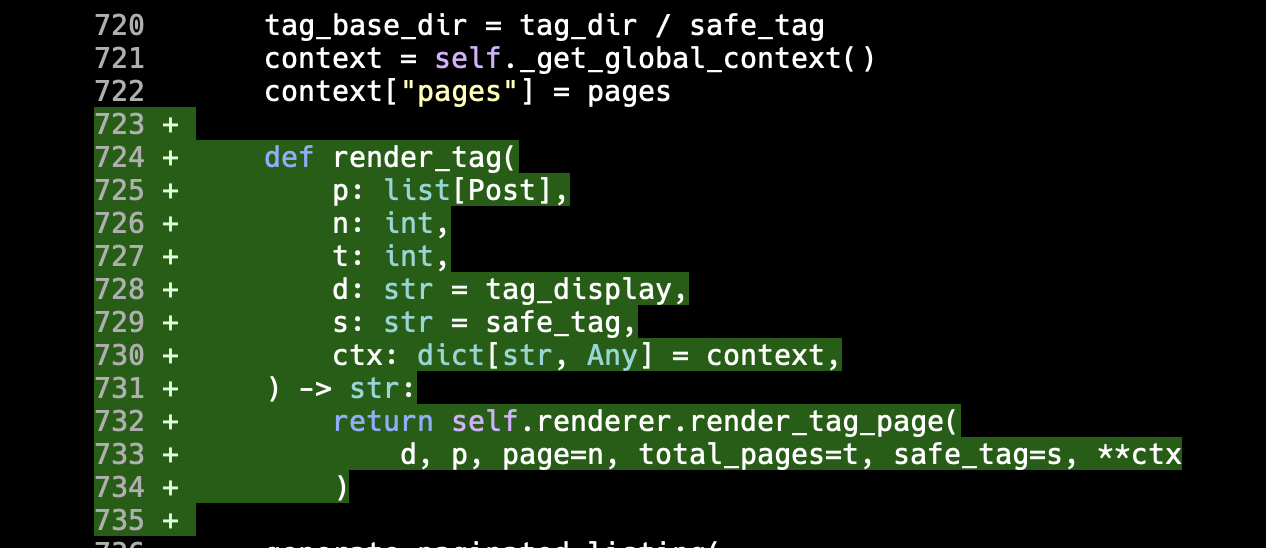
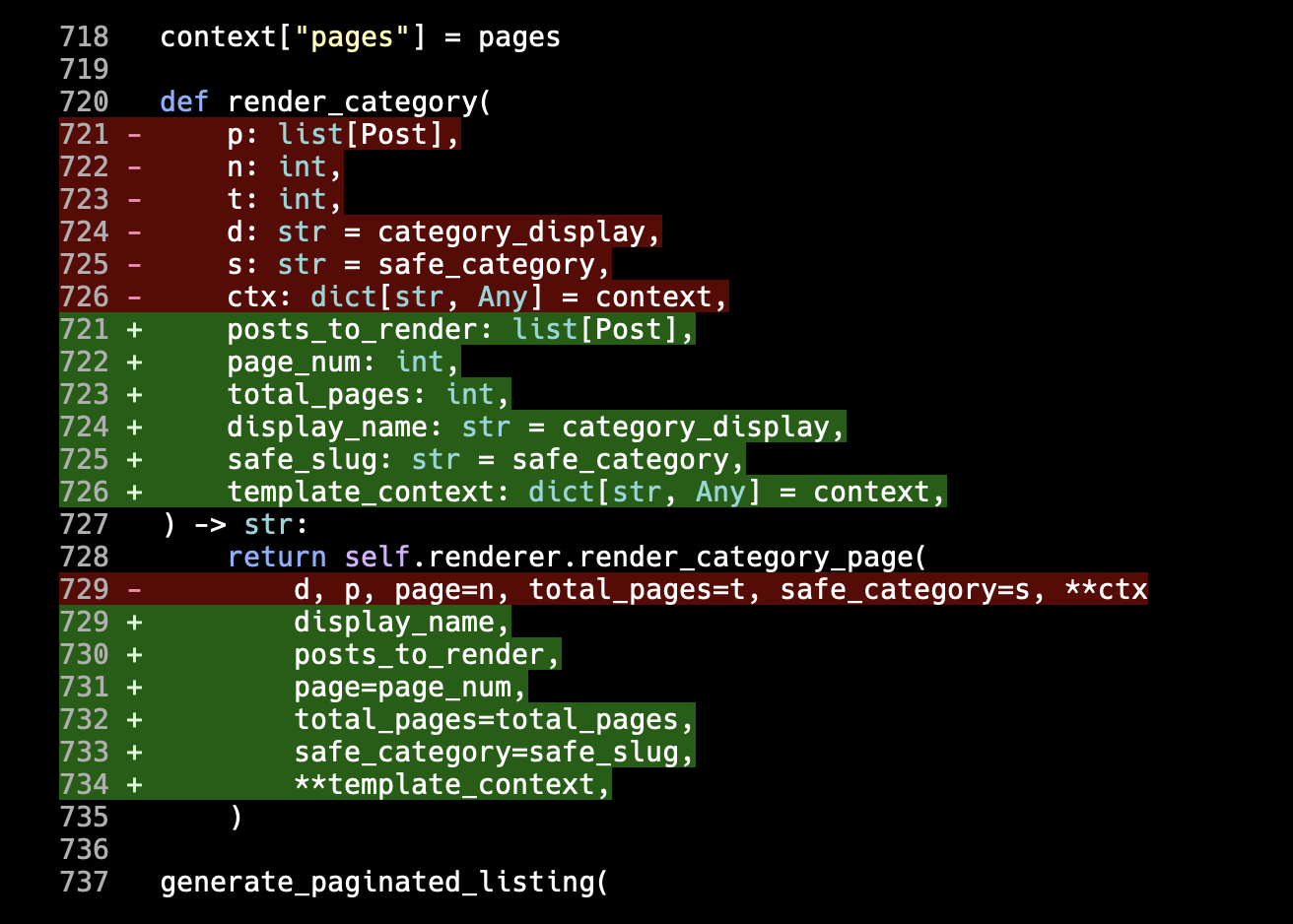
Now, to be fair, my instruction does mention variables, functions, and classes. It doesn't explicitly say "parameters", I guess. But... come on!
In all other respects though it got things fixed and I ended up with a cleaned-up generation engine that was more modular. In review, I did find a couple of things in its plan that I wasn't super keen on (and which I could have pushed back on right at the planning stage, so I'd say that's on me, not on the agent), but overall it was a workable solution.
I prompted it once more to fix the things I didn't like, which it did and did a fine job of. As part of that prompt I did say:
I'm seeing functions in there with single letter parameter names. Please keep in mind the instruction about naming things in @AGENTS.md
And it did do as it was told.
As amusing as this was (really, it's so tempting to think it decided to be stroppy after I told it to go read AGENTS.md), it has left me wondering though: just how widespread is the convention of looking for and reading the agents file? While I get that each of the command-line tools seem to have a preference for their self-named instructions file first, it was my understanding that in the absence of such a file AGENTS.md is looked for.
During the session I'm talking about here, either Gemini CLI didn't do that, or it did and just didn't take on board the conventions I wanted it to follow.
As for the great breakup of generator.py... I grabbed the assessment and the plan that Gemini came up with, turned it into an issue, and set Copilot to work on it too. Despite working off the same prompt, as it were, it came up with a very different approach. So my next job is to decide which of the two I like most.
As of the time of writing, the Gemini approach to cleaning this up results in the main site.py file inside the new generator subdirectory being 996 lines; that's just under the 1,000 line limit I tend to set myself1, so close enough, but not ideal. Copilot/Claude, on the other hand, is sat at 278 lines! While the idea of Gemini was to make site.py a small descriptive top-to-bottom and start-to-finish description of how a site is generated, it's somehow managed to make a more verbose version; the Copilot/Claude version looks to do a far better job of fulfilling that intention.
Then again the Gemini version has broken the work up across 9 files, the Copilot/Claude version across 13. Also the Copilot/Claude version has taken a really fun and interesting approach to solving the problem that I'm kind of digging2.
So now I have to decide which, if either, I'm going with.
That's probably another post.
Although in my own projects I try and keep Python files much smaller than that if I can help it. ↩
After writing the earlier post I had to AFK to attend to normal life things. When I finally sat back at my keyboard, I decided to write my own take on minified_filename.
To recap, this is what Copilot/Claude came up with first:
defminified_filename(source:str)->str:"""Compute the minified output filename for a given source filename. Transforms the file extension: ``.css`` becomes ``.min.css`` and ``.js`` becomes ``.min.js``. For example, ``theme.js`` becomes ``theme.min.js`` and ``style.css`` becomes ``style.min.css``. Args: source: Source filename ending in ``.css`` or ``.js``. Returns: The corresponding minified filename. Raises: ValueError: If *source* does not end with ``.css`` or ``.js``. """ifsource.endswith(".css"):returnsource[:-len(".css")]+".min.css"ifsource.endswith(".js"):returnsource[:-len(".js")]+".min.js"raiseValueError(f"Unsupported file extension for minification: {source!r}")
This is what it arrived at once it had self-reviewed the above:
defminified_filename(source:str)->str:"""Compute the minified output filename for a given source filename. Transforms the file extension: ``.css`` becomes ``.min.css`` and ``.js`` becomes ``.min.js``. For example, ``theme.js`` becomes ``theme.min.js`` and ``style.css`` becomes ``style.min.css``. Args: source: Source filename ending in ``.css`` or ``.js``. Returns: The corresponding minified filename. Raises: ValueError: If *source* does not end with ``.css`` or ``.js``. """ifsource.endswith(".css"):returnsource.removesuffix(".css")+".min.css"ifsource.endswith(".js"):returnsource.removesuffix(".js")+".min.js"raiseValueError(f"Unsupported file extension for minification: {source!r}")
The tests it wrote looked like this:
classTestMinifiedFilename:"""Test the minified_filename utility function."""deftest_css_extension_becomes_min_css(self)->None:"""Test that a .css extension is replaced with .min.css."""assertminified_filename("style.css")=="style.min.css"deftest_js_extension_becomes_min_js(self)->None:"""Test that a .js extension is replaced with .min.js."""assertminified_filename("theme.js")=="theme.min.js"deftest_hyphenated_css_filename(self)->None:"""Test that a hyphenated CSS filename is handled correctly."""assertminified_filename("tag-cloud.css")=="tag-cloud.min.css"deftest_hyphenated_js_filename(self)->None:"""Test that a hyphenated JS filename is handled correctly."""assertminified_filename("search.js")=="search.min.js"deftest_unsupported_extension_raises(self)->None:"""Test that an unsupported extension raises ValueError."""withpytest.raises(ValueError,match="Unsupported file extension"):minified_filename("style.txt")
I wasn't too keen on the obsession with just .css and .js files (it seemed unnecessary), and neither did I like the hard-coding of the resulting extensions, etc. It all felt too job-specific.
So my take on the code was this:
defminified_filename(source:str|Path)->str:"""Compute the minified output filename for a given source filename. Args: source: Source filename. Returns: The corresponding minified filename. """ifisinstance(source,str)andnotsource:returnsourceif(source:=Path(source)).suffix:source=source.with_suffix(f".min{source.suffix}")returnstr(source)
The tests being this:
classTestMinifiedFilename:"""Test the minified_filename utility function."""@pytest.mark.parametrize("before,after",[("style.css","style.min.css"),("theme.js","theme.min.js"),("style.min.css","style.min.min.css"),("file","file"),(".file",".file"),(".file.css",".file.min.css"),("",""),],)deftest_min_file(self,before:str,after:str)->None:"""Test that converting a filename to the minified version has the expected effect."""assertminified_filename(before)==after
So, yes, my version does work ever so slightly differently, but I feel it's more generic. It shouldn't be the business of this function to decide which type of file can have a .min slapped prior to its extension; if a caller asks for it, let them have it, they know what they're doing! Also, although it's not really necessary (because the code calling on it doesn't currently pass a Path), it will accept either a str or a Path.
I feel the big difference here too is the testing. Rather than one method after another, testing more or less the same thing with little variation, it makes more sense to have just the one test and then pass it lots of different input/output values. This is far more maintainable and also easier to write most of the time.
Of course, for an agent, it's probably easier for it to take a copy/paste approach than it is for it to "reason" about what makes for a maintainable test. I sense this is one of the dangers of letting an LLM do this job (and it's one that's often touted as being a prime job to do): good tests can be useful documentation if you're trying to understand a codebase. Badly-written tests, no matter how much coverage they offer, are going to slow you down.
As mentioned a couple of times in the last couple of days, aside from one particular issue I found and fixed, I'm in more of a "let's review some of the code and tidy things up" phase with the codebase. This process is at times me hand-making changes, and also in part me directing the agent to make a very specific improvement that I want.
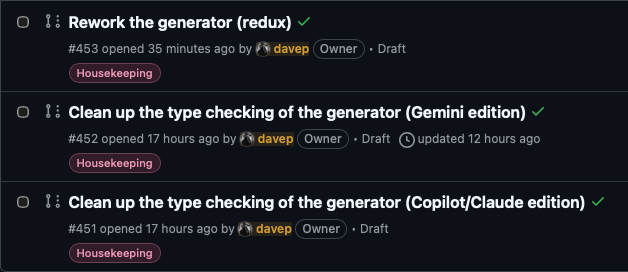
Yesterday evening I did a little experiment of getting Gemini CLI to look for code that really needed some cleaning up, and then I had it write the issue text which I fed directly to Copilot/Claude and had it do the work. Finally, when that was done, I had Gemini review the work that Copilot had done (it was "happy" with the changes).
So, this morning, I thought I'd tackle another little thing I'd noticed in the code that rubbed me up the wrong way. Early on in the development lifecycle of BlogMore I added the optional minification of CSS and JS files (HTML too eventually, but that's not involved here). Because it's often been a convention I also prompted Copilot to ensure that if a file called whatever.css was minified, it be called whatever.min.css.
The resulting code did something that made sense, but which I wouldn't ever have done. The constants that held the filenames looked like this:
Like... sure, 10/10 for not hard-coding these all throughout the codebase as magic strings1, but this feels a little redundant. Personally I think I'd have just mentioned the non-minified name and then I'd have a function that generates the minified name from it. While technically, it would add the smallest amount of runtime overhead to the code, I think the single-source-of-truth pay-off is worth it.
For a good while though I left this alone. I was having fun playing with other things in the application, and adding all sorts of other amusing toys. But now that I'm more into a "how can this code be improved and what issues does the code have" mode, it felt like time to tackle this.
Given that a change here would touch so much of the code, and given I wasn't massively keen on spending ages walking through all the code and making the changes related to this, I decided to prompt Copilot to get on with this. It felt like something it couldn't get that wrong.
While it didn't get it wrong, as such, it made some questionable choices along the way. It did do the main thing I would have done: make a function to turn a filename into a minified filename. The initial version looked like this:
defminified_filename(source:str)->str:"""Compute the minified output filename for a given source filename. Transforms the file extension: ``.css`` becomes ``.min.css`` and ``.js`` becomes ``.min.js``. For example, ``theme.js`` becomes ``theme.min.js`` and ``style.css`` becomes ``style.min.css``. Args: source: Source filename ending in ``.css`` or ``.js``. Returns: The corresponding minified filename. Raises: ValueError: If *source* does not end with ``.css`` or ``.js``. """ifsource.endswith(".css"):returnsource[:-len(".css")]+".min.css"ifsource.endswith(".js"):returnsource[:-len(".js")]+".min.js"raiseValueError(f"Unsupported file extension for minification: {source!r}")
That string-slicing with len and so on is nails on a chalkboard to me. When something like removesuffix exists, why on earth would "you" elect to do this? Of course the answer is obvious, but still... ugh.
Now, I will have to give credit to the process though. So the above was the initial version of the code. Once the PR had been created by Copilot, and I'd pulled it down for review and testing, it kicked off a review of its own. Reviewing its own code, it pushed back on itself:
In src/blogmore/generator.py, lines 90-93: The slice syntax source[:
-len(\".css\")] is less readable than using source.removesuffix(\".css\"), which is available in Python 3.9+. Since this codebase targets Python 3.12+, consider using removesuffix() for clarity.
It then went on to do a further commit to tidy this up. I approve. Bonus point to Copilot here.
So now we have this:
defminified_filename(source:str)->str:"""Compute the minified output filename for a given source filename. Transforms the file extension: ``.css`` becomes ``.min.css`` and ``.js`` becomes ``.min.js``. For example, ``theme.js`` becomes ``theme.min.js`` and ``style.css`` becomes ``style.min.css``. Args: source: Source filename ending in ``.css`` or ``.js``. Returns: The corresponding minified filename. Raises: ValueError: If *source* does not end with ``.css`` or ``.js``. """ifsource.endswith(".css"):returnsource.removesuffix(".css")+".min.css"ifsource.endswith(".js"):returnsource.removesuffix(".js")+".min.js"raiseValueError(f"Unsupported file extension for minification: {source!r}")
At this point the code is less worse. I don't think it's great, but it's less worse. Honestly, I think I'd be more inclined to do something with PurePath.suffixes and PurePath.suffix, leaning into the fact that we're dealing with filenames here, and so making it less about pure string slicing.
I also have other issues with the code, which I might still fix by hand:
The fact that it makes a point of only handling .css and .js files, and throws an error otherwise, is an odd choice. I mean, in context, that's what it's here to serve, but it seems oddly-specific and an attention to detail that wasn't really necessary.
The hard-coding of .min a couple of times grates a little.
The hard-coding of both .css and .js a couple of times, with the doubled-up if feels unnecessary.
It's a small function. It works in context. It does the job. But it also could be more elegant in the way it does it.
I'd also like to go on a small aside for a moment, because there's something else in the above that bothers me: yesterday evening I spent some time directing Copilot to tidy up all the docstrings in the code. While any agent I've thrown at it does seem to have taken note of the AGENTS.md file, and the instructions on how to write the docstrings (Google style please), it seems to have decided it was aiming more at Sphinx when it came to the content. That's fine, I hadn't been explicit.
So last night I made it clear that I wanted something more like I use in all my Python code, that aims to work with mkdocstrings. It should use the inline code and cross-reference styles that are more common when using that tool. I even made a point of telling Copilot to update AGENTS.md to make it clear that this is the preference:
-All inline code and cross-references in docstrings **must** use mkdocstrings-compatible Markdown style:
-Inline code: use single backticks (\`like_this\`).
-Cross-references: use mkdocstrings reference-style Markdown links (e.g., [`ClassName`][module.ClassName] or [module.ClassName][]).
-Do **not** use Sphinx roles (e.g., :class:`ClassName`) or double-backtick code (``ClassName``).
Now go back and look at the docstring for minified_filename. So much for agents making a point of following the instructions from AGENTS.md.
Anyway, back to the main flow here: given that I was thinking that I might rewrite minified_filename by hand so that it works "just so", I made a point of checking that it had written tests for this; something I couldn't take for granted.
Again, to the credit of the agent, it had written some tests:
classTestMinifiedFilename:"""Test the minified_filename utility function."""deftest_css_extension_becomes_min_css(self)->None:"""Test that a .css extension is replaced with .min.css."""assertminified_filename("style.css")=="style.min.css"deftest_js_extension_becomes_min_js(self)->None:"""Test that a .js extension is replaced with .min.js."""assertminified_filename("theme.js")=="theme.min.js"deftest_hyphenated_css_filename(self)->None:"""Test that a hyphenated CSS filename is handled correctly."""assertminified_filename("tag-cloud.css")=="tag-cloud.min.css"deftest_hyphenated_js_filename(self)->None:"""Test that a hyphenated JS filename is handled correctly."""assertminified_filename("search.js")=="search.min.js"deftest_unsupported_extension_raises(self)->None:"""Test that an unsupported extension raises ValueError."""withpytest.raises(ValueError,match="Unsupported file extension"):minified_filename("style.txt")
It's a start, but I think it could be done better. There's the test of the intended outcomes, and the test of the ValueError for passing something that isn't a .js or a .css file. Meanwhile, that business of testing "hyphenated" seems oddly specific for no good reason. But it's even worse: the test for a "hyphenated" JS file doesn't use a hyphenated file name.
Hilarious.
That's not all. What about the more obvious things like testing what happens if you pass a filename that has no extension, or a filename that already has two extensions, or a filename that already ends in .min.js, or a filename that has .min.css somewhere in its path that isn't at the end of the name, or an empty string, or...
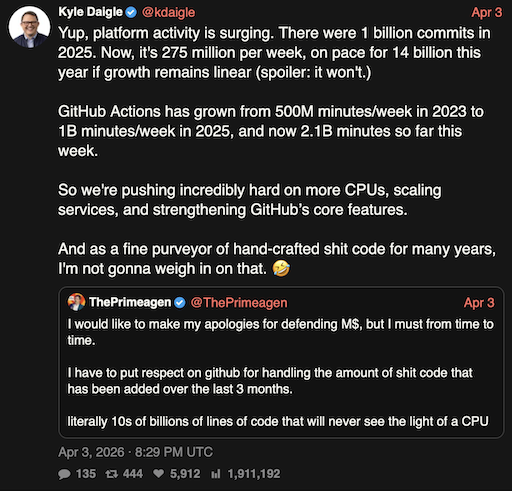
As I said a few days ago: the code is mostly fine. It gets the job done. I've seen worse. I reviewed worse. I've inherited worse. I think the thing that concerns me the most is that there has to be a lot of code like this being uncritically accepted after generation2, which in turn is surely going to be feeding back into future training. So while I can't deny that something has improved in the last six or so months, when it comes to agent-generated code, might it be that we are at peak quality right now? Might it be that from this point on we start to decline as "eh, it's... fine" code starts to overwhelm the most popular forge we have?
I suppose the main benefit still is that this approach is nice and cheap. Right?
Actually, I think it did hard-code the filenames throughout the codebase, initially, until I asked it not to. Perhaps I'm misremembering, but agents do seem to love magic strings and numbers for some reason (I think we know the reason). ↩