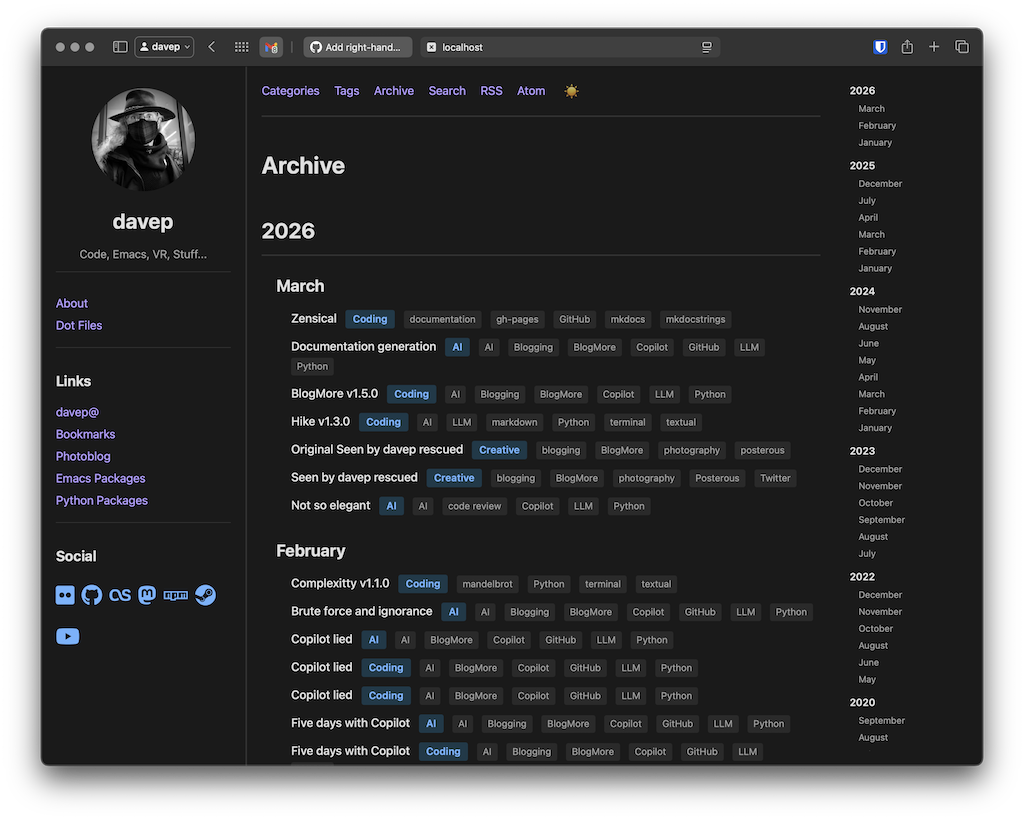
Posts tagged with "Coding"

Swift TIL 1

1 min read; 8 GFI

As I mentioned yesterday, I'm going to make a small series of posts where I write down things that I've stumbled on while getting to know Swift that are, for me personally, worthy of note, different, unusual, cool, or just simply "WTF!?!".

Because learning new stuff is fun.

My first one is that you can use keywords as identifiers if you "escape" them with backticks. Kind of like this:

let `let` = "let"

print( `let` )

I'm struggling to imagine a situation where I'd ever want to do this. I'm still unsure if my reaction is "that's cool" or "WTF?!?".

A second attempt to learn Swift

4 min read; 9 GFI

It's five years ago this month that I bought myself my first macOS (then OS X) device. After many years of having a Windows machine as my daily driver, which was also my work machine (I worked from home), I decided it was high time that I returned to having a Unix-a-like system on my desk too. For a decade or so, starting in the later-90s, I'd had a GNU/Linux desktop. I still had a Windows desktop (until a couple of years ago most of my work was on DOS and Windows), but thanks to the wonders of a KVM, and later an X server that ran on Windows, my personal hacking was done on a GNU/Linux desktop.

But as things moved around, priorities changed, as life moved on, the GNU/Linux boxes got retired and never quite replaced. Eventually, in 2015, I found myself with the means and desire to recover that sort of setup. Long story short, after a lot of reading up and weighing up options I decided that the best option for a desktop Unix was... an iMac!

I loved it. Sure, there were lots of little things on the surface that were different or annoying or just plain not as cool as the Mac fans would tell you, but under the hood I found what I needed: a Unix CLI with all the things I knew well. And, of course, it ran GNU Emacs just fine; that was the really important thing for me.

Pretty much right away I decided that it might be fun to learn the tools necessary to develop native Mac apps, and perhaps even iOS apps. I downloaded XCode, bought a book, and started working through it. Having got that book, I decided it might be interesting to own an iOS device too. So, sort of needing an MP3 player, and having no wish to get an iPhone, I got myself an iPod Touch. So I was all set to devour the Swift book, write some stuff for OS X, create an iOS app or two, and... life happened. Stuff cropped up that distracted me from taking that further and I never really returned to working through the book.

Fast forward to now and that initial iMac and iPod purchase spiralled a wee bit. Next after the iPod was an iPad Mini, when my Nexus 7 was starting to show its age and it was obvious that Google wasn't going to produce any more good Android tablets. Then, when I needed a very portable Unix-a-like machine for trips between where I was living and Edinburgh, I got myself a MacBook Air. Since then the iPod Touch has been replaced once, as has the iPad Mini. I now also own an iPad and a MacBook Pro. Unless Apple screw up and turn Macs into something unusable for developers (there are rumours), I imagine I'll be using Apple devices for some time to come now.

And then, last month, having finally got frustrated with where Google were going with Android and the Pixel series, I jumped ship to the iPhone 11.

As of right now I'm in a situation where I'm all about the Apple ecosystem regarding hardware and operating systems (including for my work machine), all of which is there to support my heavy use of the Google ecosystem (actually, the one bit of Google hardware I still lean on heavily is the Google Home -- I have 3 around my home).

So... given all of that, I thought it was time to look at returning to learning Swift, with a view to writing some native macOS and i(Pad)OS stuff. I soon realised that the book I'd bought back in 2015 was rather out of date. It covers Swift 1.2 -- we're now up to 5.2! Given this, and given I've forgotten pretty much everything I'd read at the time, I decided I should start again from scratch.

This weekend I've started reading my way though iOS Programming Fundamentals with Swift. While this obviously has an emphasis on iOS, I'm already finding that the first part of the book is a really great introduction to the Swift language in general. The pace seems just right, and the way topics are grouped makes it easy enough for me to skip over what's obvious (I don't need to know what objected-oriented programming is, and what the difference between a class and an object is, etc) and read up on the detail of this particular language when it comes to general concepts I know (knowing the differences between a class, struct and enum in the language is important, for example).

I've yet to write a line of code, but I'm fine with that. The book is spending a lot of time introducing the language before encouraging you to fire up XCode, and I'm okay with that. I'm never a fan of being asked to write out code that I can't properly follow -- that just makes stuff look like magic when it's far more educational to know what's going on. What I am finding is I'm making lots of notes that are either "oh, yeah, this is cool, I like this idea!" or "WTF are you kidding me?!?". Which is really nice -- it's always great to learn a new language that's a bit different from what you normally use.

My plan then, over the next few weeks, it to keep at this and hopefully document my journey. I think I'd like to write a short series of TIL-type posts; nothing too long, just some new thing I read or discovered and my reaction to it. So, if you happen to follow this blog, I apologise in advance for any Swift-spam.

You have been warned. ;-)

dnote.el - A wrapper for the dnote CLI

2 min read; 9 GFI

Late on last year I stumbled on an article about Dnote. Annoyingly, I can't recall now where I saw it, but I made a reminder to look at it over my Christmas break.

Dnote looked like a tool that would fill a hole I had in how I work. When it comes to making notes about things, and keeping things for future reference, I use a few tools, each one being just right (for me) for the job in question. I use Evernote to track documents and other household type things. I use Keep to make notes about stuff I need to remember short-term (say, the size of a space in my bedroom that I want furniture to go in) and also to record notes while in meetings at work. I use Journey to keep a journal about... anything, really. Finally, I use Pinboard to keep hold of URLs I might want to go back to (I also use it to create a to-read list).

Amongst all of this, however, I felt I was missing something for keeping track of things that don't really fall into any of the categories above. Mostly this would be work-based or hacking-based things that are short and sweet but I don't always use enough to easily remember. I wanted just the right tool that would let me ferret away useful one-liners, remind myself of obscure switches that get used once or twice a year, etc.

After reading up on Dnote it seemed pretty clear that this was just such a tool.

After getting back to the office at the start of this month I decided to make use of it and see how it went. My idea was simple: I'd record any "TIL" stuff that I might want to remember in the future, as well as recording things I need now and again but can't always remember.

So far it's working quite well. I like that it has a simple CLI. I like that it's got a backend that you can use to sync between different machines. I like that it's got a web interface that's mobile-friendly. I like that it's Free Software and so you can host your own server if you wish.

I found I liked it enough that, of course, I felt the need to start a simple Emacs wrapper for the CLI.

At the moment dnote.el is designed to be a simple capture system. There are commands for capturing a one-liner (entered in the Emacs mini-buffer), for capturing the content of the current buffer, and for capturing freshly-entered multi-line text, entered in a buffer that uses markdown-mode. There's also a command for syncing notes if you have configured Dnote to talk to a backend.

What I don't have right now is the ability to navigate and view notes. So far I've not really felt the need for that because the CLI approach works so well. Longer-term though I can see my tweaking this and adding in commands for searching, viewing, editing and deleting notes.

But, for now, if you've not had a look at Dnote, I'd highly recommend having a play and seeing if it makes sense for you. And, if it does, and you're an Emacs user, perhaps dnote.el will be useful too?

nuke-buffers.el -- Tidy up open buffers in Emacs

2 min read; 12 GFI

Both at work and at home I use Emacs by keeping a copy running all the time, and use emacsclient to open files inside it (including on remote machines thanks to a bit of ssh and heavy use of tramp -- I might write this up at some point). This works really well, but does mean I tend to build up a lot of buffers over time.

Having lots of buffers open isn't generally an issue, and if I'm working on lots of different files in a project during the course of a hacking session it's actually a good thing. But, quite often, I want to tidy up the buffer list, clearing it back to near-zero buffers open. Many years ago, when I had a "proper" tower system running 24/7, with Emacs open all the time, I'd use clean-buffer-list as part of midnight. Along the way that fell out of favour with me, likely because I drifted into using machines that had Emacs open all the time but where the machine wasn't awake all the time.

Eventually I decided to have some fun rolling my own solution, and nuke-buffers was born.

Rather than try and do things in an automated way, this was designed to be bound to a key (or two) and then be run when I wanted, being as harsh as possible about cleaning up the buffer list. Since first writing it it's worked well for me.

These days I tend to let the buffer list build up as I work on a new feature, or chase down a bug, etc. Then, once I've made the final commit for that period of focus, I'll hit the nuke-buffer key combo as the final act of confirming that I've done the job. So not only does this help tidy my Emacs session a bit, it also feels like a physical form of punctuation -- back in less sensible days, when I had some terrible habits, it would have been when I'd reach for the celebratory cigarette; buffer-tidying feels far more wholesome. ;)

The way the code works is, of course, mostly directed at how I work -- it's highly likely it wouldn't make sense for many other people. The main aim is to kill as many buffers as possible, but without disturbing anything else. The list of buffers it gathers for nuking avoids buffers that are visiting files but have unsaved content, avoids the minibuffer (obviously), avoids any "special" buffer (one that starts with a space then an asterisk), avoids the current buffer and also avoids any buffer in a list of names to avoid.

I've being using this on a daily basis for around 2.5 years now and it's done the job without ever losing me any work.

git2gantt -- Simple tool to visualise coding runs

2 min read; 13 GFI

At the start of this year, as part of a much bigger process to review the work that had taken place over the previous 12 months, I was asked (at work) to provide some information about how much time I'd spent on various projects. Now, for me, there's really only one project, but there's lots of different tools and libraries that I've written to support the main work I do. All of these are split into different repositories in the company-internal instance of GitLab. This meant that getting a rough idea of what I was working on and when would be easy enough -- it's all there in the commit history.

Given that this information would make up a couple of slides at most during a far bigger presentation, I wanted something that would be snappy and easy for non-developers to follow and understand. I spent a bit of time pondering some options and decided that (ab)using a gantt chart layout would make sense.

That choice was made all the more easier given that GitLab supports the use of mermaid charts within its Markdown. This meant I could quickly write some code that took the git log of each repository, turned it into mermaid code, and then render it (by hand, this was all about getting things done quickly) via GitLab.

This sounded like it could be a fun personal project. The result was some Python code called git2gantt.

As mentioned above, the output isn't anything too clever, it's just code that can be used to create a plot via mermaid. For example, running git2gantt over itself:

gantt
  title git2gantt output
  dateFormat YYYY-MM-DD

  section git2gantt
  Development: devgit2gantt20190208, 2019-02-08, 2019-02-13
  Development: devgit2gantt20190214, 2019-02-14, 2019-02-15
  Development: devgit2gantt20190303, 2019-03-03, 2019-03-04
  Development: devgit2gantt20191203, 2019-12-03, 2019-12-04

Usage is pretty straightforward:

Usage of the tool

As you can see, it can be run over multiple repos at once, and there's also an option to have it consider every branch within each repository. Another handy option is the ability to limit the output to just one author -- perhaps you just want to document what you've done on a repo, not the contributions of other people.

Also especially handy, if you don't want to bore people with too much detail, is the "fuzz" option. This lets you tell git2gannt how relaxed you want it to be when it tries to decide how long a run of work on a repo lasted. So, perhaps, you're working on and off on a library that supports some other system you're documenting, but you might only be making changes every other day or so. With the correct fuzz value you can make it clear you were working on the library for a couple of weeks, despite there only being a commit every other day.

An example of running the output over a handful of projects would look something like this:

Output of the tool

This is one of those tools I knocked up quickly to get a job done, and haven't quite got round to finishing off fully. One thing I'd really like to do is add mermaid support directly within it, so that it actually has the option to emit plots, not just mermaid code (or, perhaps, drop the mermaid approach and use something else entirely).

Meanwhile though, if you're looking for something quick and dirty that will help you visualise what you've been working on and when for a good period of time... perhaps this will help.

Being phony, and Lispy regular expressions

2 min read; 9 GFI

While it does seem that they're a little out of fashion these days, in some circles anyway, I'm still an avid fan of make and make files. Even in environments where I don't need a Makefile to actually build anything, I'll use one (or more) to help create handy shortcuts for getting stuff done.

Looking at the main Makefile for one of my major work projects, there's 45 targets that help fire off various jobs (all of them self-documenting using a variation on an approach I read a while back).

In most cases the targets aren't real targets. That's to say, they don't build the thing they're called. They are PHONY targets. So, as makes sense, I make a point of marking them all as such. I follow the convention that has the .PHONY marker appear on the line before the target; this feels cleaner to me and easier to follow and maintain.

But.... I'm lazy. And I use Emacs. Typing out .PHONY foo all the time feels like far too much work. So, some time ago, I quickly threw together make-phony.el.

With this I could be really lazy. I could type out the Makefile target and then, with my cursor on it, press a key combination and have the .PHONY marker put in place.

Does it save much time? Yeah, probably not really. But it was a fun little exercise and an excuse to write a little bit of Emacs Lisp.

There's one thing I made a point of doing in the heart of this too: using rx. For anyone who doesn't know of it, think of it as a very Lispy way of writing regular expressions. I won't even try and explain it all here because others have done an excellent job already. What I will do is say this: if you're in the habit of writing some Emacs Lisp, or even tinkering with your configuration, and you find yourself writing a regular expression, consider looking at rx -- it's well worth the time to get to know it.

Slowly, as time goes on, I'm weeding out "vanilla" regular expressions from my config and code and moving over to using rx. I feel, quite rightly I think, that something like this:

(rx
 (or
  ;; Ignore hidden files.
  (group bol ".")
  ;; I never want to edit the desktop.
  (group "Desktop/" eol)
  ;; Ignore compiled files.
  (group "." (or "pyc" "elc") eol)
  (group ".egg-info/" eol)))

is much easier to write, read and maintain, than this:

"\\(^\\.\\)\\|\\(Desktop/$\\)\\|\\(\\.\\(?:\\(?:\\(?:el\\|py\\)c\\)\\)$\\)\\|\\(\\.egg-info/$\\)"

I mean, even if the regular expression above can be written in a more efficient way (and I imagine it can), as someone working in a Lisp environment, I'd much sooner write and work with the rx version.

Getting started

1 min read; 14 GFI

By coincidence, in a couple of different places over the last couple of weeks, the subject of "how do I progress in learning to program?" has cropped up. For me, I think the approaches and solutions tend to be the same for when I want to get my head around a new language: read good examples of idiomatic code, read other related materials, find a problem you care about and implement a solution (ideally something you'll directly benefit from, or at least others may benefit from). Hence the 5x5 puzzle and Norton Guide reader projects I mentioned in my previous post.

Of course, not everyone has problems that they need solving in a way that would work for this approach. So another approach I've recommended in the past is to go looking on somewhere like GitHub and find projects that promote "low-hanging fruit" issues in a way that's designed to be friendly for those who are new to development, new to contributing or new to the problem domain.

While looking for examples of this yesterday I stumbled on Awesome for Beginners. This looks like a great list and one I'm going to keep bookmarked for future reference. Now, this particular list does seem to have an emphasis on pulling in people who are new to contributing to a project rather than new to development, but it does strike me as a good place to start looking no matter where you're coming from.

I know I'm going to start having a wander around that list. It's always nice to contribute and I feel there's real personal benefit in actively solving a problem that someone else has and welcomes help with.

Going on a journey

3 min read; 13 GFI

It's hardly a revelation to say that learning a new programming language, or even learning software development at all, is even more difficult if you don't have an actual problem to solve. I know I'm not alone in having pet projects that, when faced with a new environment, I'll code up a version of that project as a way to get familiar with and understand a language's idioms while implementing something I know well.

Personally, my two favourites are a puzzle called 5x5 (here, here, here, here, here, here and here), and writing a library or even a full application to read Norton Guide database files (here, here, here, here, here, here, here and here). Both are fun to work on, have practical uses, and both have the benefit of being solved problems (for me) that let me concentrate on the "how do I do X in this language/toolkit/environment/framework/etc?".

Even with those two as my goto projects, I'm always open to new small problems that might be fun to apply to languages I do know, or languages I want to get to know (internally at work we have a fun "league" of sorts, writing a particular hamming distance calculation tool in different languages, for example).

A few days ago, via this repo on GitHub, I discovered this fun little problem. Right away I could see the benefit in it. As a "go away and code up a solution" interview question it strikes me as near-perfect. It's obviously not hard to solve, but it touches on some basic but important aspects of software development and so will allow the developer to show off how they approach things.

There's so many different approaches to it too. Even in a single language, I could imagine having some fun writing the smallest code to solve the problem, the most idiomatic code to solve the problem, the most supportable and well-documented code to solve the problem, etc. And then there's the thing I talk about above: knowing the solution and knowing it's easy, you can then use it to learn the idiomatic way of solving the problem in new languages.

Even better, the README of the original repo links to solutions others have written. Knowing the problem, and knowing the solution, you can then go and read other people's code and learn something about different styles and different languages.

Over the next few weeks, as I get free time, I think I might just do this. Take the "Journeys" problem and write versions in different languages I work with, or know, and also use it to get to know languages I've yet to know or use heavily (I'm especially keen to try a version in Julia -- a language I really like the look of and want to find a reason to use).

Meanwhile, yesterday, I had a quick go at a first version in Python (aimed at Python 3.8 or higher): https://github.com/davep/journeys.py

I set out to try and write something that was fairly idiomatic Python, which uses tools that I tend to employ when working on Python projects (pipenv, make, etc), and which also used something I've never quite found a need for so far in my usual coding, but which I can see being useful and helpful.

I even threw in a couple of uses of PEP 572!

I can see me tinkering with this some more over the next few days. I can even see me writing a very different implementation in Python, just for the fun of it.

I think that's what I like about this little problem. It's a good way to do a bit of programming exercise; it's like the perfect way to do the programming equivalent of going for a short run.

My Pylint shame

2 min read; 10 GFI

I first got into Python in the mid-to-late 1990s. It's so far back that I think the copy of Programming Python that I have (sadly in storage at the moment) might be a first edition. I probably fell out of the habit of using Python some time in the early 2000s (that was when I met Ruby). It was only 22 months ago that I started using Python a lot thanks to a change of employer.

As you might imagine, much had changed in the 15+ years since I'd last written a line of Python in anger. So, early on, I made a point of making Pylint part of my development process. All my projects have a make lint make target. All of my projects lint the code when I push to master in the company GitLab instance. These days I even use flycheck to keep me honest as I write my code; mostly gone are the days where I don't know of problems until I do a make lint.

Leaning on Pylint in the early days of my new position made for a great Python refresher for me. Now, I still lean on it to make sure I don't make daft mistakes.

But...

Pylint and I don't always agree. And that's fine. For example, I really can't stand Pylint's approach to whitespace, and that is a hill I'll happily die on. Ditto the obsession with lines being no more than 80 characters wide (120 should be fine thanks). As such any project's .pylintrc has, as a bare minimum, this:

[FORMAT]
max-line-length=120

[MESSAGES CONTROL]
disable=bad-whitespace

Beyond that though, aside from one or two extras that pertain to particular projects, I'm happy with what Pylint complains about.

There are exceptions though. There are times, simply due to the nature of the code involved, that Pylint's insistence on code purity isn't going to work. That's where I use its inline block disabling feature. It's handy and helps keep things clean (I won't deploy code that doesn't pass 10/10), but there is always this nagging doubt: if I've disabled a warning in the code, am I ever going to come back and revisit it?

To help me think about coming back to such disables now and again, I thought it might be interesting to write a tool that'll show which warnings I disable most. It resulted in this fish abbr:

abbr -g pylintshame "rg --no-messages \"pylint:disable=\" | awk 'BEGIN{FS=\"disable=\";}{print \$2}' | tr \",\" \"\n\" | sort | uniq -c | sort -hr"

The idea here being that it produces a "Pylint hall of shame", something like this:

  12 wildcard-import
  12 unused-wildcard-import
   8 no-member
   6 invalid-name
   5 no-self-use
   4 import-outside-toplevel
   4 bare-except
   2 unused-argument
   2 too-many-public-methods
   2 too-many-instance-attributes
   2 not-callable
   2 broad-except
   1 wrong-import-position
   1 wrong-import-order
   1 unused-variable
   1 unexpected-keyword-arg
   1 too-many-locals
   1 arguments-differ

To break the pipeline down:

rg --no-messages "pylint:disable="

First off, I use ripgrep (if you don't, you might want to have a good look at it -- I find it amazingly handy) to find everywhere in the code in and below the current directory (the --no-messages switch just stops any file I/O errors that might result from permission issues -- they're not interesting here) that contains a line that has a Pylint block disable (if you tend to format yours differently, you'll need to tweak the regular expression, of course).

I then pipe it through awk:

awk 'BEGIN{FS="disable=";}{print $2}'

so I can lazily extract everything after the disable=.

Next up, because it's a possible list of things that can be disabled, I use tr:

tr "," "\n"

to turn any comma-separated list into multiple lines.

Having got to this point, I sort the list, uniq the result, while prepending a count (-c), and then sort the result again, in reverse and sorting the numbers based on how a human would read the result (-hr).

sort | uniq -c | sort -hr

It's short, sweet and hacky, but does the job quite nicely. From now on, any time I get curious about which disables I'm leaning on too much, I can use this to take stock.

pydscheck -- A quick hack that keeps slowly growing

3 min read; 11 GFI

Something I always try to do when I'm coding is be consistent. I feel this is important. While people's coding standards may differ, I think different approaches are easier to handle if someone has been consistent with their style across all of their code.

This also stands for documentation too.

In my current position, I do a lot of Python coding, and one of the things I like about Python (there are things I don't like too, but that's not for now) is that it has doc-strings (just like my favourite language). I use them extensively, ensuring every function and method has some form of documentation, and generally I use Sphinx to generate documentation from those doc-strings.

Early on I was bothered by the fact that, just by the simple act of making typos, I wasn't keeping the form of the doc-strings consistent. And in this case it was a really simple thing that was bugging me. Normally, if I'm writing a single-line doc-string, I'll write like this:

def one_liner():
    """Here is a one-line doc-string."""

So far, so good. But, if the doc-string is a multi-liner, I prefer the ending quotes to be on a line of their own, like this:

def multi_liner():
    """Here is the first line.
    Here is another line.
    Here is the final line.
    """"

But, sometimes, by accident, I'd leave a doc-string like this:

def multi_liner():
    """Here is the first line.
    Here is another line.
    Here is the final line.""""

While it's really not a big deal, it would bug me and every time I found one like this I'd "fix" it.

Eventually, it bugged me enough that I decided I was going to write a little tool to find all such instances in my code and report them. My first approach was to think "I could just do this with some regexp magic", which was really a bad idea. Then I though, I know, I should use this as an excuse to to play with Python's ast library.

That worked really well! I had the first version of the code up and running in no time. It was simple but did the job. It ran through Python code I threw at it and alerted me to both missing doc-strings, and doc-strings with the ending I didn't like.

That served me for a while, until one day I realised that it wasn't quite doing the job correctly; it was only really looking at top-level functions and top-level methods in classes. Sometimes, not often, but sometimes, I'll define functions within functions, and I feel they deserve documentation too. So then I modified the code to ensure it walked every part of the AST.

Since then, when I've run into new things and had new ideas, pydscheck has grown and grown. I've added checks that all mentioned parameters have a type; I've added checks that any function/method that returns something actually documents the return value; I've added checks that any documentation of a returned value includes its type; I've added checks that any function or method that yields a value documents that fact; I've added checks that ensure that every parameter is documented in some way.

Each time I've done this it's helped uncover issues in my code's documentation that could be cleaner, and it's also given me a pet project to slowly better understand Python's AST.

It could be that there are better tools out there, I'd have thought that a good doc-string linting tool would be something someone had already written. But this time around I was happy to NIH it because I needed a fun learning exercise that would also have some benefits for my day-to-day work.

I'll caveat this with the fact that it's very particular to how I work and how I like my documentation to look, but if it sounds useful, here it is: https://github.com/davep/pydscheck.

There's still lots I could do with it. First off I should really properly package it up so it can be installed as a command line tool via pip. Other things that would be handy would be to allow some form of customisation of how it works. I'm sure there's other fun things I can do with it too.

That's part of the fun of having a pet project: you can tinker when you like and also get benefits from it as you use it.