On the one hand, this looks like a fun idea: sort of a Second Life for websites. On the other hand, it's the worst of the Internet, which is no surprise.
The FSF, in effect, does what the FSF is there to do: defend the copyright of GNU Emacs (among other projects). Meanwhile someone attempts to contribute a patch written by a large language model, and seemingly gets offended that it's rejected. I think the worst part about it is they seem to think that being honest about using an LLM should let their contribution in.
A pretty fun Reddit post that contains a potted history of the evolution of Second Life. I've had an account for a good chunk of that time, and it all reads about right to me.
I've updated Rogallo to v0.4.0. The main new feature in this release is support for capsule-requested user input. There are some other simple additions too.
I've added a Reload command, bound to F5 by default. As you might imagine, it reloads whatever page you're looking at right now.
I've also added a pair of commands for copying things to the clipboard. There is CopyLocationToClipboard (bound to ctrl+shift+c by default) which, as the name suggests, copies the current location (either the Gemini URI or the path to the file depending on what you're viewing) to the clipboard. In a similar way, CopyDocumentToClipboard will copy the content of the document you're viewing (bound to alt+shift+c by default).
It's worth noting that the default bindings for both of those aren't going to be ideal for some terminals. They should be fine in any terminal that supports the Kitty keyboard protocol, but will likely do nothing elsewhere. This can be changed to your taste via the configuration file1.
Talking of a document's content: I've also added a ToggleView command (bound to F3 by default) which toggles the document's view between a rendered view and a plain text (source) view. So if you're looking at a page like this:
and want to know what the underlying source looks like, just toggle the view:
Finally, the most significant addition is support for capsule-requested user input. This handles a 10 or 11 response from a server, prompts the user for input, and then sends it back as a query.
It's worth noting that the sensitive input (response 11) isn't done in the most obvious way, on purpose. Normally I'd have taken the "do obscured password input" thing, which is supported by Textual's Input widget. The problem there though is that an input request from a Gemini server expects and allows for multi-line input2; that requires the use of a TextArea; it doesn't support password-style input.
So what I've done instead is, if it's a sensitive input request, I simply greatly lower the contrast of the text vs the background. This should match the "reduce shoulder-surfing opportunities" requirement while not making it impossible to see what you're doing.
Normally I wouldn't be satisfied with this approach given that the text will still be visible, but I think it's a fair solution given one glaring problem with Gemini's sensitive input facility: the input is always sent back as a URI query string. That means that the resulting input is part of the URI, will be visible in any URI display on the screen, will be part of the history, etc. The sensitive part is only about making it less obvious at the moment of input, so I think this approach is in that spirit.
So... that's it for v0.4.0, and that's also likely it for the next week or so. I'm going to be super busy in AFK life next week and into the week after, so work on Rogallo will pause. It's almost a shame, I'm having tons of fun working on it.
As mentioned in another post about Rogallo, how to do that will be documented when I get round to writing the documentation for Rogallo. Meanwhile look at similar documentation for Hike to get an idea of how to go about it. ↩
Well, technically, it's an optional feature of a client; the specification says "Clients MAY allow for the entry of input composed of multiple lines". I wish Rogallo to be one such client. ↩
I've released Rogallo v0.3.0, which mostly concentrates on adding command line support and sorting support for browsing files in the local filesystem. There are also a couple of cosmetic configuration options thrown in.
Starting with the cosmetic configuration options: I got to feeling that the URI-containing tooltips that show on mouse-hover over a link might be a bit much for some people, so I've added show_link_tooltips to the configuration file1. Set it to false to make the tooltips go away.
Similar to this I've also added disable_animations. Out of the box Textualloves its animations. This is arguably most noticeable if you have a long body of text in a scrolling widget (such as the document viewer in Rogallo), as you use PgUp, PgDn, Home, End, etc., it'll scroll in a fancy animated way. It looks cool for a moment but I can imagine plenty of people getting sick of it, or feeling sick because of it (I sense this is an a11y issue too). With this in mind if disable_animations is set to true they'll all be turned off.
Rogallo now also has a number of command line options that can come in useful. In part borrowing from a number of my other TUI applications, and also adding some specific to Rogallo itself. They can be easily found with the --help switch:
Because I feel it's important that people know where applications drop things in your filesystem, there is the directories command, which shows you which directories are used by Rogallo.
The how of changing bindings still needs to be documented, but it's the same as with most of my other TUI applications, so if you look at how it's done in OldNews, for example, you should get the idea.
This command can be used to open a location from the command line. You can pass it either a URI for a Gemini capsule, or the path to a file in the local filesystem.
Talking of viewing files in the local filesystem... that's now supported too. This is something I wanted to build in from the start, as I feel it could be handy to anyone writing gemtext files prior to deployment. I sense there might be a couple of edge cases relating to this that I might still need to iron out, but mostly it seems to be working well.
At some point I'll probably also pull in textual-fspicker so that the user can browse for files to view, making it just a little easier to open a file in some cases.
So far, to connect to a Gemini capsule, it's been necessary to provide the full URI. That's kind of annoying. It had been deliberately left like this until I sorted the work to allow specifying local files, as I wasn't quite sure how it would all interact. Now that I've got that in place I could address this too. So whereas before you had to type gemini://davep.gemcities.com/ to get to my test capsule, now it's enough to enter davep.gemcities.com.
There is some guesswork going on in the background, with the resolution rules looking something like this:
Have I been given a URI that is obviously a Gemini URI?
If not, if it has no scheme, and it matches the name of a file in the filesystem, let's assume the user meant that.
If it's not a file in the filesystem, and it doesn't have a scheme, let's slap gemini:// on the front and see how we get on with that.
None of the above applied, yet it has a scheme: throw it at the operating system's URI resolution system.
In casual testing so far this is working out well.
I'm still having a blast working on this, and there's still a lot more to do. The TODO list is staying pretty constant in size at the moment because, as I knock an item off, I seem to keep finding new things I want to add or improve. I see this as a good thing.
I have a very busy AFK life for the next week or so, so I don't imagine too many updates during that period. Once things have settled again I want to try and tackle the two big issues of user input and client certificates. I'll be happy that Rogallo is getting close to generally usable when I know I can log in and water my plant in Astrobotany.
~/.config/rogallo/configuration.json on most systems. This and all the options within will eventually be documented, when I get round to creating the site to document Rogallo. ↩
I've just made an initial release of a new library related to my ongoing project to build my own Gemini protocol browser. Initially, the code to parse the hypertext format used for Gemini sites, lived in the Rogallo codebase. But despite it being a pretty simple bit of code, I felt it could be useful for other things too. So rather than have it be buried inside a package that has a lot of other dependencies, I've decided to spin it out into its own little package.
So gemtext v0.1.0 is now available. The library provides a single parsing class, which takes raw markup as a string and turns it into a sequence of objects, each typed for the type of line found. A very simple parsing tool might look like this:
# This is a heading
## This is a sub-heading
### This is a sub-sub-heading
=> gemini://davep.gemcities.com/ Dave's test capsule
> This is a deep and meaningful quote
```
Here is some pre-formatted text.
Here's some more of that text.
```
* One
* Two
* Three
the output would be this:
Heading(content='This is a heading',level=1)Paragraph(content='')Heading(content='This is a sub-heading',level=2)Paragraph(content='')Heading(content='This is a sub-sub-heading',level=3)Paragraph(content='')Link(content="Dave's test capsule",uri='gemini://davep.gemcities.com/')Paragraph(content='')Quote(content='This is a deep and meaningful quote')Paragraph(content='')PreFormatted(content="Here is some pre-formatted text.\n\nHere's some more of that text.")Paragraph(content='')ListItem(content='One')ListItem(content='Two')ListItem(content='Three')
That's the extent of the library for the moment. I don't see it growing too much, given how straightforward the markup language is. Perhaps one addition I might make at some point is a method of going the other way: allow collecting together each of the individual line-oriented objects and getting a text document back, so providing an object-oriented interface for producing Gemtext documents.
For now though this is enough to support what Rogallo needs.
Rogallo v0.2.0 is now available. This version fixes some issues with links, makes gemtext parsing better conform with the specification, and also makes it easier to see where a link will take you.
The first issue is a fix to how page-relative links were resolved if the page you were viewing was the result of a redirection. What was happening was the links were being resolved relative to the initial URI, rather than the final URI of the redirection. This was most noticeably a problem when following links in the geminispace equivalent of webrings. The main change took place in Wasat, with Rogallo making use of the new Response.uri property.
The second fix was to how I parse gemtext. The initial parser was close enough, but I noticed there were some finer points relating to whitespace that I hadn't paid attention to (mainly due to skim-reading the specification). For example, I expected links to always start with => followed by a space, when in fact a link can simply start with a => and then be followed by the URI with no space.
Similar improvements to the detection of headings and quotes have also been added.
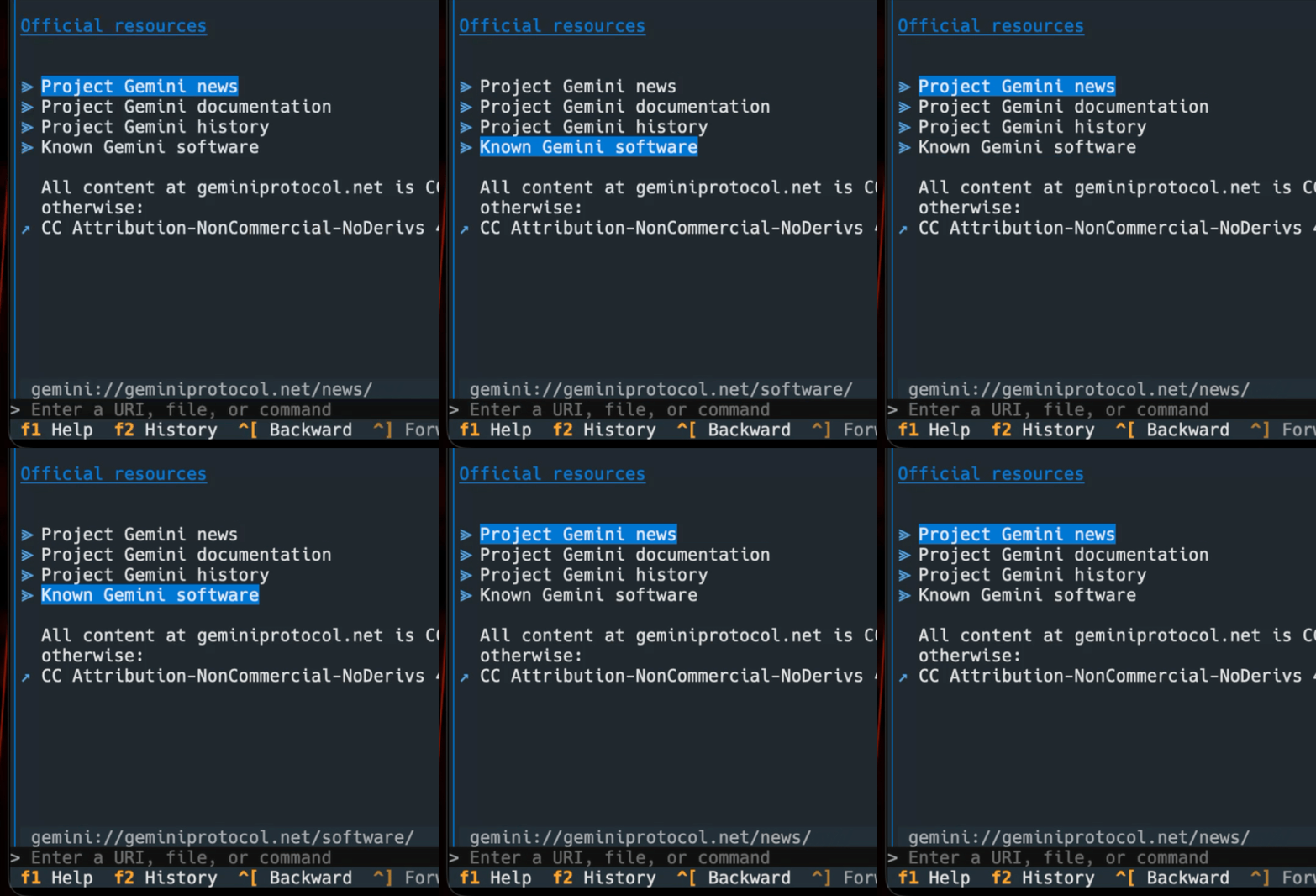
Finally, I've added a couple of features which make it easy to know where a link will take you. The first is that I've added a tooltip to each link, so that when you hover the mouse cursor over it the URI will be displayed. But, because not everyone is mouse-oriented in the terminal1, I've also added a status bar to the main viewer panel that shows the URI of the focused link.
As you tab through the links it will update, of course.
This should ensure that links are less likely to be surprising.
If any of this sounds interesting and you want to have a play, Rogallo is licensed GPL-3.0 and available via GitHub and also via PyPI. If you have an environment that has pipx installed, you should be able to get up and running with: