Ahh, Google, knower of all things that can be known about me, tracker of all things that can be tracked about me, controller of my phone and even my watch, able to use Now to suggest stuff I need to know even before I need to know it.
I got to thinking that this problem felt like one that I've seen a number of times before with Google stuff. One thing that's rather common (in many cases for very obvious reasons -- you can't cover the whole world in one go) with Google is how they struggle to get languages and localisation right. This felt like it was a similar issue. Mike had reported that his watch appeared to be unaffected by the issue (I'm guessing he's on the latest version of Wear -- the conversation headed off in a different direction before that became necessary) so I checked what his language was on his phone. Turns out he was the same as me: British English.
So much for that idea.
But then he suggested switching to US English and back again.
Happy enough to apply a very Microsoft "turn it off and on again" approach to a Google device (really, all big tech companies really are the same and really do suffer the same issues) I switched to en-US on the phone and tried setting a timer in voice on the watch.
It worked!
So then I switched back to en-GB on the phone and...
...it still worked!
I've tried setting timers in voice on the watch a few times since and it's yet to fail.
It would appear, as odd as it is, that this is the fix. Well, a fix.
I didn't pay too much attention to it when it happened but it looks like Android Wear, on the phone side, got an update in the last 24 hours. Only this evening did I notice that this seems to have broken something I heavily use on my watch: timers.
I find the timer facility on Wear especially useful when I'm cooking, either to ensure that different parts of the cooking process come together at a sensible time, or when I put something on and need to go off and do something else (perhaps come back to the office while and get on with some work as something bakes, etc).
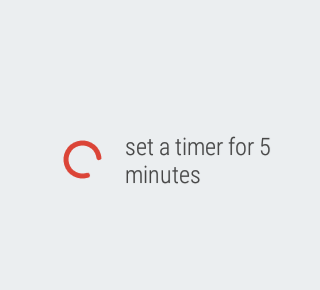
To be clear, the timer app is still there and, if I select to start a timer "by hand" on the watch, it works as it always has done. Also, if I say "OK Google, set a timer for five minutes" it still does the voice recognition thing:
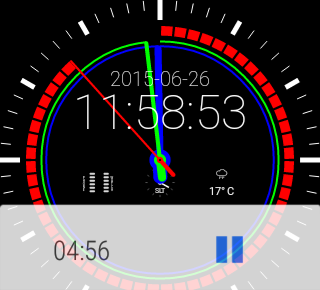
It's what happens next that's the problem. Before it would have started a countdown timer. As well as vibrating the watch when the timer runs down the timer app also has the very useful feature of showing the countdown on the watch face. This means you can glance every so often and see how long is left to go.
Instead, as of today (well, this evening when I made dinner was when I first noticed it), it starts an on-watch alarm app instead! This is utterly useless. Sure, it does still vibrate the watch when the alarm time arrives, and the alarm time is the right offset from when the timer was requested, but it lacks the on-face countdown.
It's an alarm.
It's not a timer!
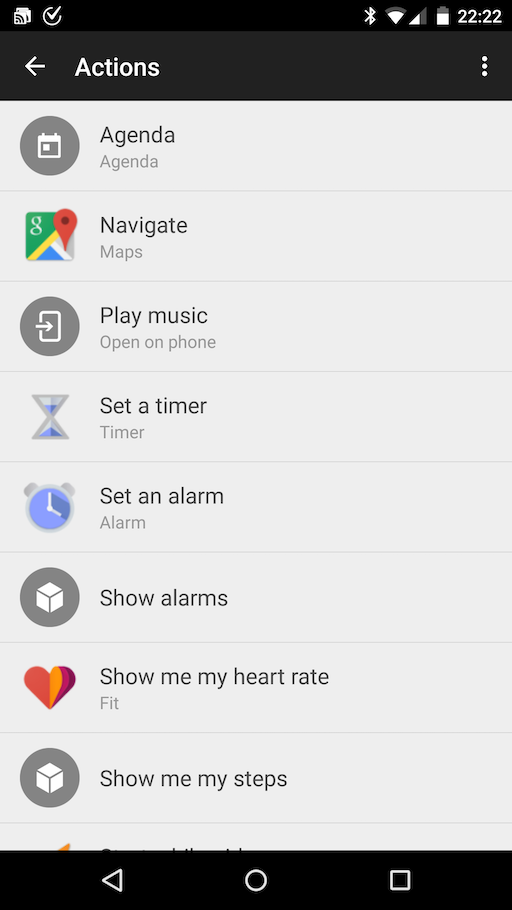
Looking in the Wear app it would appear that the correct application is assigned to the correct action:
As such, I'm at a loss on how to fix this. I can't find anything on the watch itself that could be done to change this, and I've tried restarting the watch on the off chance that something went a bit odd.
What really bugs me about this is that this is very Google. I've run into this sort of thing so many times before, be it on Android, ChromeOS or in their apps in general. They'll change (or screw up) something that's very simple and straightforward and in common use, something that should show up in testing pretty easily. Surely there has to be some way of pushing out an update without screwing up the apps that are assigned to actions?
As much as I really like what Google offer, as much as I value their services and global platform over the other choices, this sort of thing frustrates the hell out of me.
For a long time now Chrome has been my web browser of choice. It has, to some degree, become my "other Emacs" (ignoring for a moment that my use of GNU Emacs has sort of lapsed the last few years). By that I mean that it's a portable environment that serves me well on many operating systems and, for one of my machines, actually is the operating system. I really appreciate how Chrome's sync lets me feel right at home no matter which machine I'm on.
But I've run into one small issue that's kind of annoying.
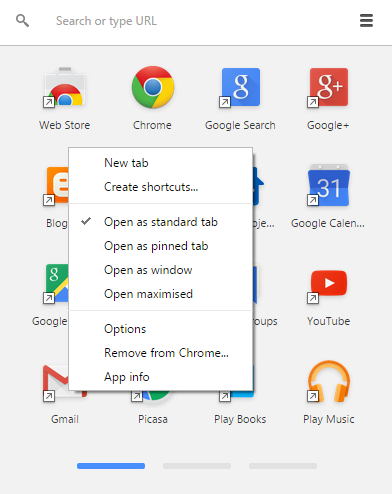
In some situations I find it pleasing, and I find it makes sense, that some web "apps" open in a window of their own rather than in a Chrome tab. On Windows and on ChromeOS this is simple enough, all I need to do is find the "app" in the Chrome app launcher, pull up the content menu, and tell it to open as a window.
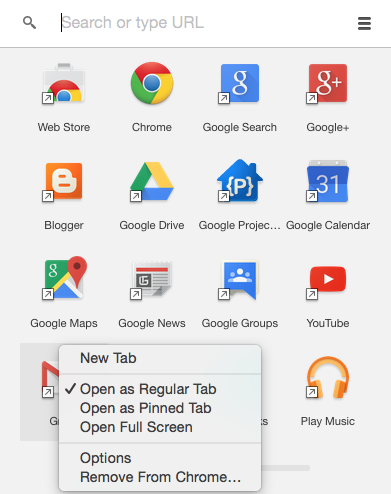
Now, the Mac, so well known for doing everything every other OS does but doing it better and being easier to use.... you'd expect it's at least the same there, right?
Nope.
There's no option at all to open as a window!
So, on the Mac, while I'd love to be able to open Gmail as a window/app in its own right, I'm totally out of luck, it seems. I've no idea whose "fault" this is. It's not clear to me if this is a Chrome/Google decision or if it's about how things have to work on a Mac. Thing is, I find it hard to believe that it's the latter given that Google Keep runs in its own window on the Mac and I can happily pin it to the dock.
It's that simple on ChromeOS too. In case you're wondering why I didn't also illustrate that, it's because you can't take a screenshot on ChromeOS while you've got a context menu open. O_o ↩