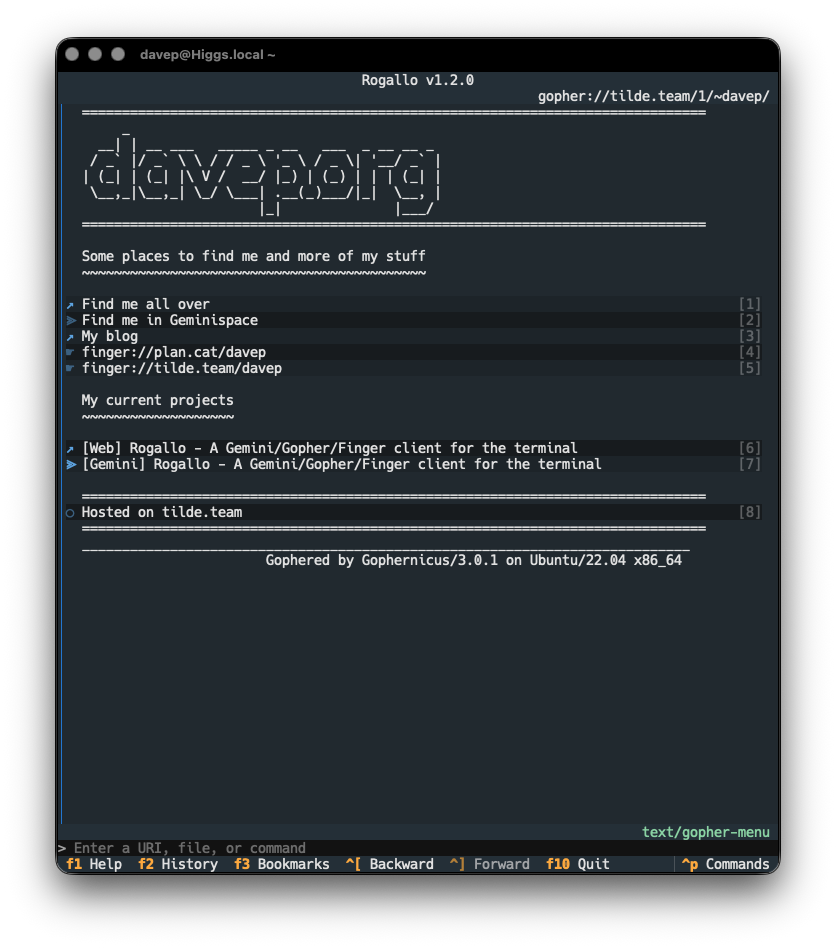
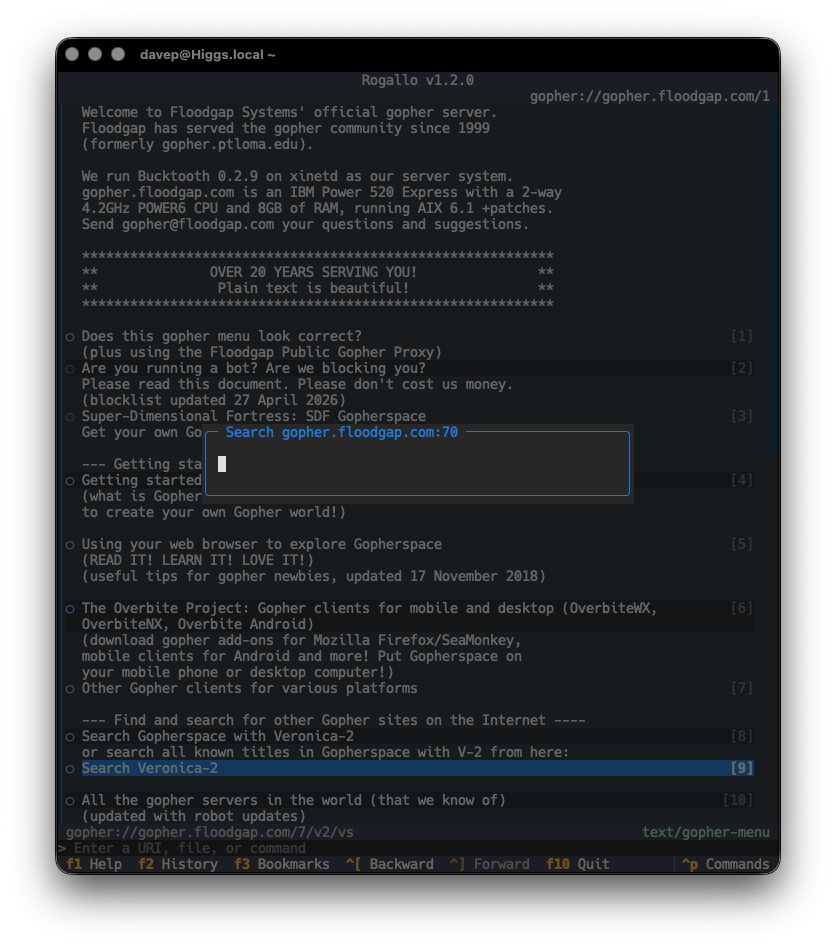
I've just made a small update to GopherMap. While doing some work on Rogallo I noticed that, somehow, I wasn't showing a type "badge" for PNG files (p). I spent a moment or two trying to figure out what was wrong with the code in Rogallo, and then realised that I'd managed to miss out both PNG and RTF files in GopherMap itself.
However, earlier today, I ran into a page that was obviously supposed to be plain text, but was being displayed in part like a map. The problem was my attempt at detecting a reply from a Gopher server that looked like it might be an error. This very relaxed approach to "this is likely some Gopher stuff, let's accept it as such" meant that a text file that had a 3 anywhere in the first column was tripping off the "this is likely some Gopher stuff and it looks like there's an error in there" check. The result? Treated like a Gopher map, converted into Gemtext, and displayed in the wrong way.
With these in place, I can update Rogallo so that it's still pretty easy-going when it comes to showing Gopher maps, but isn't quite so laid-back when it comes to finding errors coming back from Gopher servers, and so incorrectly rendering the result.
As Rogallo got close to being "stable", I did a fair bit of work on its documentation. Something that I wanted to include in the site was a good collection of up-to-date screenshots. These are all created on the fly. To do this, of course, requires something that looks like a Gemini server.
Initially, this was simple: Rogallo only supported Gemini capsules, so I could illustrate most things just using Gemtext files in the local filesystem (with an admonition in the documentation to point out that Rogallo was for more than viewing local files). This, of course, wasn't going to scale when I added Finger support, and neither was it going to work well for Gopher support.
The solution seemed obvious: use a lightweight local server for these protocols. With this need in place SmolServe was born. As mentioned when I released Rogallo v1.5.0, this isn't a project to build a comprehensive smolweb server. The aim is to build myself a minimal just-good-enough server that helps me with local testing and documentation.
As it stands, SmolServe supports Gemini, Gopher, Finger and Spartan. Or, rather, it supports a just-enough-to-get-by version of each of those protocols. None are implemented in a way that would serve as a "production" server; they're implemented to allow me to generate screenshots for the Rogallo documentation, involving any of the supported protocols, without the need to rely on services I don't control and which aren't local.
The big benefit of SmolServe is the exec support. With this, you can run up the server and then have it run another command. Once that command finishes its work, SmolServe will close down too. This means that, when it comes to producing the Rogallo documentation, I can just have the server running when I need it. Pulling some snippets from the Rogallo Makefile:
The idea is that, when I build the documentation, I actually run smolserve, which in turn runs mkdocs, which then produces the documentation while the local server is available.
My aim now is that, if I add any other protocols to Rogallo, I'll add a just-good-enough version of them to SmolServe to help me with testing and documentation. For the moment, though, I think it's in a stable and usable state.
Rogallo has been updated to v1.3.0. This release adds an extra cosmetic feature to the Gopher support, and also extends what the internal command line is capable of.
Both of the changes come from suggestions made by -fab-, who's been an avid tester of Rogallo and a good source of pointers and ideas. The first change comes from a mention they made of how some Gopher clients will prefix links in a map with a three-letter ID to give a clue as to what the linked resource is. TXT for a text file, SND for any audio file, MNU for a link to a further map, that sort of thing. While I didn't add that when I initially added Gopher support, it did seem like a useful option to provide.
However, this being a "modern" TUI application, with access to a wee bit more than plain old ASCII, I thought I'd mix it up a little. By default, little "icons" or "badges" are shown with each link. So to take the examples given above, I'm using 📄 for a text file, 🎵 for an audio file, and 📁 for a menu.
Of course, some people might not want this, and this can be turned off entirely in the configuration file by setting gopher_show_type_badges to false. However, it might be that someone wants this, but not the emoji. That's where gopher_type_badges comes in. This is an association of Gopher types with text to use as the "badge". If three-letter all-ASCII "badges" are what you want:
The other feature springs from another suggestion -fab- made. This time it was the idea of adding direct command-line support for Gemini and Gopher search engines. This struck me as an excellent idea, but I got to thinking that it could be a little more generic than that. So I've added support for declaring simple command-line aliases. There's now a section in the configuration file1 called aliases. It's an association of a command alias and an expansion. The alias itself must be a single "word" of characters, and the expansion the actual command that will be used. It can be any other command-line command, or a URI. Anything that the command line can normally handle.
When the user types something into the command line, the input will be split on the first space. If the first half matches an alias, it will be substituted for the input, and the tail of the input will be made available as a parameter to the expansion.
There are three placeholders that do the expansion:
{q} -- The tail of the command quoted for use in a URI
{qp} -- As above, but spaces will be + rather than %20
{r} -- The raw, unquoted, tail of the command
I've probably done a bad job of explaining it. But hopefully the following default set of aliases will nicely illustrate it:
Given this, if you type ken test search, the actual command that gets input is gemini://kennedy.gemi.dev/search?test%20search. As I said, it's not just about search engines; you can also expand to other built-in commands. For example:
"whois":"!finger {r}"
Would have whois davep@plan.cat expand to !finger davep@plan.cat.
I feel this nicely solves the original request and adds an extra layer of utility to the internal command line.
Which I totally forgot to document when putting together this release. It'll come to the docs soon. ↩
A quick little update to GopherMap. v0.2.0 greatly relaxes the validation of incoming lines, being a lot less fussy about missing tab characters and also about fully empty lines.
I've got no desire for Rogallo to be harsh in this respect, so here's a much more relaxed version of GopherMap.
As of right now, the exceptions that are defined in the library are never raised. I've left them in for the moment because there's a window of time between this version being pushed to PyPI and Rogallo being updated (it does use the exceptions), where failure to supply them would cause Rogallo to crash under normal circumstances (nobody wants an unnecessary ImportError). Once I've updated Rogallo to pin a new lower bound, and removed use of the exceptions, I'll remove them from GopherMap.
Rogallov1.2.0 is now available. The main change in this release is the kick-off of support for the Gopher protocol.
As I've mentioned before: Gopher is kind of an unknown to me, in terms of actually using it. I'm aware of it, I've known about it ever since I first got on the Internet back in the 1990s, I have a half-recalled memory of dabbling with a Gopher client at some point back then, but I had no conscious knowledge of its workings. So, when I say "kick-off" above, I say it because I suspect there's going to be more work to do to make it work "just so".
However, right now, gopher:// URIs are supported in Rogallo.
The approach to supporting this is pretty simple: given a gophermap, as pulled from a server, Rogallo converts it into Gemtext and then displays it using the normal Gemtext viewer.
There is more to Gopher than just displaying the maps, of course: there's access to all kinds of resources. Where possible, Rogallo will display text-based resources within the viewer; all other kinds of resources are handed off to the operating system as they probably need applications and tools that Rogallo doesn't offer (viewing images, playing audio, etc).
Searches (item type 7) are supported, and when following such a link, you will be prompted for input, which will be used as the query.
Note that, for the moment, there is no support for extensions to the protocol such as Gopher+. Doubtless I'll look into doing something with this in the future; Rogallo's development is incremental and for me it's all about having fun (re)discovering new/old things.
There are two other notable changes in Rogallo v1.2.0:
I've modified the ordering of entries in the history search so that the items appear in most to least recent order. While being able to type in things to find back a location is the primary use, I also found I was often pulling it up to find something I'd visited very recently.
I fixed the "view source" status being sticky during navigation. If I was viewing the source of a location, and then navigated to another location (by using the Back command, for example), that other location would also show the source. The status is now reset every time you navigate to somewhere else.
Having spun up Port70 as a support library for my effort to add gopher support to Rogallo, the next thing I needed was some code to parse the "gopher map" responses that you get back from Gopher servers. While this could have been some code in Rogallo itself, much like with Gemtext, it seemed sensible to put it in its own library so it could be useful elsewhere.
Because Rogallo heavily relies on MIME types to make decisions about what to do with content, each ItemType has a best-efforts-guess mime_type associated with it. This will make it pretty straightforward for me to decide if a resource from a Gopher server is something Rogallo can display.
It was, of course, inevitable that this would happen. After spinning up Port79 so that I could add finger support to Rogallo, it made sense that I start to think about Gopher support too. So here we go: Port70, a similar library for async interaction with Gopher servers.
This is going to be a bit of an adventure for me. While I'm long familiar with the existence of Gopher, and I'm fairly certain I used a client once or twice back in the 90s, I've never really had dealings with the protocol so know very little about it. Which is a good thing: something new (old?) to learn.
My plan with this is to add the GopherURI class to the list of URI types that Rogallo understands and handles and then provide a method of displaying and navigating the result. I think the cleanest and easiest way of doing this will be to add some code that transforms a menu response into gemtext and then just let the viewer widget display it as normal; each of the links in the menu being turned into gopher:// URIs.
This should be fun to play with. I'm looking forward to pulling it all together.