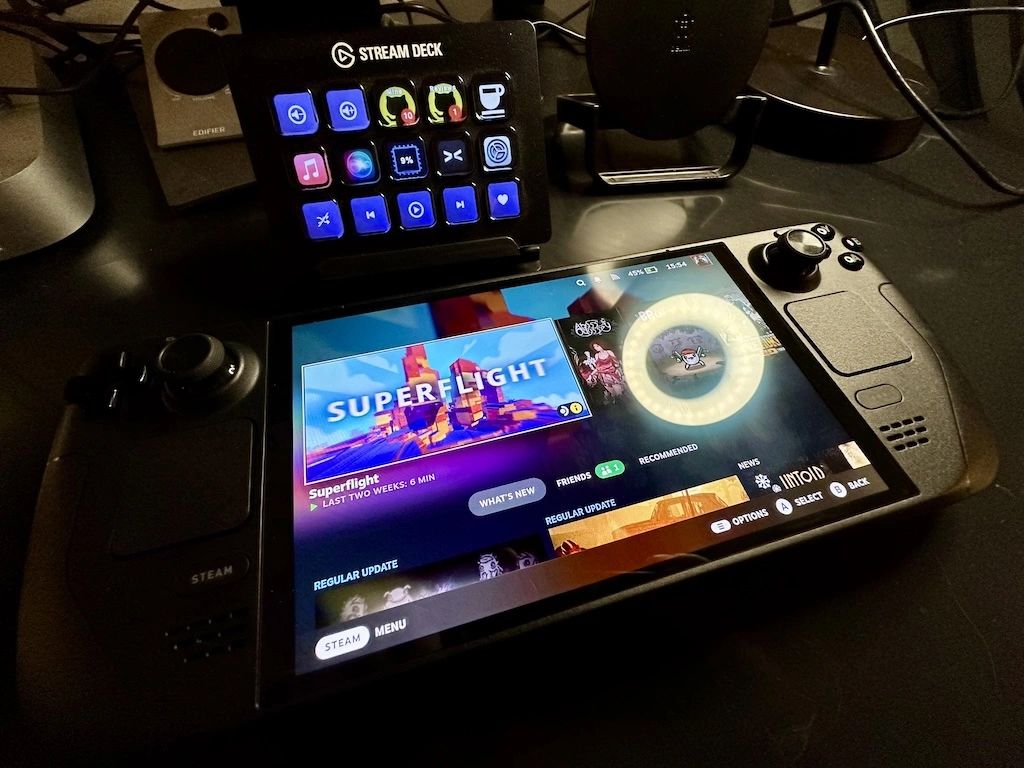
So the new Steam Controller is released. I kind of fancy one. I love my Steam Deck, so a controller with similar abilities, which I can use with the 'Deck or with my Windows PC (and perhaps my future Steam Machine?), is a bit of a no-brainer.
Buying one is going just as well as you'd imagine. Added to the basket at the moment of release. Here I am, over 40 minutes later, playing the worst clicker game going...
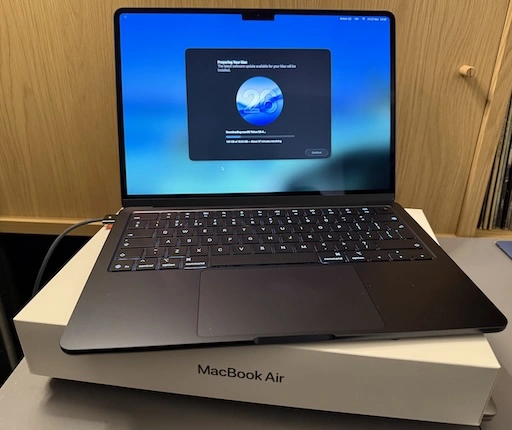
As I mentioned yesterday I decided it was time to update my portable/sofa hacking setup and treat myself to a nice new MacBook Air. It's here (well, I picked it up yesterday evening after dinner).
So far I'm very pleased with the choice. It's light but feels sturdy. The screen is very pleasing to read. The keyboard is really nice to type on (albeit I do prefer the old MacBook Pro, but on the other hand this is a bit more quiet, which matters if you're sharing a living room with someone else). It's fast. So fast! It's also so quiet! So very quiet! And cool too. The Intel-based MacBook Pro would get very warm as I worked; this just stays cold.
The really great part though is the battery life. Depending on what I was doing, with the Intel Pro, I'd get a couple of hours off the cable. On the other hand, last night, I spent a few hours setting things up on the Air and I barely noticed the battery drop at all. This, more than anything, is what I wanted.
Well, okay, I wanted the speed, the quiet, the lack of heat, and the long battery life.
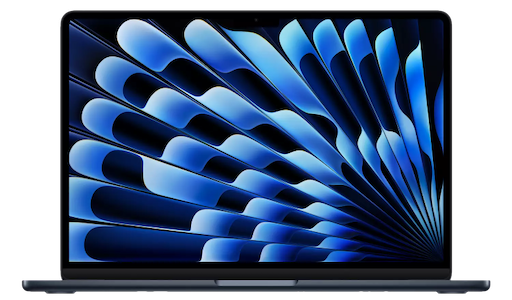
Oh, and the rather lovely "Midnight" colour. It's not black, but it's close enough.
The setup itself went pretty well, although for some odd reason I ran into problems when setting up Emacs. These days I always use Emacs Plus via Homebrew and have never had issues. Weirdly though, this time, if I did the installation method that builds locally all sorts of things went wrong. I don't know if I missed a step or something but I did what I normally do when dropping Emacs on a Mac. So I started again with the pre-built approach and that worked better.
Even then though, I ran into problems with my setup downloading everything. Things mostly worked but I kept seeing all sorts of issues relating to git-gutter and git-gutter-fringe not being able to load (despite the fact they'd downloaded fine, from what I could see).
In the end I gave up trying to get it to all work from scratch and hand-removed and then hand-installed via package-list-packages instead. Not the most scientific of approaches, and one I'm sure I'll regret at some point in the future, but at least I got to a point where I could get other stuff done on the machine.
All of which is to say: if you're reading this blog post I got my Emacs and git environment to the point I can write things and push them out to the world. At which point that's the really important stuff up and going and I can call this "set up".
Once I'm happy that's working, I think it's time to revisit my Emacs setup. While I don't think it needs another complete restart, I think it might be time to at least look through what I have loading in and perhaps remove some things I don't use any more (for example, I always carry around vterm from the days when I was testing every possible terminal I could get my hands on -- that's less important to me these days.)
It's just over a month shy of being 10 years since I bought my first MacBook. As I mentioned at the time: I'd bought my first Mac about 10 months earlier than that, had got used to it, had grown to like the OS, and had need of a small and light hacking machine to use while doing a lot of train travel (and I really did do a lot of train travel after that).
Fast forward a touch over 3 years and, by accident of a windfall due to work things, I ended up treating myself to a MacBook Pro. This was one of the last Intel models. It worked well and served as my main hack-at-home machine for quite a long time. I used it to code and edit videos and a bunch of other things. It sat there, on my desk, plugged into a couple of screens, and never really served as a portable machine.
Fast forward around 4 years and, having been using a MacBook Pro M1 for a while through where I worked then, I had a desire to get a M-chip Mac for personal use and settled on an M2 Pro Mac Mini. That thing was, and remains, a beast of a machine. It's set up here in my office right now and I'm sure will last me for some time to come.
The thing is, in the last 6 months, my home life has changed. I moved. I now share a place again. It's nice to sofa hack and hang out and all that "share a space with other people" stuff. To that end I've been using the Intel MacBook Pro again but I'm noticing that it's getting old now. It's not that it isn't coping with what I need it for -- far from it -- but having the fans kick in lots, and just the heat, and also the fact that the OS is stuck in the past because it's now a "legacy" machine... I sensed it was time for an upgrade.
A new MacBook Pro was an option, of course, but that feels like overkill for some sofa hacking. If I want to do any heavy video editing or any heavy coding the M2 Pro Mini is still the machine for the job. The new Neo looked really good too, but the entry-level storage seemed a bit stingy these days and once you bump up to the next level, while still stuck with the same memory, well the price starts to get dangerously close to...
So, yeah, as of today, I've kind of come full circle; a decade on from that MacBook Air purchase I have a new sofa hacking machine coming in the shape of the new M5 MacBook Air1.
So this weekend will involve me digging out my "new macOS environment" checklist and working through it, getting a hacking environment up and going again. One thing I do want to do is follow that list but also write out a fresh copy, because this time around I want to see if I can get a good Python environment up and going minus the use of pyenv. Not that pyenv is a problem, at all, but I feel like I should be able to achieve everything I need using just uv.
I'm not a hardware nerd, so don't dive deep into this stuff. Despite what I said about the M2 Pro Mini still being there for heavy coding and video editing, it wouldn't surprise me to find out the Air is more than capable too. ↩
Back in 2021, I think it was, when Value first announced the Steam Deck, I was all "hell yes sign me up!"; like... really, I signed up there and then to go on the waiting list. The idea of a wee device that would let me play a ton of games in my Steam library seemed like a great idea. The price seemed right too.
So, I signed up, and waited, and waited, and life moved on.
When I finally (I think it was the best part of 18 months later?) got the email saying my Deck was up for grabs and did I want to complete the purchase I... said nah. By this point I was so heavily into VR gaming that mucking with stuff on a Deck didn't seem to make much sense to me any more.
I moved on.
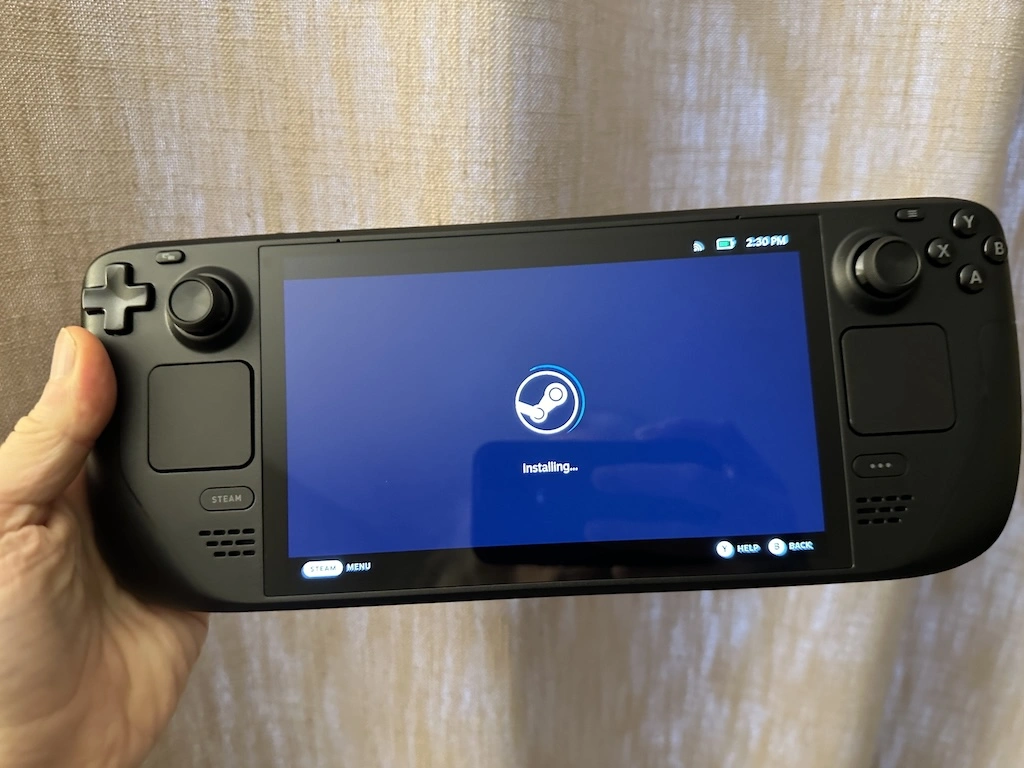
Then a few weeks back they announced the OLED version and I took a second look. There was now over a year of reviews to read, hacks to notice, fun to follow; now I could get an idea if a Deck was any good and if it was for me. So after a bit of review-reading and review-watching, Thursday last week, I slapped down an order; and by Tuesday the Deck turned up.
The overturning of my original decision to not buy came down to a couple of things. The first was: I recognised that there were a lot of games in my library, sometimes things I'd bought (often in a sale), sometimes things I'd got as part of a Humble Bundle, that just never got played. This, I noticed, was sort of down to an unfortunate relationship I'd developed with gaming.
See... VR has won me over. I love gaming in VR. Also, I love recording my gaming sessions and throwing them on YouTube. This means that, to some extent, in my head, there's effort to getting going with playing a game: I've got to power up the Windows PC; I've got to let it update stuff; I've got to let Steam update stuff; I've got to power up the VR headset; I've got to get it to connect to the PC (which generally works fine but on occasion needs a complete restart of everything); I need to decide what I'm playing next and what to record; I've got to get the recording software going; I've got to...
You get the idea.
Also, of course, I've got to be in the right state to be okay with having a computer strapped to my face (sometimes you don't feel 100% and being lost in a virtual world isn't the best thing to be doing).
This can feel like too much effort. It also means that gaming tends to be left for when I've got a few hours to dedicate to it.1
But I also love playing games.
My thinking then was a Deck would be a great way of "forcing" myself to play the more casual stuff. There's no easy (that I know of) way to record or stream from the Deck; it's also easy to have it on the sofa and turn it on in a moment. This felt like the ideal device to have to hand, that was dedicated to gaming, and which would encourage me to take smaller gaming sessions when the time arises.
Like... sometimes I'll put something on to cook, come into the living room, pick up the tablet and scroll through the Internet. While I try not to doom-scroll too much, I can see that it would be more healthy to pick up the Deck and play DooM!
So far, two days in, I'm convinced this was an excellent idea and I'm totally won over.
I'm still getting a feel for what does and doesn't work best on the Deck, from a "my taste in games" point of view, but things that allow for dipping in and having a quick blast are winners.
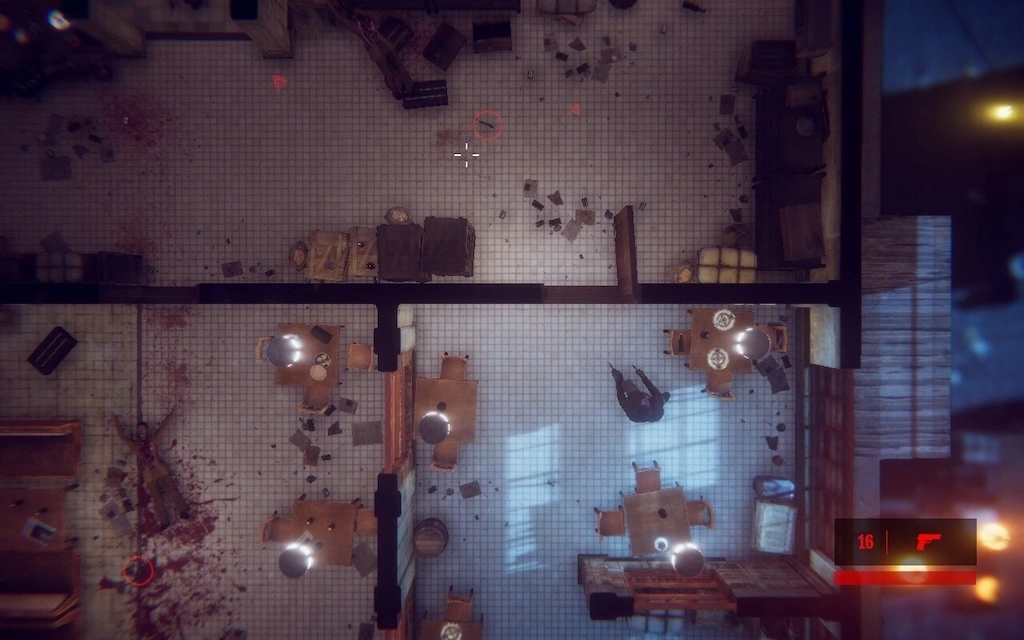
Hong Kong Massacre has finally got a play, despite me owning it ever since I saw John Wick 4.
DooM II got installed and is working well -- I may have to slowly play my way through the whole thing. I've also installed Abyss Odyssey and so far am finding it quite charming and fun (it's an example of a game that isn't really my kind of thing; but I got it in a Humble Bundle, I think, and it's been sat there with 0 hours for way too long).
The real surprise for me though has been a game I bought on a whim a couple of weeks back, which was going cheap, looked fun, seemed nice and casual and which I installed on the PC and totally ignored (because, again, turning on the PC to have a quick game seems like a lot of faff): Brotato.
This game is frantic, way over the top, kinda confusing in parts (for me) but accessible enough that I can actually have a ton of fun with it; and what's really important is that I can pick up the Deck, turn it on, play a game of this for 10 minutes and then go on to do the thing I needed to do next. It's the perfect game to play while waiting for the next step in dinner to cook.
So, yeah, The Steam Deck... I'm won over; I'm so won over. And I haven't even properly explored the fact that it has a full GNU/Linux desktop inside it that I can use as a desktop machine...
Some of this is also true with gaming on the PS5; while it's easier to turn on and get going, and while I don't have a VR setup for it, I do have it in my head that it's more for "epic gaming" than quick casual stuff; see Death Stranding or Cyberpunk 2077 for example. ↩
The urge to go gadget crazy, when getting a new hobby, or reviving an old one, is a real thing. Having recently bought the new guitar with a view to trying to learn to play properly, it's something I'm very mindful of and doing my best to avoid. However, in the middle of the week I did crack and buy one little extra thing:
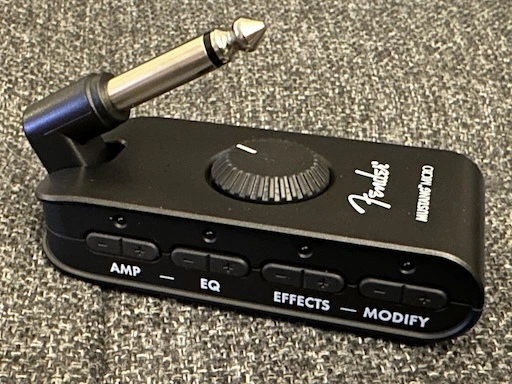
As I said in the previous blog post about the guitar: I ended up getting something that could be played acoustic without being annoying for neighbours, which in turn meant I didn't need any sort of amp, or pedals, etc. This has been working out just fine. But early last week, in an idle moment, I was looking up what might be good options for a small amp for practising should I want to and I stumbled on the Mustang Micro.
Reading up on it and checking out some reviews, it sounded perfect for my setup. I enjoy living in a small space, so could do without a proper amp kicking about, so something that just plugs right into the guitar sounded ideal.
I added it to a list of things to keep in mind and then... a couple of days later I was working from home which meant I'd be about to receive a delivery if I was to place an order and... oops!
I've been using it every day since it turned up and I'm so damn impressed! This thing might be small, but it's pretty mighty! For a complete notice like me, to muck about, and fiddle and get some great sounds out of it, I couldn't have asked for anything more.
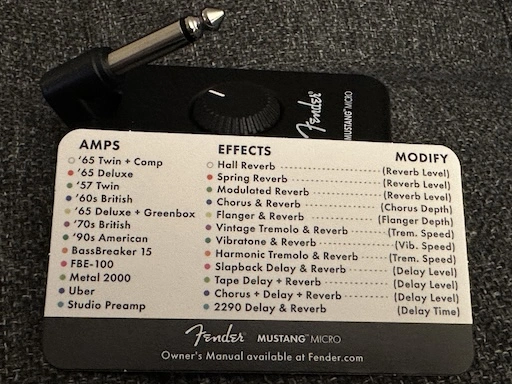
The range of amp styles is way more than I could possibly do justice right now, but what's important for me is it's got versions that are nice and clean, and versions that are dirty and distorted. The effects are pretty much spot on too; there's everything I could ever possibly want there.
My only real complaint about it is that the UI itself -- small lights that use colour to indicate their setting -- is terrible. I don't know how else they could have done it, but I know this is bad. I am at least grateful that it's standalone and doesn't require some app on a phone to control or something like that.
I know it's going to take a while for me to get the most out of this, but already it's giving me a bit more confidence to experiment and doodle away in idle moments. Also, the USB connection means it can be plugged into my Mac, presumably allowing me to record with GarageBand or similar software. While I wouldn't use it to subject anyone to my terrible playing, that will be something for me to explore in terms of keeping a record of my progress.
For well over a year now I've been recording my VR gameplay and uploading it to YouTube. Less as a "content creation" thing, more as a nice record of games I've played and, on occasion, as a little bit of help to others; in the past I've watched other folk play games I like to get ideas for approaches to them, and I've also received the odd comment now and again where my play-through has helped someone else.
A question I've had a couple of times is what I use to do the recording, so I thought I'd make an effort to write it all down here.
First up, a couple of things to note: I started recording PCVR around April 2021 and the initial setup was a bit trial-and-error and Google searching and blog reading. As such, not all of the details of how to set up will be here, and I may even miss off some stuff I changed and is worthy of note; at the same time I might mention stuff that's just an obvious default.
Consider this blog post as being a written version of one of my videos: it's for my own fun and benefit and might also help me in the future should I want to apply some of this again, and if it helps someone else that's a lovely bonus.
While it's not exactly the point of this post, I guess it's worth mentioning the hardware I use as of the time of writing. Given this is about PCVR, I of course have a PC which is running Windows. The machine information within Windows says it's a:
Intel(R) Core(TM) i5-10400F CPU @ 2.90GHz
Warning: I don't do hardware. I buy it from time to time, but hardware leaves me bored. It runs VR on a PC. This is fine.
The machine itself has 16 GB of memory, is running Windows 10 Home and has a GeForce RTX 3060 for handling the graphics.
The headset I'm using is an Oculus Meta Quest 2. I've had this since around November 2020, playing Quest-native games for the first few months, until I cracked and got the PC mentioned here to get into PCVR.
The headset is connected to the PC with a USB cable.
It should be said that, yes, sometimes, I do get a little caught up in things with two cables hanging off me. If I could give one tip here it would be that running the microphone cable up your trousers and shirt makes life a ton easier. As a bonus I have the USB cable for the headset running around the headset's strap and connected to it at the back and then running down my back.
The core software used is OBS Studio. This has got to be one of the best bits of free software I've ever used, in terms of interface and what it delivers.
Years back my son used to record and upload gameplay to YouTube and I can remember him having no end of issues using different recording software; some working with one game but not another, some other working with a different set of games, video and sync issues, etc... Lots of pain quite often. With OBS Studio the only issues I've ever had have been my own mistakes.
At this point I have to confess that when I set it up I didn't make a point of keeping a recording of what I changed -- I was experimenting and not expecting much to come of it. So what I note here are the things that feel like they're important, and only the things that relate to recording PCVR, not streaming it (that might end up being a different blog post).
That said, here are things I seem to remember as being key:
The items in the output pane in settings that I have and which might be important are:
Output Mode: Simple
Recording Quality: High Quality, Medium File Size
Recording format: mkv
Encoder: Hardware (NVENC)
I do remember the recording format being set to mkv as something that's really important. I think it's mp4 by default, or was when I first installed, and if your machine crashes or OBS were to crash or something, you could end up with footage that can't be used. Using mkv means you can still use the footage (as I understand it). It does mean that once you're finished you have to use the "remux" option under the File menu, but that's a small price to pay.
I can say that at least once I've had to hard-reboot my machine when a game and SteamVR and the like all got upset. I likely saved 45 minutes or more of footage thanks to mkv.
Nothing really special in here, I simply have both the base and output resolutions set to the desktop resolution. This might be something for me to tinker with in the future, but so far I've not run into any problems.
Now, of course, all of the above is great and fine and all but there's the issue of how you capture the VR gameplay. I approach this a couple of different ways. The first is I use the OpenVR Capture plugin for OBS. This makes capturing footage from SteamVR really easy. The only downside I found is that out of the box there's no default crop setting for using a Quest 2 (or I guess the Rift, as the Quest 2 sort of appears as a Rift to SteamVR games). As such I remember playing trial and error with that until I was happy I was getting as much footage as possible without having black bars and the like.
Something I also like about the OpenVR Capture plugin is you can say if you want to capture the left or right eye. Normally not that big a deal for some things, but if you're playing a shooter and want people to see exactly what your dominant eye is seeing, that matters.
Sadly, of course, not every game can be captured with that plugin. So far I've found that any game that can't be has its own mirror window on the desktop. In that case I use a Game Capture source and set it to capture that specific window. I could of course just get it to capture the focused window or something like that but I prefer to know that it's only grabbing what I want it to grab.
That's pretty much it I think. There's not a lot to it, although on occasion a lot can go wrong. Mostly it's a wonder any of it works. I mean, think about it, I have a computer with two screens strapped to my face, with two controllers in my hands talking to it; it's then connected via the Oculus Link to the Oculus Home; from which I start up SteamVR; and from the SteamVR home I start up the game and then "live" inside the game. It's a virtual world inside a virtual world inside a virtual world inside a real world; with lots of software along the way, all talking at once.
That is then being recorded.
Sometimes, on occasion, it takes a reboot or five to make it all work together.
Over the past couple or so weeks my MacBook air has started to develop a minor, but irritating, hardware problem. Simply put, the left shift key fails now and again. I can press it and it does nothing. It's irritating because it messes with the flow of typing (especially when writing code) and the key also feels like it's sticking or clicking in a way that's different from all the other keys.
Given that I pass through Edinburgh on a pretty regular basis I thought I'd drop in and have a quick chat with someone about it. While I didn't expect a fix there and then (although finding out it was a trivial issue would have been nice) I was hoping someone could take a quick look and let me know what might be going on.
So, this morning, on the way to Waverley Station, I dropped in to the Apple store on Princes Street.
I walked in and looked for a member of staff, all seemed to be busy to start with but one soon noticed that I looked a little lost and asked me if they could help. I explained the issue and she said I needed to pop upstairs to chat with the staff up there.
So far so good.
So, I headed up to the first floor and caught the attention of another member of staff. Having explained the exact same thing to them I was told I needed to speak with yet another staff member. The chap I needed to speak to had a queue (yes, a physical queue of people) waiting to speak to him.
I joined the queue.
About five minutes later I got to speak with him. I, again, explained the problem and was told that looking at it would be no problem and they could do so at around 4pm. This was at about 10am. Having gone through 3 people and spent 10 minutes doing so I found out that there was a six hour queue to have someone actually take a quick look at the issue.
By that time I wouldn't even be in the same country, let alone the same city. So I had to say thanks but no thanks.
So now it looks like I have to make an appointment for some point in the future and make a special trip into Edinburgh just so someone can check out a sticky key on my MacBook.
Remind me again how the nice thing with Apple gear is that it "just works"...
I've had my iMac for about 10 months now and I can safely say that it's a purchase I don't regret. While I'm still not convinced by the hype and nonsense that's normally associated with Apple products -- I've had plenty of moments where the damn thing really hasn't "just worked" -- I really do like the iMac as a Unix workstation.
Recently I've had the need to consider buying a small laptop that I can use on train journeys. While I have a very capable Windows laptop it's a little too large to pull out and use on the tray you get on the back of a train seat. I also have a much-loved Chromebook but it would generally fail me on the train unless I always pay for the WiFi. So the ideal machine for me would be fairly small (no more than 12" or so), be capable of doing things locally, and would also need a pretty good battery life (while the trains I travel on do provide sockets they seem to provide no power as often as they do).
I did start to think about going with some sort of MacBook but, every time I looked at them, I ended up deciding they were too expensive.
Until yesterday. Yesterday I found that the local computer store had the 13" MacBook Air on sale -- £150 off the usual price plus another £50 off if I got there and bought it before 5pm.
So I had to go and look.
Having looked I came away with one.
So far I'm very pleased with it. While the one I have is the lower spec version (just 128GB of SSD and 4GB of memory) it seems to work well for my needs.
As for what my needs are? I want to be able to work on web projects locally, hack on JavaScript and HTML, that sort of thing. As well as that I want to be able to run Git and, when I do have a net connection, sync to GitHub and browse the web, do email, faff around on Reddit, etc.
For this it's perfect. I'm finding it more than fast enough for what I want (I'd even go so far as to say that it's faster than the iMac). The keyboard is just the right size, the trackpad is perfect (and works just like the Magic Trackpad I use on my iMac), the screen is very readable. So far I'm struggling to find any real fault with it.
Okay, sure, there are some obvious downsides, the main one being that, for what I paid for this, I could probably have got a lower-end gaming Windows laptop with plenty of drive space, memory and a good graphics card. But that's not what I was after. A machine that big and that powerful would sit in the laptop bag and not get used. I wanted a machine that was easy to drag out, open up and use.
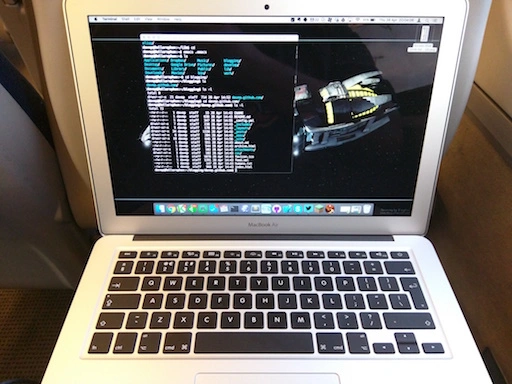
And that's what's happening with the Air. In fact, it's being used on the train right now; that's where I'm waffling on about this, to kill time, somewhere north of Newcastle, with the sea to my right and the snow coming down.
I'll be the first to admit that I'm a creature of habit. Once I get used to something I find it hard to change. In many areas of my life there has to be really compelling reasons to change something. I've found that this is the case with my Android Wear watch.
When I first got it it took me a couple or so days to find a face that I was happy with and, in the end, I went with Pujie Black, along with a colour scheme I set up myself (called RGB, for obvious reasons).
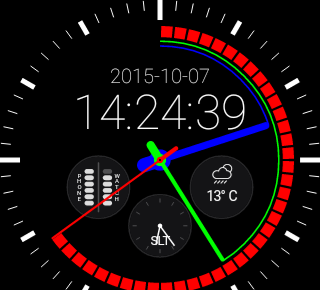
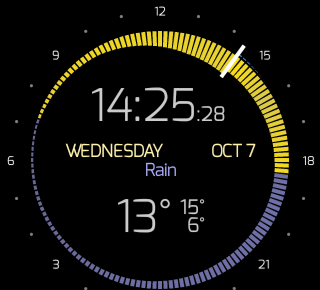
Today though I stumbled on Krona Sunlight. This face really got my interest. Part of the reason is that, while what I'm wearing is normally called a "watch", I don't see it as a watch (just like my phone isn't really a phone). It's a wearable Android device that gives me handy info at a glance and lets me set reminders and things without even having to reach for my phone, tablet, Chromebook or desktop machine.
This face fits perfectly into that.
While it lacks the battery information (edit to add: it doesn't lack battery information, it's just an option that is off by default), and second time display, that Pujie Black has, it more than makes up for it with the rather fantastic display of weather and sunrise/set information -- especially how it displays temperature.
This was enough to not only have me buy a copy, but also to switch to it. I'm going to be sticking with it for the next couple of days to see how I feel about it and see if I miss any of the other information.
This might be a little bit of change I can cope with.
My history with computers starts with a Sinclair ZX81 in the early 1980s, followed shortly by a Vic20, then on to the BBC B and fairly quickly on to very early IBM PC compatible machines. In the early 1990s I added OS/2 (during the introduction of Warp) and not too long after that GNU/Linux. Along the way I've also used the odd Unix here and there as well as CP/M, RSTS and VMS.
Aside from an inherited Mac whose model name escapes me, and whose operating system version also escapes me, I've never really had too much exposure to the world of Apple.
A couple of weeks back all of that changed.
It's quite a long time since I had a Unix of some form as a desktop machine and I was starting to get the urge to have one again. During all of this time I've had a GNU/Linux box or two available but for the past few years I've always used them from the (dis)comfort of my Windows desktop. Generally that was fine because the uses I had were not desktop.
Anyway, long story short: I started out thinking that I wanted some form of Unix on my desk again and, somehow, ended up walking out of a shop with an iMac.
Given the above history I thought it might be fun to jot down my experiences in the first couple of weeks. This will be a vaguely random wander through my experiences. It's not a review. It's not even really intended as a judgement of the machine and the operating system. It's nothing more than a collection of notes of what I found and my reaction to what I found.
The first strong reaction I had to the machine was regarding the keyboard. I thought I was going to hate it. I've had the misfortune of using various chiclet keyboards over the years and I've hated every single one. I find that I can't type on them, that it doesn't feel right, and that it makes my fingers ache badly if I spend too much time using them. My history and experiences has always been such that I've generally preferred very mechanical-feeling keyboards.
This just wasn't the case with the iMac keyboard. I don't know why, I still don't know why, but this feels like one of the most comfortable keyboards I've ever typed on. Despite the keys being chiclet style they move in a very positive way that really surprised me. It doesn't hurt to type, at all, and I'm finding I can type faster on this keyboard than any other I've typed on before.
There is a flipside though. I find the whole design far too cramped. Even now, a couple of weeks later, as I type this on it, I wish the keys were just a little bigger and just a little more spaced out. I'm adjusting, of course -- much of this is about muscle memory -- but it does mean that it's in a constant fight with my "knowledge" of my other main keyboards.
And then there's the keys that it lacks.
I'm still finding that this is a terrible keyboard for a programmer. For one thing, here on the UK version of the keyboard, there's no # key. At least, there's no simple, comfortable, direct access to the # key. Any time I want to type a # I have to shift my left hand to find the (I think it's called the) option key and hit 3. Shift 3 is £. And it gets even worse. This setup doesn't work at all in GNU Emacs so I then have to put the keyboard in Australian mode so I can use shift-3 to get a #.
Why there isn't a proper # key is beyond me.
And then there's the (on the version that came with this iMac) complete lack of page keys as well as home and end. Overall this makes the whole keyboard feel very unfriendly to programmers and also to writers in general.
This, of course, is my bias and muscle memory from PCs showing. I'm still not convinced that that bias and muscle memory is wrong.
When I first started with it I hated the mouse. I should be fair and point out that, overall, I hate mice anyway. For a good 20 years I've thrown away every mouse I've ever had turn up with a machine and have made use of a trackball instead. I find that a trackball gives me far more control and is far more comfortable. So, initially, I put the Apple mouse to one side and plugged in a trackball instead.
For reasons I forget now I found myself needed to use the Apple mouse again. Once I did that I decided to "force" myself to give it a fair shot and, now, I'm glad I did. Much like with the keyboard, despite me having a bias against what it is, this has turned out to be one of the most comfortable mice I've ever used. It sits right in the hand, the lack of actual buttons means I don't have to shape my hand to fit the design but, instead, the design allows for how my hand rests. I also rather like the gestures too.
This is the first mouse that has stayed on my desktop. I'm surprised.
By the way, whoever thought that the "natural" scroll option, which is on by default, was "natural", is barking mad.
One of the main intended uses for this machine is the Unix shell, working inside the terminal. Given that the actual UI of the OS doesn't matter so much to me. That said, I'm finding it pretty pleasant. I find it a lot tidier-looking than Windows, although I also find it more frustrating in some places.
One good example is in the Finder, when I have a folder open. I find that it's quite common for me, on Windows, when I have an Explorer window open, to want to copy the path of the folder for use elsewhere. That's very easy to do because the path is in an edit field at the top of the window and can be edited and copied. If there's a way to do this with the OS X Finder I've yet to figure that one one.
Another thing I'm still not getting used to, and I'm still very unconvinced by, as a design decision, is the business of having an application's menus always appear at the top of the screen disconnected from the application windows themselves. I appreciate that this is a very Apple/Mac way of doing things but I really can't get used to the idea -- especially given that it gives the (incorrect) impression that the whole GUI is really single tasking.
On the whole though most of this doesn't matter too much to me. Large parts of what I'm doing is in the terminal window, with other parts of it being in my editors of choice (either SublimeText or GNU Emacs, depending on what I'm doing) or inside Google Chrome. In other words the general experience is one that carries over most of the main operating systems I've used on desktop machines.
For an operating system that prides itself on being simple to use and easy to understand, and especially one whose bigger fans sell as being simple to use and easy to understand (especially in relation to Windows), the whole business of installing software seems very confusing and very scrappy.
So far I've found a few different ways of installing software and none of it makes a whole lot of sense to me without going and searching about it and reading up on it. Sometimes I download an app and all I need to do is drag it into the Applications folder. Other times I get a zip which I have to open and then... it can go a couple of different ways. Sometimes I get a dmg and when I open that up I get a window where I have to drag one icon onto another icon in that window to do the install. Sometimes I get something like the last one I mention but instead I have to double-click on an icon that's in the window.
There might even be other options I've had to follow. I forget now.
And then there's the business of removing software! That seems to be complete chaos. In some cases you delete the app and it's all good. In other cases you need to do that and hunt down some other bits and remove them too. In other cases it seems like the author has supplied their own uninstaller.
We've been here before. I know this setup rather well. This is exactly the sort of world we lived in back when Windows 3.1 was a new thing. This came as and still is a massive surprise to me: OS X is as sophisticated as a fancy shell that ran on top of MS DOS when it comes to software management.
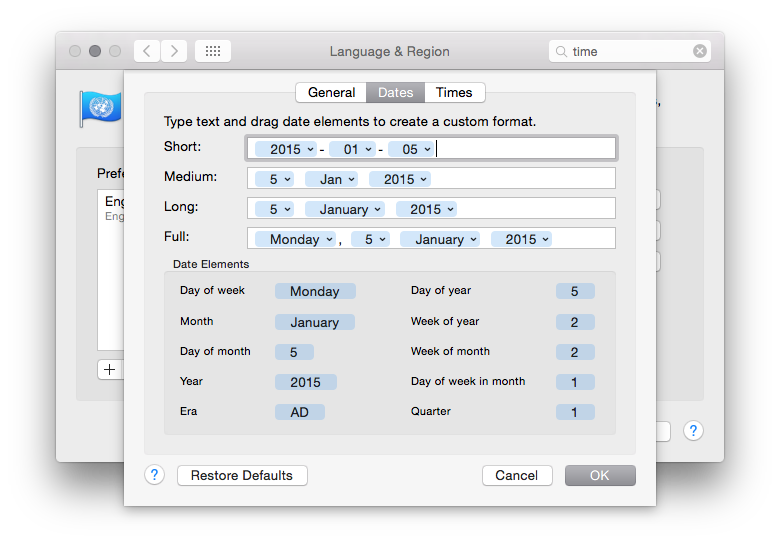
While I'm on the subject of the famous great design of the Mac... what's up with the business of seeing the time format? The system preferences seem very flexible when it comes to setting date and time formats. I really like the dialog that provides this:
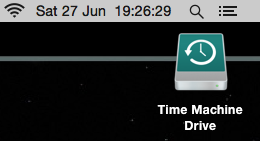
As you might see above, my preference when it comes to date formats is to have everything in ISO 8601 format. Having set that I then noticed that the time shown in the menu bar on the desktop was.... whatever the hell Apple appear to have decided for me!
Even Windows lets me set the date format as I want it in the desktop time display. Apple, meanwhile, seem to provide a great method of letting you set your date and time formats "just so" and then they seem to just go right ahead and ignore your preference in the one place you'll see it the most.
If you have a Mac, you have software I wrote on it (I think)
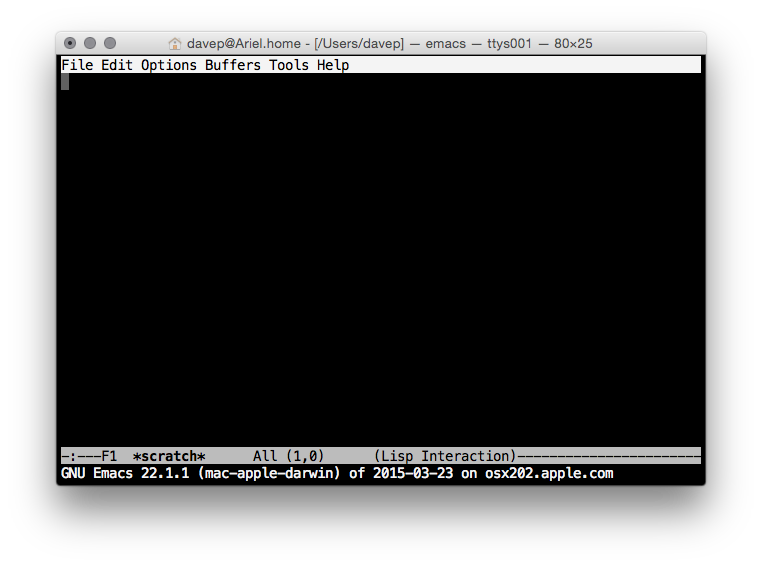
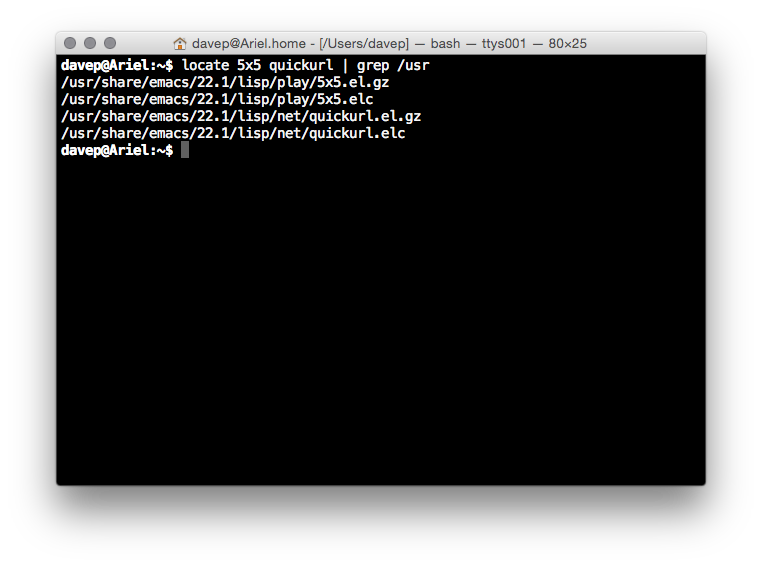
From what I could tell every Mac has a copy of GNU Emacs installed, out of the box. That actually kind of impressed me. Sure, it's a rather out of date version of GNU Emacs, but it's a copy of GNU Emacs and that's all that matters.
That fact actually means something rather interesting, to me. See, there's two small packages that are part of GNU Emacs that I originally wrote. One is called 5x5, the other quickurl.
So, yeah, from what I can see, on every new Mac you'll find two bodies of code that I originally wrote, pre-installed.
Yeah, I know, shitty claim to fame. I'll take it anyway. ;)
Overall my initial impression is a good one. The Apple iMac seems to make for a pretty good Unix workstation. The keyboard layout could do with some work to make it more friendly to programmers (well, to this programmer) but overall it all makes sense and is easy to navigate.
If most of what you do is actually online then I'd say that an iMac would be a huge waste of money. If you want a desktop machine for web browsing and generally working "in the cloud" then you'd do a lot better to buy a Chromebase (or, of course, a Chromebook if you're looking at Macbooks). On top of this, if most of what you're doing is online but you want to do some client-side stuff such as image/video editing and gaming then I struggle to see how an iMac would be a good choice too. For the money it's hilariously underpowered when compared to a reasonably equivalent Windows PC (or, of course, GNU/Linux machine if what you want to do can be done there).
My own reasons for purchase were about having a desktop Unix workstation that I could install various compilers on so I could muck about and work on some fun projects I want to get done. It was an unusual extravagance that I don't regret and, so far, I've been pleased with.
There's very few people I'd actually recommend one to though as it seems pretty clear to me that, generally, their money could buy them so much more.