Posts tagged with "Mac"

Hello MacBook Air (again)

3 min read

As I mentioned yesterday I decided it was time to update my portable/sofa hacking setup and treat myself to a nice new MacBook Air. It's here (well, I picked it up yesterday evening after dinner).
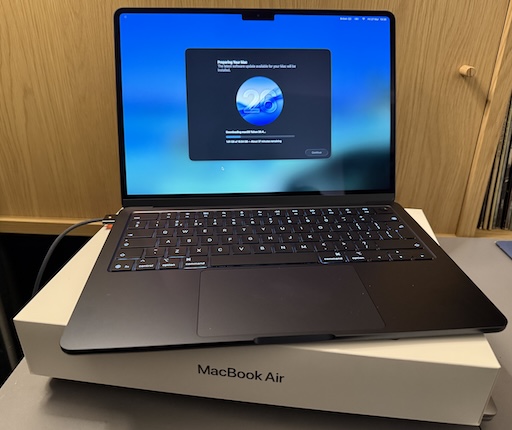
MacBook Air M5

So far I'm very pleased with the choice. It's light but feels sturdy. The screen is very pleasing to read. The keyboard is really nice to type on (albeit I do prefer the old MacBook Pro, but on the other hand this is a bit more quiet, which matters if you're sharing a living room with someone else). It's fast. So fast! It's also so quiet! So very quiet! And cool too. The Intel-based MacBook Pro would get very warm as I worked; this just stays cold.

The really great part though is the battery life. Depending on what I was doing, with the Intel Pro, I'd get a couple of hours off the cable. On the other hand, last night, I spent a few hours setting things up on the Air and I barely noticed the battery drop at all. This, more than anything, is what I wanted.

Well, okay, I wanted the speed, the quiet, the lack of heat, and the long battery life.

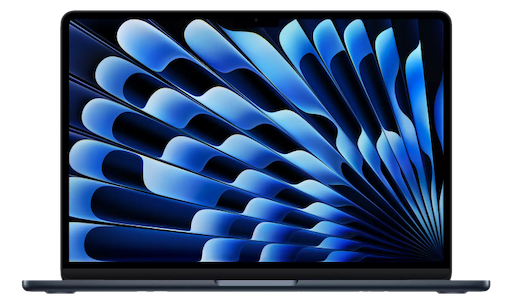
Oh, and the rather lovely "Midnight" colour. It's not black, but it's close enough.

The setup itself went pretty well, although for some odd reason I ran into problems when setting up Emacs. These days I always use Emacs Plus via Homebrew and have never had issues. Weirdly though, this time, if I did the installation method that builds locally all sorts of things went wrong. I don't know if I missed a step or something but I did what I normally do when dropping Emacs on a Mac. So I started again with the pre-built approach and that worked better.

Even then though, I ran into problems with my setup downloading everything. Things mostly worked but I kept seeing all sorts of issues relating to git-gutter and git-gutter-fringe not being able to load (despite the fact they'd downloaded fine, from what I could see).

In the end I gave up trying to get it to all work from scratch and hand-removed and then hand-installed via package-list-packages instead. Not the most scientific of approaches, and one I'm sure I'll regret at some point in the future, but at least I got to a point where I could get other stuff done on the machine.

All of which is to say: if you're reading this blog post I got my Emacs and git environment to the point I can write things and push them out to the world. At which point that's the really important stuff up and going and I can call this "set up".

Once I'm happy that's working, I think it's time to revisit my Emacs setup. While I don't think it needs another complete restart, I think it might be time to at least look through what I have loading in and perhaps remove some things I don't use any more (for example, I always carry around vterm from the days when I was testing every possible terminal I could get my hands on -- that's less important to me these days.)
MacBook Air M5

3 min read

It's just over a month shy of being 10 years since I bought my first MacBook. As I mentioned at the time: I'd bought my first Mac about 10 months earlier than that, had got used to it, had grown to like the OS, and had need of a small and light hacking machine to use while doing a lot of train travel (and I really did do a lot of train travel after that).

Fast forward a touch over 3 years and, by accident of a windfall due to work things, I ended up treating myself to a MacBook Pro. This was one of the last Intel models. It worked well and served as my main hack-at-home machine for quite a long time. I used it to code and edit videos and a bunch of other things. It sat there, on my desk, plugged into a couple of screens, and never really served as a portable machine.

Fast forward around 4 years and, having been using a MacBook Pro M1 for a while through where I worked then, I had a desire to get a M-chip Mac for personal use and settled on an M2 Pro Mac Mini. That thing was, and remains, a beast of a machine. It's set up here in my office right now and I'm sure will last me for some time to come.

The thing is, in the last 6 months, my home life has changed. I moved. I now share a place again. It's nice to sofa hack and hang out and all that "share a space with other people" stuff. To that end I've been using the Intel MacBook Pro again but I'm noticing that it's getting old now. It's not that it isn't coping with what I need it for -- far from it -- but having the fans kick in lots, and just the heat, and also the fact that the OS is stuck in the past because it's now a "legacy" machine... I sensed it was time for an upgrade.

A new MacBook Pro was an option, of course, but that feels like overkill for some sofa hacking. If I want to do any heavy video editing or any heavy coding the M2 Pro Mini is still the machine for the job. The new Neo looked really good too, but the entry-level storage seemed a bit stingy these days and once you bump up to the next level, while still stuck with the same memory, well the price starts to get dangerously close to...

The MacBook Air M5

So, yeah, as of today, I've kind of come full circle; a decade on from that MacBook Air purchase I have a new sofa hacking machine coming in the shape of the new M5 MacBook Air1.

So this weekend will involve me digging out my "new macOS environment" checklist and working through it, getting a hacking environment up and going again. One thing I do want to do is follow that list but also write out a fresh copy, because this time around I want to see if I can get a good Python environment up and going minus the use of pyenv. Not that pyenv is a problem, at all, but I feel like I should be able to achieve everything I need using just uv.


  1. I'm not a hardware nerd, so don't dive deep into this stuff. Despite what I said about the M2 Pro Mini still being there for heavy coding and video editing, it wouldn't surprise me to find out the Air is more than capable too. 

I turned it off and on again

1 min read

Following on from the previous entry, where I outlined a weird problem I'd started having with syncing Obsidian via iCloud, I finally decided to sit down and try and work out the exact flow of the problem. Today, for example, I'd created an entry in two different vaults on my phone while on the bus into work, and when I got to my desk the vault I use on my work machine had updated.

However, when I got home this evening, the vault for my personal stuff hadn't updated on my home Mac Mini. I tried a few edits, in both vaults, on the iPhone, and nothing came through to the Mac.

So... before I started really diving into things I decided to "turn it off and on again" -- the iPhone that is -- and when it came back I ran up Obsidian, which told me it wasn't allowed to access my iCloud drive!

I took a moment to go into the settings to try and figure it out, didn't find what I wanted right away, then got to thinking that perhaps some of the phone's services were still spinning up, so I ran Obsidian up again (after killing it).

Sure enough, this time, it saw my vaults. With both vaults open on my Mac I made edits to open entries and the edits started to flow.

So, yup, looks like it was a simple case of "turn it off and on again".

Apple: #ItJustWorks.

Strange Obsidian sync issue

2 min read

Since October last year I've been getting into using Obsidian. Not that heavily, not to the extent some people do, but just as a way to keep a daily journal of work-related things. Each day at Textual HQ we finish off with a chat about how our day has gone, stuff we're wondering about, etc, etc... So I don't lose tack of what I've been up to I keep notes and Obsidian is how I do that.

One of the things I really like about it is how I can have iPhone, iPad and macOS versions on the go and have it all sync via iCloud. It generally works well.

But in the last couple of days I've noted the oddest problem, and I've yet to pin down the exact flow. But it seems to be this:

  • If I create or edit a note on my iPhone, it doesn't turn up on my Mac.
  • If I create or edit a note on my Mac, it turns up on my iPhone.

I think I might have seen variations on that theme but I've not made careful note -- normally I'm made aware of it when I'm trying to get something done.

What's super weird is this: on the iPhone, if I create a note, and then go into the Files app and look at the iCloud folders for Obsidian, the file isn't there! It's there in Obsidian itself, I can move it about, edit it, etc, etc... but it's not in the "vault" as seen from the Files app.

It's the last part that has be really puzzled.

If I get to the bottom of this I'll try and remember to write up what I find. I suspect I'm going to need some proper clear time, without other distractions, and experiment with all the edit and sync options and see what works and what fails.

Cmd-Tab switcher on all screens

2 min read

This week, on Monday gone in fact, we moved office. We've now got a bigger space and, as part of that, bigger desks. Somewhat (but not entirely) coincidentally the work desk will also convert into a standing desk1. Also also... I inherited a second screen for the desk too. Ever since the days of CRTs and video cards that supported it, I've been a fan of having at least a couple of screens in front of me, and now at my work desk I've got 3 (two external displays and the display of the MacBook Pro itself).

This caused a slight problem though: horizontally there's quite the spread of things to look at. This is fine, mostly I'm looking at the screen that's in front of me; the MacBook is to the left and the "second" screen is to the right, both with "other" stuff on them. In front of me is Emacs and my browser, which I flip between lots.

The problem is this: the MacBook needs to go to the left (because of physical layout), which means that despite me setting the screen in front of me as the "main" screen, the Cmd-Tab display (you know the thing: when you hit Cmd-Tab you see the icons of all your active applications) appears on the left-most display, which is the MacBook.

Not great. If I'm looking at the right-most display, and want to switch using the keyboard, I've got to look over to the left, as a worst case. That makes for a lot of unnecessary head-swivelling.

One quick Google later and Today I Learnt that the following pretty much solves the problem:

$ defaults write com.apple.Dock appswitcher-all-displays -bool true
$ killall Dock

As the name of the setting would suggest: once done, the switcher appears on all displays.

That's perfect.


  1. Although the work one is manual hand-cranked, not electronic button-push goodness like my new one at home

Catching up

2 min read

So... erm... yeah... I did it again. I looked away for a moment and somehow almost 7 months passed without a post! It's so easily done too isn't it? While, when I revived this blog last year, I didn't make a point of intending to write lots and often, I had hope that I'd manage something at least once a week; perhaps at least once a month.

Ahh well.

There's been two main reasons why it's been quiet around here. The first is that my (now not so) new job keeps me busy (in a good way). It involves a reasonable amount of trekking into town and back (which I don't mind on the whole), and once I'm home in the evening I'm generally (but not always) done with the keyboard and desk.

The second reason, which is probably the dafter one, is that a bit earlier this year I finally upgraded my desktop setup from the 2019 Intel MacBook Pro I was using to a recently-released M2Pro Mac Mini (and what an upgrade!). How this plays into blogging being even more quiet is... I needed to set up jekyll again, and I'd forgotten how I got it running in the first place, so I kept putting off getting it going, and...

Well, this morning, I sat down with coffee, grepped the history on my previous machine, and got it running in like 5 minutes (of course).

So, here I am, back adding another blog post. I'm writing this as much to test that the setup works as anything else.

But also, this time, I'm going to try and make a promise to myself: I'm going to try and write more. I can and should write about anything. I can and should write short things as well as long things. I can and should remember that it's not about writing things that are going to be super important or anything like that, it's about just getting stuff down and creating and recording.

Note of course I said "try" and make a promise.

We'll see. ;-)

I now own a Macbook

3 min read

I've had my iMac for about 10 months now and I can safely say that it's a purchase I don't regret. While I'm still not convinced by the hype and nonsense that's normally associated with Apple products -- I've had plenty of moments where the damn thing really hasn't "just worked" -- I really do like the iMac as a Unix workstation.

Recently I've had the need to consider buying a small laptop that I can use on train journeys. While I have a very capable Windows laptop it's a little too large to pull out and use on the tray you get on the back of a train seat. I also have a much-loved Chromebook but it would generally fail me on the train unless I always pay for the WiFi. So the ideal machine for me would be fairly small (no more than 12" or so), be capable of doing things locally, and would also need a pretty good battery life (while the trains I travel on do provide sockets they seem to provide no power as often as they do).

I did start to think about going with some sort of Macbook but, every time I looked at them, I ended up deciding they were too expensive.

Until yesterday. Yesterday I found that the local computer store had the 13" Macbook Air on sale -- £150 off the usual price plus another £50 off if I got there and bought it before 5pm.

So I had to go and look.

Having looked I came away with one.

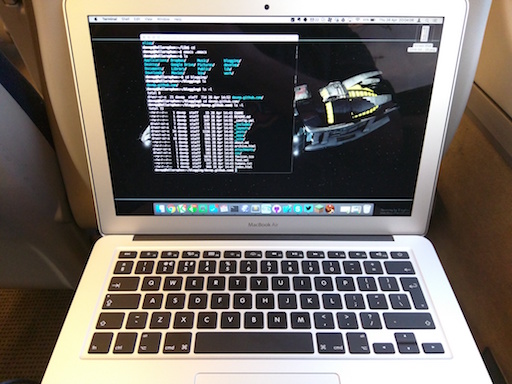
My new Macbook, on the train

So far I'm very pleased with it. While the one I have is the lower spec version (just 128GB of SSD and 4GB of memory) it seems to work well for my needs.

As for what my needs are? I want to be able to work on web projects locally, hack on JavaScript and HTML, that sort of thing. As well as that I want to be able to run Git and, when I do have a net connection, sync to GitHub and browse the web, do email, faff around on reddit, etc.

For this it's perfect. I'm finding it more than fast enough for what I want (I'd even go so far as to say that it's faster than the iMac). The keyboard is just the right size, the trackpad is perfect (and works just like the Magic Trackpad I use on my iMac), the screen is very readable. So far I'm struggling to find any real fault with it.

Okay, sure, there are some obvious downsides, the main one being that, for what I paid for this, I could probably have got a lower-end gaming Windows laptop with plenty of drive space, memory and a good graphics card. But that's not what I was after. A machine that big and that powerful would sit in the laptop bag and not get used. I wanted a machine that was easy to drag out, open up and use.

And that's what's happening with the Air. In fact, it's being used on the train right now; that's where I'm waffling on about this, to kill time, somewhere north of Newcastle, with the sea to my right and the snow coming down.

El Capitan

2 min read

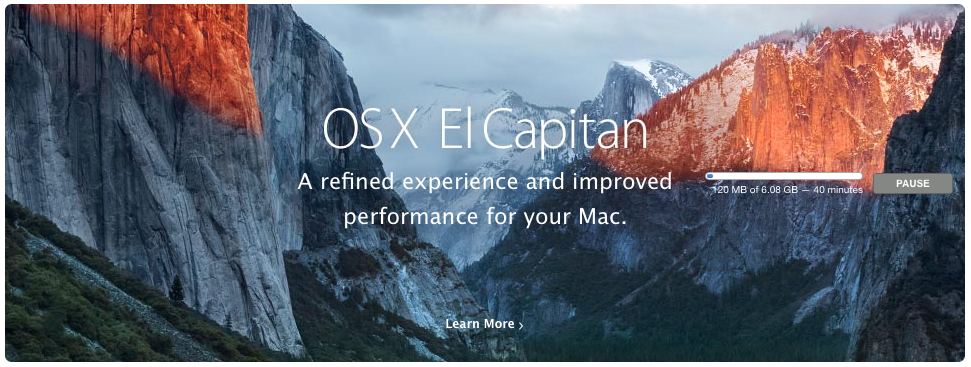
Almost a week ago (yes, I have being meaning to write something down about this and have kept failing to do so) my iMac told me that there was a new version of the OS waiting for me. While this is doubtless no big deal for most Mac owners, this was interesting to me because it's the first time I've experienced an OSX upgrade since I got the iMac.

El Capitan downloading

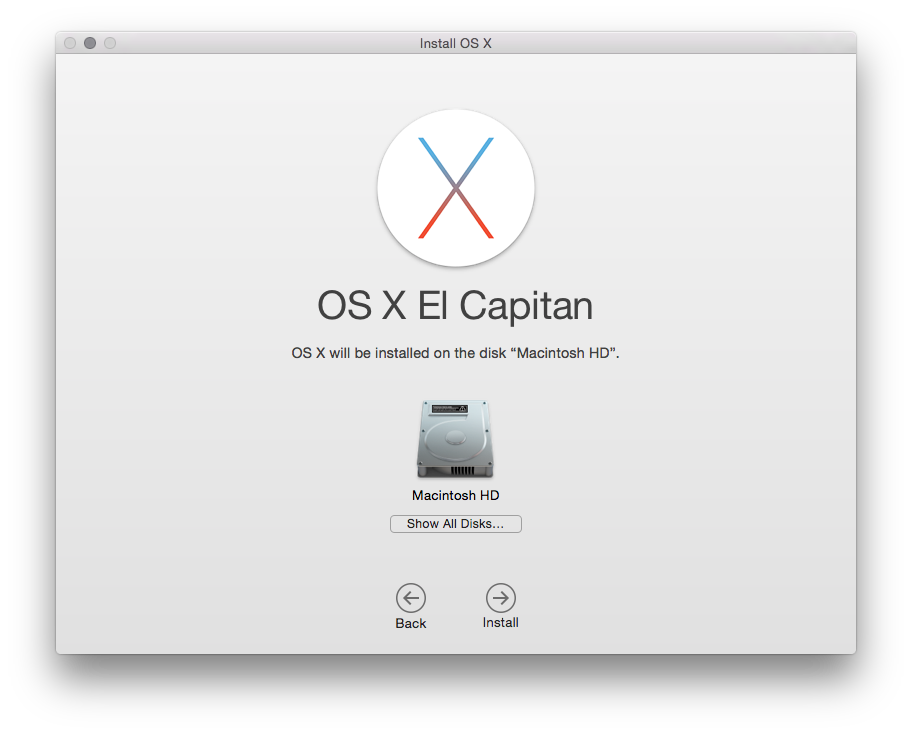
The download took a while and, while the install had a couple of curious bumps along the way, nothing seemed to actually go wrong.

About to get going

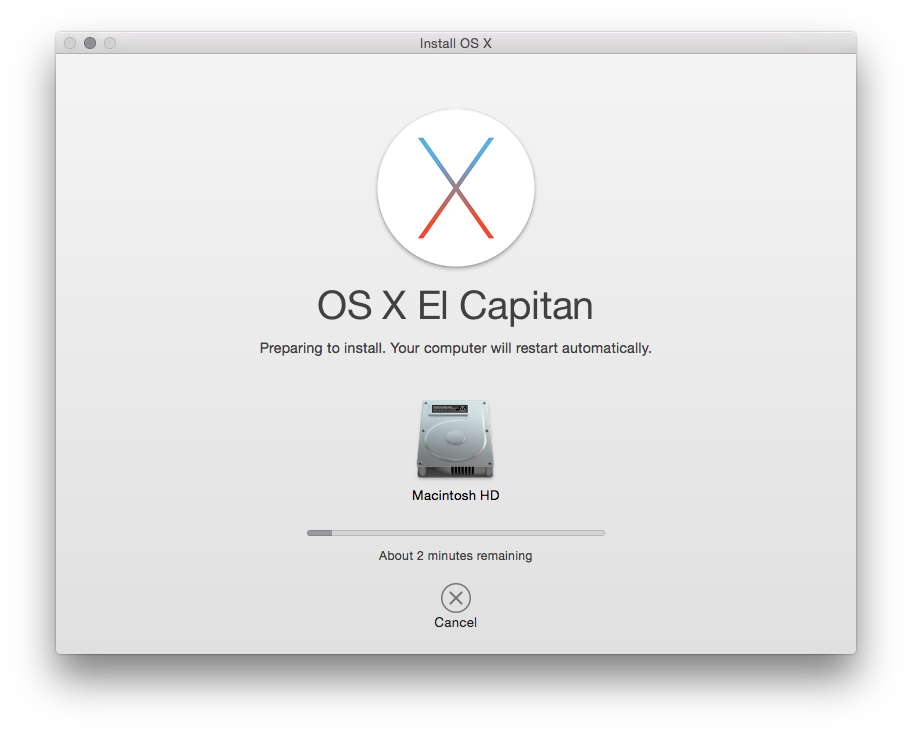
The two main things I noticed were that it seemed to take the installer an absolute age to close down all running apps before it got to doing the installation. The other was that Mac progress bars seem to have a very odd way of calculating things. Often it would tell me that there was (for example) 28 minutes to go, it'd stay like that for 20 minutes, then drop 5 minutes, then appear to finish very soon after.

The final countdown

Mostly though I just left it alone and let it do its own thing. While the whole process took quite a while, it came back just fine (if I'm fair I'm not sure it took much more time than when I upgraded my laptop from Windows 8.1 to Windows 10).

The changes and improvements aren't really that obvious. I think I would say that the machine feels a little quicker in places, but nothing I can really put my finger on. One of the things I do like is the new split-screen facility for full-screen apps. While I don't use the full-screen facility that much I have found the need to split the screen before.

Some of the other improvements I've read about seem to involve things I'm never going to use: either improvements to Safari (Chrome all the way for me), the Mac Mail app (Gmail all the way for me, with Kiwi for Gmail being my client of choice on the iMac) or various iOS-oriented things which are of little use (while I do own an iOS device it's not one I use much).

Overall the thing I'm taking away from this is that the upgrade was smooth, nothing was obviously broken or changed in a way that was confusing (unlike some Windows or ChromeOS updates I've experienced in the past) and I didn't have to do anything that required much in the way of knowledge to keep it all going.

Doubtless that won't always be the case, such is the nature of OS upgrades.

My iMac thinks I'm in Spain

1 min read

While on the phone earlier I was doing that thing you often do when chatting with someone where you don't have to concentrate on something in front of you: I was randomly clicking around stuff on a machine. In this case I was faffing around on my iMac.

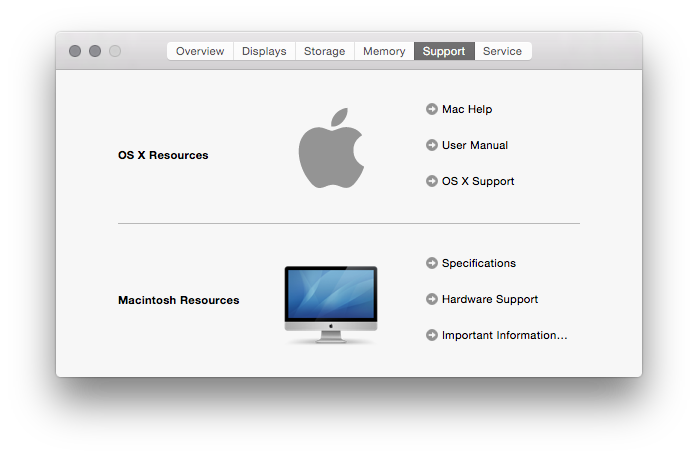
One of the places I landed was in the About dialog, looking at the support details:

Support details of the iMac

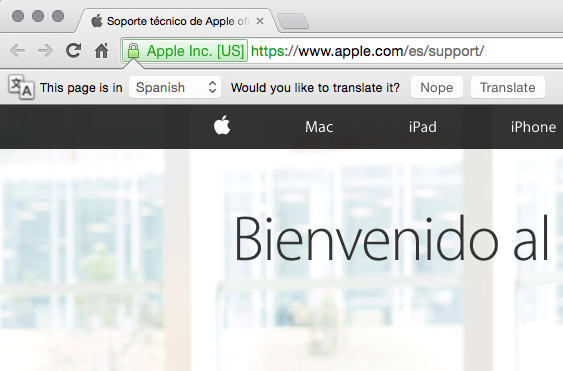
Out if idle curiosity I clicked the "OS X Support" link, which opened my browser and took me to Apple's website. Only.... it didn't take me to a part of the site that was that useful to me:

Seems I read Spanish

Yes, for reasons best known to Apple or my iMac, I apparently need my help to be in Spanish. O_o

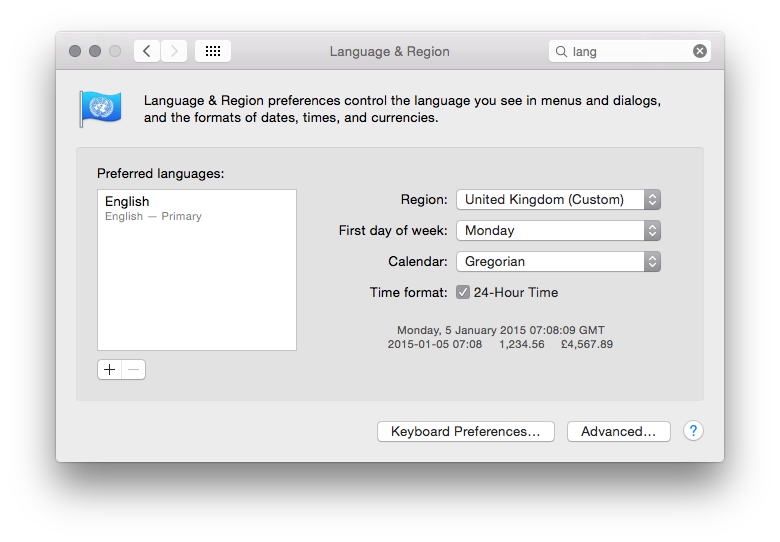
I could understand this if I had my system set to Spanish, which I don't:

Seems I read Spanish

About the only "non-standard" thing I have in my setup is the date, which I've set to ISO 8601 style rather than the usual UK style. I even experimented with changing that to the default on the remote chance that it was tickling some sort of odd bug in OS X.

So, yes, another wonderful example of Apple stuff "just working" and being good for mortals. Well, for interesting values of "working" anyway.

Odd iPod update

2 min read

Last night, before heading for bed, I noticed that there was an update available for OS X on the iMac, and also for iTunes. Despite the late hour I decided to do the update anyway. OS X updated pretty smoothly (albeit with some rather unhelpful progress bars that appear to give estimated times that have no relation to reality), as did iTunes.

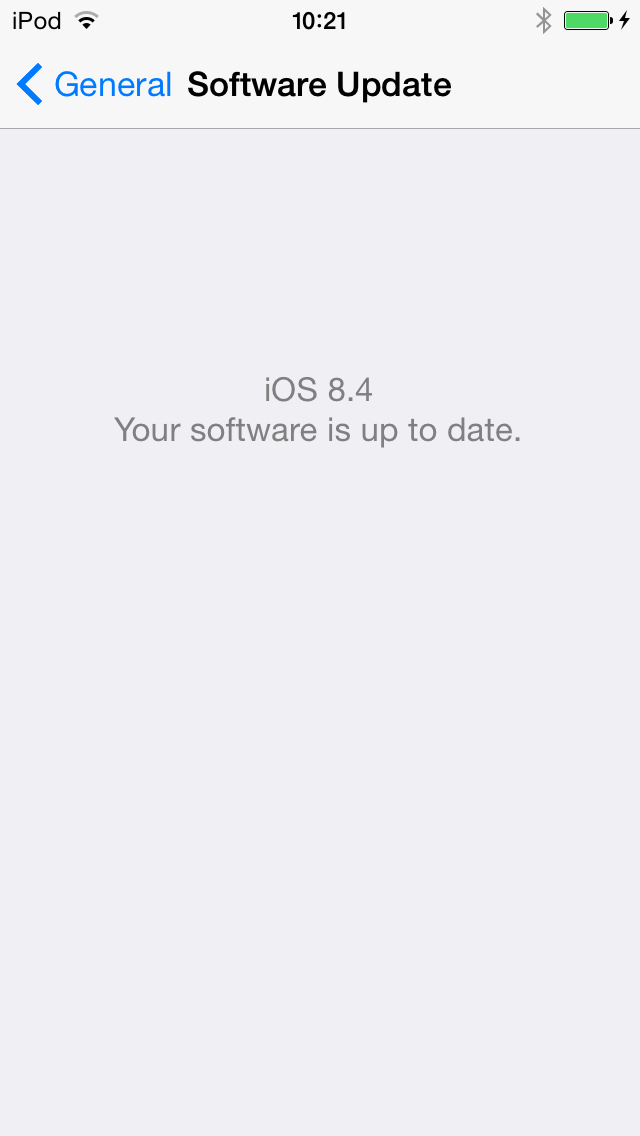
I was then told that there was an update for my iPod as well (all part of this new thing where Apple have invented Spotify, obviously). I let that start doing its thing and that's where things got odd. First it started the update and the iPod appeared to insist that it wasn't plugged into the iMac, even though it was. Then I gave it a second go (after unplugging it and plugging it in again) and it all seemed to go through just fine, only...

When is 8.4 not 8.4, iPod?

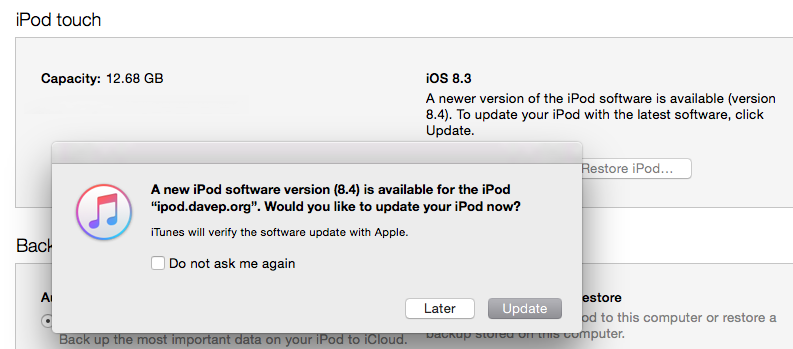
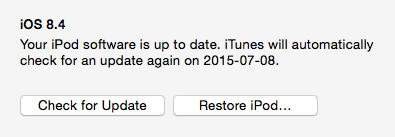
...while the iPod was pretty sure it was now running iOS 8.4, iTunes on the iMac had other ideas:

When is 8.4 not 8.4, iTunes?

The following morning iTunes kept insisting that it needed to do the update so, even though the iPod was obviously up to date, I let it do it anyway. After it'd gone through the update process again it still insisted that the iPod was running 8.3 rather than 8.4. Until, that is, I unplgged it and plugged it back in again.

When is 8.4 not 8.4, iTunes?

So now it all seems fine. I just had to do a variation on "have you tried turning it off and on again?"

Once again I find myself running into things on a Mac that are very common elsewhere, on other operating systems, and which Mac owners would often have you believe weren't an issue.