Posts tagged with "Markdown"

ng2nlm - Feed NotebookLM a Norton Guide

2 min read; 14 GFI

After having knocked up obs2nlm the other day I realised there was another source of sources available to me that might be fun to throw into NotebookLM: one or more of the Norton Guide files in my collection!

And so, after a wee bit of hacking on a wet Sunday afternoon, ng2nlm was born.

In terms of what it does, it's pretty much the same as obs2nlm, only it uses ngdb to read the contents of a Norton Guide and turn it into a single Markdown file which can then be used as a source in NotebookLM.

So far it seems to be working a treat.
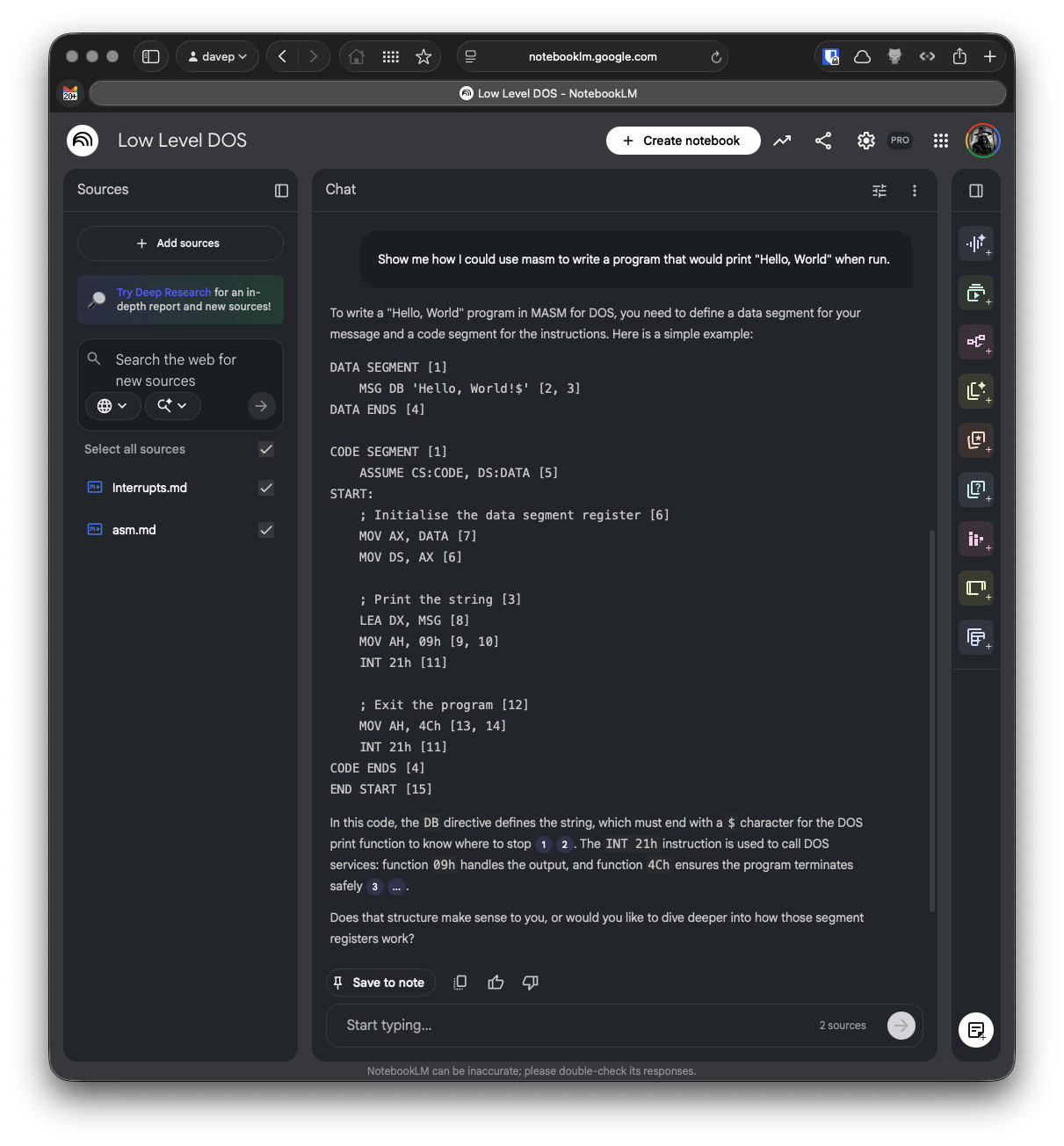
Learning abut low-level DOS programming

Here I grabbed the guide to assembly language Norton Guide, and the DOS interrupts Norton Guide, turned them into sources, created a notebook and let it do its thing.

I can't vouch for how valid the answer to my question is -- it's a long time since I wrote any 8086 assembler code and it's a moment since I last had to dig into DOS interrupts and the like -- but I like the result.

Probably the biggest issue I see at the moment is with the code examples: it seems to have a habit of adding some sort of citation marker that links to nowhere when it's emitting code. I think this is down to the instructions I've given it in the source I output, at least that's what it's suggesting when I ask it:

Me: What are all the numbers in square brackets for?

NotebookLM: The numbers in square brackets are passage indices used to cite which specific part of the sources supports each statement [Instruction]. Within the source files themselves, these markers identify distinct entries or sections within the Norton Guide databases.

Given I am trying to encourage it to cite its sources, I think this is where the confusion comes from. In "normal" paragraphs it does do a good job of citing its source and linking to it:
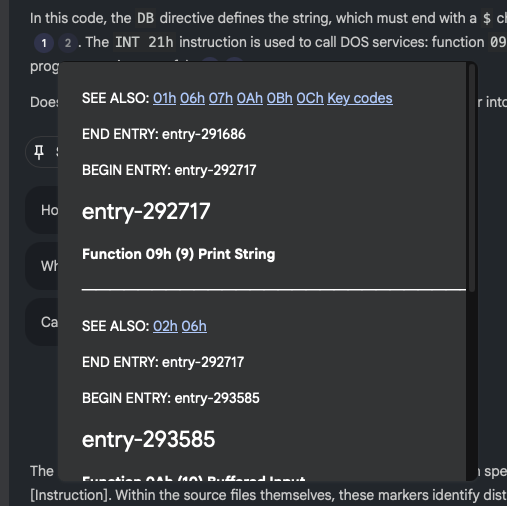
NotebookLM citing a source

so presumably, when it "thinks" it's outputting code it doesn't do the markup to actually do the linking, and so things end up looking a little confused.

If I ask that citations aren't included in the code, this does seem to have the desired effect:
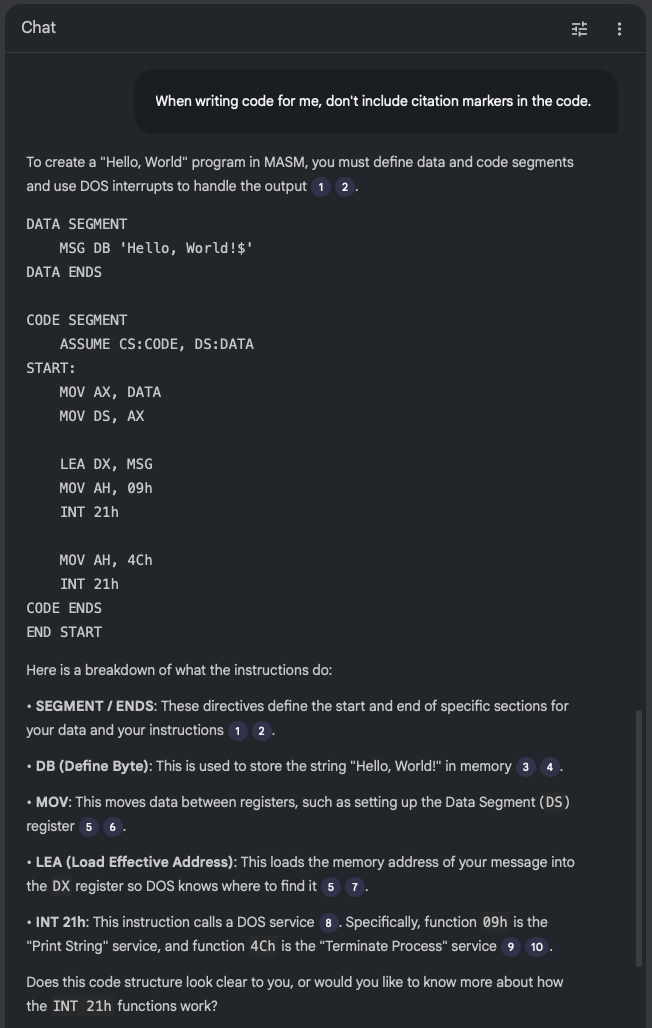
No citations in the code

So, given this, perhaps I can use the --additional-instructions switch for the particular source to encourage it to not add citation links to code? Or of course I could tweak ng2nlm itself to include that instruction to start with. While it's a little specific to one use case, Norton Guide files do tend to be coding-related so it could make sense.

Anyway, in the very unlikely event that you have a need to turn one or more Norton Guide files into sources to throw at NotebookLM or similar tools: ng2nlm exists.
obs2nlm - Feed NotebookLM an Obsidian Vault

2 min read; 11 GFI

I'm sure I've mentioned a couple of times before that I've become quite the fan of Obsidian. For the past few years, at any given point, I've had a couple of vaults on the go. Generally I find such vaults a really useful place to record things I'd otherwise forget, and of course as a place to go back and look things up.

But... even then, it's easy enough to forget what you might have recorded and know that you can even go back and look things up. Also I tend to find that I can't quite figure out a good way of getting a good overview of what I've recorded, over time.

Meanwhile: I've been playing around with Google's NotebookLM as a tool to help research and understand various topics. After doing this with my recent winter break coding project (more on that in the future) I realised I really should get serious about taking this approach with my Obsidian Vaults.

I'm sure this is far from novel, I'm sure lots of people have done similar things already; in fact I'd quickly dabbled with the idea a few months ago, had a bit of a laugh at some of the things the "studio" made of a vault, and promptly forgot about it.

This time though I got to thinking that I should try and take it a little more seriously.

And so obs2nlm was born.

The idea is simple enough: enumerate all the Markdown files in the vault, wrap them in boundary markers, add some instructions to the start of the file to help NotebookLM "comprehend" the content better, throw in a table of contents to give clues to the structure of the vault, and see what happens when you use the resulting file as a source.

So far it's actually turning out to be really helpful. I've been using it to get summaries regarding my work over the past 18 months or so and it's helped me to consolidate my thoughts on all sorts of issues and subjects.

It's not perfect, however. I've had it "hallucinate" some stuff when making things in the studio (most notably in the slide deck facility); for me though I find this an acceptable use of an LLM. I know the subject it's talking to me about and I know when it's making stuff up. This, in turn, makes for a useful lesson in how and when to not trust the output of a tool like this.

Having tested it out with a currently-active vault, I'm now interested to find out what it'll make of some of the archived vaults I have. Back in 2024 I wrote a couple or so tools for making vaults from other things and so I have a vault of a journal I kept in Journey for a number of years, a vault of a journal I'd kept before then in Evernote, and I also have a vault of all the tweets I wrote before I abandoned Twitter. I also have a vault that was dedicated to recording the daily events and thoughts of my time working at Textualize. It's going to be fun seeing what NotebookLM makes of each of those; especially the last one.

Anyway, if Obsidian is your thing, and if you are dabbling with or fancy dabbling with NotebookLM, perhaps obs2nlm will be handy for you.

Hike

1 min read; 10 GFI

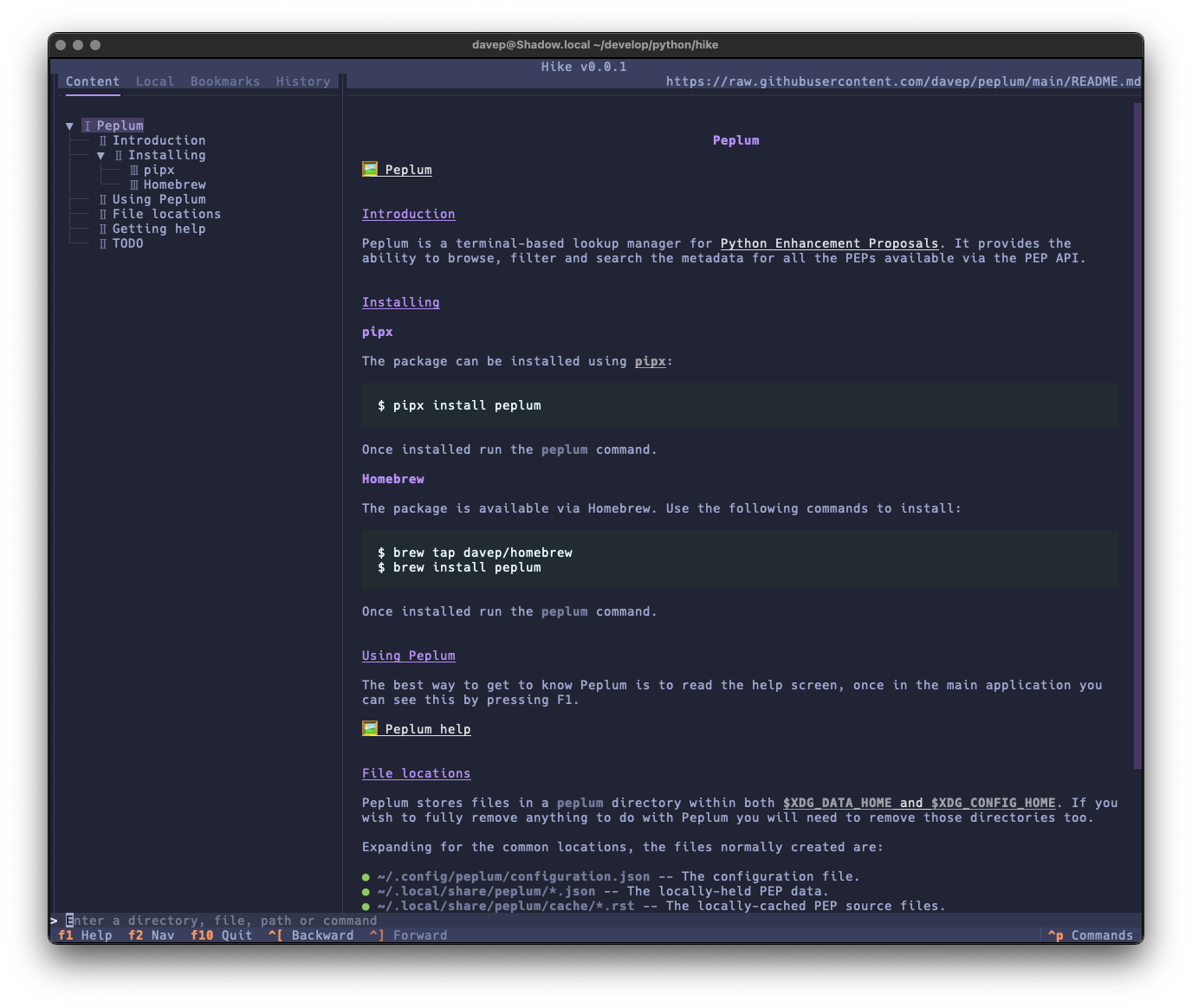
Hike

The run of writing new terminal-based tools that I want still keeps going. First there was Braindrop, then there was Peplum, and now, released today, there's Hike.

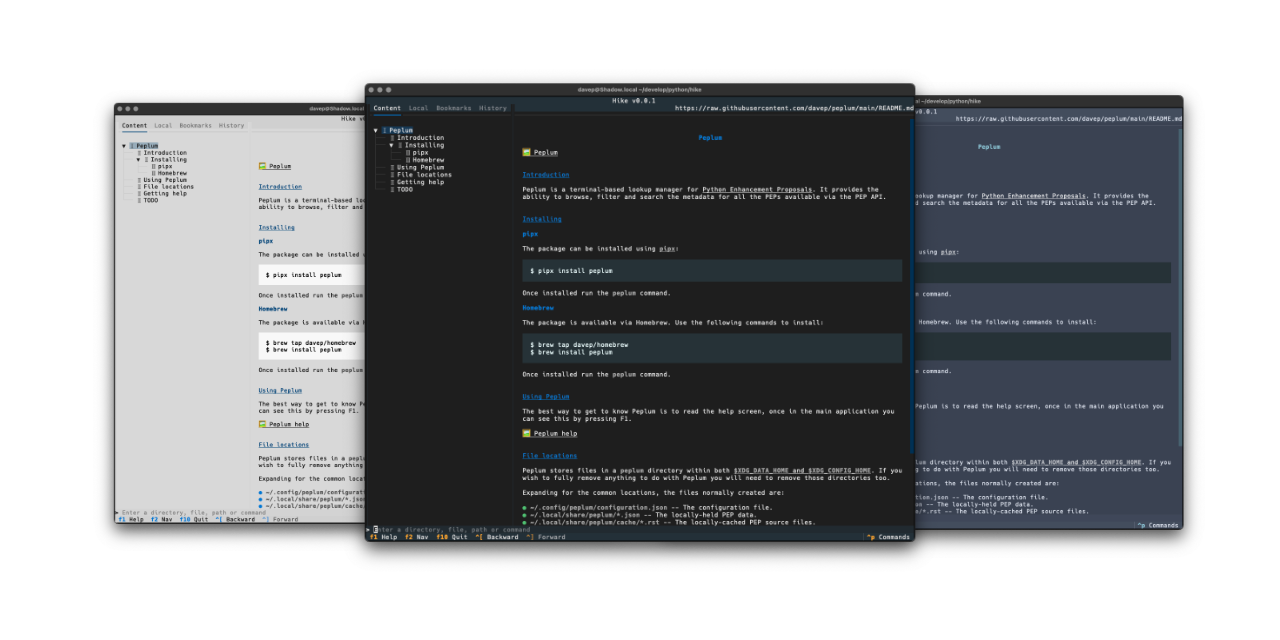
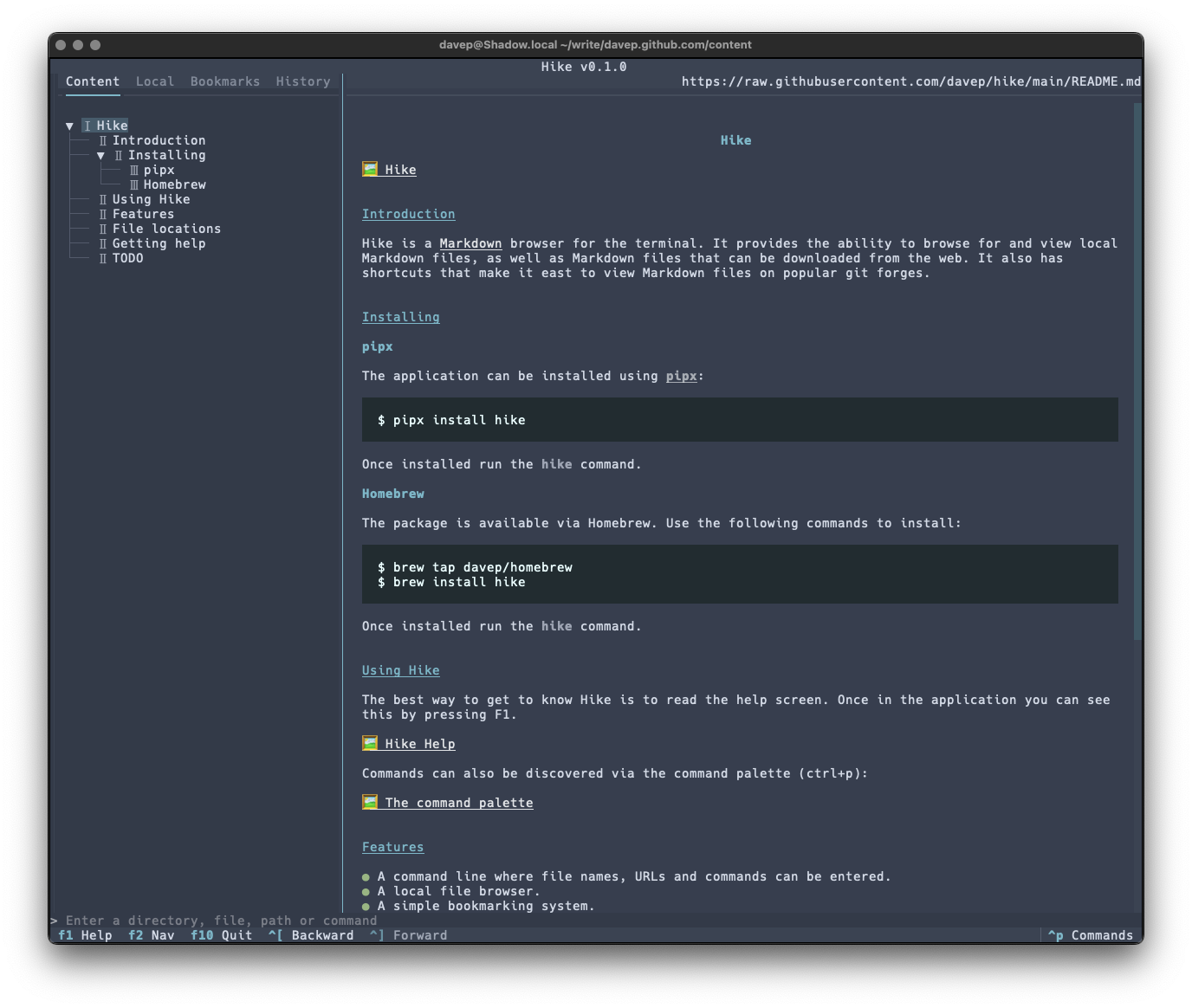
Hike is yet another terminal-based Markdown browser. While it's far from the first, and unlikely to be the last, it's mine and it looks and works exactly how I need. Perhaps it'll be your sort of thing too?

Hike viewing its README

This initial release has a bunch of handy features, including things like:

  • A command line where file names, URLs and commands can be entered.
  • A persistent history for the command line.
  • A local file browser.
  • A simple bookmarking system.
  • A browsing history.
  • Commands for quickly loading and viewing files held on GitHub, GitLab, Codeberg and Bitbucket.

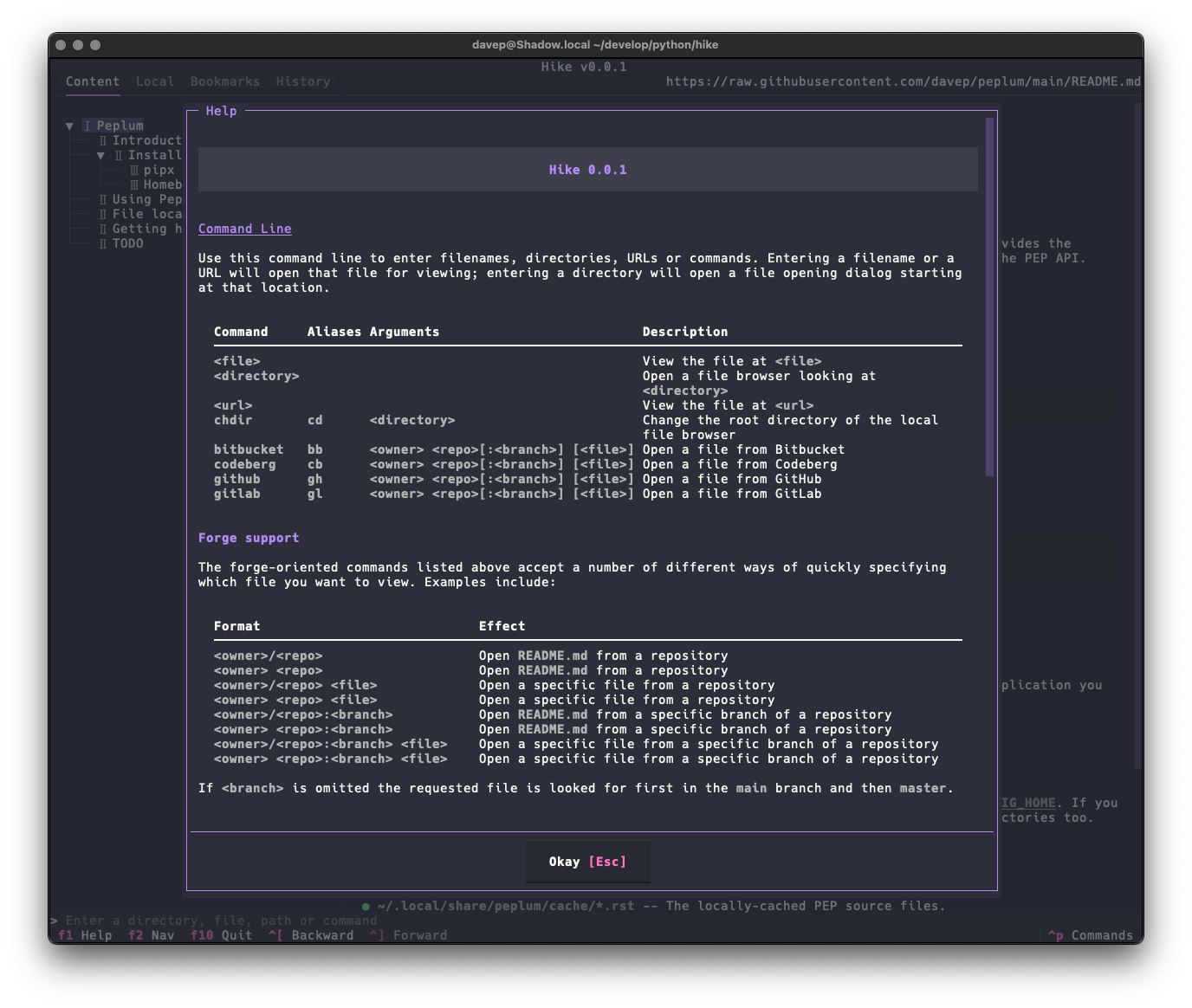
As there's a lot to discover in the application, I've tried to make the help screen as comprehensive as possible:

Hike help

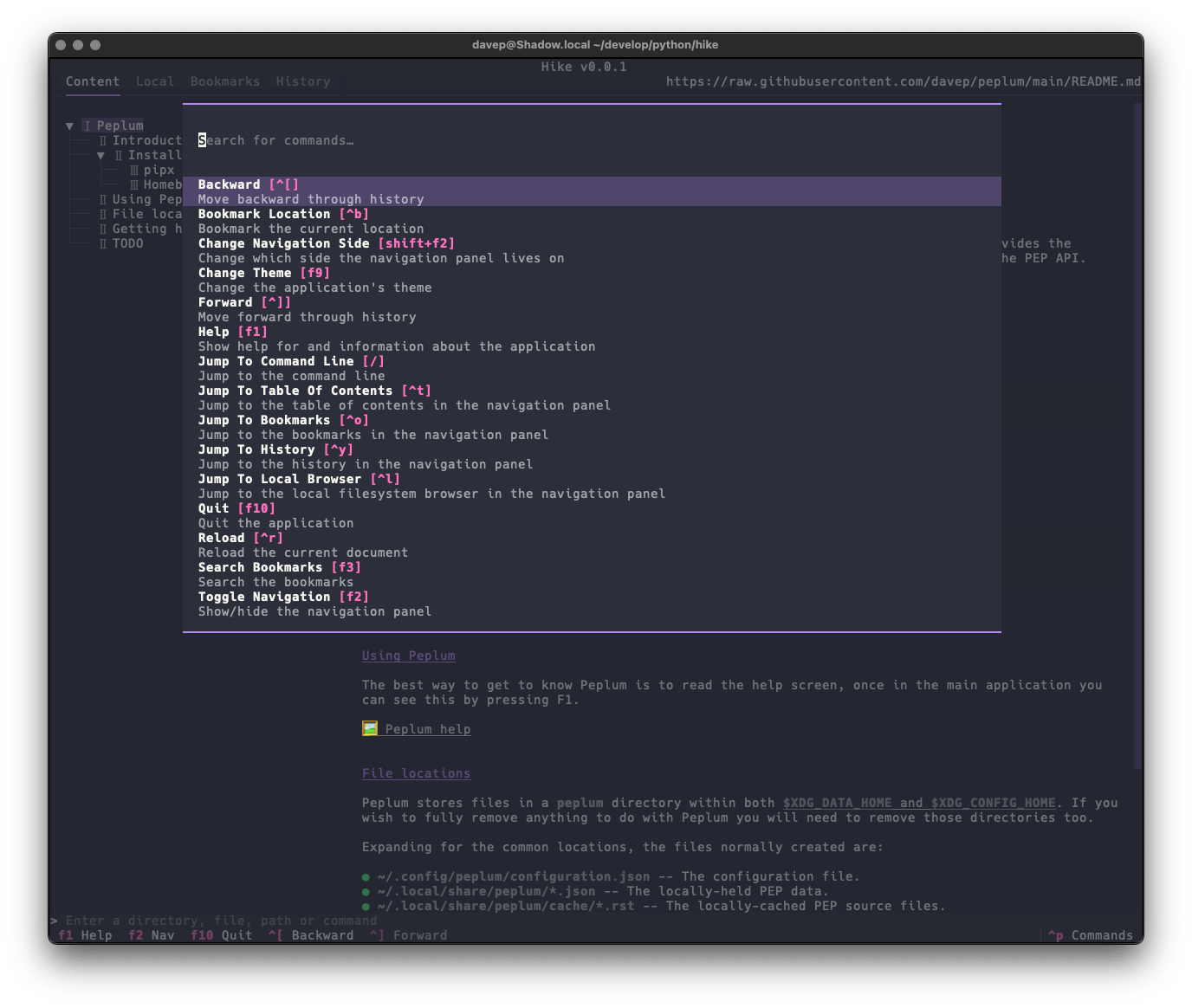
and there's also the command palette to help with discovering commands and the keys that are associated with them:

The command palette in action

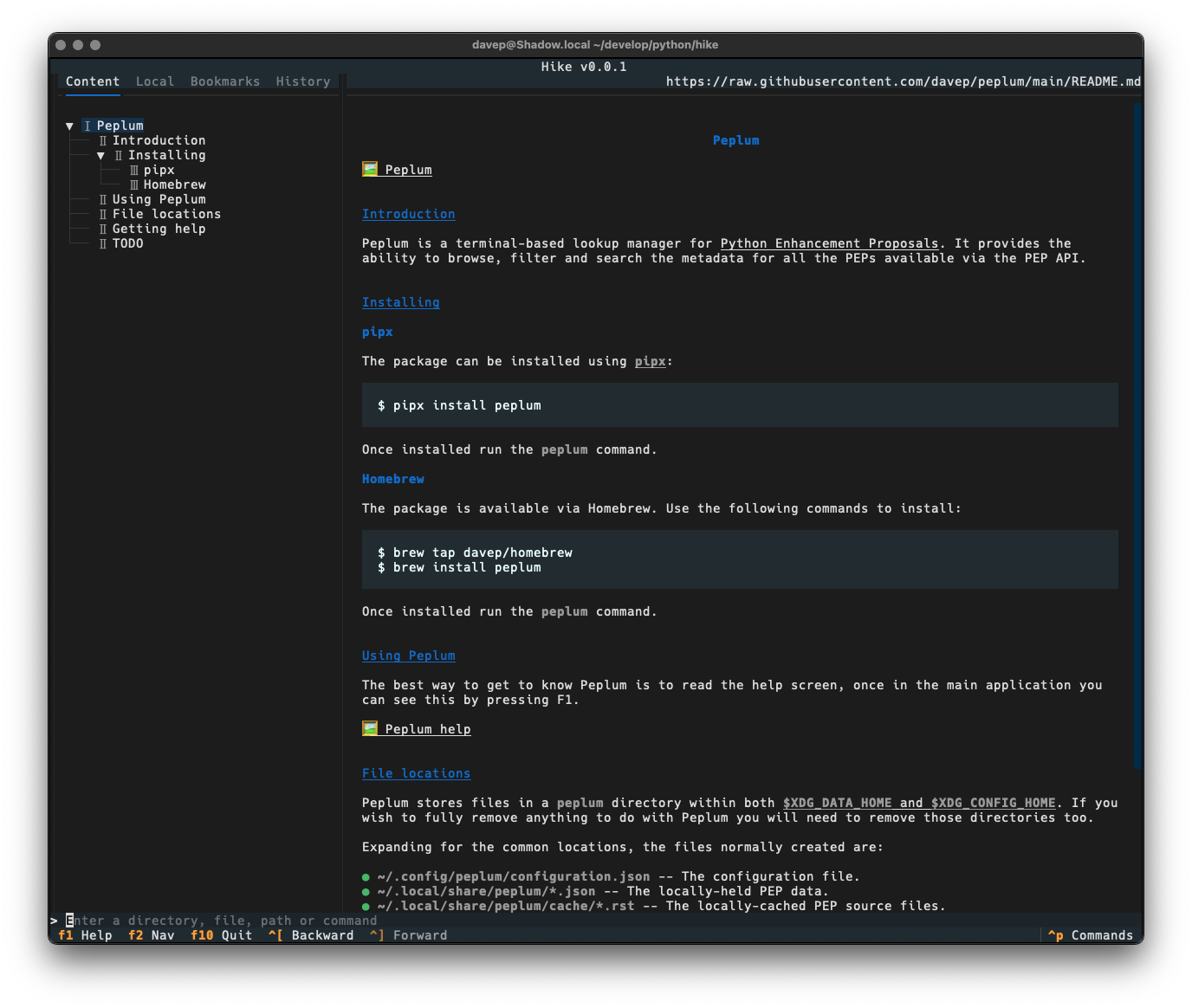
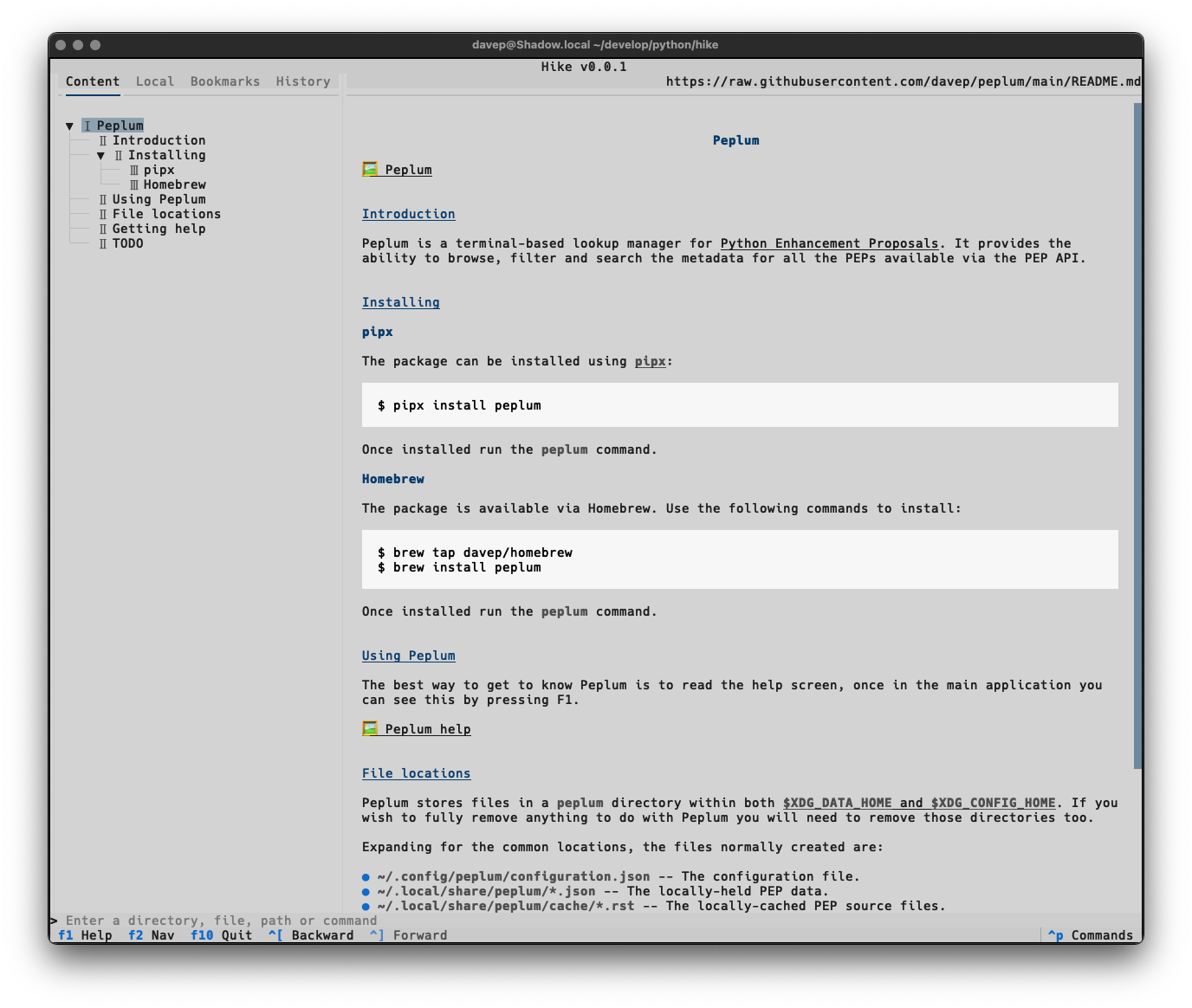
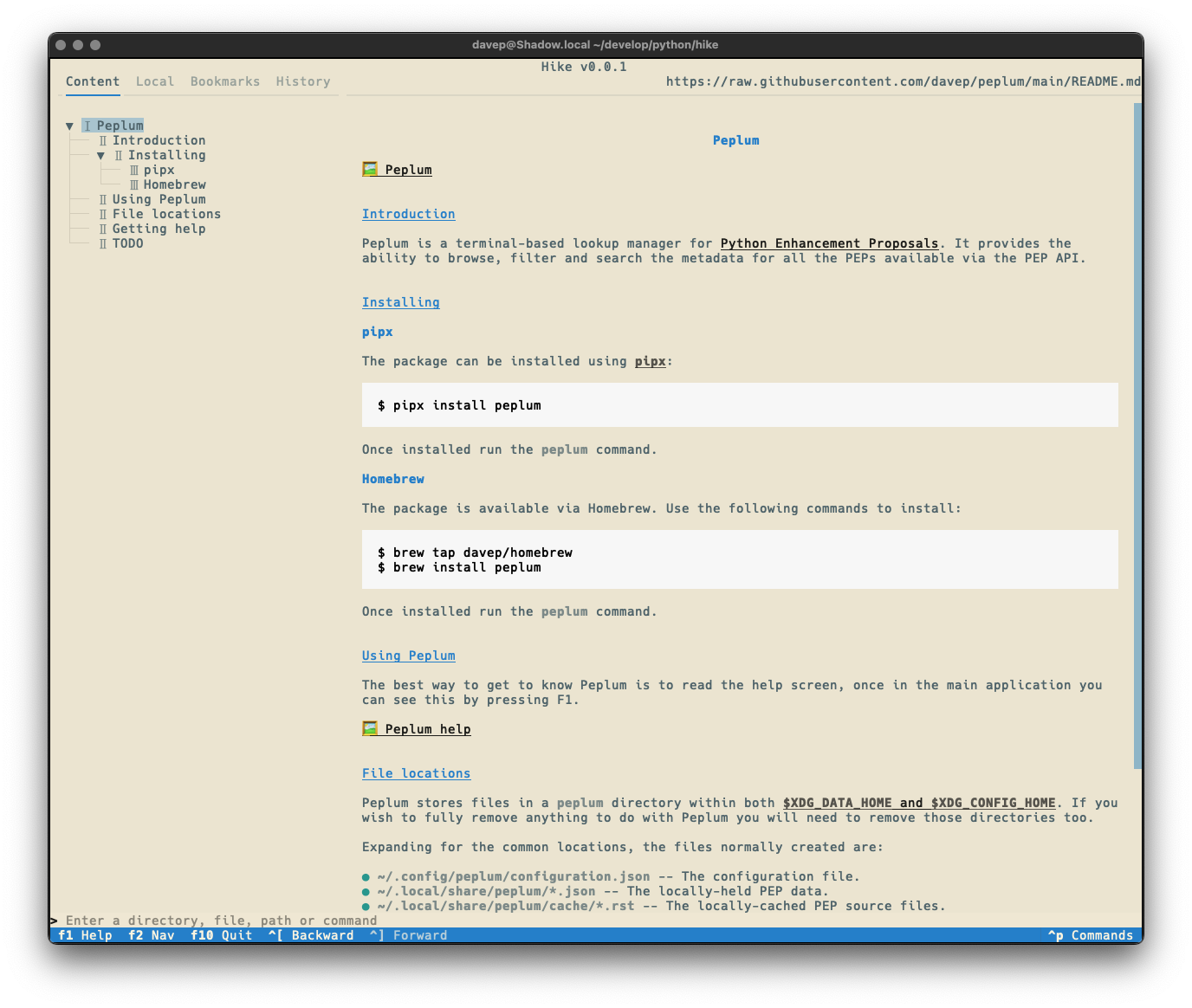
Once again, themes are supported so no matter your taste you should find something that's easy on your eyes:

Dark Light Tokyo Night Solarized Light

Hike is licensed GPL-3.0 and available via GitHub and also via PyPI. If you have an environment that has pipx installed you should be able to get up and going with:

pipx install hike

It can also be installed with Homebrew by tapping davep/homebrew and then installing hike:

brew tap davep/homebrew
brew install hike

Expect to see more updates in the near future; this is very much an ongoing tinker project.

Markdown all the things

4 min read; 10 GFI

Recently I've been on a bit of a "turn stuff into Markdown files and slap them in an Obsidian Vault" trip. This kicked off a couple of months back when I made a decision unrelated to coding.

On and off, since my teenage years, I've kept journals. Since those teenage years it's been more off than on, but a couple of times in my adult life it's been really helpful to actually write one. The last time this happened was early 2019. It was pretty vital I did that at the time and it was a really sensible and helpful decision, and an approach to the situation I was in that I'd recommend to anyone (and have done on occasion to anyone going through the same thing).

The actual motivation for starting that particular journal is long behind me, but I'd got into the habit of writing it and so, until a couple or so months back, I kept jotting something down every day. But I came to the realisation that I didn't need to and that it had become something of a chore.

I'd been using an application called Journey. It's a great app, does the job well, but was also suffering from the creep of "AI" (I've had a few apps in my arsenal that don't need it, acquire a useless "AI" feature). This privacy-problematic change of direction, combined with the realisation that I didn't need to write about my day, every day, any more, made me decide it was time to stop and cancel the subscription.

Thankfully Journey has a pretty comprehensive export option so I used it and didn't think too much more about it for a while.

Meanwhile I also had a subscription to Evernote that I didn't really use any more. Within it I had held a handful of years of journal entries from a decade or so ago, along with other "remember this for some point in the future" stuff. For the longest time I was on some really cheap tier that didn't exist any more, one that was low enough that I didn't really notice the cost go out each month so I kept putting off exporting things and closing it all down until "next month".

Then I got an email from them to say they were forcing me onto some new tier that was more expensive. So that was the final straw there. I made an export of what I had in Evernote and closed that account down too.

A wee while went past and then I got to thinking that it might be interesting to try and combine both these sources into one archived journal. I had stuff from around 2010 to 2015, and I also had stuff from 2019 until 2024; the former in the Evernote archive and the latter in the Journey archive. Surely I could write a couple of tools to turn that data into one consolidated Obsidian Vault?

Over the course of a couple of weekends journey2md and evernote2md were born. While both of those tools work differently, they're both designed to populate the same Obsidian Vault. Once I was happy with this I did the mass conversion and I was happy with the result.

Now I have years of journal entries, all converted to Markdown files and made available for reading via an application that lets me rummage through history using dates and tags and all sorts of other searching.

So I was happy with that and didn't give it much more though.

Then last week I got to thinking...

Twitter has turned into the worst place possible and I can't for the life of me think why any right-thinking person who has an ounce of humanity or has anything approaching a humanistic outlook on life would remain an active user. Honestly I stuck it out longer than was sensible, but in June 2023 I finally quit for good.

Back when the new owner was confirmed I, like a lot of people, extracted my archive. It's since been sat in storage doing nothing, yet there's a lot of data in there that could be interesting to work with, or just to go back and look through. So last week's thought was "why don't I also turn this into an Obsidian Vault?".

So I did...

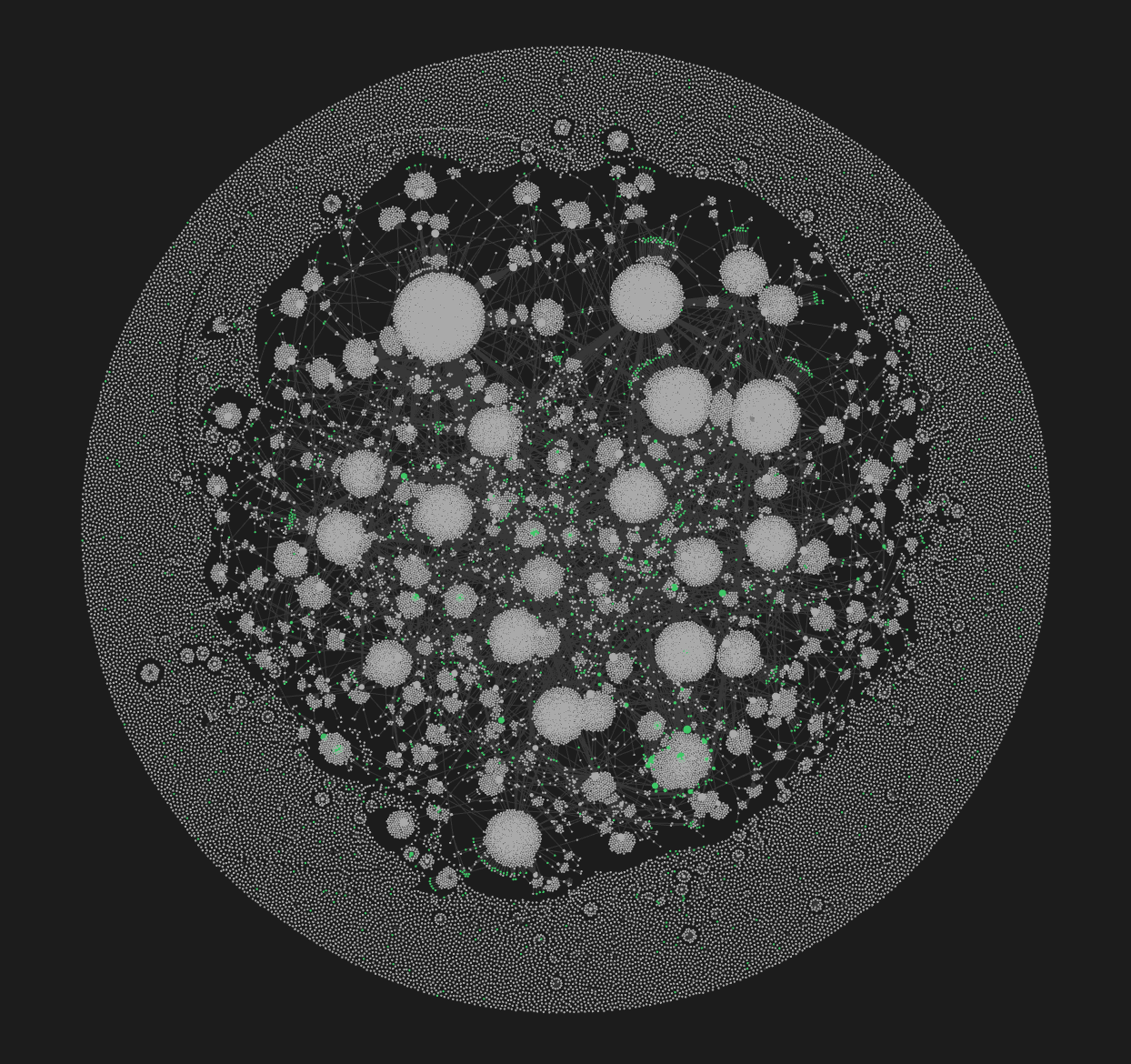
The graph of my Twitter Obsidian Vault

The tool I built to do this is bird2glass. As you'll see in the README it makes a few assumptions about the state of Twitter archive dumps and also what a user wants from this. Personally I'm pleased with the result.

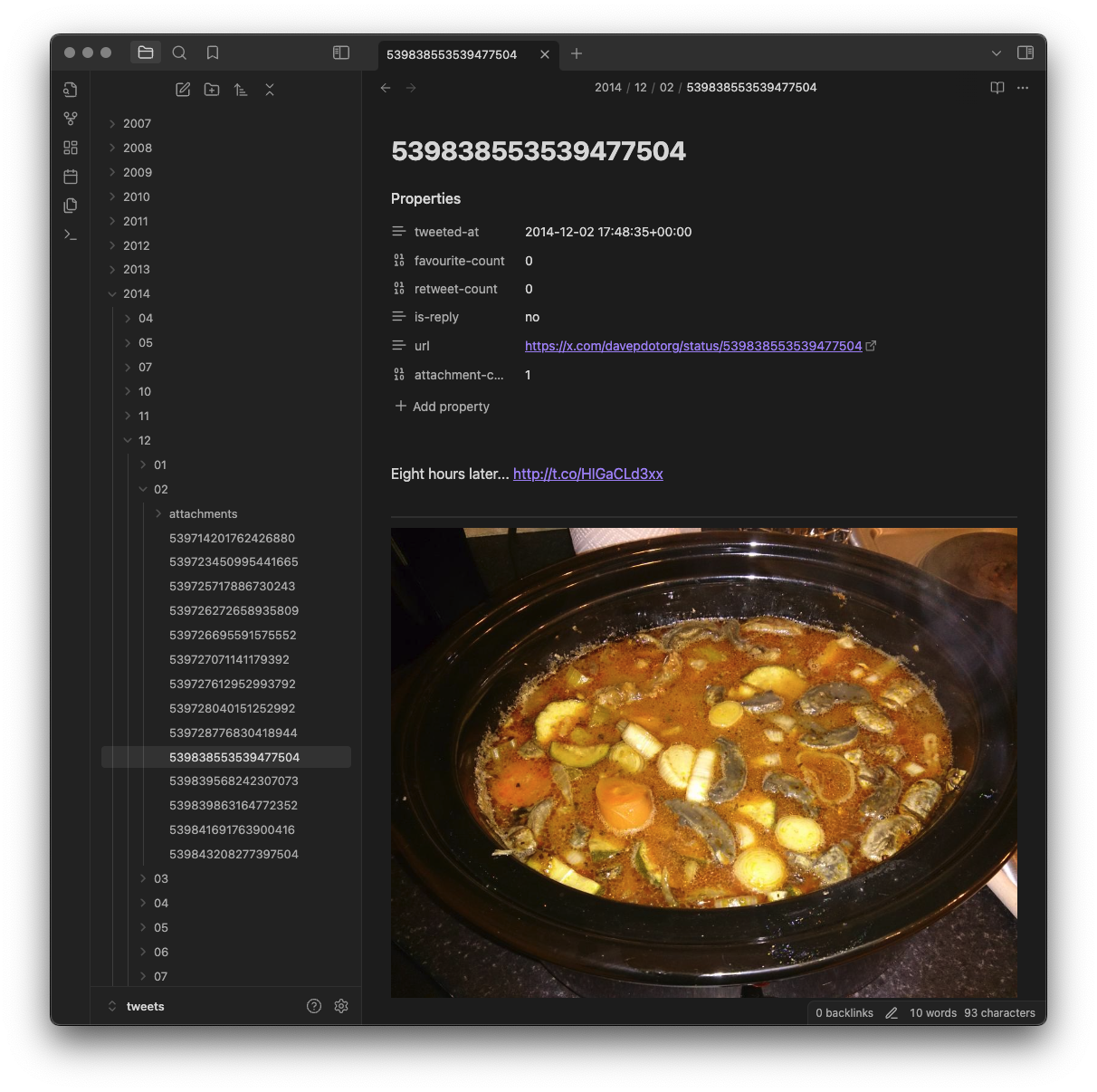
The main aim of the tool is to break the tweets down into a hierarchy of year, month and day...

Viewing a tweet

...and also to connect them with any account that was being replied to or mentioned in some way...

Viewing a user

This user view is handy when viewing backlinks, as it gives you a list of all the tweets that mention that user (and, of course, if you're into Obsidian's graph it will make for some interesting connections within there).

I sense there's more I can do with this, and I imagine I will continue to tinker with it. Meanwhile though, if that sounds like something you'd benefit from do feel free to grab it and play with it and hack on it. Keep in mind the notes and assumptions that are in the README, and really be prepared for a lot of files to be created if you did a lot of tweeting like I did (I do think that over 50,000 individual files for an Obsidian Vault is a bit silly, if I'm honest).

Meanwhile... I might need to look at other applications and think about how I can turn the data into useful Markdown collections!