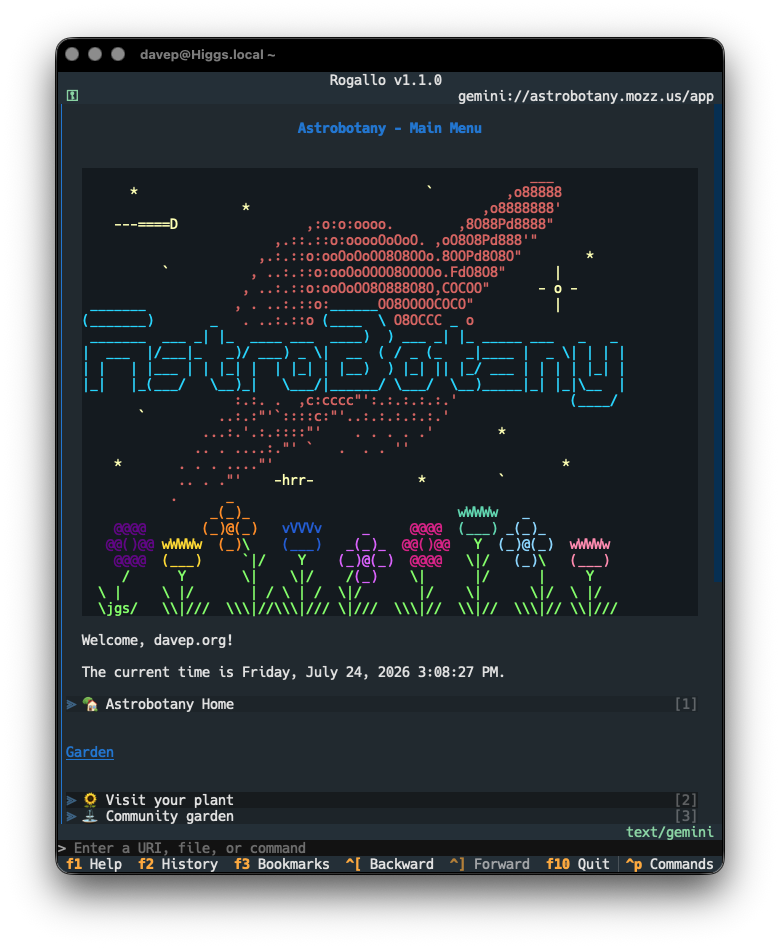
Having spun up Port70 as a support library for my effort to add gopher support to Rogallo, the next thing I needed was some code to parse the "gopher map" responses that you get back from Gopher servers. While this could have been some code in Rogallo itself, much like with Gemtext, it seemed sensible to put it in its own library so it could be useful elsewhere.
Because Rogallo heavily relies on MIME types to make decisions about what to do with content, each ItemType has a best-efforts-guess mime_type associated with it. This will make it pretty straightforward for me to decide if a resource from a Gopher server is something Rogallo can display.
It was, of course, inevitable that this would happen. After spinning up Port79 so that I could add finger support to Rogallo, it made sense that I start to think about Gopher support too. So here we go: Port70, a similar library for async interaction with Gopher servers.
This is going to be a bit of an adventure for me. While I'm long familiar with the existence of Gopher, and I'm fairly certain I used a client once or twice back in the 90s, I've never really had dealings with the protocol so know very little about it. Which is a good thing: something new (old?) to learn.
My plan with this is to add the GopherURI class to the list of URI types that Rogallo understands and handles and then provide a method of displaying and navigating the result. I think the cleanest and easiest way of doing this will be to add some code that transforms a menu response into gemtext and then just let the viewer widget display it as normal; each of the links in the menu being turned into gopher:// URIs.
This should be fun to play with. I'm looking forward to pulling it all together.
I've just bumped Port79 to v1.0.0. There's no significant change in this release, other than the addition of the usual dunder-based metadata that is common in Python libraries; somehow I'd managed to leave it out in the last couple of releases.
Now that I've successfully added finger support to Rogallo, and the library is working out well, there didn't seem much point in letting it hang around in zero-point-whatever-land.
On the off chance that someone else does use Rogallo, and needs help getting to the bottom of some sort of issue, I thought it might be useful to add a diagnostics command to the CLI. Right now it's pretty simple, just dumping some version and environment information.
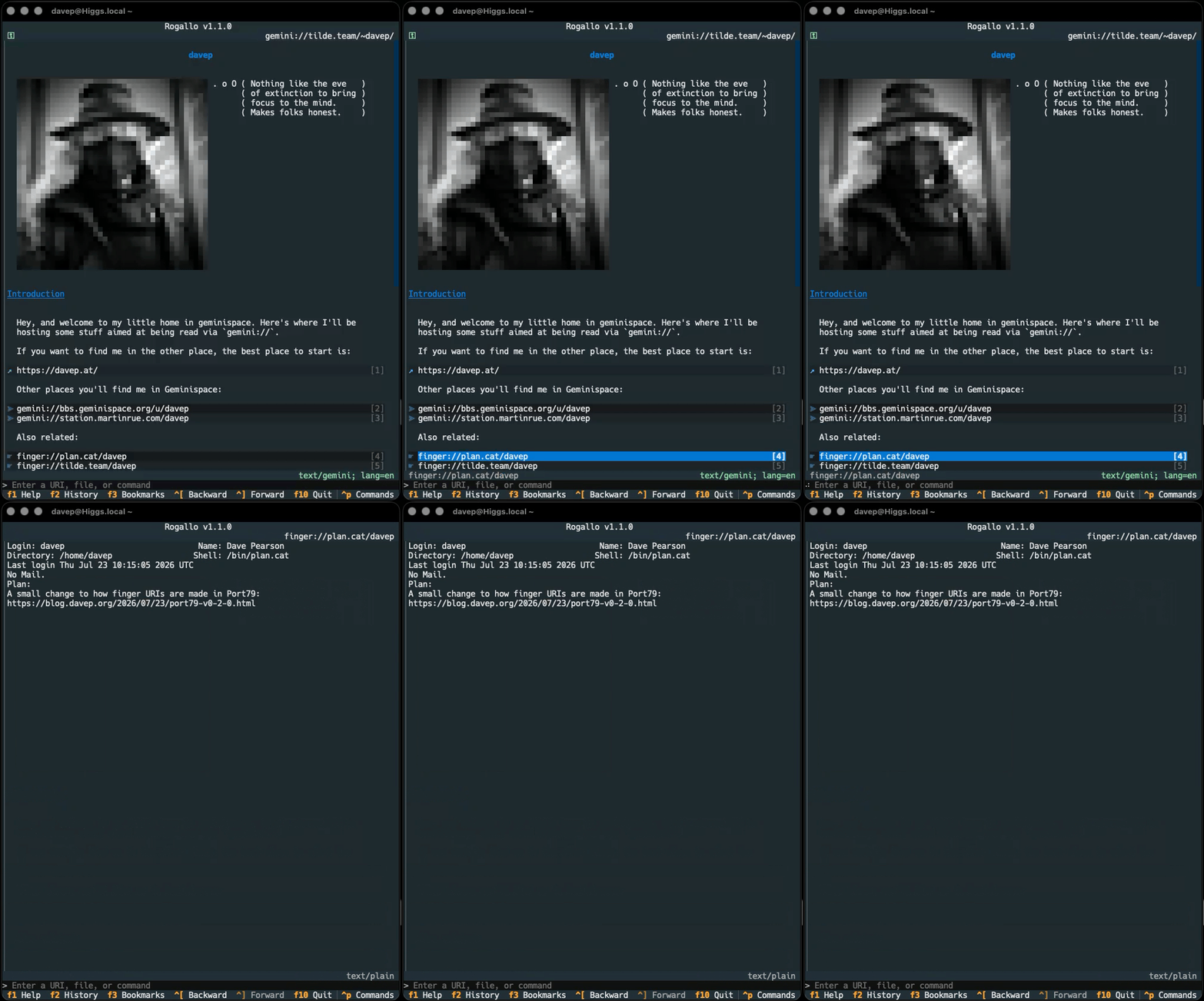
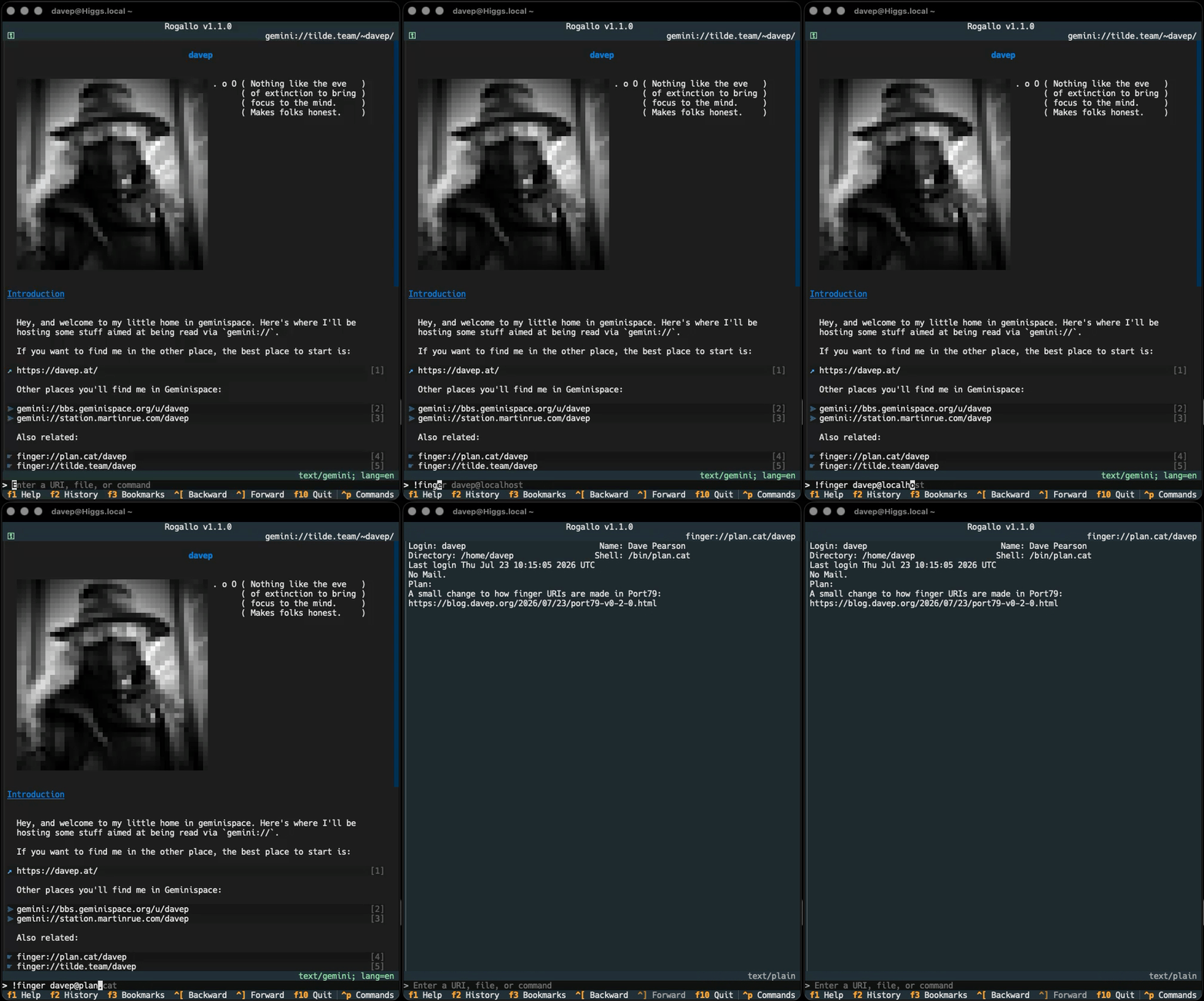
This was something I was interested in adding, and a couple of people have already requested it, so Rogallo now has finger support. This has been added in a couple of ways. The first and most obvious is that finger: URIs are now natively supported in Gemtext content. So now if you follow a finger:// link you'll see the response in Rogallo itself.
The other method is to use the new !finger command that has been added to the application's command line.
Of course, in the command line, you can also just enter a finger:// URI if you wish, which I guess is a third way of doing it.
Finger URIs are recorded in the history, and can also be bookmarked.
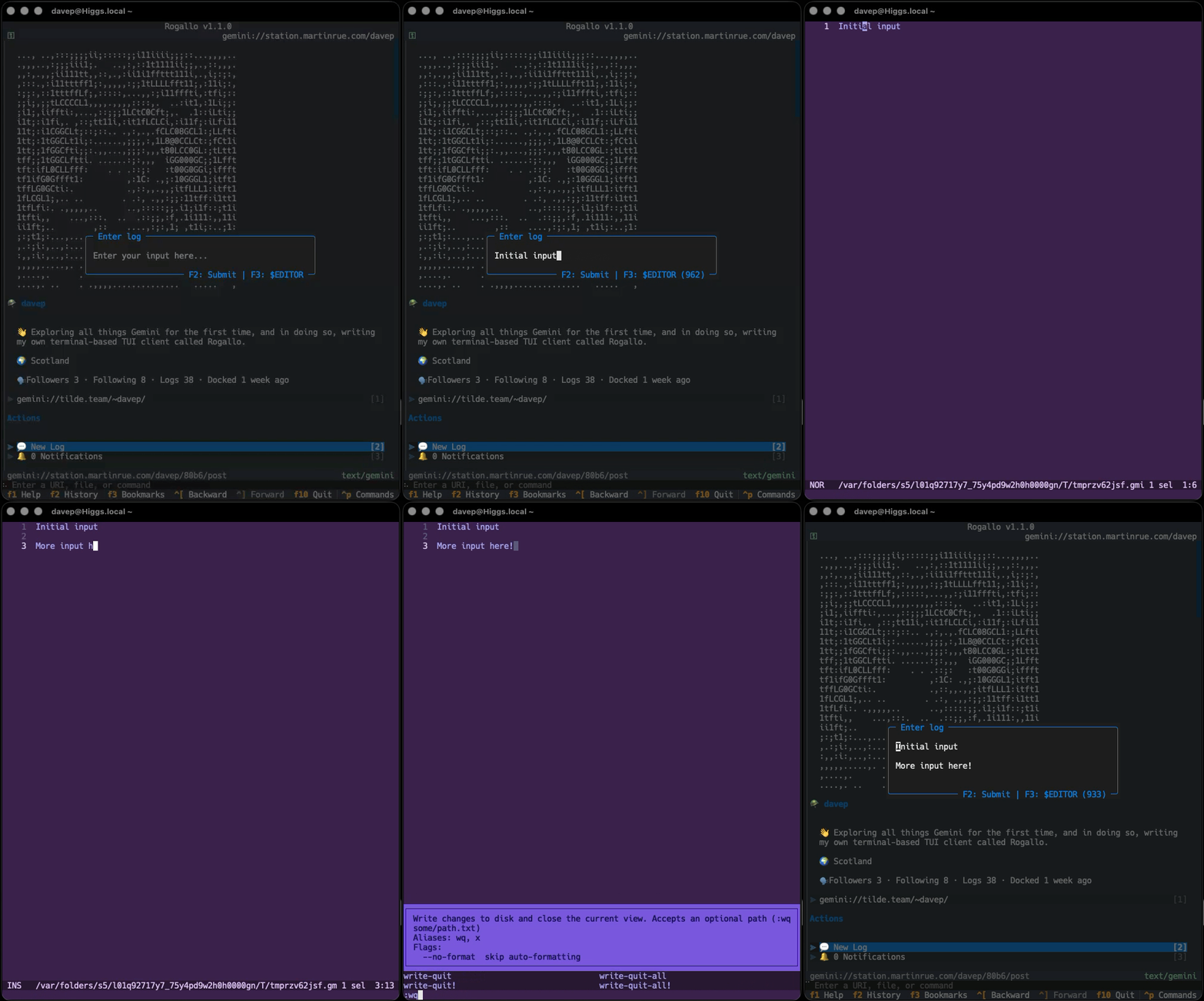
This was also something I was keen on doing, and then someone else happened to ask for it: support for swapping out to an external editor for writing user input. While the current mechanism is fine for entering a one-liner -- or composing a very short message -- a proper editor (for me that's ideally one with the ability to check spellings) is generally going to be far more useful for a longer body of text. So, with this in mind, the internal editor can now optionally swap out to your text editor of choice.
If you have either VISUAL or EDITOR set in your environment (VISUAL beats EDITOR), Rogallo will let you swap to it by pressing F3 in the internal editor. You can also override that choice by setting external_editor in the configuration file.
Personally, I'm finding this is working really well with emacsclient. From now on, I'm going to find writing content in Geminispace a lot easier.
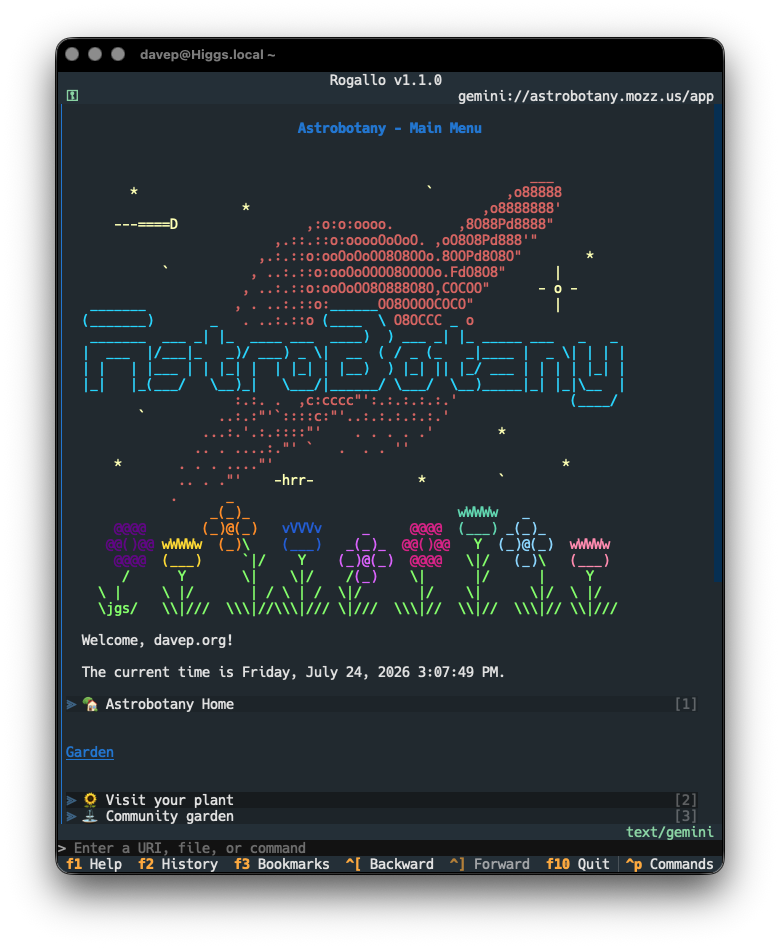
Now that I've been wandering around Geminispace some more, I've noticed that a common use of pre-formatted text is for logos, ASCII art, that sort of thing. Generally, the sort of things that are best presented with the background the same as the surrounding text. A different shade of background is fine if showing code and stuff, but I feel that this:
looks better than this:
To this end, I've modified the pre-formatted text rendering so that, by default, if pre-formatted text has no alt-text, the background is the same as the surrounding text. On the other hand, if it does have alt-text (and so is likely the name of a programming language, which implies syntax highlighting, which in turn implies you want it to stand out), it isn't blended with the rest of the text.
If your preferences differ from mine, you can control this with the new blend_pre_formatted_with_background configuration file setting. It takes a list of alt-text strings that should be blended. By default it looks like this:
"blend_pre_formatted_with_background":["",]
That is, by default, it only blends empty alt-text pre-formatted text. As it happens, Station uses alt-text for the logo and the user image, but I'd like them blended in too, so I'm running with this:
The last change is a small cosmetic fix to mouse interaction with links. When the mouse cursor is over a link, there should be a hover effect (that is, the background should change colour). This wasn't working if you had link stripes turned on. This is now fixed.
A quick update to Port79. When I kicked this off I'd set up the FingerURI class so that it was pretty permissive in what it would accept. So, for example, you could do any of:
Nice and handy, right? Accept pretty much any input and turn it into a finger URI. However, once I started to add finger support to Rogallo, I realised that this wasn't as helpful as I'd like as it meant I couldn't use it to actually check for a valid URI. It would be more useful to have the class be strict about only being passed finger: URIs.
With this change I can confidently use FingerURI to test if any given input is an actual finger URI, and this also makes it work in a similar way to GeminiURI in Wasat.
While I'm having a moment of calling code stable, I've bumped Wasat to v1.0.0 as well. There's no actual difference here when compared to the last release, other than the development status classifier in the PyPI metadata and the version number.
The library feels pretty stable at this point. I've been using Rogallo every day for a wee while now and I've seen no surprising problems.
Thirty-three days ago, back on the 18th of June, I created a development directory called rogallo, and started adding dependencies and laying out the main user interface of Rogallo. It's been tons of fun working on it while exploring Geminispace. Given that it's quickly turned into my daily driver, and I'm finding it stable, I've decided it's time to drag it out of the 0verse and consider it worthy of being v1.0.0.
I was going to hold off a little longer, mainly because I wanted to flesh out the documentation some more, but that seems like a poor reason to keep it stuck somewhere in v0.x.
To recap, for anyone who might not have followed the development so far: Rogallo is a terminal-based client for the Gemini Protocol. I've built it for my own education. I've built it for fun. I've built it because I want to use it. I've built it hoping that someone else might enjoy it too. Some of the key features, as of this first "stable" release, are:
Keyboard-first TUI interface with good mouse support too.
Bookmark support.
Forward/backward navigation.
Location history.
Home page.
Designed to work on macOS, GNU/Linux and Windows.
Trust-on-first-use support.
In-application creation of client-side certificates.
Full support for user input, both normal and sensitive.
Full support for redirections.
Context-sensitive help screens.
All main application commands available via a command palette or an in-application command line.
Themes.
Responsive layout that dynamically adjusts to terminal resizing.
Support for viewing Gemtext files in the local file system.
View source support.
Copy-to-clipboard support for URIs or page content.
Optionally-numbered links with quick-jump support.
Supports ANSI escape sequences in content.
Supports filtering out ANSI escape sequences.
Emoji filter (lets you remove emojis from most text).
Support for handing off unsupported content to the operating system (with safety checks).
Probably some other stuff I've forgotten right now.
On top of this, there's more to come. v1.0.0 isn't the end of the line with Rogallo. I'm having plenty of fun using it, and improving it, and there's more I want to add. I very much want to add in-app support for the Finger Protocol, and I can see myself falling down the Gopher rabbit-hole1 at some point too. While I don't want the application to grow out of hand, I can see plenty of extensions and enhancements that will be satisfying to add.
If any of this sounds interesting and you want to have a play, Rogallo is licensed GPL-3.0 and available via GitHub and also via PyPI. If you have an environment that has pipx installed, you should be able to get up and running with (note that Python 3.12 or later is required):
Now that Rogallo is starting to settle down somewhat, with all the main Gemini Protocol work falling into place, I've been thinking about adding one or two adjacent protocols. The two most common and obvious ones are Finger and Gopher. While I'm still undecided about adding the latter, the former seems like a fun one to include (if only because I've had an account on plan.cat for around four years now).
With that in mind, much like I did with Wasat, I wrote a spec for what I wanted and pointed Antigravity at it. The result is Port79. As well as providing a library, there's also a small finger clone CLI, which can be run with python -m port79 (if it's installed as a library) or with port79 (if installed along with any command scripts).
To be clear: this isn't intended to be a serious finger command (like, why would anyone even need that?), it's just a tool within the library that can be used to do some testing within a development (v)environment.
At some point soon I'll be adding port79 as a dependency of Rogallo and adding finger as a "native protocol".
The first change is a simple addition of a !theme command to the command line. As much as possible, I've tried to make sure that every command that's in the command palette can also be run from the in-app command line, but I'd managed to leave this one out. Now you can type !theme and get the theme picker.
Next is the addition of an OpenFile command, bound to Ctrl+o by default. This opens a dialog for browsing the filesystem, allowing for easy access to local gemtext files.
Related to this, if you now enter the name of a directory in the command line, the same dialog will open, starting at that directory. Both these changes should make finding local gemtext files a smoother experience.
Another change is to the way that the recently added emoji removal works. I decided that it was a little too aggressive, in that it shouldn't remove them from the content of pre-formatted text. In my experience in Geminispace, so far, pre-formatted text is where the more creative displays happen. Indeed, I had a go at this myself for my new page:
Here I've used ANSI escape sequences and half-block characters to recreate my usual avatar. The problem is: the emoji-removal approach I've used sees the half-blocks as something to remove. The result isn't great.
Given that the unwanted emojis will generally be those in body text, links, quotes and headers, I've tweaked the way that pre-formatted text is shown, with it not having emojis removed. I feel this is a sensible approach.
I guess, if anyone really objects to this, I could add a configuration switch that dictates how aggressive the removal is.
The final change is something I wasn't really ever planning on doing, and I felt I'd removed the need for it when I added link stripes. But I got a request to do it and, really, the cost of doing it is nothing. The request? An option to move the link jump labels over to the left.
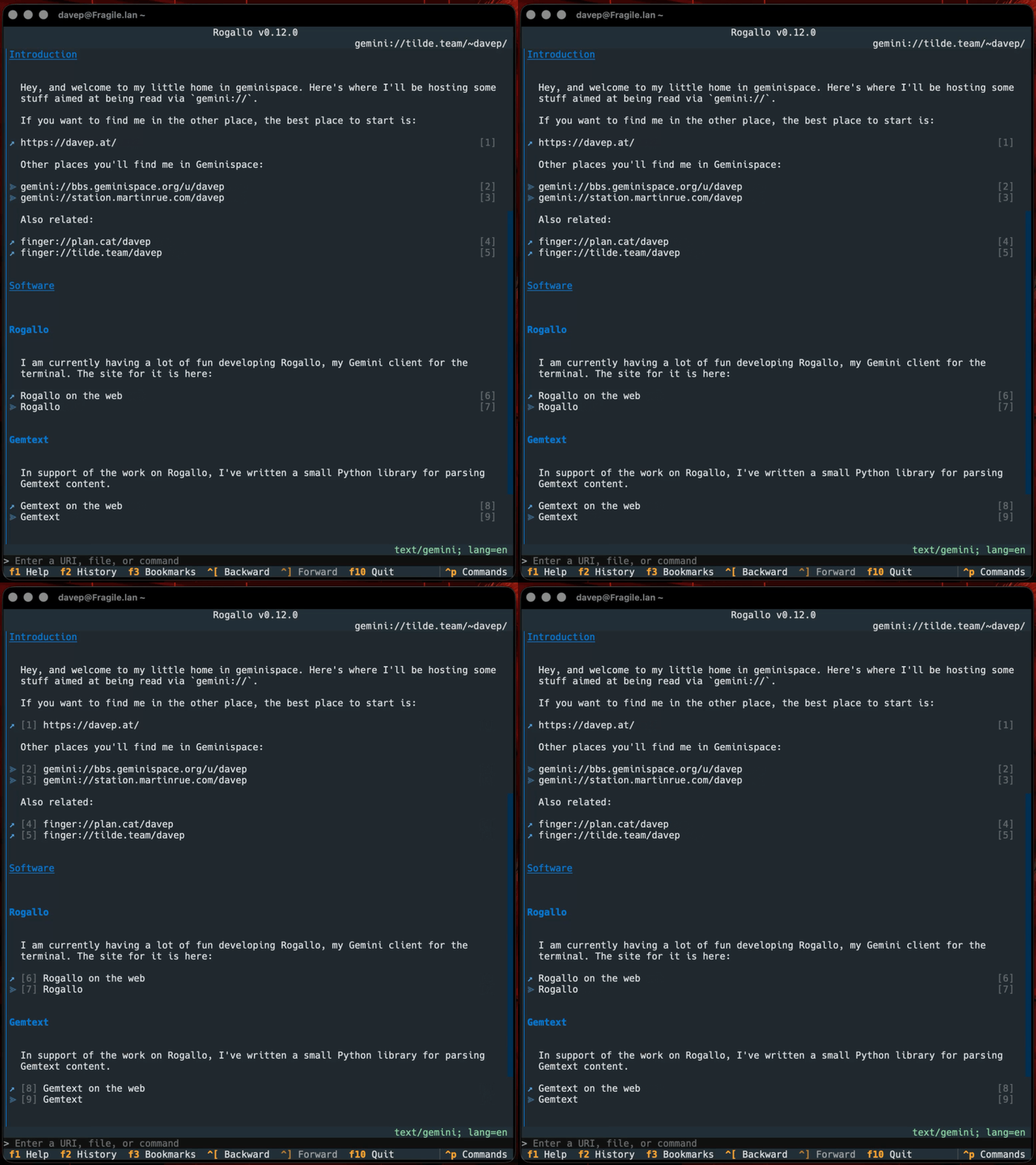
So now there's a ToggleCosyLinkNumbers command (bound to Super+F8 by default1) which does what it says:
Personally, I prefer them on the right, where they don't disrupt the left-aligned margin for all the text, but I can see why this would be far more comfortable for others, so... why the heck not?
One day I'll write a post about why I'm giving every command a default binding, even if it's not so accessible in less-advanced terminal emulators. Mostly it's down to one of my least favourite design decisions in Textual mixed with my wish to have a command-based interface that works via the palette first and bindings second. ↩