Posts tagged with "Python"

Gemini client history (redux)

1 min read; 12 GFI

A couple of days ago I thought I had history working well in the Gemini client I'm working on; I was wrong. It worked, but the more I used it the more I felt it wasn't quite right. The main problem was I had a single history structure that served both the navigation history (moving backwards and forwards) as well as the general location visit history (the list of places I've visited). It made sense initially, but in use it just wasn't cutting it.

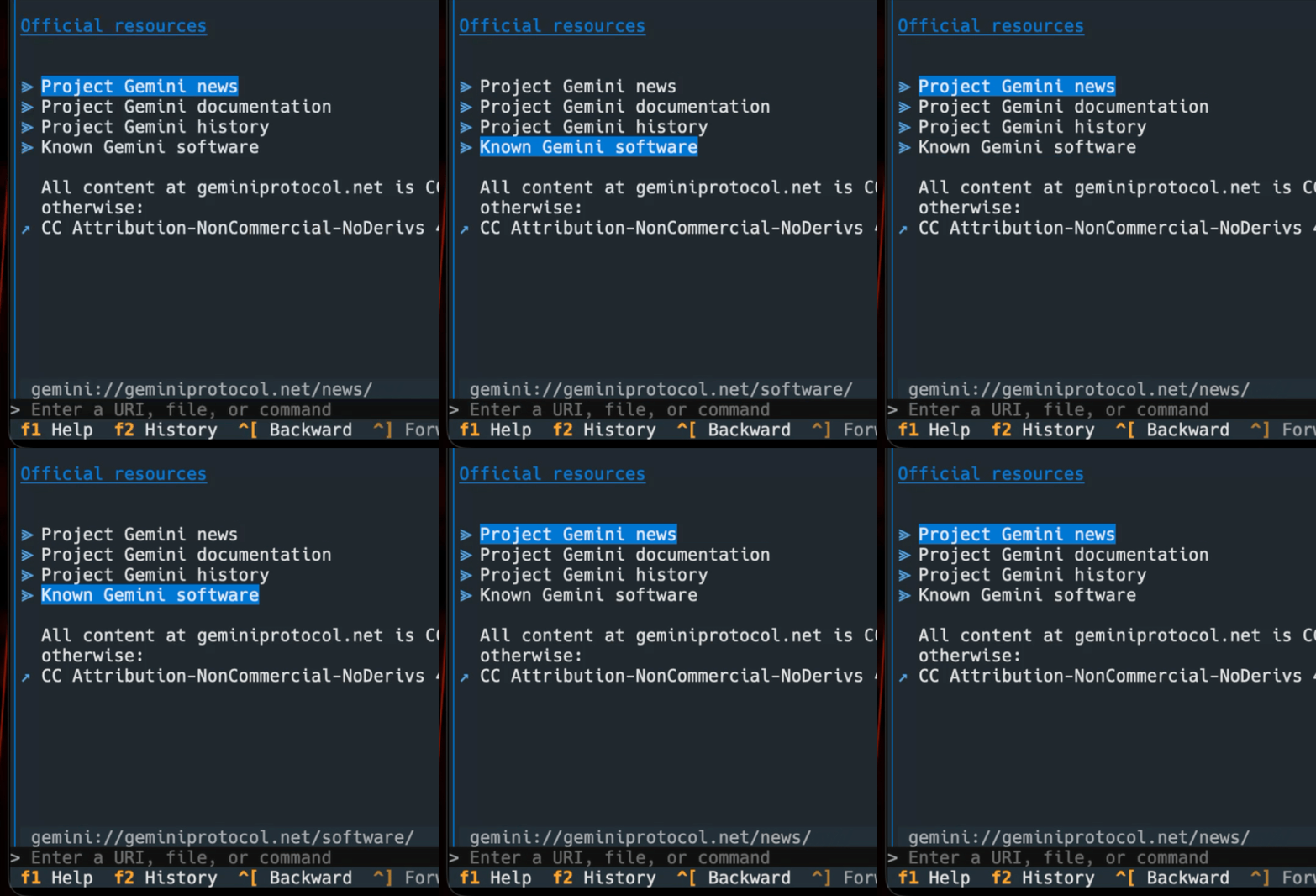
So now I've redone it, using two different history lists that also grow in rather different ways. For the navigation history, when "adding" a new location, everything after the current location gets removed, making the new location the latest in the list. The visit history, on the other hand, grows more like an ordered set: if I add a location that is already in the list, the older version is removed and it is added to the end of the list. In doing this, it's also allowed me to track the date and time I've visited a location, which means I can now have a useful history panel (which can be popped in and out of view) that shows me where I've been, and when.

Client, showing the history panel

Having done this, I now want to take some of these approaches and apply them to Hike. It has a pretty simple location and navigation history system that suffers from the same issues that I wasn't liking in this project. It'll benefit quite a bit from this improvement. I sense a v2.0.0 of Hike in the next few months.

As for when I'll let this project see the light of day: I think I'm close to opening the repository and publishing the first version to PyPI. I had wanted to do it sometime yesterday, but the above kicked in and I've been tinkering more to try and make a stable foundation for the initial release. There's still a lot of work needed for it to be feature-complete, but there's enough here to play and experiment.

Gemini client history

1 min read; 12 GFI

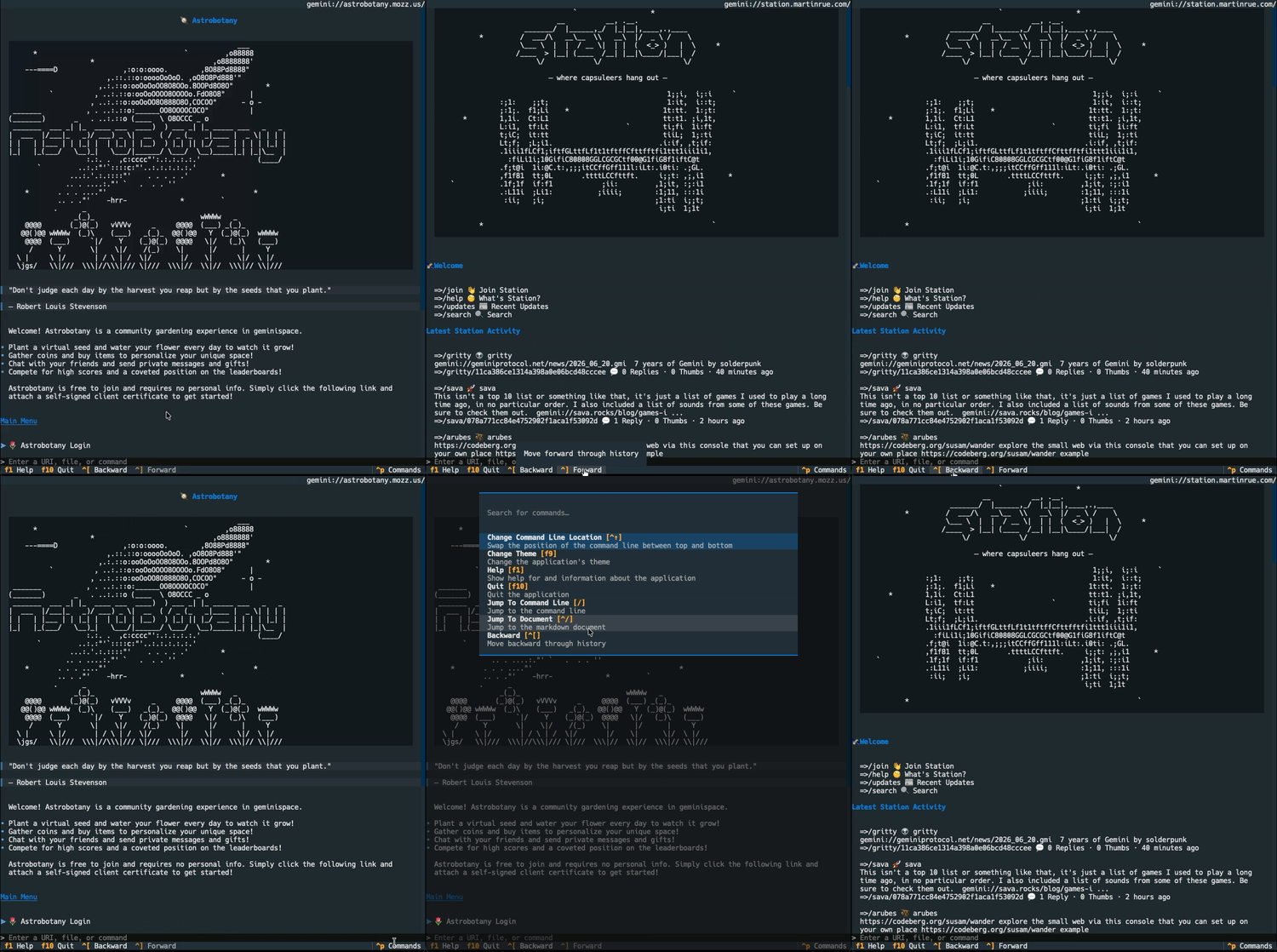
Work continues on my terminal-based Gemini client. So far today I've done a bunch of work on tweaking the presentation of a site, improving some of the widgets that go into the on-screen document. I've also added the start of a history system. So now it's easy to navigate backwards and forwards between pages.

History navigation in action

While there's still a lot of work that I want to do on it, I feel that with the addition of this feature, it might be close to time for me to make it public. It's going well and heading in the right direction, so it feels like the moment when I accept it's not going to be something I abandon, but now have to see to completion.

There are also some design choices I've made this time around that have made me want to revisit Hike at some point in the future. Not for a while yet, but I want to go back and clean up some of the code. After AI-based coding I've been doing lately, it's really nice to be hands-on again and designing every single line. It's a good reminder that working this way ensures a much bigger-picture view of how an application hangs together, and how it can benefit other applications you're maintaining.

Gemini client rendering

1 min read; 11 GFI

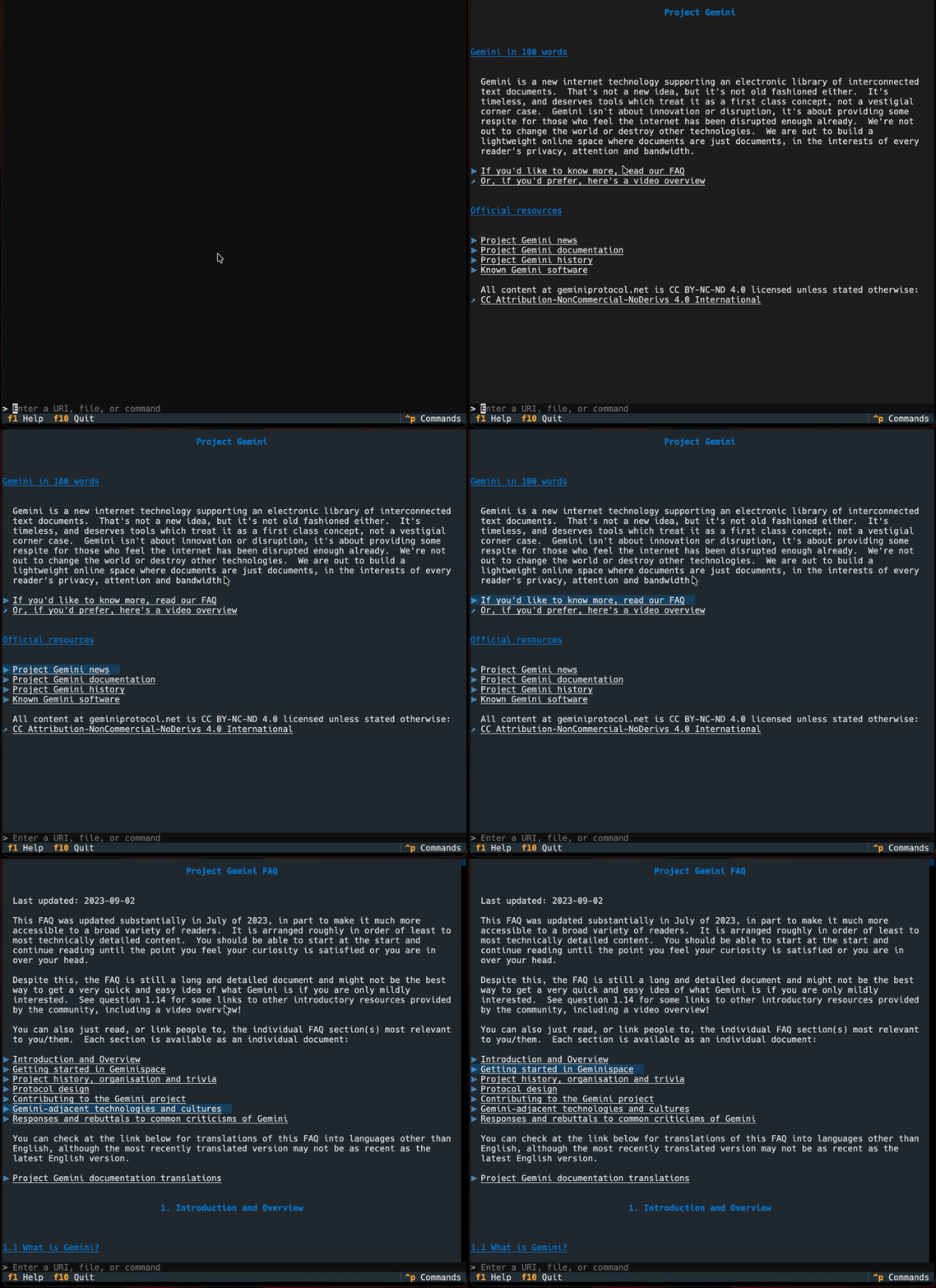
Yesterday I got the basic framework of my Gemini client up and going, and this evening I've been working on getting rendering of the gemtext in place. It's not the most tricky format to handle, so the parser and Textual widget to display the result have come together pretty quickly.

Browsing with the client

With this in place I've got the core of a working client now. Next up is going to be adding history with forward and backward navigation, then after that things like bookmarks and so on.

Gemini client basic framework

1 min read; 10 GFI

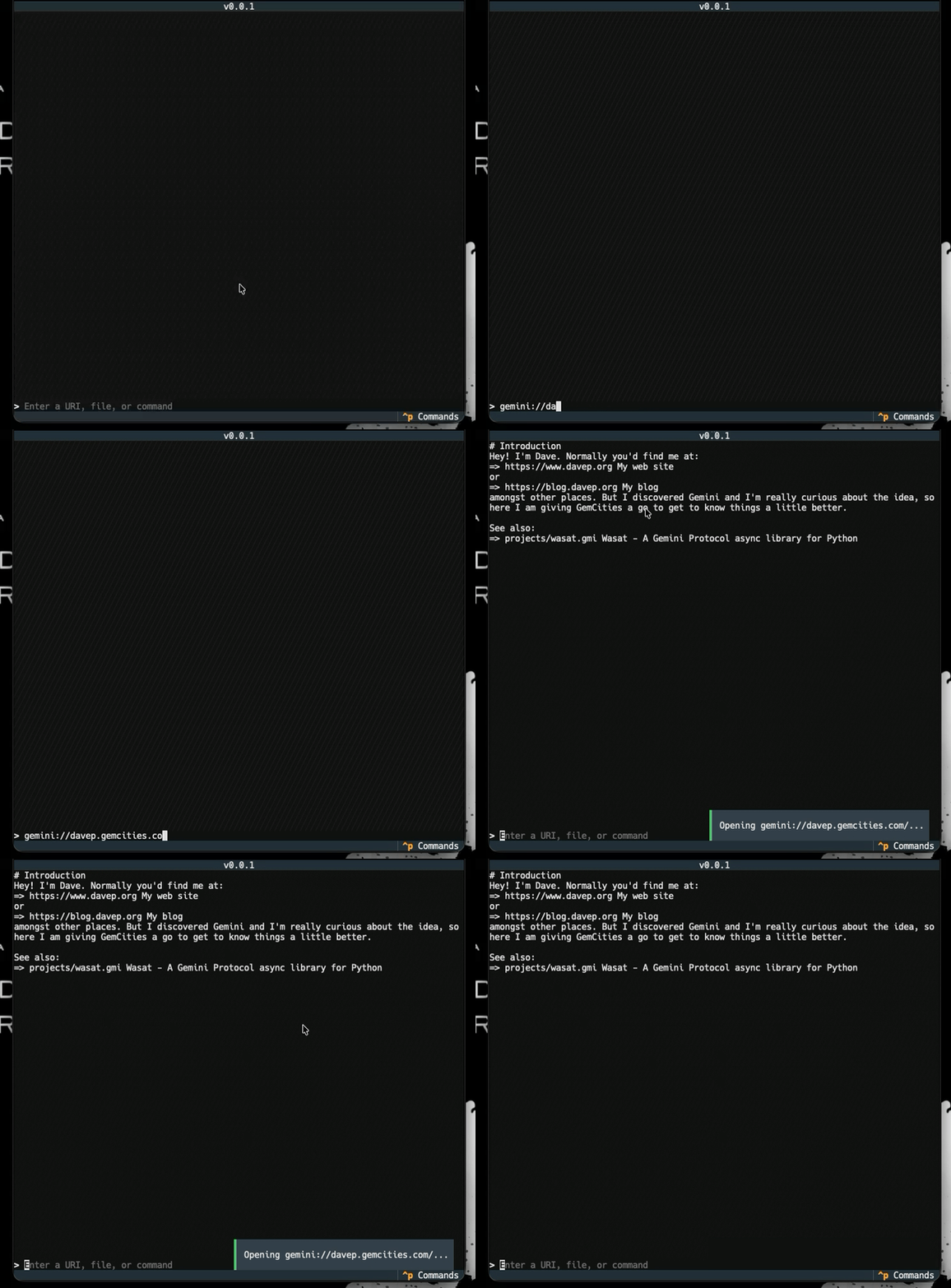
Following on from the initial release of Wasat yesterday, I've got a very basic proof-of-concept client up and running. So far, so good. Here it is loading up my own capsule on GemCities:

Loading my capsule

There's a lot to do yet, it'll be some time before this turns into a public project, but having it at least load up a document from a capsule means there's enough there for me to want to keep going and developing this.

Also, as I said yesterday, this is all home-grown and hand-crafted code. BlogMore has been tons of fun, but it's nice to kick off a significant bit of Python code where I'm writing it all myself. It's nice to be in that flow state once again.

Wasat - A Gemini protocol library for Python

2 min read; 10 GFI

I can't remember how and where I saw it, but just over a week ago I ran into Project Gemini. Somehow I've never read or seen anything about this before, which is pretty wild considering it's been on the go for around seven years now. As I read up on it I got more and more intrigued. I had the urge to do... something with it.

I think the thing I want to do, and I know I'm far from the first, is write a client for the terminal. I'm envisioning something very similar to Hike, but obviously only targeting the gemini protocol itself, and only handling and rendering gemtext.

I will, obviously, be looking to write this in Python, and of course, will be looking to use Textual, which means that it would be useful to have a Python client library for the protocol, and ideally a client library that is async. I did some searching, found client libraries, but none of them seemed to be async-first.

With this in mind, and to kick-start the project, last night I fired up Antigravity1 and got a library up and going. Wasat is the result. For the moment this should be considered alpha-status software (hence v0.0.1). I've done some very rudimentary testing and experimenting with it and, so far, so good. It's also proving to be a good tool with which to get to know the protocol. It also gives me another project to use to experiment with an agent (this being the first project I've started from scratch using Antigravity).

Over the next few days I'm going to toy with the library more, clean up the code, look for any issues, and then I'll start on the client application. That will be hand-built; no AI. I have some ideas of fun things I want to do, especially when it comes to handling gemtext.

It'll be nice to have a new pet project that's a hand-coded project. The first significant one since OldNews.

Getting back to Wasat itself: I believe it has everything necessary to allow for writing such a client (which, to be fair, isn't much -- that's kind of the point of the protocol). It also comes with a simple CLI built in, which can be run with python -m wasat (if it's just installed as a library) or with wasat (if installed globally, along with any command scripts). The command itself is just a simple download tool for a "page" in a "capsule". For example, I can grab the content of a test capsule I've created:

$ wasat gemini://davep.gemcities.com/
# Introduction
Hey! I'm Dave. Normally you'd find me at:
=> https://www.davep.org My web site
or
=> https://blog.davep.org My blog
amongst other places. But I discovered Gemini and I'm really curious about
the idea, so here I am giving GemCities a go to get to know things a little
better.

(with thanks to GemCities for providing a neat little service).

As for where this is all going: there's no direction, really. I've found a neat new thing that I didn't know about before, the idea sits well with me, and I want to explore it more. It also gives me an excuse to do a thing I really enjoy doing: writing terminal-based TUI applications for the sake of it, and especially writing one that works just how I want.


  1. No, not that one, the other one. ↩

Trouble with PyPI

2 min read; 7 GFI

I had quite the adventure with PyPI this morning, and I don't think it's over yet. It started out with the release of BlogMore v2.43.0. I did my usual thing of doing a test release to the test version of PyPI, and then did a production release.

As normally happens, I then went on to tag the release on GitHub, followed by writing the blog post to announce the new version. While doing this, despite the fact that it wasn't necessary given the nature of the change, I decided to update BlogMore in my blog's repository. That's when things started to look odd.

I did the usual make update but nothing new appeared. Now, it's not unheard of that I do this and no new version of BlogMore appears. Often I do it a couple more times and it's fine. So I kept trying every minute or two and still nothing. So I checked back on PyPI. Sure enough, a search showed that it had updated:

PyPI search

(The 16 minutes being about the time since I'd made the release), but when I clicked through it was showing the last version from a couple of days ago. Even when I looked at the release history it was saying the latest version was the previous version:

The apparent latest release

Odd.

At this point, depending on how I searched and where I went, I'd either see that my latest upload wasn't available, or I'd get a 500 error.

PyPI 500 error

Clicking through to the status page showed no errors. Clicking through to the Twitter account that was suggested showed nothing at all.

PyPI status on Twitter

Leaving aside the whole issue of having an account on Twitter these days anyway, I felt it wasn't that useful to point people at a resource that seems to have never been updated, so I did raise an issue about that.

Digging around the status page at some point, despite the fact that the main display was green all the way, I did see a rise in "PyPI CDN Edge Errors". I'm not a web guy, I'm not an infrastructure guy, so I'm not really sure what this would mean, but it sounds like it's not a good thing.

CDN edge errors

Opening the graph to look longer term, it did seem today was a spike, with another spike quite some time ago.

More CDN edge errors

At this point I left it a while, not announcing the new version of BlogMore. I came back some time later and, finally, I could see 2.43.0 was showing! Also, this seemed to coincide with the above graph calming down again.

A calm CDN

Seeing this I went to upgrade BlogMore in my blog's repo/venv and this time it all worked.

Yay!

At that point I left it alone and went about my work day. However, I don't think whatever is going on is over. Despite the fact that it was showing BlogMore as being v2.43.0 earlier today, once things were settled, I just checked again as I started to write this and:

Old BlogMore again

The search index on PyPI shows it as having been updated about 8 hours ago (as I write this), but the page itself shows that the latest version is from 2 days ago. At least installing it gives me 2.43.0:

$ uv add blogmore
Using CPython 3.13.1
Creating virtual environment at: .venv
Resolved 17 packages in 325ms
Installed 16 packages in 41ms
 + blogmore==2.43.0
 + feedgen==1.0.0
 + jinja2==3.1.6
 + lxml==6.1.1
 + markdown==3.10.2
 + markupsafe==3.0.3
 + minify-html==0.18.1
 + pillow==12.2.0
 + pygments==2.20.0
 + python-dateutil==2.9.0.post0
 + python-frontmatter==1.3.0
 + pyyaml==6.0.3
 + rcssmin==1.2.2
 + rjsmin==1.2.5
 + six==1.17.0
 + watchdog==6.0.0

Also: PISpy sees 2.43.0 as the latest version too (something it wasn't seeing during the height of the issues this morning).

It's all kind of confusing though.

Guess it's time for me to read up on CDN edge errors or something...

BlogMore v2.43.0

1 min read; 12 GFI

After recently adding Mermaid and maths support to BlogMore, I got to thinking that it now has connections with a handful of third-party resources. While almost all of them are optional (only FontAwesome comes close to being a hard requirement), it does mean that there are resources the user doesn't directly supply or control, and for which the URLs are hard-coded in the source for BlogMore.

I wasn't keen on this. While it's my intention to keep an eye on things and, periodically, check on those libraries and see if they need an update, I felt it was important that the user could override them on their own, without waiting on me.

So v2.43.0 adds a third_party section to the configuration file to give full control over these resources. The full version of it looks like this:

third_party:
  mermaid:
    script_url: "https://cdn.jsdelivr.net/npm/mermaid@11/dist/mermaid.esm.min.mjs"
  katex:
    css_url: "https://cdn.jsdelivr.net/npm/katex@0.16.9/dist/katex.min.css"
    js_url: "https://cdn.jsdelivr.net/npm/katex@0.16.9/dist/katex.min.js"
  mathjax:
    js_url: "https://cdn.jsdelivr.net/npm/mathjax@3/es5/tex-mml-chtml.js"
  fontawesome:
    metadata_url: "https://raw.githubusercontent.com/FortAwesome/Font-Awesome/6.7.2/metadata/icons.json"
    webfonts_base: "https://cdnjs.cloudflare.com/ajax/libs/font-awesome/6.7.2/webfonts"
    css_url: "https://cdnjs.cloudflare.com/ajax/libs/font-awesome/6.7.2/css/all.min.css"
    woff2_url: "https://cdnjs.cloudflare.com/ajax/libs/font-awesome/6.7.2/webfonts/fa-brands-400.woff2"
  force_graph:
    js_url: "https://unpkg.com/force-graph"

Of course, it's not an all-or-nothing setting; you can just set one of the values. So if you wanted to override the force_graph value it's enough to do:

third_party:
  force_graph:
    js_url: "https://unpkg.com/force-graph"

Hopefully this adds some useful flexibility. As well as giving the option to use a different version of a resource, it also allows you to host your own copy and refer to that instead. Heck, it would even allow totally replacing a library with a different one that has the same API, should you ever find yourself in that situation.

BlogMore v2.42.0

1 min read; 10 GFI

I've released BlogMore v2.42.0. This version is all about changes to the dump command.

When I first added it it simply dumped all of the data available about posts within a blog, meaning it was possible to do all sorts of things with the data outside of BlogMore itself. Having done this, and used the result to good effect (and also having seen at least one person also make use of it), I got to thinking that I should probably expose some other data that's going to be helpful.

Given that blogmore.el needs to dive into things like available categories and tags, and given that I'd also like to add support there for the recently-added series support, I realised that dumping those values as JSON would also be helpful.

So this release extends the dump command, adding a set of sub-commands:

  • posts: dumps the data about all posts in the blog (this is the default if you just run blogmore dump, so keeping the command backward-compatible).
  • categories: dumps all categories as slug/title pairs.
  • tags: dumps all tags as slug/title pairs.
  • series: dumps all series as slug/title pairs.

For example, getting all categories from this blog:

blogmore dump categories
[
  ["ai", "AI"],
  ["coding", "Coding"],
  ["creative", "Creative"],
  ["emacs", "Emacs"],
  ["gaming", "Gaming"],
  ["life", "Life"],
  ["meta", "Meta"],
  ["music", "Music"],
  ["python", "Python"],
  ["tech", "Tech"],
  ["til", "TIL"]
]

Or all the available series right now:

blogmore dump series
[
  ["agentic-afterthoughts", "Agentic Afterthoughts"],
  ["buying-the-steam-controller", "Buying the Steam Controller"],
  ["edinburgh-fringe-2023", "Edinburgh Fringe 2023"],
  ["reading-2bit-files-for-fun", "Reading 2bit files (for fun)"],
  ["swift-til", "Swift TIL"],
  ["the-great-github-copilot-meltdown-of-2026", "The Great GitHub Copilot Meltdown of 2026"],
  ["the-virgin-east-coast-saga", "The Virgin East Coast Saga"],
  ["emacs-d", "~/.emacs.d"]
]

While this data could have been gathered from the content of the dump of posts, this approach makes it far easier to work with and more accessible; simply put, it means there's less work for the user to do if they just want all the tags (for example). With this, and with a little bit of caching in the code (because this does require parsing all the posts every time), I think it will make for a better approach to category, tag and (when I add it) series completion while writing a post.

BlogMore v2.41.0

2 min read; 12 GFI

It's probably bad news if I have a Saturday afternoon and evening spare, a fully-charged laptop and a comfy sofa. It seems that when that happens, something like BlogMore v2.41.0 happens. This is a release where I've added two features that could be generally useful, but which I'm unlikely to use in my own blogs.

The first, which to be fair is one I might use (I've used it in documentation plenty of times over the years), is optional Mermaid support. This is off by default, so has no overhead if you don't turn it on. It is turned on by setting with_mermaid to true. Even with this enabled, the Mermaid third-party scripts only get included on pages that include a Mermaid diagram, reducing the overhead.

To include a Mermaid diagram you use a fenced codeblock with mermaid as the language identifier. For example:

```mermaid
graph TD
    A[Start] --> B[Process]
    B --> C{Decision}
    C -->|Yes| D[Success]
    C -->|No| E[Fail]
```

If Mermaid is enabled the resulting page will show this:

Example Mermaid diagram

There are, of course, all sorts of diagrams that can be used and I'm not going to go into them here, or in the BlogMore docs; Mermaid is well known enough and well-documented enough that anyone turning this on is likely to know what they're doing, or where to go to find out what to do.

The second new feature, which I am almost certainly never going to need to use on my blog, is LaTeX-style maths support. As with Mermaid, this is off by default and has no overhead if not used. Even when turned on with the with_maths setting, the external scripts will only be pulled into pages that include maths markup.

Two providers of rendering engines are supported and this can be configured with the maths_provider setting. The available options are katex (which is also the default) and mathjax.

To use either, when turned on, you use the usual $ or $$ convention for LaTeX-maths-in-Markdown:

You can make some fun images using:

$$
z_{n+1} = z_n^2 + c
$$

We can say $z_{n+1} = z_n^2 + c$ inline too.

The result of the above will be something like:

Maths markup in action

Note that some care has been taken to ensure that ordinary use of a $, in currency values for example, is left unaffected. This can't be guaranteed in every possible case, so keep this in mind when turning on with_maths. From what I have read this is a common issue when using such markup.

Both these features were fun to add, with me planning out the implementation with Antigravity, and having a back and forth a couple of times to address issues and get it all working "just so". I'm especially pleased with the fact that it's done in a way where there is no overhead, even when either feature is enabled, if a page isn't showing a diagram or maths markup.