Posts tagged with "Raindrop"

Braindrop

4 min read

Braindrop

A touch over a year ago I did the initial work on an application called Tinboard, a terminal-based client for the Pinboard bookmarking service. I had a lot of fun building it and it was an application that I used on a near-daily basis. However, around August last year I realised it was time for me to move on from Pinboard and try something new; based on various recommendations I settled on Raindrop.

As mentioned in the other blog post, Raindrop offered more or less everything I had with Pinboard and so the move was fairly straightforward. The one thing that was missing though was an application similar to Tinboard.

So, late on last year, with my winter break approaching, I decided to start from scratch and build a "Tinboard for Raindrop", which I'm calling Braindrop.

This was going to be a bit of an adventure too. Since being laid off from Textualize earlier in 2024 I'd not been following its development quite as closely as I used to, and had also run into some issues and bugs with it since that time; moreover, as well as various bugs appearing, some breaking changes had also been made. As such this was going to be a process where I'd wrap my head around what's happened with the framework over the prior six months or so.

Given all this, over the past couple of weeks I've been spending a few hours a day doing some for-pleasure coding and v0.1.0 of Braindrop is the result.
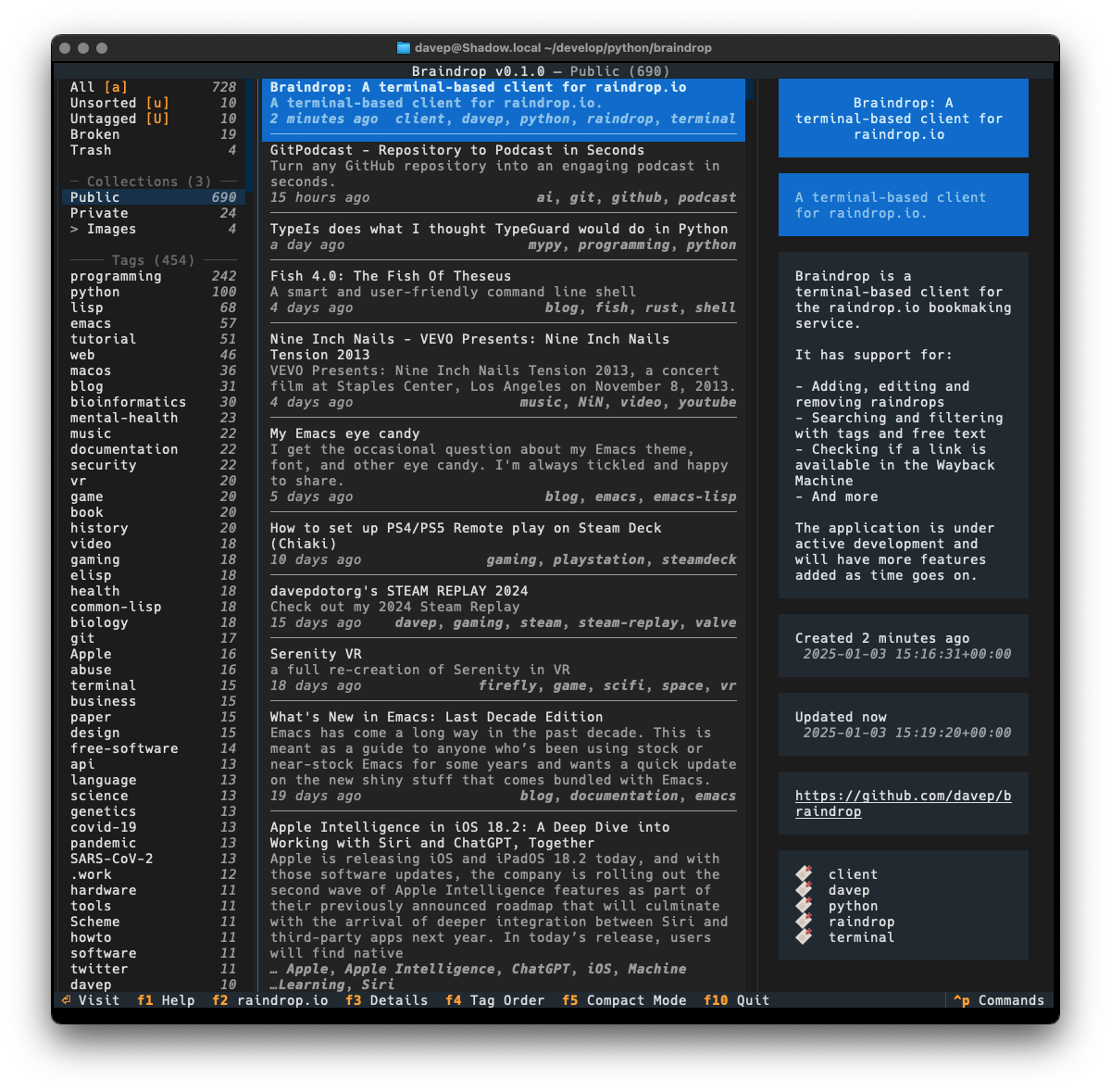
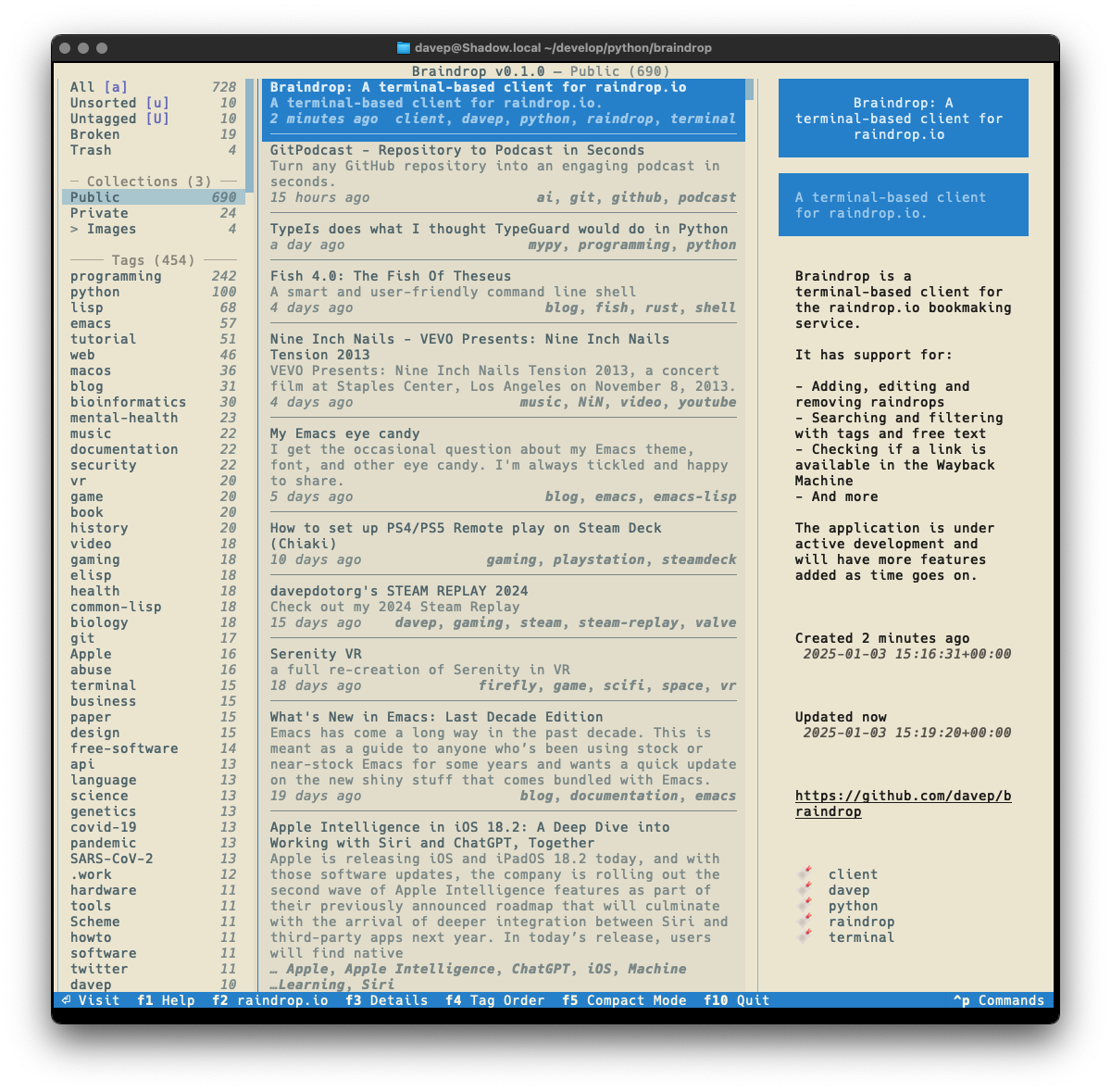
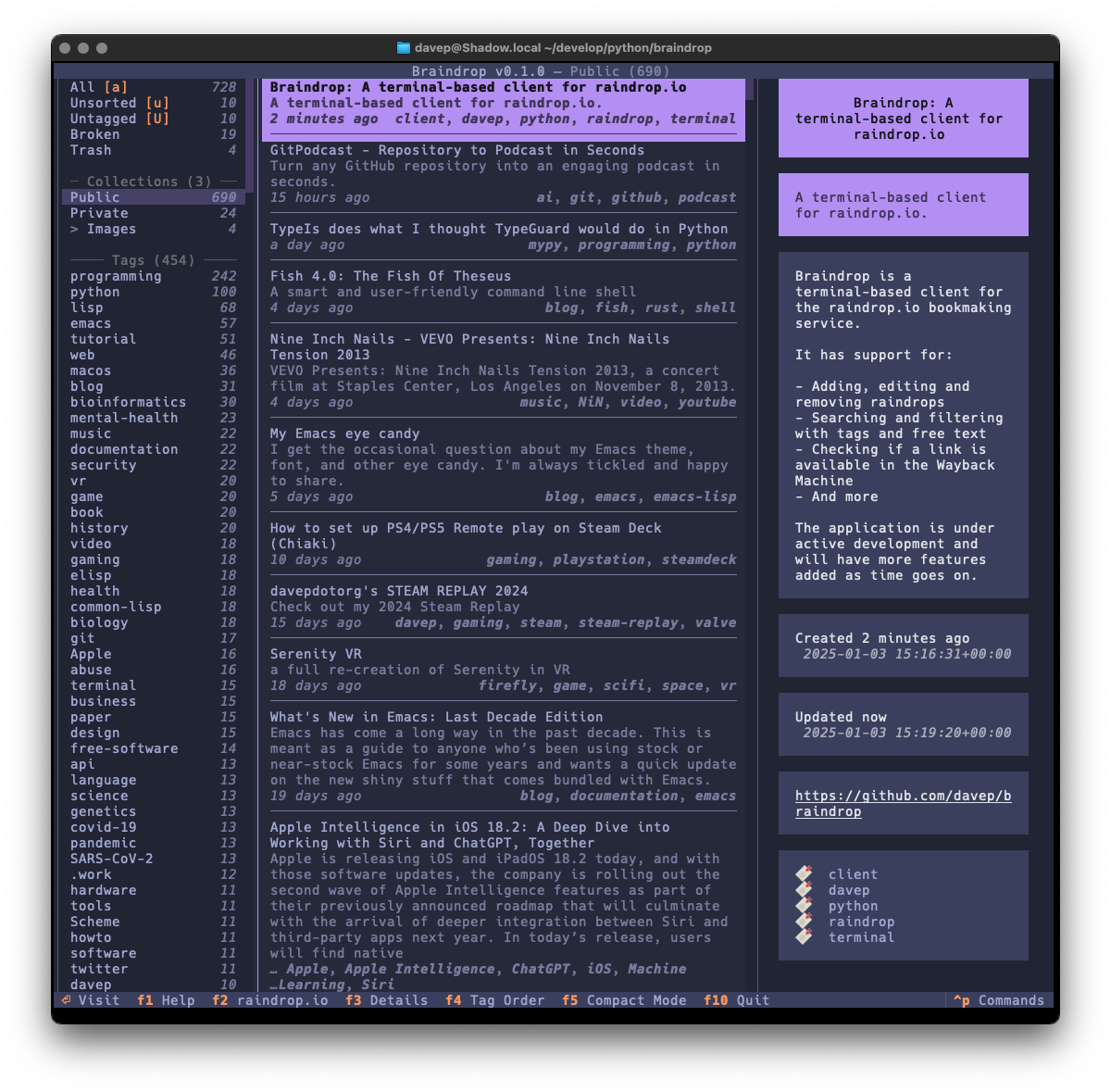
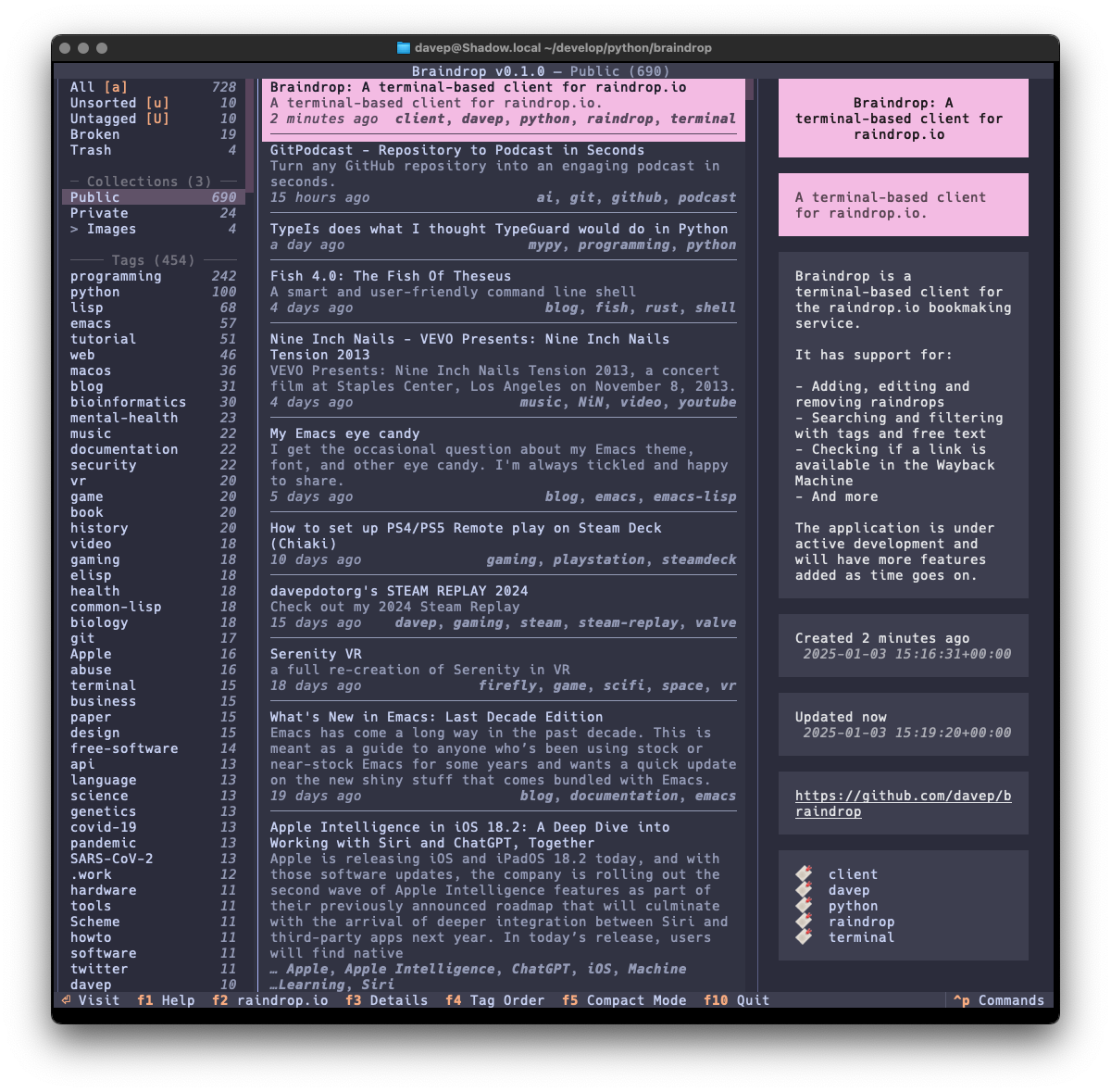
Main display

As much as possible I've tried to keep the look and feel similar to that of Tinboard, while also doing my best to avoid some of the "ah, I wish I hadn't done it this way" design decisions I'd made. As of the time of writing I'm very pleased with the result.
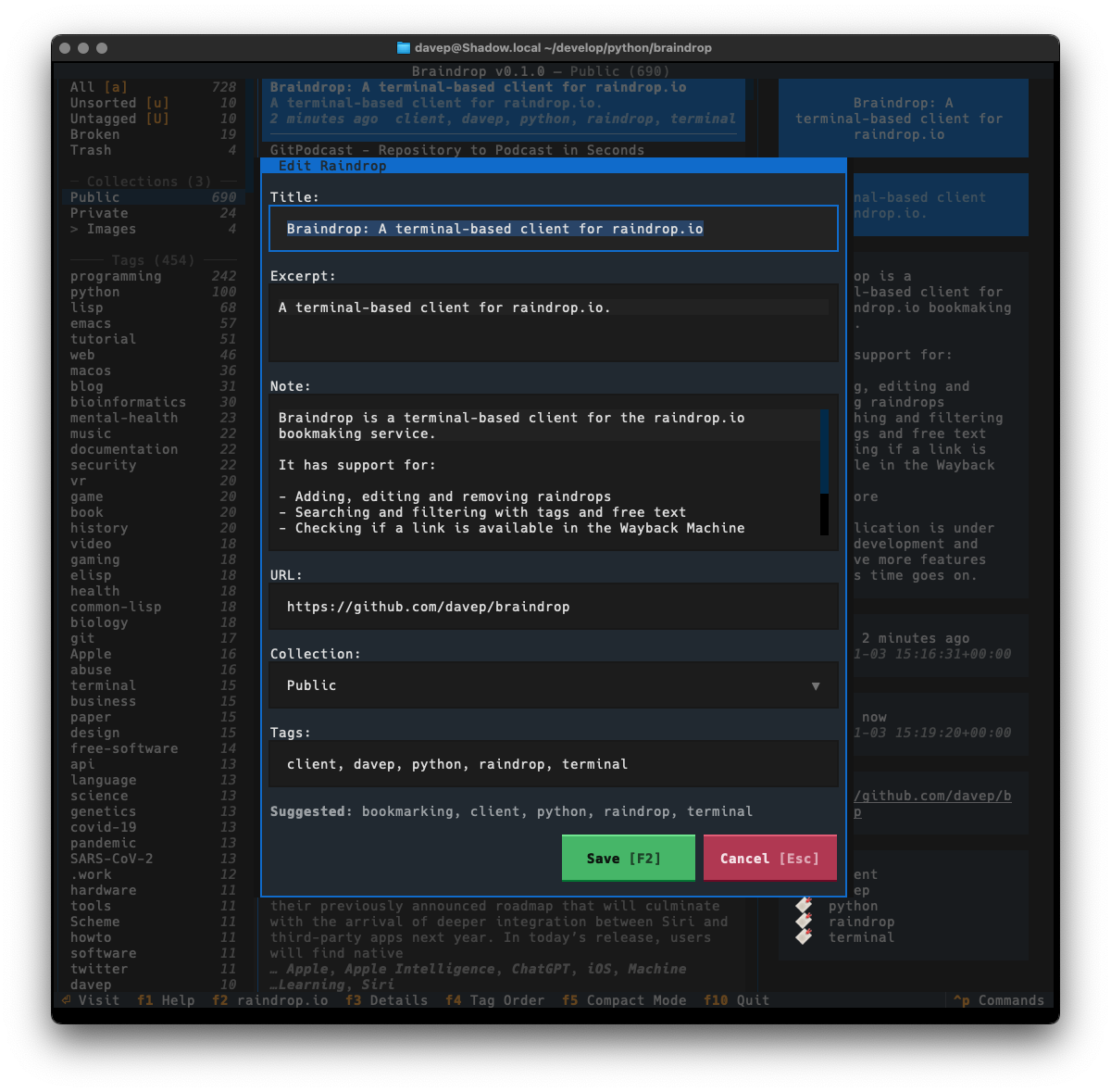
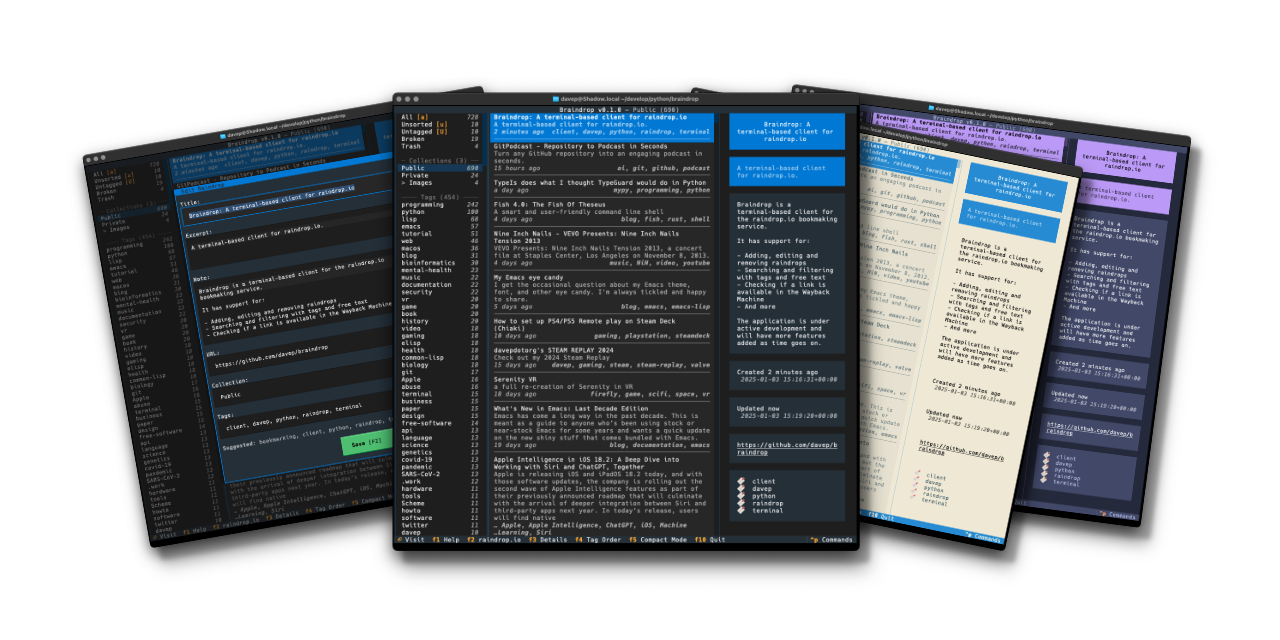
The edit dialog

One thing I did want to do is ensure that the application was as keyboard-friendly as possible, while also still allowing use of the mouse. Textual can sometimes get that wrong and I ran into an example of this while trying to ensure that there's good in-application help. Somewhat recently Textual added a built-in help system which, sadly, can't easily be used by and navigated by someone using the keyboard. So instead I've recreated the help system I built into Tinboard, while adopting the documentation standard that Textual had settled on (which, coincidentally, was kind of similar to what I did in Tinboard to start with).
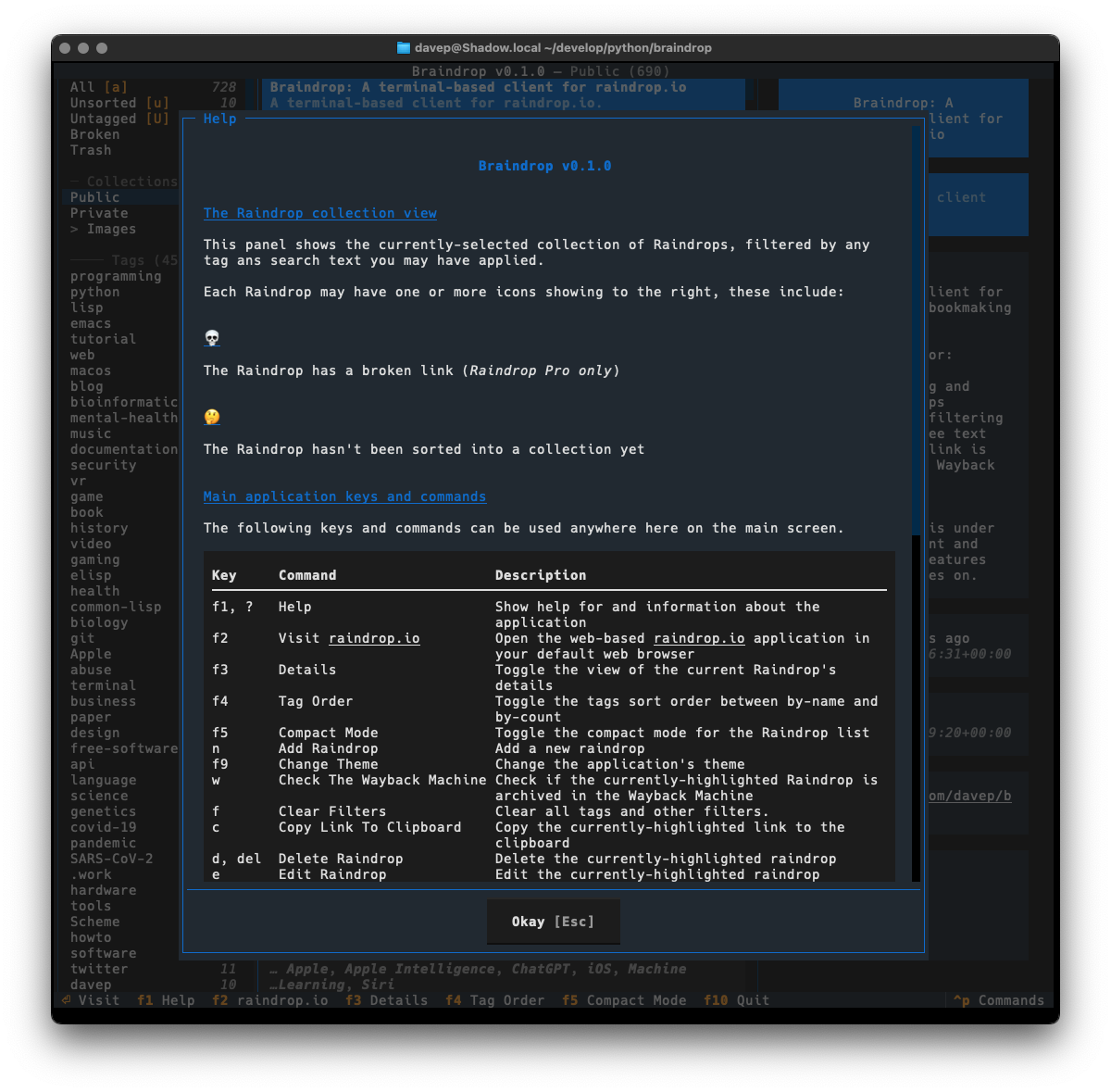
The help dialog

As with Tinboard, I've also made sure to make full use of the command palette, with every action that makes sense having a keyboard hotkey as well as a command in the palette. I also took things a little further and made sure that the hotkeys are shown in the command palette for easier discovery.
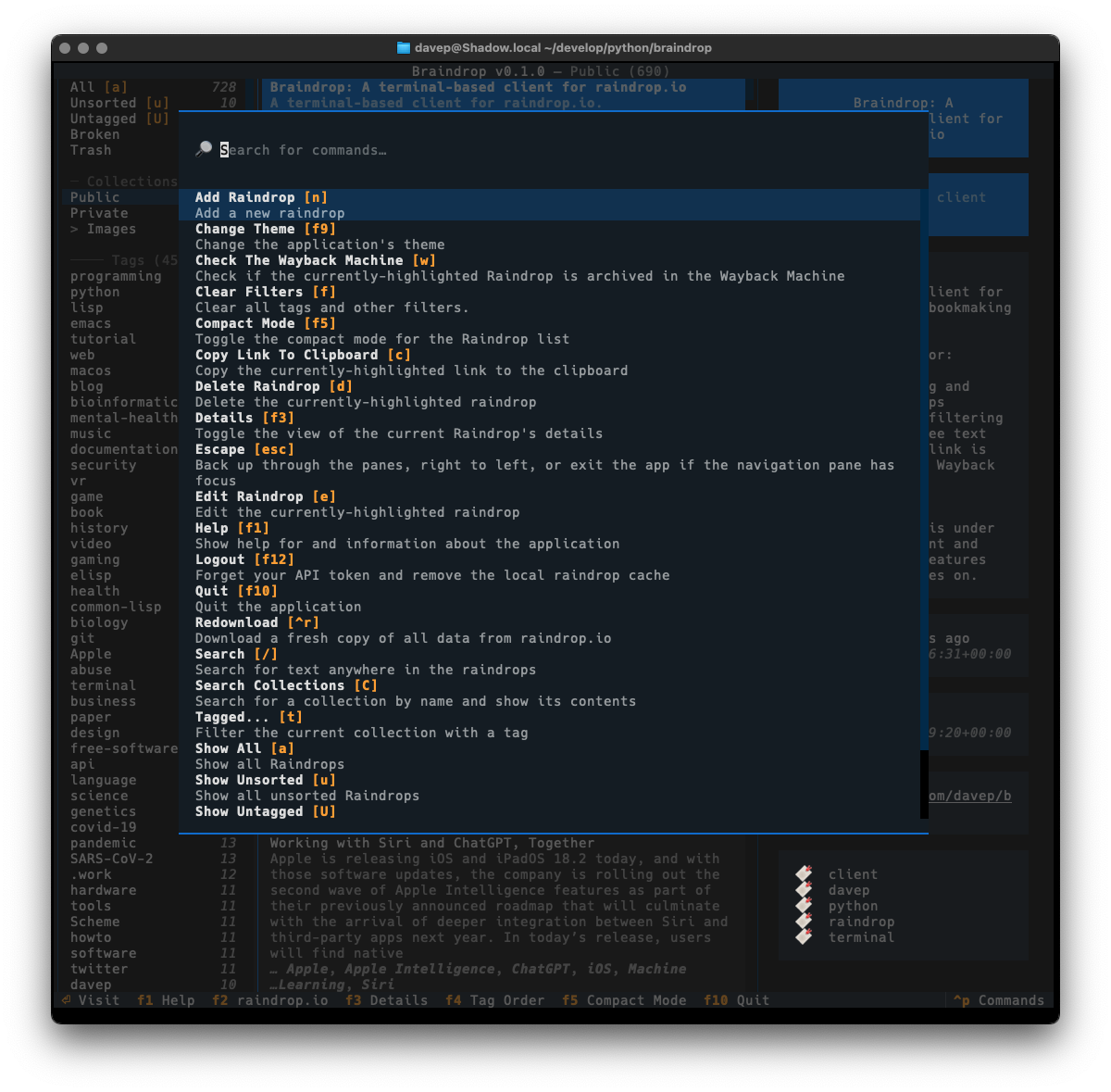
The command palette

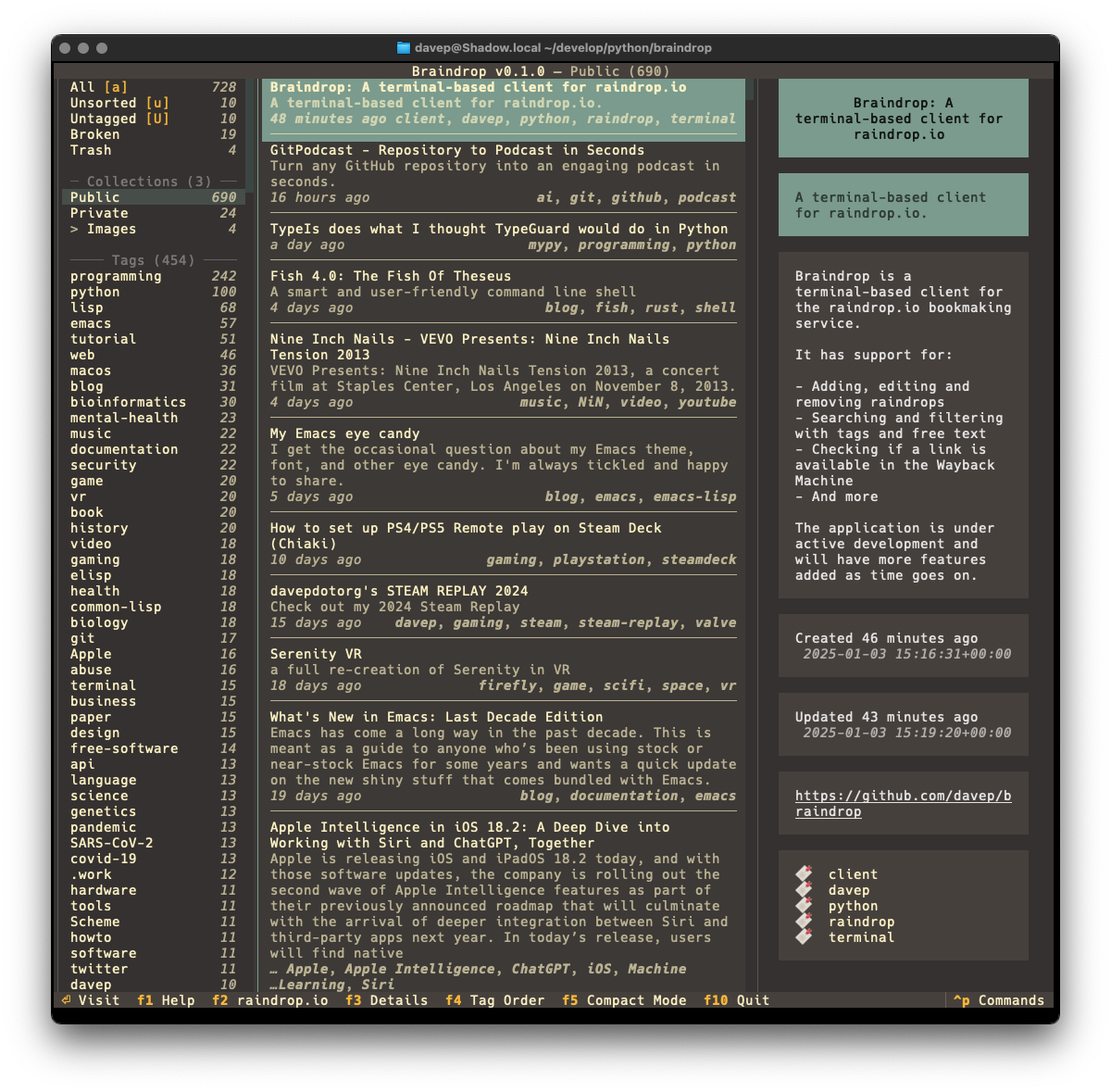
I've also made sure that Textual's new theme system is available for easy use; so out goes dark/light mode toggling and in comes a collection of different themes. Here's a wee selection as an example:
Example theme 1 Example theme 2 Example theme 3 Example theme 4

That's a small selection of the themes, with more to explore.

There's a few more things I want to do before I consider the application v1.0-ready, but it's already in use by me and working well. As I decide what else I want to add to it I'm building up a list of TODO items.

Given that my day job these days is quite varied, isn't quite so coding-intensive, and isn't always related to all things Python, it's actually been fun to sit down and hack up a pure Python application from scratch again. It's also helped me discover a couple or so fresh bugs in Textual (which I've reported, of course) and given me the opportunity to PR some trivial fixes as I've noticed typos and stuff as I go.

Anyway; that's v0.1.0 out in the wild. I'm pleased with how it's turned out and there's more to come. It's licensed GPL-3.0 and available via GitHub and also via PyPi. If you have an environment that has pipx installed you should be able to get up and going with:

$ pipx install braindrop

It can also be installed with Homebrew by tapping davep/homebrew and then installing braindrop:

$ brew tap davep/homebrew
$ brew install braindrop

I hope this is useful to someone else. :-)
Paindrop v1.0.0

4 min read

I was quite late discovering Pinboard; by the looks of things I created my account and paid my first subscription for it in early 2019. Since then I've been a pretty avid user and found it really useful. I've even written a couple of clients for it (one for Emacs and one for the terminal).

During that time it's had its fair share of hiccups and outages, but on the whole I've found it a stable and useful service.

The service does have its detractors, and concerns over its long-term stability and how well it's maintained are fairly common. I half paid attention to these, and had started to think about where I might go if there was an issue.

While maintaining and syncing bookmarks isn't exactly a difficult or unsolved problem, and while it's also true that it could be fun to roll my own solution, there are a couple of things I need that would make building my own approach a bit of a chore.

Things important to me are:

  • An extension for any random browser I might find myself using
  • A good mobile client for at least iOS and iPadOS
  • A good API so I can write my own tools if I need to
  • A clean and focused backend website

I kept these things in mind and kept an eye out but I'd never really felt the need to actively start looking around.

Then I stumbled on this after posting about another Pinboard outage.

That... yeah, that was the final push I needed to start to think seriously about where to move and how.

A couple of people suggested Raindrop, and from what I could tell it was coming up as a pretty popular service that some Pinboard users were migrating to. I had a look and it wasn't quite what I was after; but close.

You see, there's two things I really like about Pinboard that Raindop didn't seem to cover:

  • Simple support for "this shit is unread". I see things, I share to whatever Pinboard app I have on my phone or tablet, etc, and then I review some time later (normally in Tinboard).
  • Support for Private and Public pins. I've liked having a feed of bookmarks I can let people see and Raindrop doesn't have this.

I looked around at some blogs that talked about Pinboard vs Raindrop and didn't see any that really dived into this particular aspect of migrating; I also asked a couple of folk who'd made the move about this and they didn't really have any insight (mainly because they didn't care about those particular uses).

One thing I did notice though was that Raindrop does support making individual collections public. So, if I was willing to sacrifice any other uses for collections (a bookmark in Raindrop can only be in one collection), I could simply have a Public and a Private collection and import pins into the appropriate one. Also, unread pins could be left out of the collections and I could use that to signify unread status.

This seemed fine as I'm heavy on the tags anyway.

Now... Raindrop has a pretty comprehensive import facility built in. I gave it a try with Pinboard's backup file and it worked really well. That is... really well except it just threw away the public/private/unread aspect of the pins. There was only one thing for it then: I had to write my own importer!

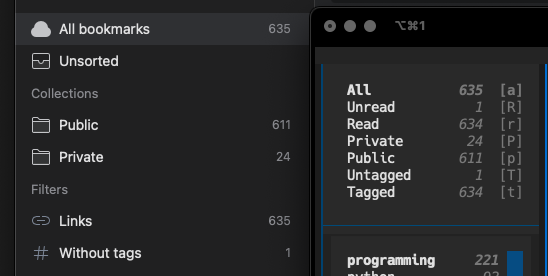
Which brings me to Paindrop. It's a quick hack but it does the job, and it does the import just how I wanted. The result of the first test was pretty much spot on (in this image I'm comparing what Raindrop says vs what Tinboard says I have in Pinboard):

Comparing Raindrop and Tinboard contents

Usage is pretty straightforward. You create Public and Private collections in Raindrop, you create an app in Raindrop and get the access token, you grab your Pinboard access token and then:

$ paindrop example:xxxxxxxxxxxxxxxxxxxx xxxxxxx-xxxx-xxxx-xxxx-xxxxxxxxxxxx

where the first parameter is the Pinboard access token and the second the Raindrop access token.

If all goes well, after a few moments, the importer should finish and you should find that all of your pins have migrated to Raindrop, all public pins are in the Public collection and all private pins are in the Private collection. Any pins that were marked as unread will be Unsorted.

Note that if you used different names for your public and private collections you can pass those names to paindrop with the --public and --private switches.

If you're looking to move your bookmarking history out of Pinboard and want to keep the same sort of structure I had I hope Paindrop will be useful to you too.

Paindrop can be installed with pip or (ideally) pipx from PyPi. It can also be installed with Homebrew by tapping davep/homebrew and then installing paindrop:

$ brew tap davep/homebrew
$ brew install paindrop

The source is available on GitHub.

PS: As for the name... originally it was pin2rain but then Darren Burns pointed out the obvious and it had to happen.