I've just bumped Rogallo to v3.2.0. This release has one small new feature and one wee bug fix.
The new feature is something I found myself wanting a short while ago. I was copying some URIs and then turning them back into Gemtext links in another document; after doing that a few times, I realised that it might be handy to extend the "copy URI" facility in the viewer so that there's a "copy URI as Gemtext" version. To this end, I've added gemtext_link.copy_link_as_gemtext as a viewer widget binding, bound to Shift+c by default.
The fix is a small one to how MIME type checks are done. In one particular case, Rogallo wasn't stripping off any parameters where it should have. This is now fixed.
Right from the start of the development of Rogallo, I ensured that any MIME types that the application couldn't handle were correctly handed off to the operating system, to allow it to work out what to do. While it is possible for me to do some work to allow images inline -- something I might explore at some point in the future -- Rogallo doesn't currently support this and, accordingly, when faced with image/jpeg or image/png, etc, it delegates to the wider environment.
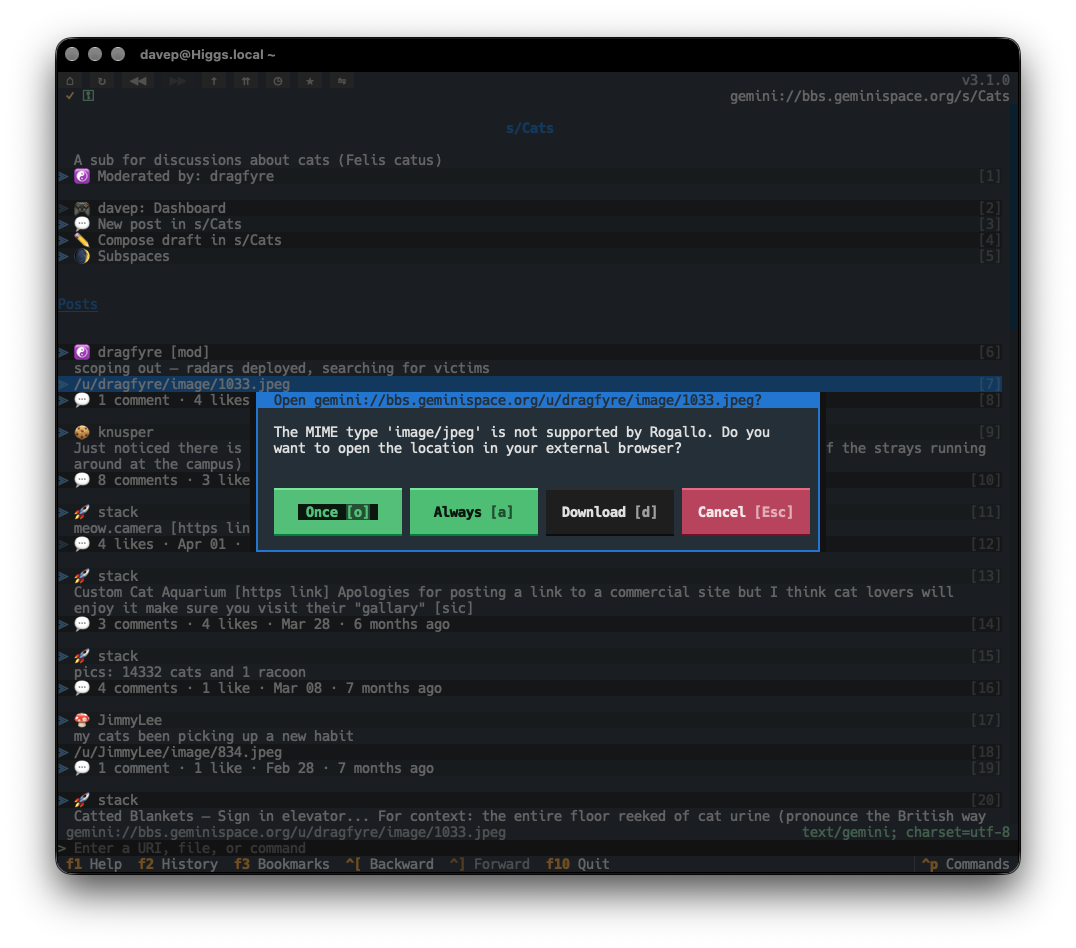
The problem, of course, is that the user might not have a tool in their environment that's capable of taking over the duties of downloading an image from a gemini URI and displaying it. So the next best thing is that Rogallo itself offers to download the file for you. With v3.1.0 this is now an option.
If you encounter a MIME type that hasn't already been marked for always opening in an external tool, there's a new Download button.
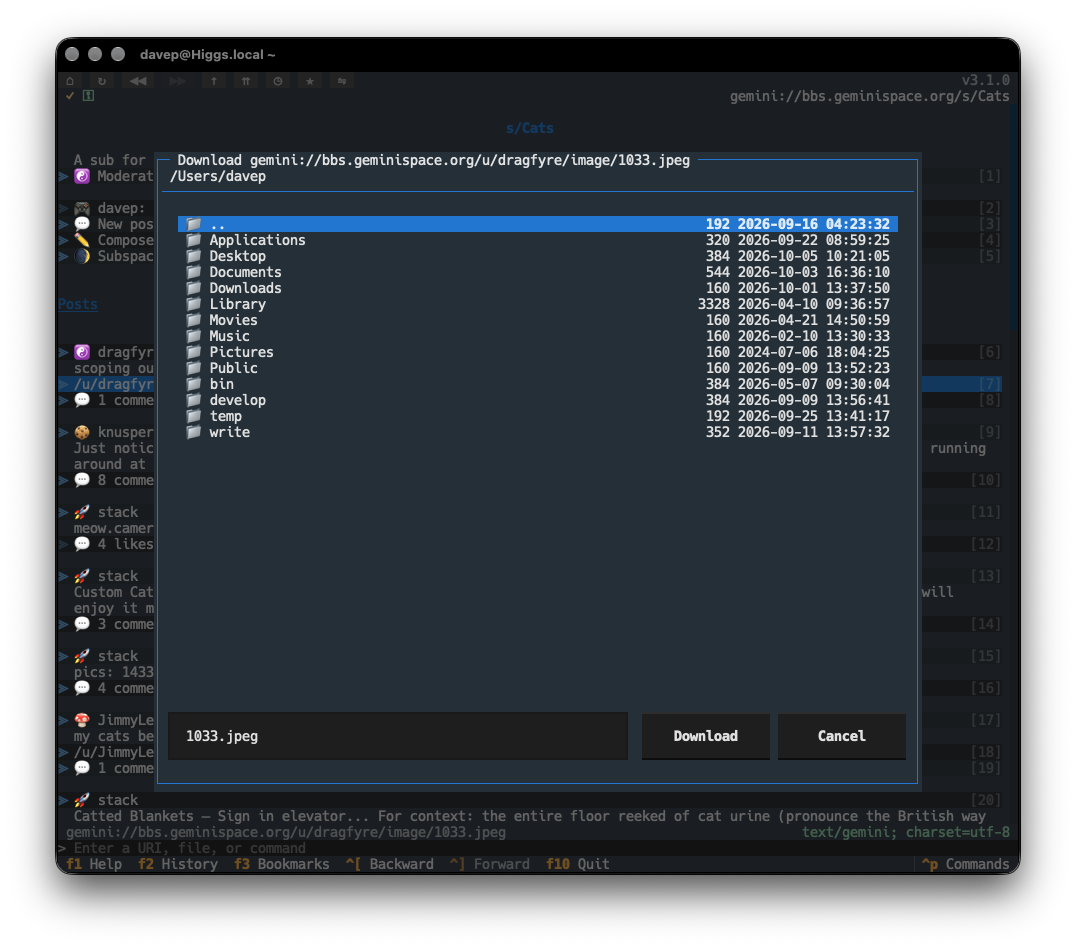
If selected, you'll be asked for a location to save the file.
To augment this, I've also added downloading support for links in the viewer. It might be, for example, that you've already marked image/jpeg and image/png as MIME types that should always be handed off to the operating system (perhaps you have a GUI-based client such as Lagrange or Major Tom installed and it's configured to pick up the URI and handle it). In that case, you'd never be shown the dialog that would allow for downloading. So now, on the occasion that you do want to download within Rogallo, you can navigate to the link and press d. The download dialog will then appear, and you can save the content of the link that way.
For now, at least, the download process is pretty simple. It follows the same approach as acquiring the content of a URI for display purposes, but instead writes it to the file you picked. There's no "download manager" or similar and no sticky "download directory". These are things I might consider adding in the future.
It's been a while since I last published an update to Rogallo. In part this is because I've had other distractions, but also in part because I've not had a huge need to add any new features of late. For the most part I feel Rogallo is "done"1.
I haven't, however, been doing nothing with the code. On and off, over the last handful of weeks, I've been addressing something that I've wanted to tidy up since the early days of development: application configuration. The majority of my Textual-based applications use a simple JSON configuration file, and that's generally good enough. When I started Rogallo I used the same approach. Rogallo has since grown quite a lot and there's much that can be configured and so the "honking great pile-o-JSON" approach was starting to feel quite untidy.
So Rogallo v3.0.0 addresses this. The headline change is that the single JSON file has been replaced with a number of focused YAML files, and some items that were in the original configuration file have been moved out to either the data directory or the state directory, depending on their purpose.
Now for some details on the changes.
❗ Important
There are a lot of changes to how Rogallo is configured. As is mentioned at the end of this post, Rogallo will make a best effort to migrate your old configuration to the new format. However, as a precaution, you might want to think about making a backup copy of your configuration.json file before upgrading Rogallo.
As mentioned above, whereas before Rogallo kept all of its configuration in a single file, it now looks to a number of different YAML files that focus on a different aspect of configuration. These include:
Rogallo's design is based around the idea of some "actions" being application-wide commands, and some actions being UI-control-specific. As I worked through the configuration changes I decided that it was time to "demote" some application-wide commands to either being UI-control-specific bindings or just simple configuration properties. With this in mind I've removed the following commands:
From the very start, Rogallo has supported some degree of control over keyboard bindings. As mentioned above, there's a split between "application-wide commands" and "UI-element-specific" actions. Until now it's always been possible to configure the bindings for the former, but never the latter.
In other words: you could always configure the binding for the HandOffToOperatingSystem application command (hands the URI of the currently-viewed document to your OS), but you couldn't change the in-viewer binding for the o key, which opens the URI of the focused link in the OS.
Not directly a configuration setup change, but something I noticed while doing the work, was the fact that Rogallo (and the underlying Gophermap library) didn't handle PNG and RTF item types. They're now directly supported.
I believe all of the above changes make it easier to configure Rogallo, and more importantly easier to backup and share the configuration. Technically all of this is one huge breaking change -- everything that was in configuration.json now lives elsewhere. However, I've added some code to Rogallo that detects when you still have a pre-v3.0.0 configuration active, loads up the values, creates the new files, and then renames the old file to configuration.migrated.json. As mentioned near the start of this post, you might want to think about making a backup copy of configuration.json before upgrading.
One last big thing I do want to add is support for tabs. Still to come. ↩
I've released Rogallov2.4.0, which contains two new features.
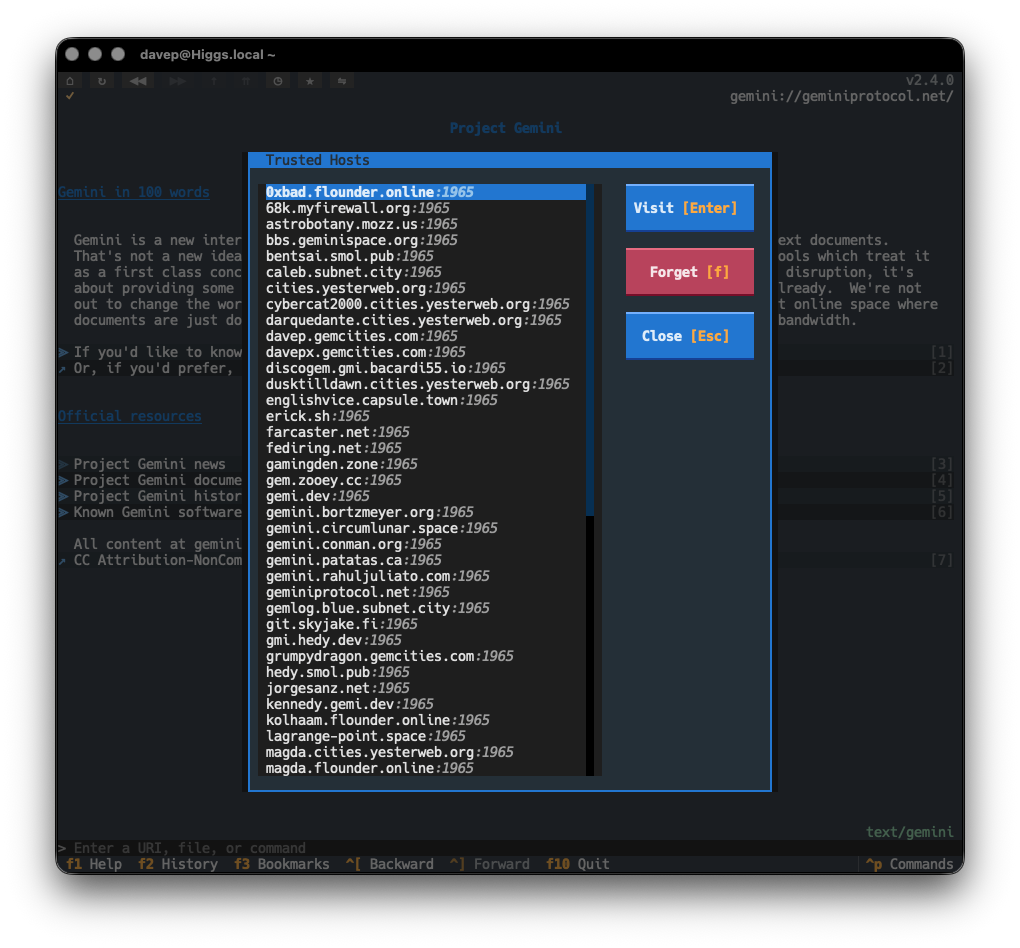
The first is the addition of a feature related to the Gemini Protocol, and it's something I've been meaning to add for a wee while: a trusted host browser/manager. It's a simple enough idea: you might want to have a look at all the host/port pairs that exist in your trusted hosts list and, perhaps, revoke the trust for one or more.
From the dialog you can either visit the host/port combination (perhaps you got curious about what you've trusted in the past and want to see what was there), or you can forget the trust. This also somewhat follows on from work done in Rogallo v2.1.0, except rather than having to make the decision when you visit a capsule, you can review all the capsules you currently trust.
If this seems useful, it's called up with the new BrowseTrustedHosts command, bound to Ctrl+Shift+t by default.
The second new feature is something that's been on my TODO list for quite a while, and has mainly been sat there because I wanted the viewer widget in the application to settle down a bit before I tackled this. I'm talking here about in-viewer search. It's a simple enough requirement, but one that's not that straightforward when you're dealing with views of different kinds of text files, views of the source of such documents, and also having to handle things like embedded ANSI escape sequences.
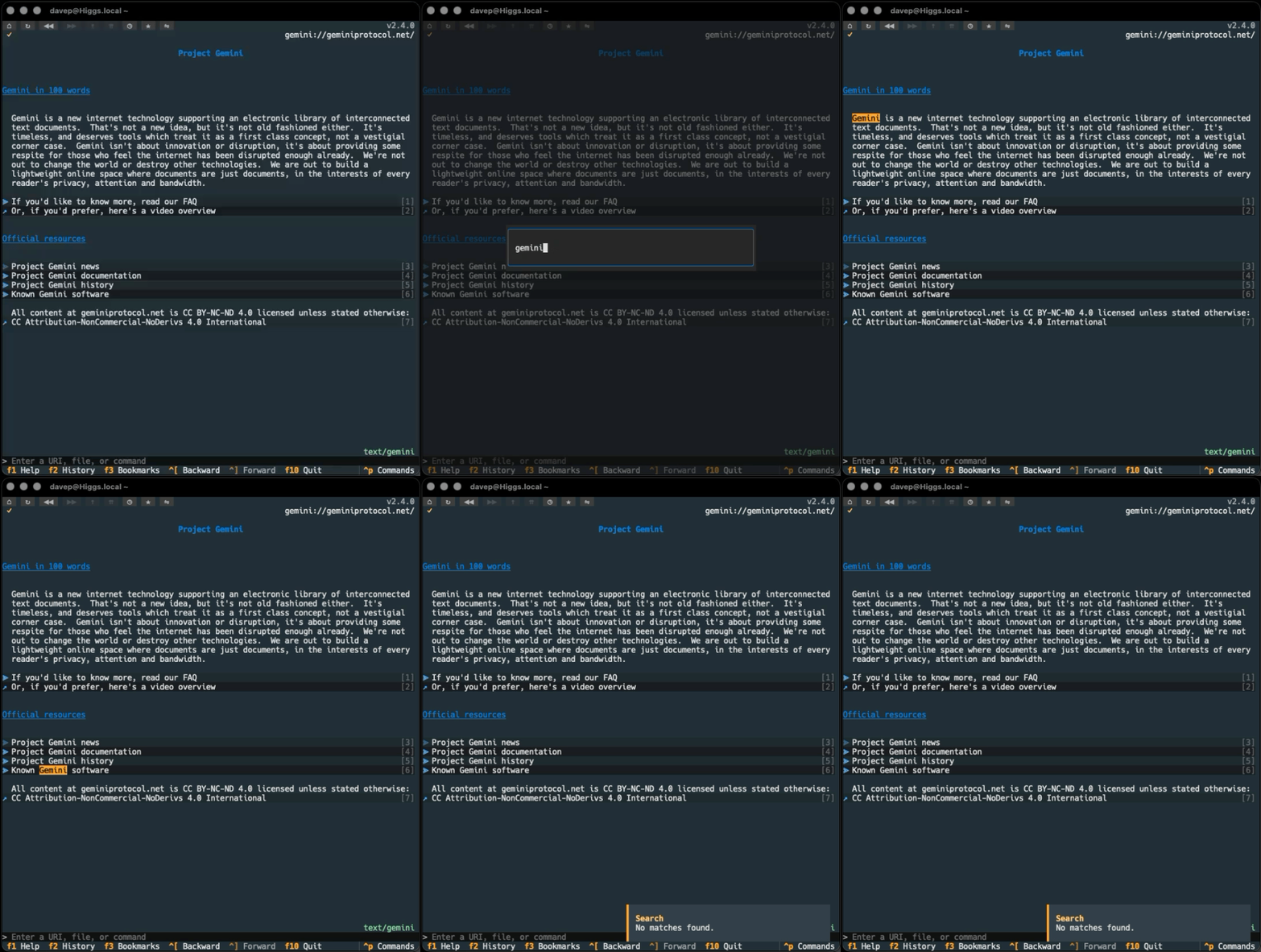
The work is now done, so if the viewer itself is focused, you can press Ctrl+f, enter some text to search for, and then press Ctrl+n to keep moving through all the hits. Once you hit the last match, you'll be told there are no more matches, but then the search will start again from the top.
You can also cancel an ongoing search with Ctrl+Shift+f.
I'm glad to finally get this added to Rogallo as it's a feature I've been finding myself needing on a good few occasions.
First up, there's a small fix. The other day I discovered Scriptonite. While looking at the examples I noticed none of them worked with Rogallo. This struck me as odd because the whole point of Scriptonite is that it all happens on the server-side; nothing on the client-side should affect how well it works.
It turns out that Wasat had a bug when it came to slicing and dicing Gemini URIs, where parts of a URI that followed a ; were being lost. Somewhat amusingly, I didn't even need to do any work on a fix because it had already been taken care of in the branch that existed to support Titan.
The point here being: as of v2.3.0, Rogallo now works fine with the Scriptonite examples.
As I mentioned, the main change in this release is support for the Titan protocol. It's been on the TODO list for a wee while, partly because I was struggling to follow the idea of it, and also partly because I'd not played with it and just didn't see the purpose. The other day I sat down and properly dived in and it finally all clicked.
With v2.3.0, if you now visit a titan:// URI, you will be presented with a rich input dialog. It is a tabbed view, with one tab being for text input/upload:
and the other being a file attachment and upload:
As per the Titan specification, there is support for setting the MIME type for the attached data. If using the text view, this will always be set to text/plain. If using a file attach/upload, you have full control over it, but it will default to the best guess based on the file selected.
There is also support for entering an upload token.
As well as supporting the core Titan specification, I've also added support for the proposed ;edit extension. This means that it is safe to enable Titan-based editing on bbs.geminispace.org, making it easier to modify text you've already written.
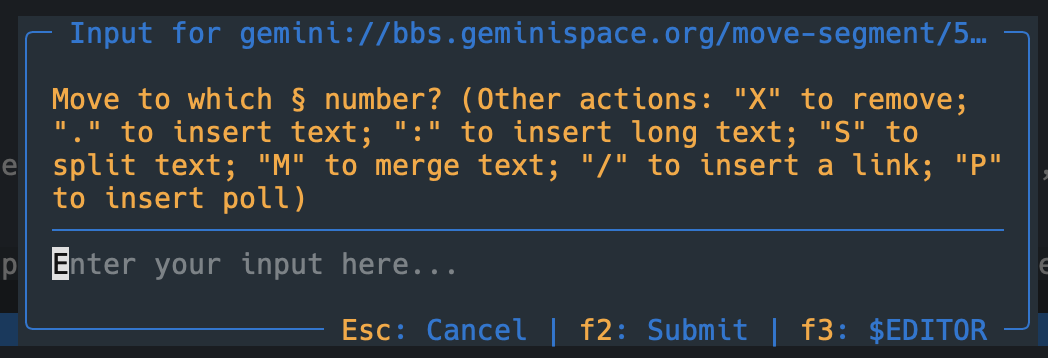
One final change in this release of Rogallo also relates to user input. I've given the Gemini-based input dialog an overhaul. Originally this was, by design, as simple and as bare-bones as possible. It was simply a free-text input box that would grow as you added lines, and the prompt from the server was shown as a title in the border of that box. While testing out editing on BBS, I realised that this doesn't always work so well; most of the time the prompt would get truncated.
Not a great user experience. The redesigned input box works more or less the same, but now ensures that the prompt is fully visible.
Between this change and the new Titan edit/upload dialog, I feel Rogallo is now in a good position to act as a near-zero-compromise daily driver when it comes to wandering around the small web.
I guess adding tabs will get it closer to zero. Perhaps in-terminal image viewing. Okay, perhaps a sprinkle of http(s) support too? Also...
Rogallov2.2.0 is available. This release contains a handful of small new features and also a very minor cosmetic change.
First to the small cosmetic change: the overall design behind the UI of Rogallo is that it's split into a couple of key panels -- the side-panel and the main viewer. The styling of a panel when focus is within it, and when it is outwith it, is different; the idea being that your eye should be drawn to the active panel. This is an approach I take with all my Textual applications.
Part of this styling is to have a thin border to the left of the active panel, which also helps signify that the panel is the one you should be paying attention to. In applications where there's always two or more panels on the screen all the time, this makes sense -- you want the line between the panels anyway to help break up the content. In Rogallo, however, it's going to be normal to only ever have the one panel in view (the viewer).
The other day I realised that, when it's just the viewer available, I should remove that left-hand border. So that's how Rogallo works now. If the viewer is the only panel visible: no border. If the side-panel is also visible: borders. I think it makes the display look a little cleaner; for what it's worth it also saves one column of the display for something more useful.
I've also added a couple of useful features to the active link in the viewer. Now, when a link is selected, you can press c to copy the URI of that link to the clipboard. You can also press o to open the URI by passing it to the operating system. Both these changes should make it easier to take a link out of a document and go and do something else with it.
The last couple of changes are around visiting finger:// URIs. The first is a quick and simple change: any finger content now makes use of Rogallo's document cache, so if you find yourself navigating back and forth between finger responses, there should be fewer requests made in a short period of time.
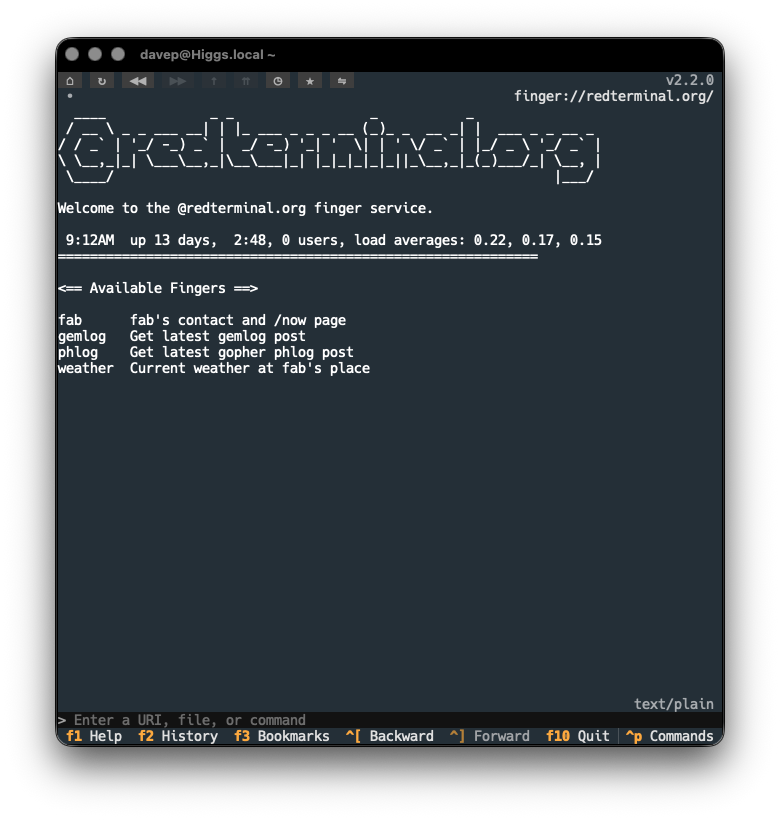
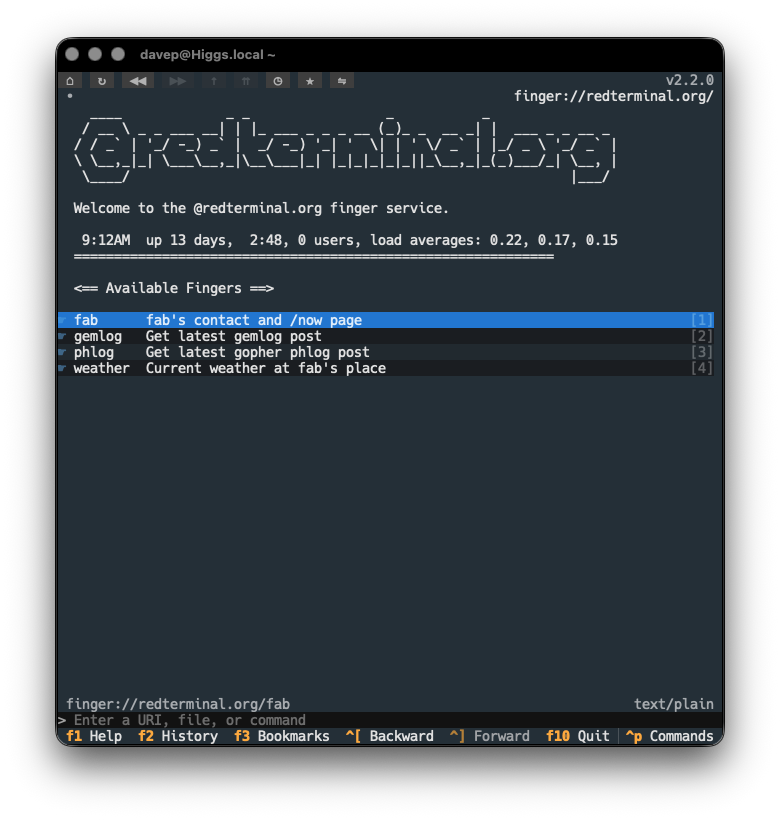
I added caching partly in anticipation of another change to finger responses: making them interactive where possible. Having created finger2gemtext, I've updated Rogallo so that, where possible, the response is turned into Gemtext and anything that can be turned into a link is now interactive. This means that some finger services should be easier to navigate, no longer requiring that you copy/edit/paste text to get a fresh finger:// URI to follow.
Now you get a version that lets you follow the implied links in the response:
This is, of course, going to be reasonably brittle. If any of the services change their output format such that the "links" can't be detected any more, the output won't be turned into Gemtext. Likewise, it's not impossible that false positives might turn up. I'm going to run with this for a while and see how it works out. I also have a vague plan for how the detection and smarter rendering of finger responses could be made configurable by the user.
Anyway, that's it for this release of Rogallo. Now I can return to the main change I was making a start on this week: Titansupport. I've not so much been putting it off as I have been allowing myself to get distracted by the above changes -- mostly because I don't quite get Titan support yet and I don't have a good location to play around with it. Time to solve that problem...
I've just made a small release to Rogallo, bumping the version to v2.1.0. This release mostly has some small cosmetic fixes and improvements, and one new feature.
The cosmetic improvements include:
Fixed the verification method and client certificate status icons in the viewer title bar so they don't use the "this is clickable" mouse cursor when there's nothing worth clicking.1
Adjusted the styling of tooltips so they better stand out against the background text.
Fixed the cosmetics of the viewer when the content is set to a narrowed state (some of the changes in v2.0.0 had inadvertently changed some of the styling).
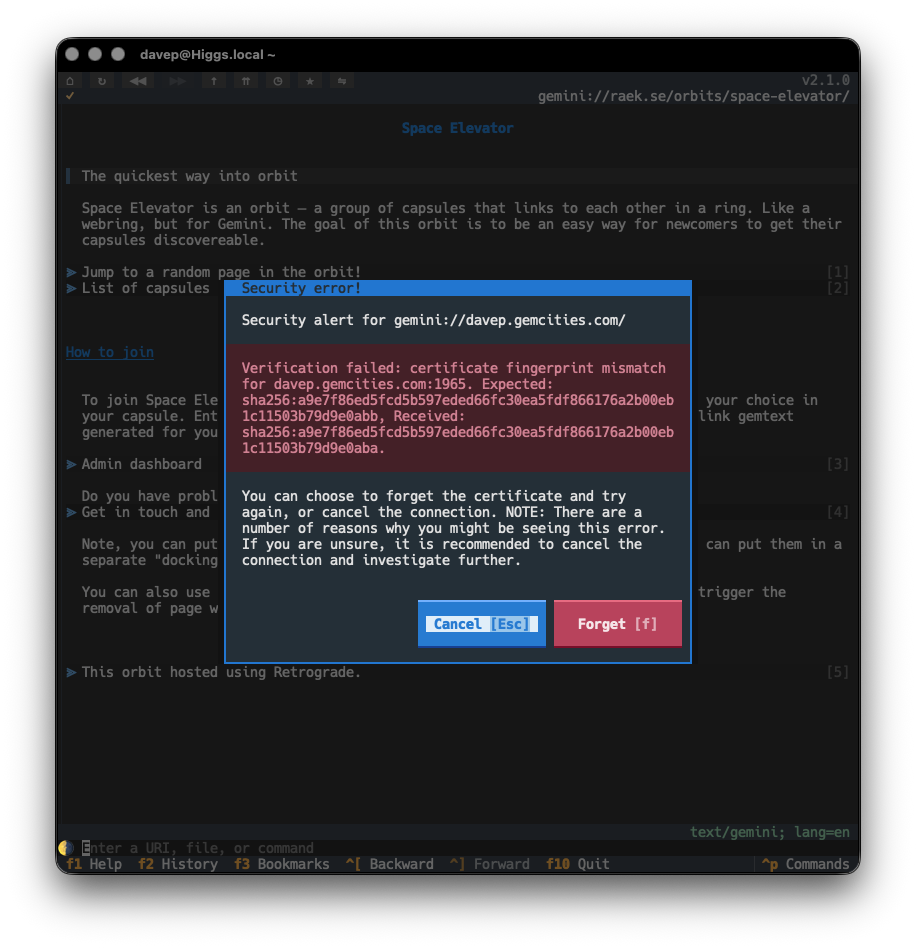
The new feature is one of the last issues I wanted to address when it came to all things related to Gemini and security: the option to "forget" the certificate fingerprint of a host when the fingerprint has changed.
Until now, if you visited a site that was using a self-signed certificate, and the fingerprint for that certificate had changed, you'd just get an error toast and the page would not be loaded. Technically this is the safest thing to do, but it's not the most pragmatic approach most of the time; capsules will change up certificates and you probably know you can still trust them.
So, from now on, rather than simply refusing to load the page, Rogallo will tell you about the issue and then offer to forget the fingerprint and try again.
This should make the issue more noticeable and also easier to handle.
I've just released v2.0.0 of Rogallo. This release has quite a lot of changes, one or two of them "breaking changes", hence the bump to v2.0.0. I will add though that, when I say "breaking changes", nothing should actually break, it's just some features have changed in an incompatible way and some application commands have been removed or renamed (and so some default keyboard bindings have changed). The worst that might happen is a keyboard binding you set up no longer works.
While Rogallo supported the creation and use of client certificates for use with Gemini capsules, it never made it that easy to work with them. Creating and using them was pretty frictionless, but if you were someone who wanted to bring your own certificate from another application, you were on your own. Actually doing that was easy enough, if you were comfortable with diving into the certificate directory and hand-editing the JSON file to create the association. What was lacking though was a good interface to manage all of this in the application.
This version solves that problem. Rogallo now contains a client certificate manager that lets you:
Create new client certificates
Add and remove associations for client certificates
Delete client certificates
Import client certificates
Export client certificates
Also, when you encounter a capsule that demands a certificate and you don't have one associated, you can pick an existing one from your certificate library; before the only option you had was to create a new one.
Initially, when I first started work on Rogallo, I had a simple history list that could be popped in/out on the side of the display. Then, when I added bookmarks, this became a sort of toggle, with either the history showing, the bookmarks showing, or both hidden. The command to show the history would hide the bookmarks; the command to show the bookmarks would hide the history; both would toggle themselves to hide. This was... kind of messy, but it worked.
When I started work on the certificate manager it made sense that it also occupied the same space. However, the code for managing this, and the resulting user experience, started to get pretty messy. I wasn't at all happy with it so ended up going on a bit of a side-quest to clean this up.
The result is that Rogallo now has a tabbed side panel (similar to the one in Hike). This contains the bookmark manager, history manager and client certificate manager.
This is where one of the main breaking changes comes in: the ToggleHistoryManager and ToggleBookmarksManager commands have been removed from Rogallo and their default keyboard bindings have been freed up. Also, to clean up the naming of things, I've renamed JumpToSidebar to JumpToSidePanel.
I feel this side panel approach is far cleaner and far easier to work with.
It's also worth noting that it's moved over to the left side of the display. However, if you'd prefer it on the right there's a configuration option for that.
As part of the work on managing client certificates, I added a dialog that lets you view details of a certificate. As well as being available in the certificate manager, it can also be used to view any certificate that might be in use when viewing the current page. The AboutClientCertificate command (bound to Shift+F7 by default) can be used to bring up the view.
For the folk who lean more on the mouse, the key icon that appears in the title bar of the viewer can be clicked on to get the same view.
The command line in the application now tries to be a little bit smarter when it comes to understanding input. Before now, if you were to type in example.com, Rogallo would assume that you were attempting to visit a Gemini capsule on that host and process the input as if it were gemini://example.com/. This release extends this a little.
If the input doesn't appear to be anything else and it includes a @ it will be turned into a finger URI. So user@example.com becomes finger://example.com/user and @example.com becomes finger://example.com/.
If the first part of the host has a recognisable protocol name, it will be assumed that that protocol should be used. In other words:
I've overhauled the code that does emoji removal if you toggle removal on. More work is done to identify "real" emoji. This should mean that all the usual colourful image-like candidates are removed, but now things like braille and box drawing characters, etc, won't be removed.
Also, when removing an emoji, if there is a space following it, that space will also be removed. This solves the cosmetic problem of "👉 This" being turned into " This" when it would make more sense that it is turned into "This".
It's worth keeping in mind here that this isn't intended to be a 100%-correct solution. It's aimed at being a good-enough solution to clean up most of the emoji clutter if you don't like that sort of thing.
My general approach to developing anything is one of "make it right then make it fast". I've never been a fan of early optimisation, and when I've watched people obsess over such things far too early in a codebase's lifecycle I've generally watched them get into a mess. I like to try and avoid that mess.
So this was my approach with Rogallo. When it came to building the widget that displayed the content of a page, I spent my time trying to ensure it was correct, not that it was fast. Quite quickly, however, I found that once a page had quite a few links on it -- especially when you got to many 100s of links -- performance was terrible. I'd had an issue sat in TODO for this from the start, but hadn't gone back to address it.
Then the other day someone else noted this issue so I decided it was time to go back and work on it. As of this release of Rogallo you should find that a page with 1,000 links on it performs about as well as a page with a handful of links.
In doing this work I've also made a lot of optimisations to how a page is initially built; so not only should a page be more responsive as you navigate it, it should be noticeably quicker to appear in the first place.
There's a lot in this release and I'm really delighted with how it's turned out. I wasn't intending to make quite so many large changes, but each bit of work naturally caused the next bit of work and... well, here we are.
With this work out of the way I can start to look at the one remaining protocol that's currently on the TODO list, and also look at making some other quality-of-life improvements.
While it might seem that it's been pretty quiet on the Rogallo front the past few days, I've been doing some work on it every day. There are a lot of changes and improvements coming. As I got the next release ready, I realised that some of the support libraries I've built for it were stuck with 0.x versions while, at the same time, having proven to be quite stable.
So I've just made v1.0.0 updates to the following:
There are no material changes in any of these releases, the only real change being the bump to v1.0.0, and so marking them as stable and, of course, guaranteeing that semantic versioning promises are now in place.
I've just made a small but important bug fix to Rogallo. Currently, I'm working on a more comprehensive approach to managing client-side certificates and, in doing so, I noted a bug with how such certificates are currently created by Rogallo.
Simply put: by default, Rogallo should create certificates that effectively never expire (the actual expiry time is the end of 9999-12-31). Instead, if no actual expiry time was given, the certificates were being created to expire a year after creation.
This does mean that, if you've created a client certificate with Rogallo and didn't specify your own expiry date, it currently has a far more limited lifespan than you were probably expecting. As such, you might want to review them and consider making fresh ones and setting them up well before they expire (expiry probably being some time in July next year, given that Rogallo itself has only been fully usable since around July this year).
Apologies if you've used this facility and it accordingly results in a little extra work. Thankfully it came to light sooner rather than later, and it has come to light while I'm giving client certificate management a big overhaul.