Posts tagged with "terminal"

Peplum v1.1.0

1 min read; 5 GFI

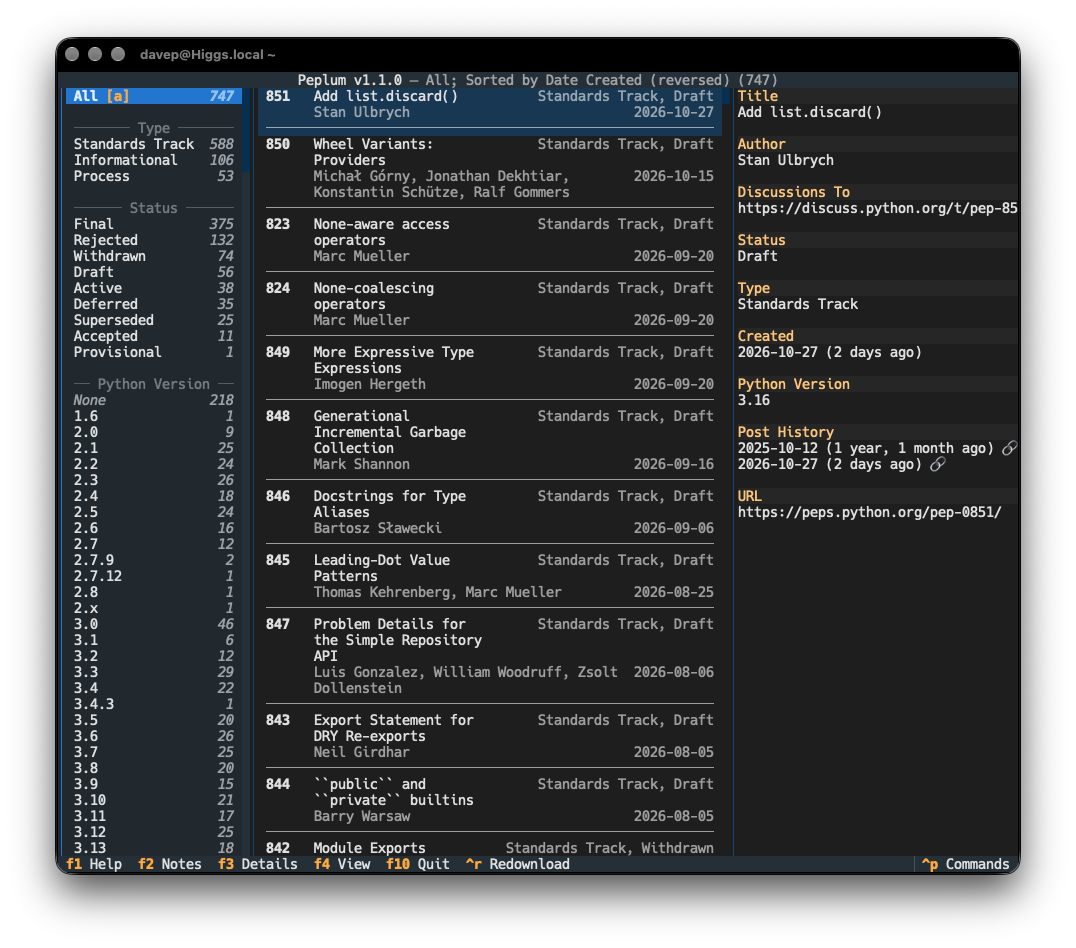
I've just updated Peplum to v1.1.0. For anyone who might not have run into it before, Peplum is a simple terminal-based browser and reader for Python PEPs. I first released it in January last year and it's been pretty stable since. Earlier today, though, I noticed it falling over due to an unexpected value in one of the properties of a PEP.

Peplum

So this release fixes that issue. It also drops support for Python 3.10 (which is now end of life) and CI now also tests with Python 3.14 and 3.15.

Peplum can easily be installed with uv:

uv tool install peplum

Once installed, simply run peplum.

Terminal bean soup

3 min read; 10 GFI

I'm sure most people reading this will be familiar with the concept of "bean soup theory". In case anyone isn't, here's how Wikipedia describes it:

A specific phenomenon described as a 'What about me' effect. An individual watches a video that doesn't pertain to them, but finds a way to make it about them anyway. Stems from a 2023 TikTok recipe for bean soup, with commenters saying "What if I don't like beans?"

I feel there's a very specific set of folk who love to "bean soup" anything relating to terminals, and it's common to have them turn up in your mentions if you happen to do anything in the terminal, or for the terminal, that isn't about their purist opinions and how everything must be a Vim clone, or worse.

I first encountered this when I started working at Textualize. Unsurprisingly, given the point, purpose and focus of Textual, some folk would turn up in the Discord server, in the issues, in the discussions, in the mentions of posts in various places, and post their very important opinions about how TUI software must work. Not... discuss their preferences, or offer suggestions (there were plenty of people who were pleasant like that, they were lovely to converse with), no: their engagement was written as if every word that was mashed into their keyboard was a well-crafted, handed-from-on-high RFC-like holy document that MUST and SHOULD be followed1.

If I was being very charitable I could cut them some slack. If you're building a framework for building applications for the terminal, there's a good reason to make it at least possible for the application authors to follow recognised best practice and to stick with hard-won conventions. Indeed, Textual has some design choices that I think are deeply questionable and misguided and I objected to them on more than one occasion. So, yeah, if I was being charitable, I could cut them some slack.

I could... if they weren't such arseholes about it.

This gets worse though if you're building an application for the terminal, especially if it's built as Free Software and the motivation is to build something for yourself and be kind enough to share. It irks the hell out of me when I build some application for myself, as a TUI, and then someone turns up and starts complaining about my choice of default key bindings, that work in my choice of terminal emulator and my configuration for that emulator.

It's even worse when they do it in a way where they have to show their very deep knowledge of terminals, and how they're very proud of just how lacking in features and progress their own choice of terminal emulator is.

Dude...2 I know. I've used physical terminals. I've written COBOL on a minicomputer using a line editor on some honking great dumb all-green all-in-one box. I've even written code on a terminal using fan-fold paper. I've used all sorts of terminal emulators. I spent well over a decade doing shit inside rxvt which was running on my GNU/Linux server while displaying on my Windows desktop machine.

I've installed and tested plenty of terminal emulators.

I'm well aware of the conventions and expectations. If Ctrl+C doesn't quit... that is my choice. It's not ignorance, it's not a lack of history with this stuff, it's a choice. For my software.

So when you turn up and feel the need to tell me that some function keys might not work in some terminal on some GNU/Linux box... I get it, you don't like beans. If that's the case, how about you either don't make my hobby all about your tastes and how I should build my application to suit you, or how about you RTFM and configure my application so it works in your choice of terminal?

I mean... we know you won't. We know you don't even care about the application I'm having tons of fun building, that I'm spending time in a joyous flow-state creating and tinkering with. You just care about making the post all about you and your purity. We know you just care about showing how smart you are.

We know you just can't resist the urge to reply-guy3.

We get it: you don't like bean soup. Nobody cares. Nobody asked.

  1. That reminds me: one day I should write a rant about the folk who obsess about the "Zen of Python". ↩

  2. Let's be honest: it's always a dude. ↩

  3. Let's be honest: it's always a guy. ↩

OldNews v1.4.2

1 min read; 10 GFI

OldNews

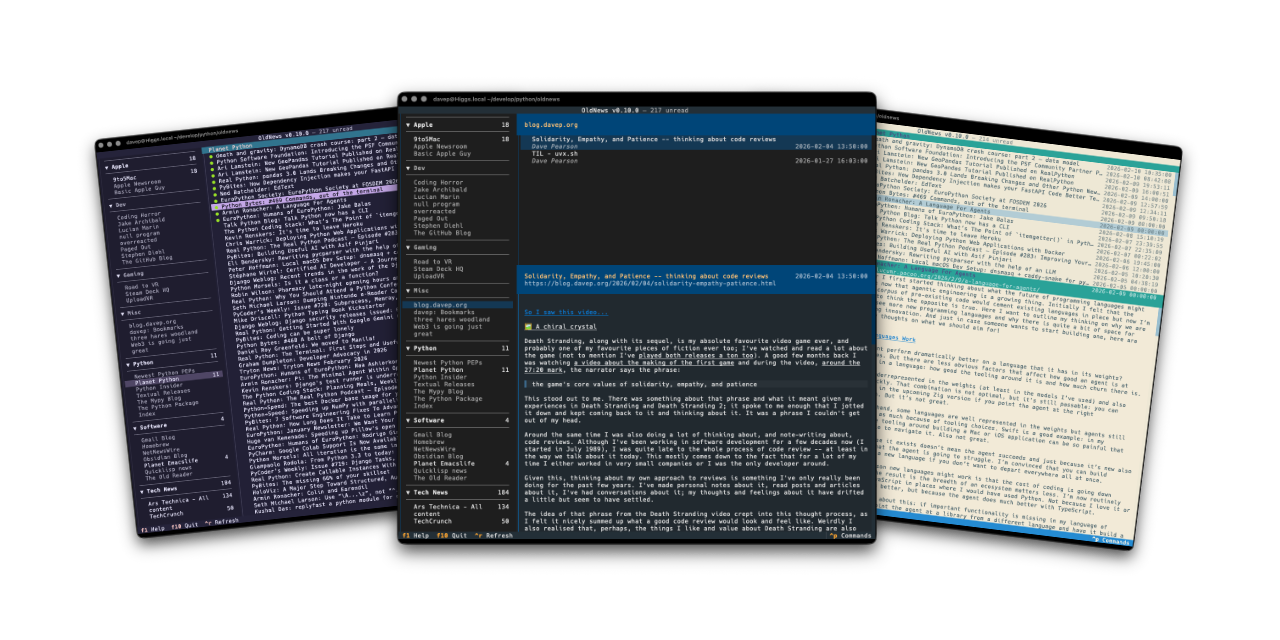
I've made a minor bump to OldNews, my terminal-based client for TheOldReader. There's no significant change in this release, but it does change the dependency on html-to-markdown.

Since I initially released the application, this library seems to have been through a couple of significant changes, and not every breaking change seems to have resulted in a major version bump. OldNews doesn't pin this dependency to a major version (I try not to, only ever setting lower-bounds for dependencies where possible), so it's fair that a change there can break things. I also think it's fair to hope that minor version changes won't cause trouble.

Recently, I've seen the library update with a minor version change and it's flat-out caused runtime errors, either because the API has changed, or because of an error being thrown by legitimate use of the API.

Most recently, such an error happened, and was fixed by the time I noticed it, but the release that was made never made it up to PyPI. This left OldNews stuck not working. Because of this I had to pin the library to an earlier version.

It's now been updated again and PyPI is correct, so I think it's safe to relax the pin.

Fingers crossed...

Braindrop v1.1.0

1 min read; 9 GFI

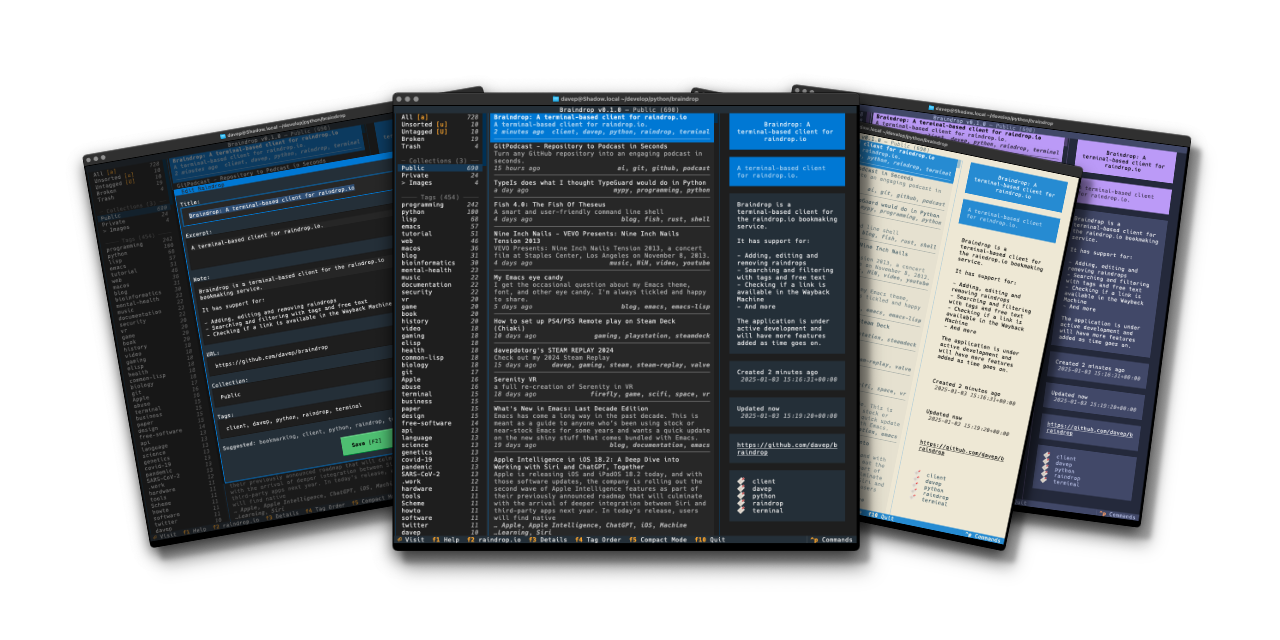
Braindrop

It's now well over a year since I released Braindrop and it's in constant use by me. I continue to find raindrop.io a really useful resource, and more often than not manage, edit, tag, and review what I save there with Braindrop, including which become public, and which don't.

I've made a few small changes to the application in the past year and a bit, but not much. It's been stable and useful. But on the back of a recent change I made to OldNews, I felt I needed to make the same change here.

So with the release of v1.1.0 I've added three new commands to the application:

  • JumpToNavigation - Jump to the navigation panel; bound to 1 by default
  • JumpToRaindrops - Jump to the main raindrops list panel; bound to 2 by default
  • JumpToDetails - Jump to the details panel for the selected raindrop, if the panel is visible; bound to 3 by default

Now it's just a little easier and quicker to get around the UI.

If raindrop.io is your thing, and you want to work with your saved bookmarks in the terminal: Braindrop is licensed GPL-3.0 and available via GitHub and also via PyPI. It can also be installed using uv:

uv tool install braindrop

If you don't have uv installed you can use uvx.sh to perform the installation. For GNU/Linux or macOS or similar:

curl -LsSf uvx.sh/braindrop/install.sh | sh

or on Windows:

powershell -ExecutionPolicy ByPass -c "irm https://uvx.sh/braindrop/install.ps1 | iex"

If uv isn't your thing then it can also be installed with pipx:

pipx install braindrop

Once installed, run the braindrop command.

OldNews v1.4.0

1 min read; 10 GFI

OldNews

Yesterday evening I released v1.4.0 of OldNews, my terminal-based client for TheOldReader.

The change in this release is pretty straightforward, but something I kept finding myself wanting. I've added three new commands to the application:

  • JumpToSubscriptions - Jump to the subscriptions panel
  • JumpToArticles - Jump to the articles panel
  • JumpToArticle - Jump to the article panel

By default they're bound to 1, 2 and 3. So now skipping around the UI and navigating to a different article or blog is just a bit quicker.

If you're a user of TheOldReader and fancy interacting with it from the terminal: OldNews is licensed GPL-3.0 and available via GitHub and also via PyPI. It can also be installed using uv:

uv tool install oldnews

If you don't have uv installed you can use uvx.sh to perform the installation. For GNU/Linux or macOS or similar:

curl -LsSf uvx.sh/oldnews/install.sh | sh

or on Windows:

powershell -ExecutionPolicy ByPass -c "irm https://uvx.sh/oldnews/install.ps1 | iex"

If uv isn't your thing then it can also be installed with pipx:

pipx install oldnews

Once installed, run the oldnews command.

Ghosted by Ghostty

1 min read; 5 GFI

I just grabbed and opened up the MacBook Air and met this:

Ghosted!

First time I've ever seen this and I've been using Ghostty for quite a while now.

To be fair, the MacBook did update to 26.4.1 overnight and has tried to get back to the state it was in before the restart, so I imagine that's the cause. But I've never seen this before.

I'm all good now; I ⌘-q the app and started it again and there's no sign of a problem.

Goodness knows how I get to see that log...

OldNews v1.3.0

1 min read; 11 GFI

OldNews

Yesterday evening I released v1.3.0 of OldNews, my terminal-based client for TheOldReader.

The main reason for this release is that html_to_markdown had a major release and the one function I use from it fundamentally changed the return type, causing OldNews to crash any time you tried to read an article.

It was a quick enough fix, although it's one I want to go back and review and perhaps see if there's a better approach, or see if this new return type offers something I could be making better use of.

The one other change, which I made a wee while ago but hadn't got round to releasing yet (I've been kind of distracted recently), is that OldNews now only makes a call out to the API to mark an article as read when you read it, but only if it was previously unread. A small internal change nobody should really notice, but it saves on work.

If you're a user of TheOldReader and fancy interacting with it from the terminal too then it's out there to try out. It's licensed GPL-3.0 and available via GitHub and also via PyPI. If you have an environment that has pipx installed you should be able to get up and running with:

pipx install oldnews

It can also be installed using uv:

uv tool install oldnews

If you don't have uv installed you can use uvx.sh to perform the installation. For GNU/Linux or macOS or similar:

curl -LsSf uvx.sh/oldnews/install.sh | sh

or on Windows:

powershell -ExecutionPolicy ByPass -c "irm https://uvx.sh/oldnews/install.ps1 | iex"

Once installed, run the oldnews command.

Hike v1.4.0

1 min read; 10 GFI

Hike, my wee terminal-based Markdown viewer/browser, has had an update to v1.4.0. In this update I've made a change I've been meaning to make for ages: some support for "wiki links".

By that I mean the sort of link markup you often see in Markdown documents made with Obsidian:

In other words [[this]] instead of [this](kind-of-link.md)

Personally it's something I seldom need, but on the occasion I have been delving into my Obsidian vaults with Hike I've wished the links at least rendered "correctly", even if they wouldn't fully work.

On that note, it's worth keeping in mind that this "wiki link" implementation in Hike doesn't support something that Obsidian does: find the most likely target file for a given link. If you click such a link, Hike expects the file to be exactly where the link suggests. There's no going off and finding the most likely match in the "vault", etc (Hike obviously has no concept of a "vault").

I'm open to the idea of extending this at some point, perhaps, but not yet. The intention here isn't to build a terminal-based Obsidian-a-like, but instead to build and maintain a workable Markdown browser/viewer (and occasional editor).

Hike is licensed GPL-3.0 and available via GitHub and also via PyPI. If you have an environment that has pipx installed you should be able to get up and going with:

pipx install hike

If you're more into uv:

uv tool install hike

If you don't have uv installed you can use uvx.sh to perform the installation. For GNU/Linux or macOS or similar:

curl -LsSf uvx.sh/hike/install.sh | sh

or on Windows:

powershell -ExecutionPolicy ByPass -c "irm https://uvx.sh/hike/install.ps1 | iex"

Hike v1.3.0

1 min read; 8 GFI

I've just released v1.3.0 of Hike, my little terminal-based Markdown browser. It's about a year now since I made the first release and I've been making the odd update here and there, but mostly it's a pretty stable tool. There's a few other things I'd like to do with it but I keep getting distracted by different ideas.

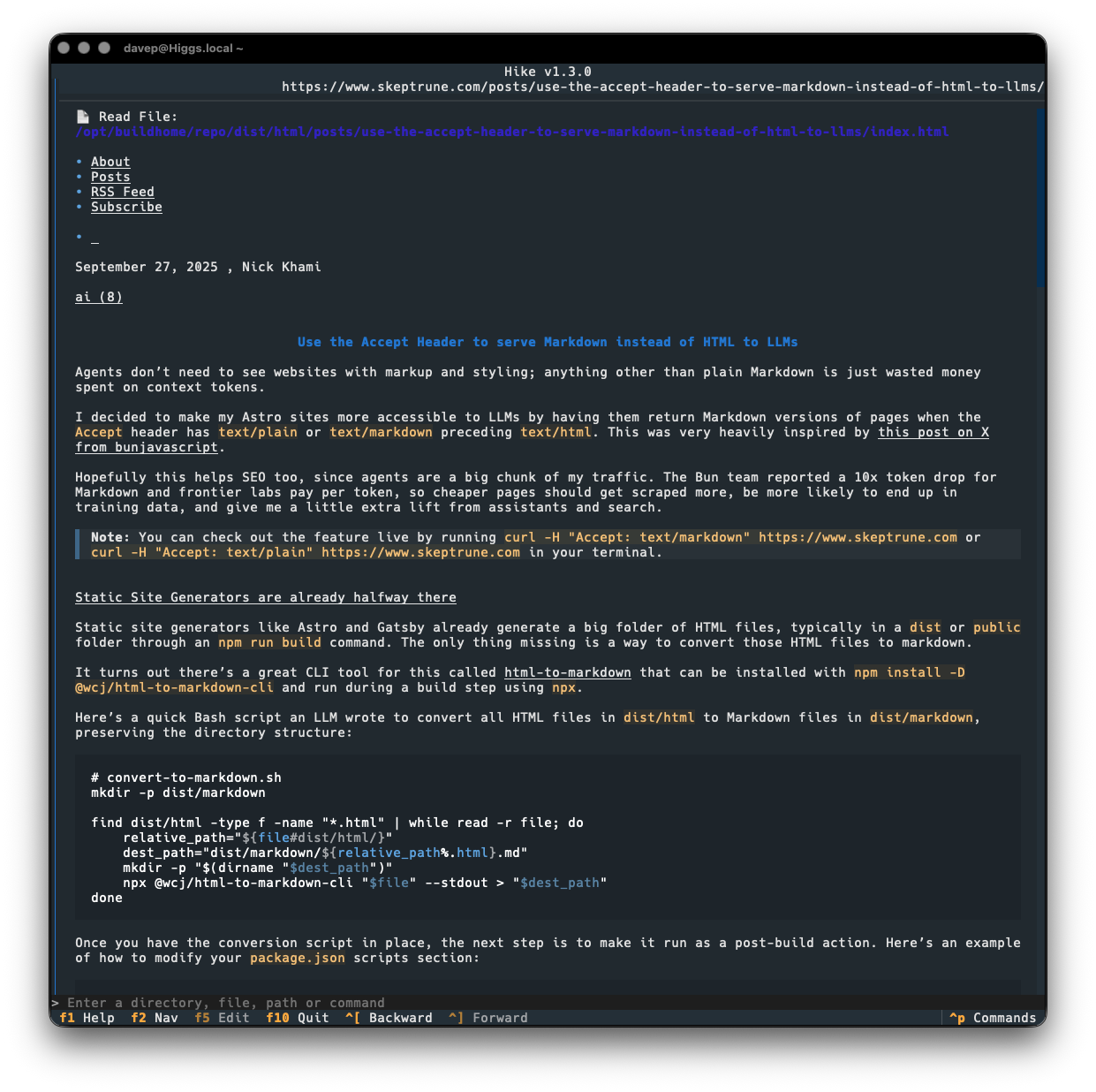
Today's release sort of rides on the coattails of the current love for all things Markdown because of "the AI". It seems that some folk are now keen on the idea of serving Markdown from their websites, when asked for it: as you can see in this post for example. While that might be handy for some LLM bot or whatever, it's also pretty handy if you happen to have a web-friendly Markdown browser!

So v1.3.0 makes a small change to how a URL is looked at when deciding if it might be a Markdown document, by saying "hey, web server, I like Markdown more than anything else, so feel free to serve me that up". If we get a Markdown type back, we go ahead and load it into Hike.

This means that the post mentioned above loads up just fine now:

Viewing a Markdown site in Hike

Previously, Hike would have gone "nah, that's not a Markdown document" and would have handed off to the environment's web browser.

Hike is licensed GPL-3.0 and available via GitHub and also via PyPI. If you have an environment that has pipx installed you should be able to get up and going with:

pipx install hike

If you're more into uv:

uv tool install hike

If you don't have uv installed you can use uvx.sh to perform the installation. For GNU/Linux or macOS or similar:

curl -LsSf uvx.sh/hike/install.sh | sh

or on Windows:

powershell -ExecutionPolicy ByPass -c "irm https://uvx.sh/hike/install.ps1 | iex"

Complexitty v1.1.0

1 min read; 11 GFI

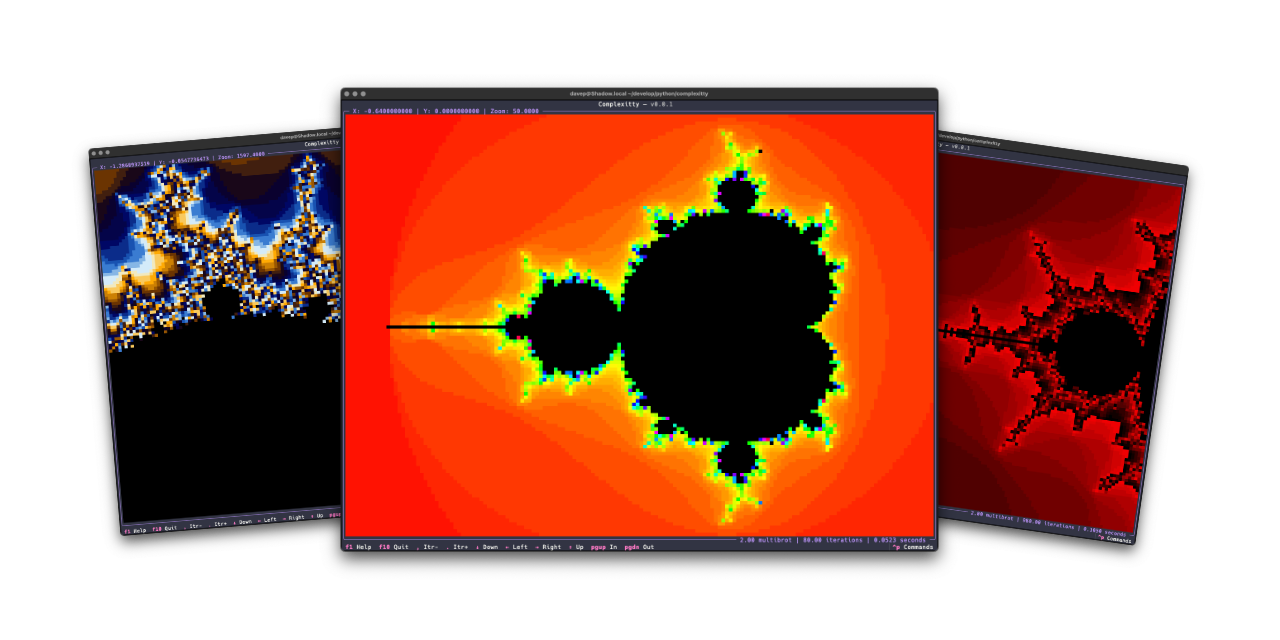
Complexitty

I've just released v1.1.0 of Complexitty, my little Mandelbrot explorer for the terminal. I first released it in April last year and have tinkered with it on and off since. Most of the changes have been to do with easier navigation, some additional colour schemes, the ability to pass location information on the command line, that sort of thing; meanwhile, the very heart of it has stayed the same "it's as fast as it's ever going to be expect it to not be fast" approach.

It's a Python application after all: they can be fast, but something like this isn't going to compete with the serious Mandelbrot explorers.

v1.1.0, however, has a little optional speedup. If you install it normally it'll work at the pace it always did: the more you zoom in, the more you ramp up the iterations to tease more detail out, the slower it gets. But now: if you install it as complexitty[faster] rather than just as complexitty it will use Numba to speed up the main calculation.

On the very first run things will be slow to start up, but from then on I see a real improvement. As you zoom in and explore and up the detail, the calculation remains pretty fast. The drop-off of speed that you see without Numba just isn't there.

While the whole idea of Complexitty was to see what I could do with Python, in the terminal, using Textual, and keeping it "pure", I feel this is an acceptable "cheat" given it's optional.

I'm considering this an experimental change for now, as I don't know how well it will work in all places where Complexitty could be otherwise installed. So give it a go, see if it installs and runs as complexitty[faster], and if it doesn't: fall back to plain old complexitty.

If you're interested you can find the source over on GitHub, with the application available via PyPI. If you use pipx you should be able to install with either:

pipx install complexitty[faster]

or

pipx install complexitty

If you're a fan of uv (and who isn't these days?) then try either:

uv tool install complexitty[faster]

or fall back to:

uv tool install complexitty

In fact, to squeeze everything you can out of Complexitty, perhaps try:

uv tool install complexitty[faster] --python 3.14