Posts tagged with "textual"

Rogallo v0.2.0

1 min read; 10 GFI

Rogallo v0.2.0 is now available. This version fixes some issues with links, makes gemtext parsing better conform with the specification, and also makes it easier to see where a link will take you.

The first issue is a fix to how page-relative links were resolved if the page you were viewing was the result of a redirection. What was happening was the links were being resolved relative to the initial URI, rather than the final URI of the redirection. This was most noticeably a problem when following links in the geminispace equivalent of webrings. The main change took place in Wasat, with Rogallo making use of the new Response.uri property.

The second fix was to how I parse gemtext. The initial parser was close enough, but I noticed there were some finer points relating to whitespace that I hadn't paid attention to (mainly due to skim-reading the specification). For example, I expected links to always start with => followed by a space, when in fact a link can simply start with a => and then be followed by the URI with no space.

link-line = "=>" *WSP URI-reference [1*WSP 1*(SP / VCHAR)] *WSP CRLF

Similar improvements to the detection of headings and quotes have also been added.

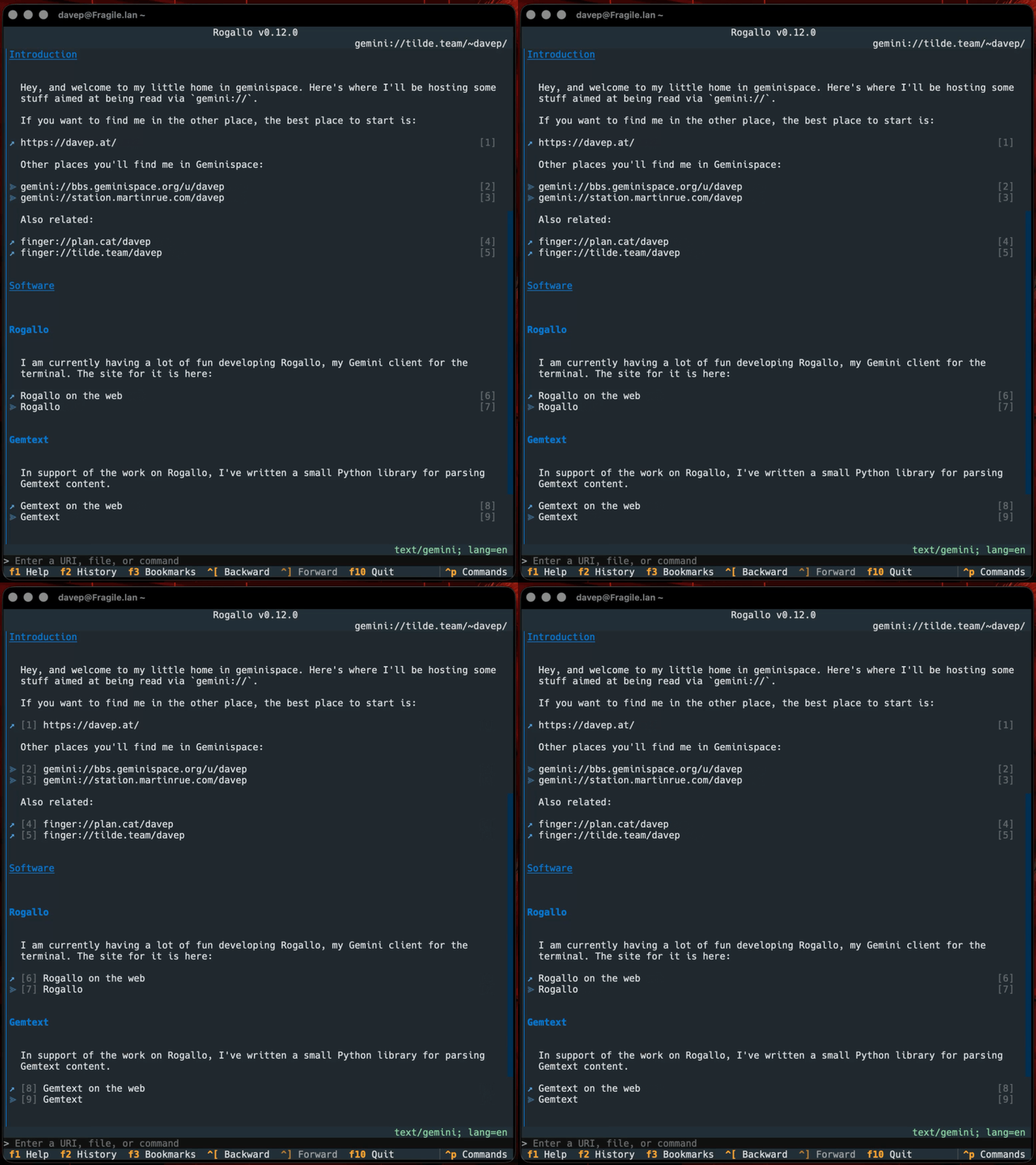
Finally, I've added a couple of features which make it easy to know where a link will take you. The first is that I've added a tooltip to each link, so that when you hover the mouse cursor over it the URI will be displayed. But, because not everyone is mouse-oriented in the terminal1, I've also added a status bar to the main viewer panel that shows the URI of the focused link.

The Rogallo status bar

As you tab through the links it will update, of course.

Status bar in action

This should ensure that links are less likely to be surprising.

If any of this sounds interesting and you want to have a play, Rogallo is licensed GPL-3.0 and available via GitHub and also via PyPI. If you have an environment that has pipx installed, you should be able to get up and running with:

pipx install rogallo

It can also be installed using uv:

uv tool install rogallo

If you don't have uv installed, you can use uvx.sh to perform the installation. For GNU/Linux, macOS, or similar:

curl -LsSf uvx.sh/rogallo/install.sh | sh

or on Windows:

powershell -ExecutionPolicy ByPass -c "irm https://uvx.sh/rogallo/install.ps1 | iex"

Once installed, run the rogallo command.


  1. Quite right too. 

Rogallo v0.1.0

1 min read; 12 GFI

I've just made public, and published to PyPI, v0.1.0 of Rogallo. As mentioned a couple of times recently, it's a terminal-based client for the Gemini Protocol.

Rogallo displaying the Gemini home page

This is a very early release, with lots of things still to be added. Right now it's at a place where it interacts with the basics of the protocol, handles the document format, and has the basic navigation facilities you'd expect from a document browser. Things I aim to add over the next few weeks include, in no specific order:

  • A bookmark facility
  • Support for the protocol's user input facility (status 1x)
  • Support for the protocol's client authentication facility (status 6x)
  • Support for local browsing (I want to be able to view and navigate local gmi files)
  • A settable home page
  • The ability to clear down the location history
  • A cache system

I'll also be updating the TODO list as other ideas come to mind.

Another thing fairly high on the list is documentation. For now, Rogallo should be pretty easy to grasp, and there is a help screen that describes all the keyboard bindings in the current context.

The help screen

Commands that can be run can also be discovered via the command palette.

The command palette

For those who care about different looks, there is, of course, support for loading up different themes.

The theme options

This means that even folk who, for some reason, like light themes, can go light too.

Rose pine theme Latte theme

Not really my thing, but I'm told some people like this.

If any of this sounds interesting and you want to have a play, Rogallo is licensed GPL-3.0 and available via GitHub and also via PyPI. If you have an environment that has pipx installed, you should be able to get up and running with:

pipx install rogallo

It can also be installed using uv:

uv tool install rogallo

If you don't have uv installed, you can use uvx.sh to perform the installation. For GNU/Linux, macOS, or similar:

curl -LsSf uvx.sh/rogallo/install.sh | sh

or on Windows:

powershell -ExecutionPolicy ByPass -c "irm https://uvx.sh/rogallo/install.ps1 | iex"

Once installed, run the rogallo command.

As I say above, this is very early days for the project, so don't be surprised if you find something missing, or even run into a bug or two. If you need help, have any ideas, or find any problems, please feel free to raise an issue or start a discussion.

Gemini client history (redux)

1 min read; 12 GFI

A couple of days ago I thought I had history working well in the Gemini client I'm working on; I was wrong. It worked, but the more I used it the more I felt it wasn't quite right. The main problem was I had a single history structure that served both the navigation history (moving backwards and forwards) as well as the general location visit history (the list of places I've visited). It made sense initially, but in use it just wasn't cutting it.

So now I've redone it, using two different history lists that also grow in rather different ways. For the navigation history, when "adding" a new location, everything after the current location gets removed, making the new location the latest in the list. The visit history, on the other hand, grows more like an ordered set: if I add a location that is already in the list, the older version is removed and it is added to the end of the list. In doing this, it's also allowed me to track the date and time I've visited a location, which means I can now have a useful history panel (which can be popped in and out of view) that shows me where I've been, and when.

Client, showing the history panel

Having done this, I now want to take some of these approaches and apply them to Hike. It has a pretty simple location and navigation history system that suffers from the same issues that I wasn't liking in this project. It'll benefit quite a bit from this improvement. I sense a v2.0.0 of Hike in the next few months.

As for when I'll let this project see the light of day: I think I'm close to opening the repository and publishing the first version to PyPI. I had wanted to do it sometime yesterday, but the above kicked in and I've been tinkering more to try and make a stable foundation for the initial release. There's still a lot of work needed for it to be feature-complete, but there's enough here to play and experiment.

Gemini client history

1 min read; 12 GFI

Work continues on my terminal-based Gemini client. So far today I've done a bunch of work on tweaking the presentation of a site, improving some of the widgets that go into the on-screen document. I've also added the start of a history system. So now it's easy to navigate backwards and forwards between pages.

History navigation in action

While there's still a lot of work that I want to do on it, I feel that with the addition of this feature, it might be close to time for me to make it public. It's going well and heading in the right direction, so it feels like the moment when I accept it's not going to be something I abandon, but now have to see to completion.

There are also some design choices I've made this time around that have made me want to revisit Hike at some point in the future. Not for a while yet, but I want to go back and clean up some of the code. After AI-based coding I've been doing lately, it's really nice to be hands-on again and designing every single line. It's a good reminder that working this way ensures a much bigger-picture view of how an application hangs together, and how it can benefit other applications you're maintaining.

Gemini client rendering

1 min read; 11 GFI

Yesterday I got the basic framework of my Gemini client up and going, and this evening I've been working on getting rendering of the gemtext in place. It's not the most tricky format to handle, so the parser and Textual widget to display the result have come together pretty quickly.

Browsing with the client

With this in place I've got the core of a working client now. Next up is going to be adding history with forward and backward navigation, then after that things like bookmarks and so on.

OldNews v1.4.2

1 min read; 10 GFI

OldNews

I've made a minor bump to OldNews, my terminal-based client for TheOldReader. There's no significant change in this release, but it does change the dependency on html-to-markdown.

Since I initially released the application, this library seems to have been through a couple of significant changes, and not every breaking change seems to have resulted in a major version bump. OldNews doesn't pin this dependency to a major version (I try not to, only ever setting lower-bounds for dependencies where possible), so it's fair that a change there can break things. I also think it's fair to hope that minor version changes won't cause trouble.

Recently, I've seen the library update with a minor version change and it's flat-out caused runtime errors, either because the API has changed, or because of an error being thrown by legitimate use of the API.

Most recently, such an error happened, and was fixed by the time I noticed it, but the release that was made never made it up to PyPI. This left OldNews stuck not working. Because of this I had to pin the library to an earlier version.

It's now been updated again and PyPI is correct, so I think it's safe to relax the pin.

Fingers crossed...

Braindrop v1.1.0

1 min read; 9 GFI

Braindrop

It's now well over a year since I released Braindrop and it's in constant use by me. I continue to find raindrop.io a really useful resource, and more often than not manage, edit, tag, and review what I save there with Braindrop, including which become public, and which don't.

I've made a few small changes to the application in the past year and a bit, but not much. It's been stable and useful. But on the back of a recent change I made to OldNews, I felt I needed to make the same change here.

So with the release of v1.1.0 I've added three new commands to the application:

  • JumpToNavigation - Jump to the navigation panel; bound to 1 by default
  • JumpToRaindrops - Jump to the main raindrops list panel; bound to 2 by default
  • JumpToDetails - Jump to the details panel for the selected raindrop, if the panel is visible; bound to 3 by default

Now it's just a little easier and quicker to get around the UI.

If raindrop.io is your thing, and you want to work with your saved bookmarks in the terminal: Braindrop is licensed GPL-3.0 and available via GitHub and also via PyPI. It can also be installed using uv:

uv tool install braindrop

If you don't have uv installed you can use uvx.sh to perform the installation. For GNU/Linux or macOS or similar:

curl -LsSf uvx.sh/braindrop/install.sh | sh

or on Windows:

powershell -ExecutionPolicy ByPass -c "irm https://uvx.sh/braindrop/install.ps1 | iex"

If uv isn't your thing then it can also be installed with pipx:

pipx install braindrop

Once installed, run the braindrop command.

OldNews v1.4.0

1 min read; 10 GFI

OldNews

Yesterday evening I released v1.4.0 of OldNews, my terminal-based client for TheOldReader.

The change in this release is pretty straightforward, but something I kept finding myself wanting. I've added three new commands to the application:

  • JumpToSubscriptions - Jump to the subscriptions panel
  • JumpToArticles - Jump to the articles panel
  • JumpToArticle - Jump to the article panel

By default they're bound to 1, 2 and 3. So now skipping around the UI and navigating to a different article or blog is just a bit quicker.

If you're a user of TheOldReader and fancy interacting with it from the terminal: OldNews is licensed GPL-3.0 and available via GitHub and also via PyPI. It can also be installed using uv:

uv tool install oldnews

If you don't have uv installed you can use uvx.sh to perform the installation. For GNU/Linux or macOS or similar:

curl -LsSf uvx.sh/oldnews/install.sh | sh

or on Windows:

powershell -ExecutionPolicy ByPass -c "irm https://uvx.sh/oldnews/install.ps1 | iex"

If uv isn't your thing then it can also be installed with pipx:

pipx install oldnews

Once installed, run the oldnews command.

OldNews v1.3.0

1 min read; 11 GFI

OldNews

Yesterday evening I released v1.3.0 of OldNews, my terminal-based client for TheOldReader.

The main reason for this release is that html_to_markdown had a major release and the one function I use from it fundamentally changed the return type, causing OldNews to crash any time you tried to read an article.

It was a quick enough fix, although it's one I want to go back and review and perhaps see if there's a better approach, or see if this new return type offers something I could be making better use of.

The one other change, which I made a wee while ago but hadn't got round to releasing yet (I've been kind of distracted recently), is that OldNews now only makes a call out to the API to mark an article as read when you read it, but only if it was previously unread. A small internal change nobody should really notice, but it saves on work.

If you're a user of TheOldReader and fancy interacting with it from the terminal too then it's out there to try out. It's licensed GPL-3.0 and available via GitHub and also via PyPI. If you have an environment that has pipx installed you should be able to get up and running with:

pipx install oldnews

It can also be installed using uv:

uv tool install oldnews

If you don't have uv installed you can use uvx.sh to perform the installation. For GNU/Linux or macOS or similar:

curl -LsSf uvx.sh/oldnews/install.sh | sh

or on Windows:

powershell -ExecutionPolicy ByPass -c "irm https://uvx.sh/oldnews/install.ps1 | iex"

Once installed, run the oldnews command.

Hike v1.4.0

1 min read; 10 GFI

Hike, my wee terminal-based Markdown viewer/browser, has had an update to v1.4.0. In this update I've made a change I've been meaning to make for ages: some support for "wiki links".

By that I mean the sort of link markup you often see in Markdown documents made with Obsidian:

In other words [[this]] instead of [this](kind-of-link.md)

Personally it's something I seldom need, but on the occasion I have been delving into my Obsidian vaults with Hike I've wished the links at least rendered "correctly", even if they wouldn't fully work.

On that note, it's worth keeping in mind that this "wiki link" implementation in Hike doesn't support something that Obsidian does: find the most likely target file for a given link. If you click such a link, Hike expects the file to be exactly where the link suggests. There's no going off and finding the most likely match in the "vault", etc (Hike obviously has no concept of a "vault").

I'm open to the idea of extending this at some point, perhaps, but not yet. The intention here isn't to build a terminal-based Obsidian-a-like, but instead to build and maintain a workable Markdown browser/viewer (and occasional editor).

Hike is licensed GPL-3.0 and available via GitHub and also via PyPI. If you have an environment that has pipx installed you should be able to get up and going with:

pipx install hike

If you're more into uv:

uv tool install hike

If you don't have uv installed you can use uvx.sh to perform the installation. For GNU/Linux or macOS or similar:

curl -LsSf uvx.sh/hike/install.sh | sh

or on Windows:

powershell -ExecutionPolicy ByPass -c "irm https://uvx.sh/hike/install.ps1 | iex"