Posts tagged with "Tinboard"

Tinboard v0.14.0

1 min read

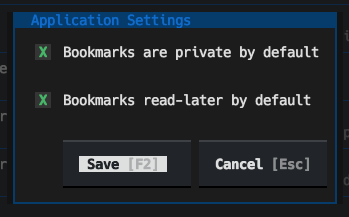
I've just released Tinboard v0.14.0. This release adds a feature that a user requested, where you can set the default values for the privacy and read-later status of a new bookmark:

The application settings dialog

So, any time you create a new bookmark, the edit dialog will use those values by default. It's a feature that makes perfect sense but I didn't think to add it early on because... well, I set the defaults to my preference.

Tinboard can be installed with pip or (ideally) pipx from PyPi. It can also be installed with Homebrew by tapping davep/homebrew and then installing tinboard:

brew tap davep/homebrew
brew install tinboard

The source is available on GitHub.

Tinboard v0.12.0

2 min read

Tinboard has turned into a tool I use pretty much every day; it's probably my most-used Textual/Python-developed application at this point. This is causing me to think more and more about how I can add things to it that are related to the core purpose, but are also outside of the main "interface with Pinboard" thing.

A thing with keeping bookmarks for a long time is that some of them go stale, go away. Some will just plain 404, others the whole site will disappear. If I find myself going back to a bookmark and seeing this is the case, I'll hit the Wayback Machine and see if there's an archive there.

So I got to thinking: what if I add the ability to perform this check into Tinboard itself? So I did just that.

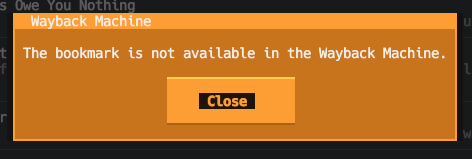
Now, in the application, if you press w with a bookmark highlighted, it will check with the Wayback Machine to see if the bookmark is in the archive. If it isn't you see this:

No archive result

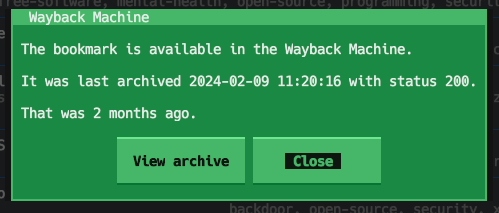
On the other hand, if it is in the archive, you'll see something like this:

Is in the archive result

I sense this is going to be the first step in a couple of features related to this. I'm thinking that I may go on to add a "swap the URL for this bookmark with the Wayback Machine archive URL" feature, which will be handy for those bookmarks that have one away, and it would also be useful to look at the options for a "please archive a copy of this bookmark" feature.

But, for now, v0.12.0 is available and has this handy (for me anyway) first step.

Tinboard can be installed with pip or (ideally) pipx from PyPi. It can also be installed with Homebrew by tapping davep/homebrew and then installing tinboard:

brew tap davep/homebrew
brew install tinboard

The source is available on GitHub.

Tinboard v0.11.0

1 min read

While my time working on Textual might have come to an end, my time working with Textual hasn't. Three days back I experimented with Textual's newly-added "inline mode":

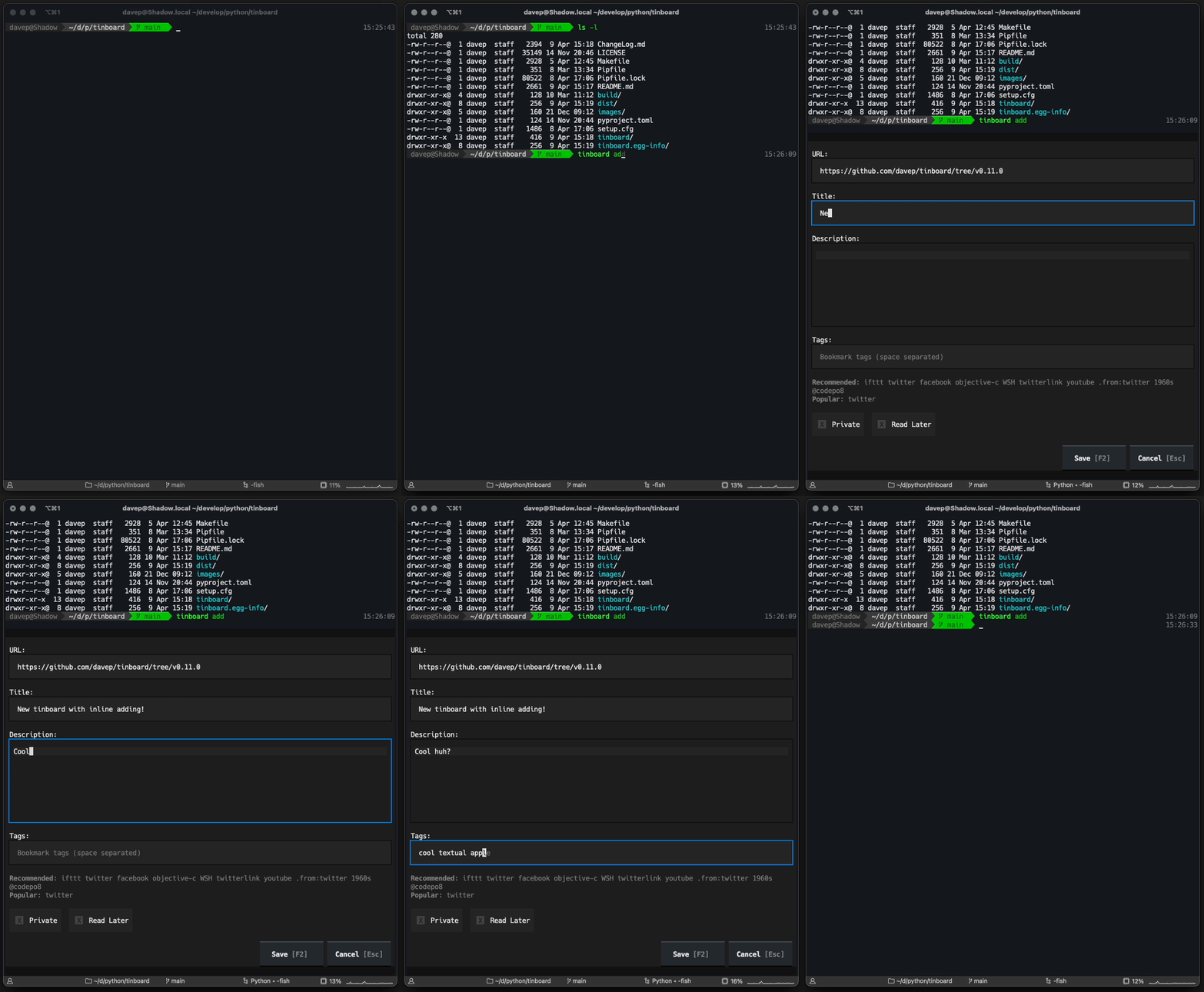
In doing so I extended the application so that it's possible to run tinboard add and quickly enter a new bookmark and then carry on in the terminal, without needing to "go fullscreen". I'll admit it's of limited use, but it seemed like a good shakedown of the feature and in working on it I was able to discover a couple of bugs (#4385, #4403).

The effect of this is this:

Tinboard inline addition in action

Tinboard can be installed with pip or (ideally) pipx from PyPi. It can also be installed with Homebrew by tapping davep/homebrew and then installing tinboard:

brew tap davep/homebrew
brew install tinboard

The source is available on GitHub.

Tinboard v0.10.0

2 min read

I just realised that it's been a while since I last posted an update about tinboard. This is probably my most-used Textual-based application, and one I'm constantly tinkering with, and just this morning I published v0.10.0.

Often the changes are small tweaks or fixes to how it works, sometimes they're simply updates to the version of Textual used, making use of some new feature or other; I've yet to add another "major" feature so far. They will come, but so far the ideas I have for the application haven't actually felt that necessary. Although I say so myself it does what I need it to do and it does it really well.

So, as a quick catch-up of what's changed since v0.4.0 (which was the last version I posted about):

  • v0.5.0 was released 2024-01-04; this included all the tags of a bookmark when doing full-text searching.
  • v0.6.0 was released 2024-01-10; it fixed a small bug where the tag suggestion facility got confused by trailing spaces in the input field.
  • v0.7.0 was released 2024-02-02; this updated the minimum Textual version to v0.48.2 and removed all the custom changes to the Textual TextArea widget, making use of the updates to TextArea that version of Textual made available.
  • v0.8.0 was released 2024-02-18; this fixed a crash on startup caused by a newer release of Textual (the fault was in tinboard; the update to Textual helped reveal the problem).
  • v0.9.0 was released 2024-02-29; it simply added support for using Esc at the top level of the application to quit (I like to camp on Esc to GTFO).

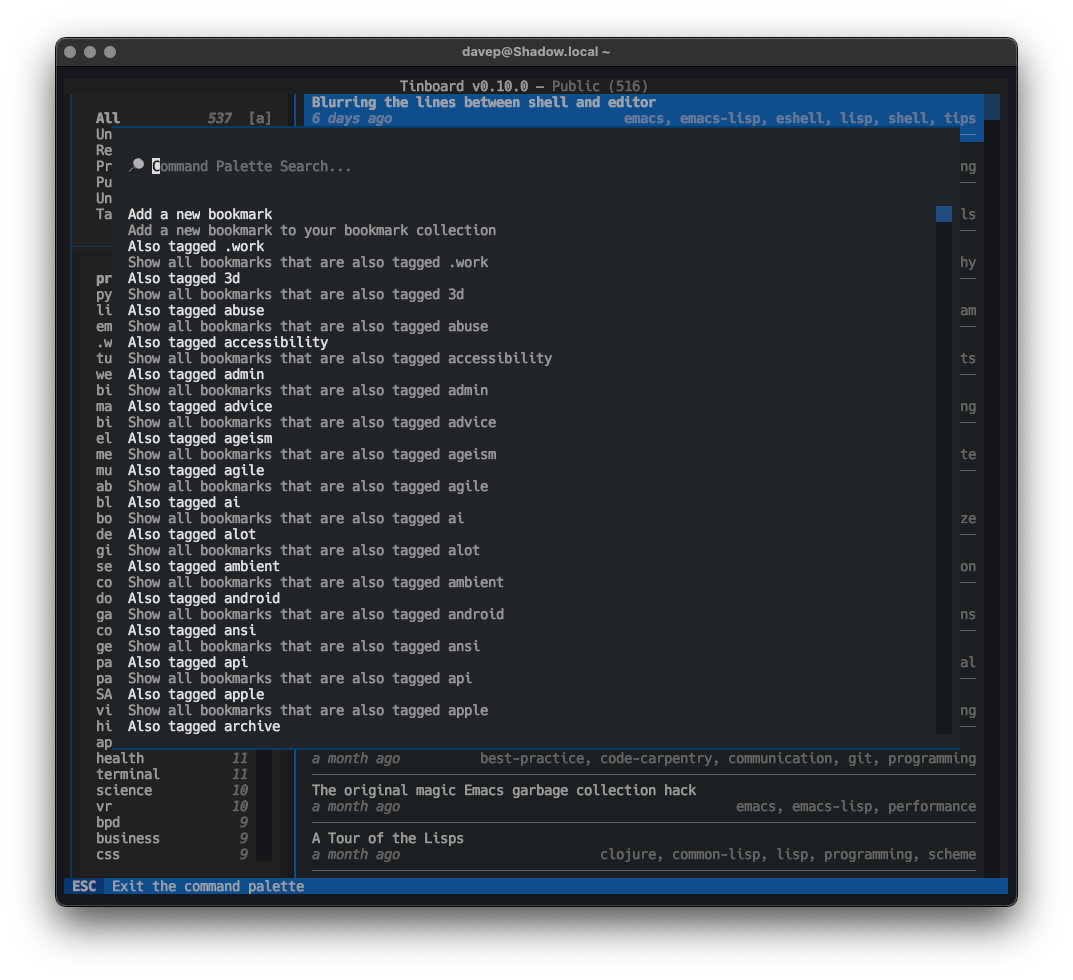
Then, just now, I released v0.10.0. This release makes full use of some work I recently did to enhance Textual's CommandPalette widget, which added a "discover" system. The change in tinboard is that all of the command palette providers now have discover methods too. The result of this change is that when you open the command palette in tinboard (ctrl+p) you can see every possible command right away.

The command palette in discovery mode

Tinboard can be installed with pip or (ideally) pipx from PyPi. The source is available on GitHub.

Tinboard v0.4.0

1 min read

Although it's not planned this way, so far it looks like I'm on a "every other day" release cycle with Tinboard right now! Today's release is a small but handy one, I think.

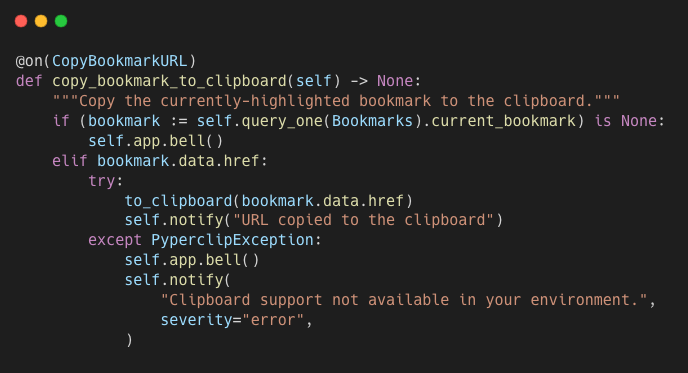
Thanks to the handy little library pyperclip I've added:

  • The ability to copy a bookmark's URL to the clipboard.
  • URL field autofill if you go to add a new bookmark and the clipboard appears to have a valid URL in it.

The code for copying to the clipboard

At the moment the copy facility is just a straightforward copy of the URL, nothing else. At some point I may add an extended copy option, which will open a dialog with a bunch of options of what to copy from the bookmark, and perhaps also how to format it or something. Like, often, if I'm copying a bookmark's URL, it's because I want to paste it into some Markdown document, or some location that will handle Markdown markup.

Perhaps that'll turn up in v0.5.0 in a couple of days? ;-)

Tinboard can be installed with pip or (ideally) pipx from PyPi. The source is available on GitHub.

Tinboard v0.3.0

2 min read

It looks like I'm in a wee period of small incremental changes and release of Tinboard. This morning I've release v0.3.0, which has a couple of small but useful changes.

The first is more of a cosmetic thing. The Footer widget in Textual is handy for showing the current keyboard bindings in a given context, but it can get massively cluttered very quickly (we do have plans to revisit this); in Tinboard this clutter creep was turning into a thing.

So I've removed almost every binding from being displayed in the Footer, and have placed an emphasis on the user pressing F1 to get context-sensitive help, and have also left the most useful bindings in the footer with very minimal descriptions.

Given that this is a keyboard-first application, and I've tried to make the bindings easy to remember, I think it's going to make more sense to do it like this, and will make for a tidier UI too.

There is one disadvantage here of course: by removing the display of bindings from the footer, the mouse-heavy user becomes disadvantaged; if a particular binding doesn't have a UI feature that favours the mouse to cover it too there's no way to initiate that action with the mouse. I'm going to think on this a little. Again, Tinboard is designed for me first and foremost, and my preference is to be keyboard-first when using the application; but finding a good compromise would be advantageous when it comes to advising people asking about Textual application design.

The second change is a simple but useful one. I've added a toggle of the sort order of the tags menu in the left-hand column (bound to F4). Right now it simply toggles between alphabetical order, or bookmark count order (most to least). At some point I might make it more of a cycle than a toggle, but this serves my purposes for now.

Tinboard can be installed with pip or (ideally) pipx from PyPi. The source is available on GitHub.

Tinboard v0.2.0

1 min read

Following on from the initial full release a couple of days ago, I've just released v0.2.0 of Tinboard. There's just one small change in this, but I think it's a really useful one.

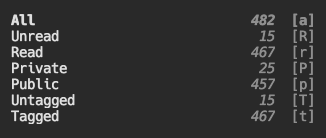
In the top-left corner of the screen there's a menu of main filters, letting you switch between seeing all bookmarks, or a combination of read, unread, public, private, etc... In using the application I quickly realised that it would be handy to have bookmark counts in that menu.

So I added that:

Counts in the filters menu

These counts are a little different from those in the tags list, in that they always show the number of matching bookmarks amongst all recorded bookmarks, not just those currently on display (and so subject to any sort of filter that's in play).

I think this is the right approach here. I know for sure that that's what I want from this, and I am writing this for me after all...

What's handy about this is that it makes it easier for me to see how many bookmarks haven't been tagged, and also how many I haven't looked back over and marked as read. This is already helping me get to untagged-zero.

Tinboard can be installed with pip or (ideally) pipx from PyPi. The source is available on GitHub.

Tinboard

3 min read

Over the past few weeks I've been working on a new pet project, in part done as a Textual "dogfooding" project, but also because this is a tool I've been wanting for a while now: a terminal-based client for the Pinboard bookmarking service.

The dogfooding side of the development has been helping, uncovering a couple of fun bugs in Textual; plus the act of building this has let me try out a few of the newer features we've recently added to the framework.

What's really important though is this is a tool I actually wanted, and I'm using pretty often. I've written a lot of Textual-based applications over the past year, most small examples, some quite a bit bigger, but none of them really form part of my daily workflow. This changes with Tinboard.
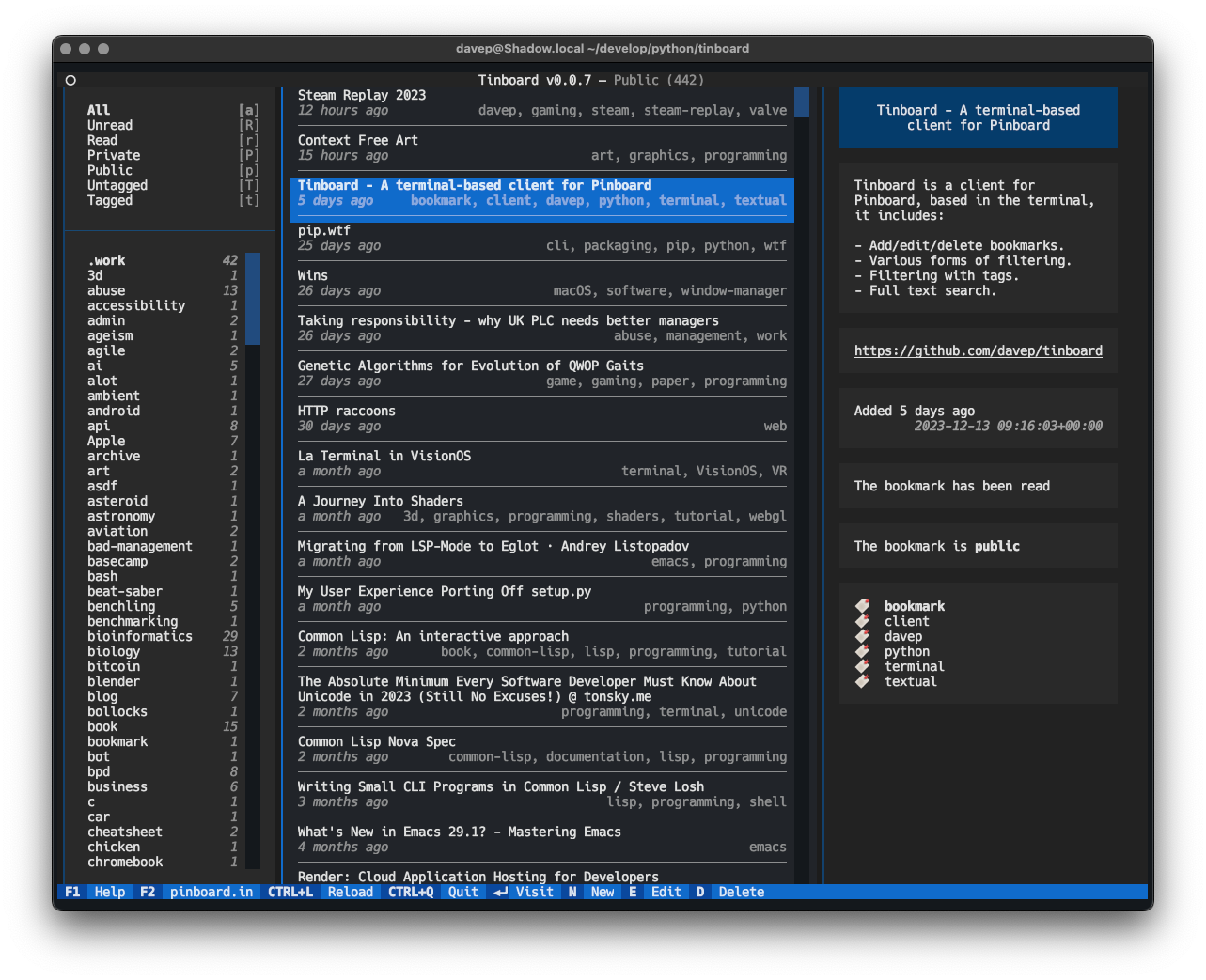
Tinboard in action

Tinboard is designed as a fully-featured client, allowing for the creation of new Bookmarks, complete with tag suggestion support:
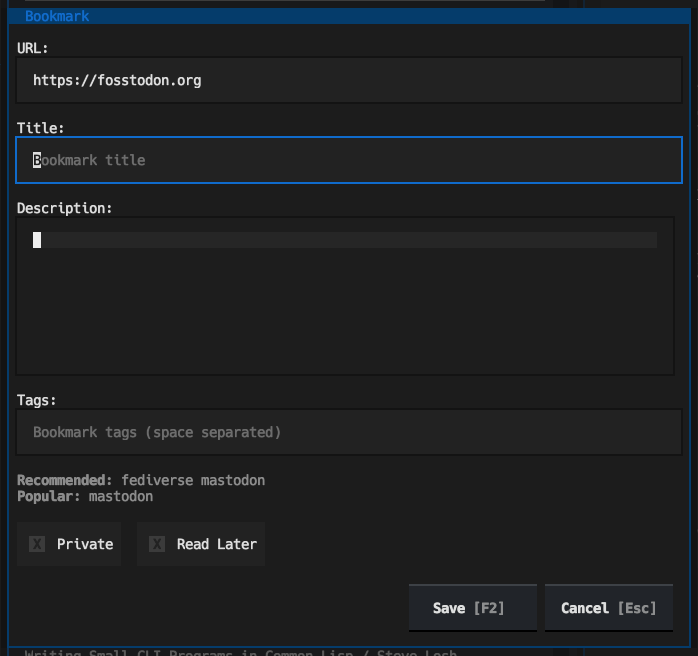
Adding a new bookmark

Not only are tag suggestions pulled from Pinboard, but entry of tags can auto-complete, taking completions from both the suggested tags and also tags used amongst your own bookmarks:

Auto-complete of tags

That feature was really easy to add thanks to the Suggester API.

Thanks to the recently-added TextArea widget the add/edit dialog allows for proper full editing of the extended text description of the bookmark too:
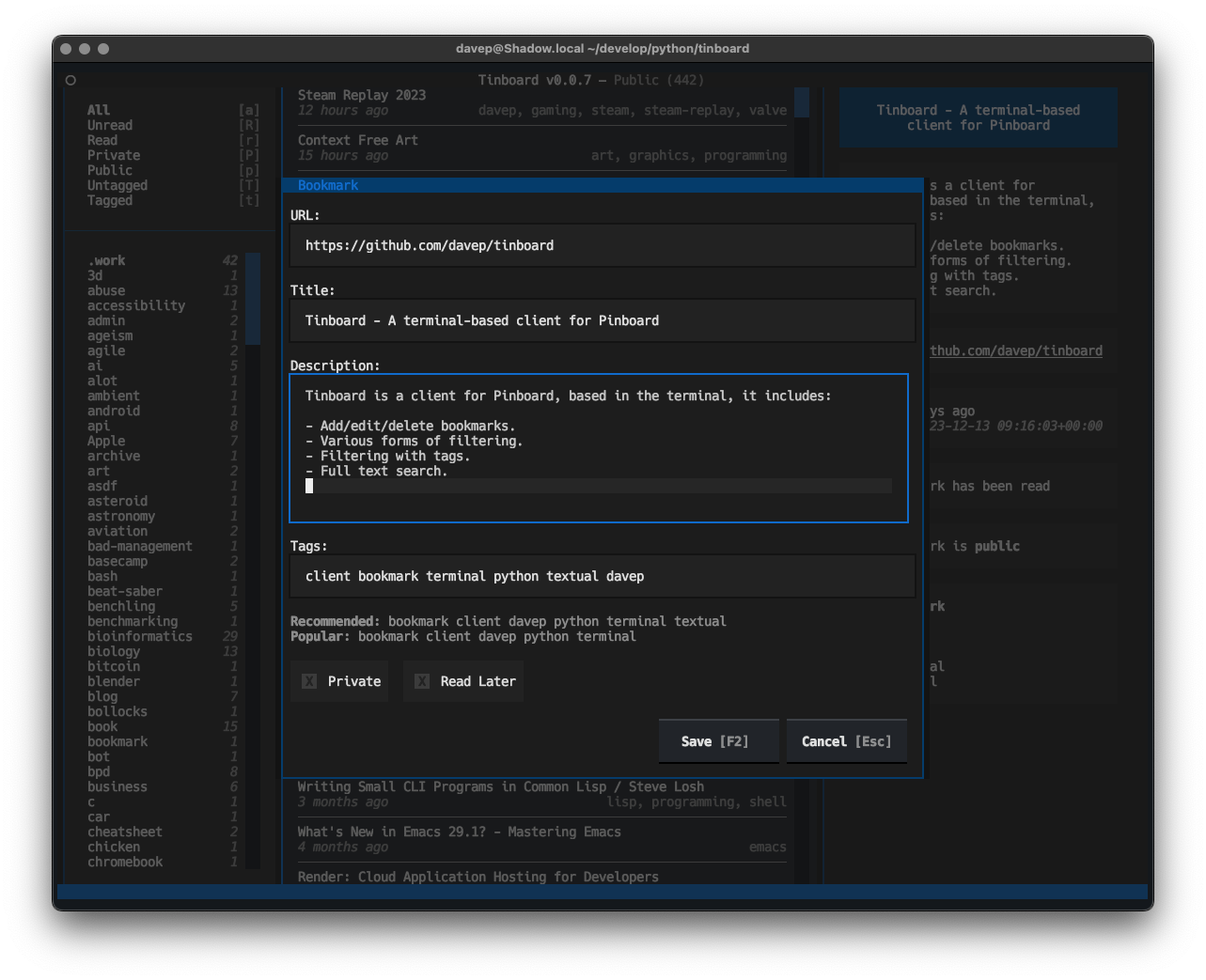
Editing a bookmark

One caveat here is a lack of word-wrapping; but this will be arriving in an update to Textual early in the new year.

As well as all the usual add/edit/delete facilities, Tinboard is also designed to make it pretty easy to find bookmarks too. There are filtering options for seeing all read/unread, public/private and tagged/untagged bookmarks; this makes bookmark management really easy for me because I can filter for all the untagged and private bookmarks, which are likely the ones that need editing and expanding on, and tidy up my bookmark library.

There is also, of course, full text search too.
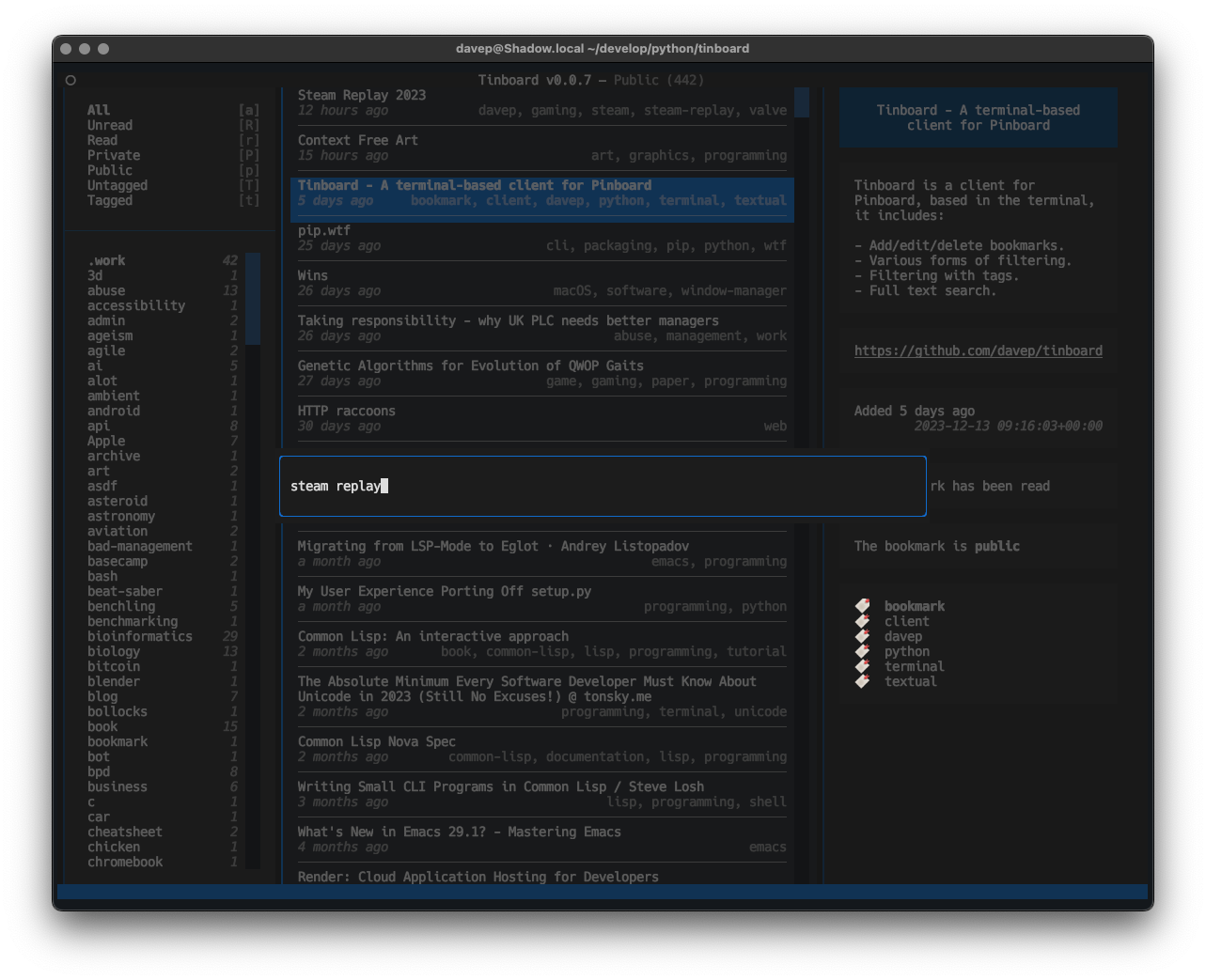
Text search entry

When a filter or search is in operation, the related tags and the like react too:
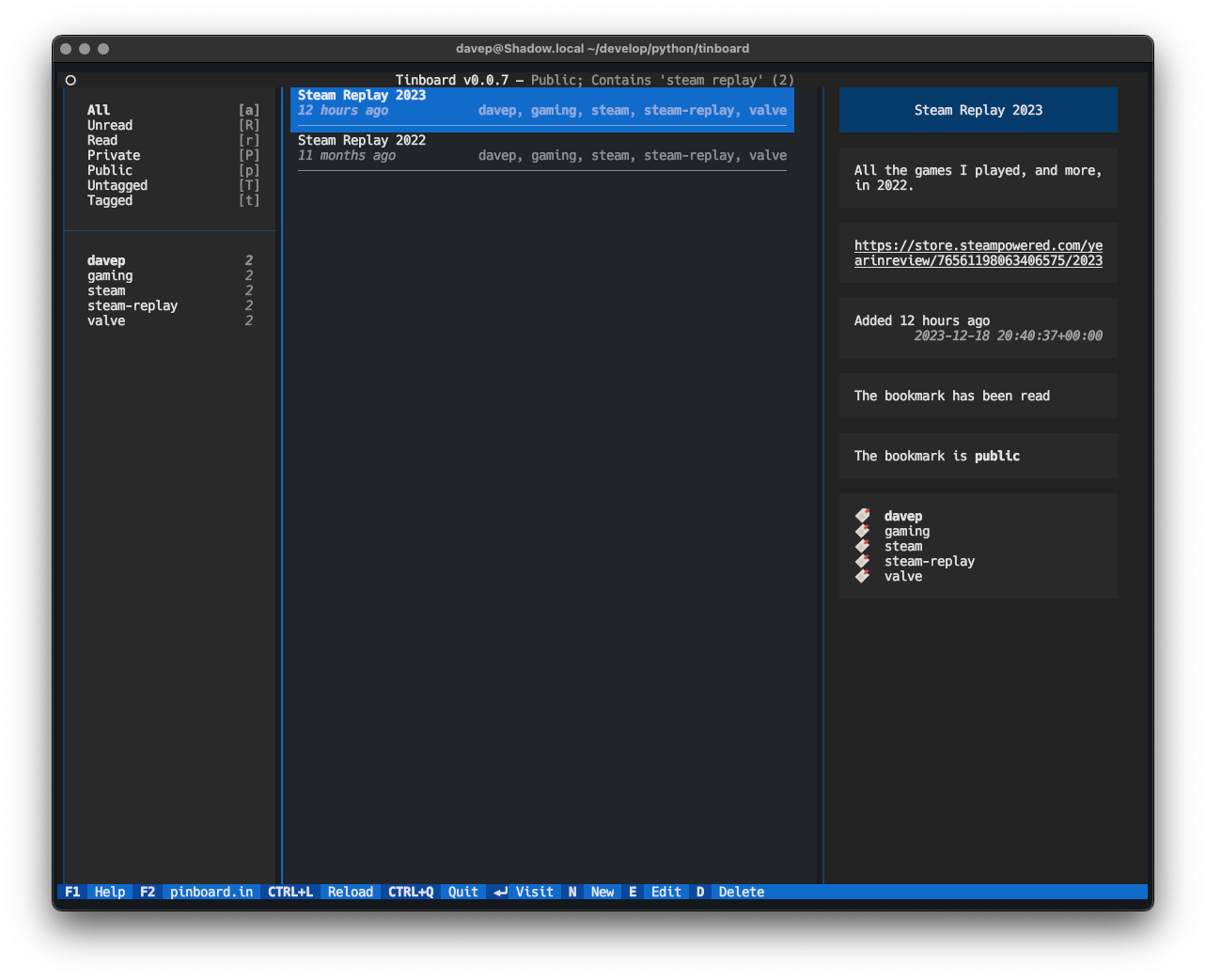
A search result being shown

Another thing I've made a point of doing in Tinboard is leaning pretty hard on the Command Palette. No functionality is only available by it (I've done my best to make sure that keyboard is the primary input device here, with keyboard shortcuts for as much as possible). Initially I approached this as a "for the sake of completeness" feature, but already I'm finding that it's a pretty quick method of pulling up a tag filter.
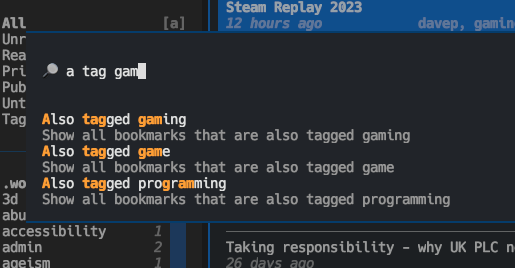
The command palette in action

To help make all the features as discoverable possible, I've also ensured there's a pretty comprehensive help screen:
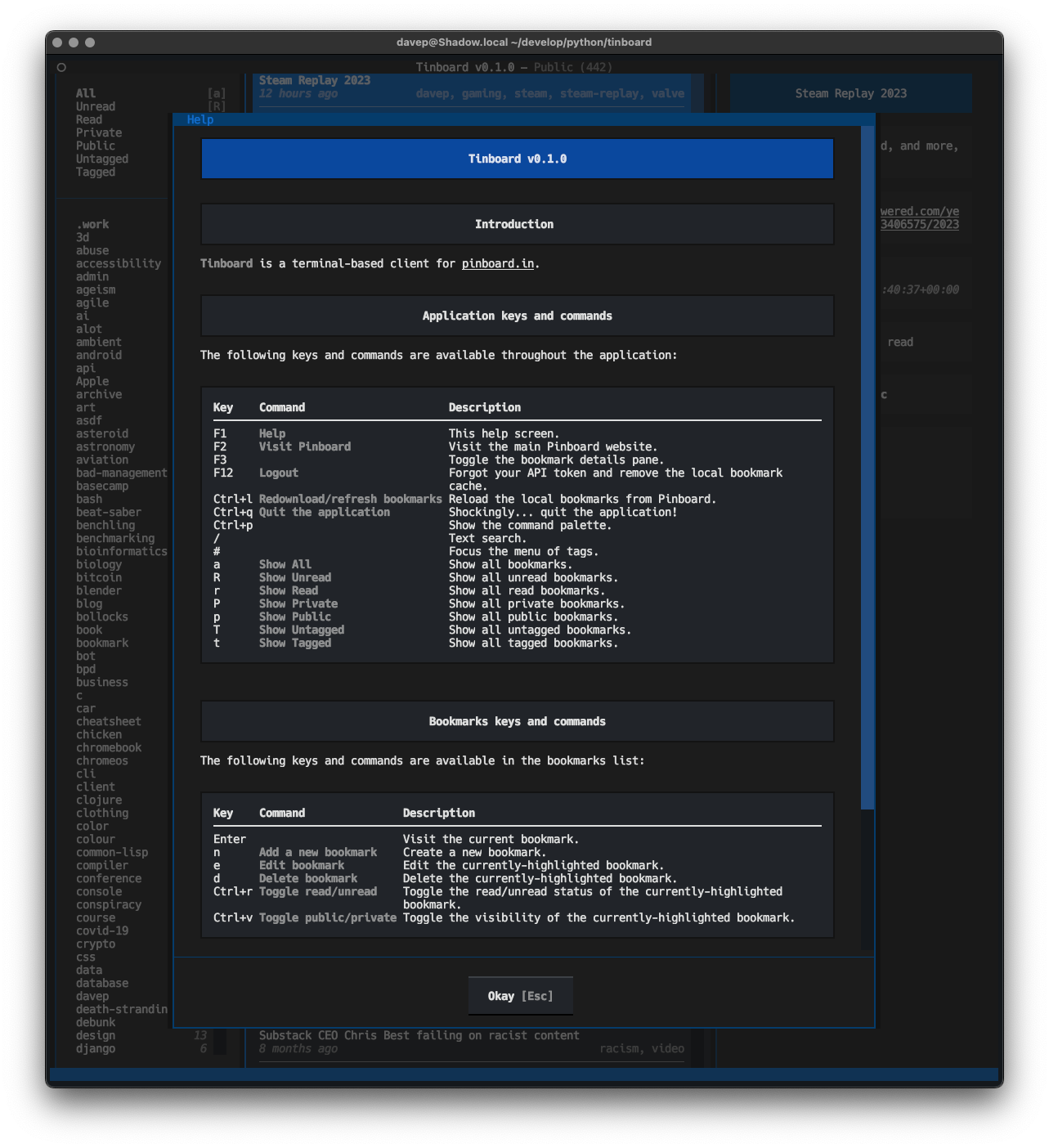
Help

Anyway; that's v0.1.0 out in the wild. I'm pleased with how it's turned out and there's a few more things I'd like to add. It's licensed GPL-3.0 and available via GitHub and also via PyPi. If you have an environment that has pipx installed you should be able to get up and going with:

$ pipx install tinboard

I hope this is useful to someone else. :-)