Posts tagged with "web"

blogmore.el v4.1

1 min read

Following on from yesterday's experiment with webp I got to thinking that it might be handy to add a wee command to blogmore.el that can quickly swap an image's extension from whatever it is to webp.

So v4.1 has happened. The new command is simple enough, called blogmore-webpify-image-at-point; it just looks to see if there's a Markdown image on the current line and, if there is, replaces the file's extension with webp no matter what it was before.

If/when I decide to convert all the png files in the blog to webp I'll obviously use something very batch-oriented, but for now I'm still experimenting, so going back and quickly changing the odd image here and there is a nicely cautious approach.

I have, of course, added the command to the transient menu that is brought up by the blogmore command.

One other small change in v4.1 is that a newly created post is saved right away. This doesn't make a huge difference, but it does mean I start out with a saved post that will be seen by BlogMore when generating the site.

I should use webp

2 min read

For a good while now I've been pretty happy with the PageSpeed measurements of this blog, which in turn means I've been happy with the state of what's generated by BlogMore. I have pretty much everything that can be minified nice and minimal. At this point, the main thing that causes the speed measurement to fluctuate is image sizes.

I use a lot of PNGs on this blog. When I'm using images, they're almost always in posts that include screenshots, which in turn pretty much demand that I use a lossless format. When I take these screenshots I don't worry too much about the dimensions (within reason), and of course I don't really do anything to optimise how they'll work and appear on different display sizes. If I was to get too into that, it would add friction to writing something, and the whole point of this is to feel less friction when it comes to sitting at the keyboard.

So I've been living with the fact that some images can be pretty big. While I do make a point of using pngcrush on every image, it generally doesn't make a huge saving.

Then yesterday I read this post on Andy's blog and I suddenly realised what I had to do!

I should use webp

Borrowing from what Andy did, I used mogrify too, setting up this Fish abbr in my Fish configuration:

if type -q mogrify
    abbr -g mkwebp "mogrify -format webp -define webp:lossless=true -quality 100"
end

In my case, at least in the initial experiment, I decided to keep it all lossless. So far the results have been really good, cutting the image sizes down by a significant amount. For example, if I look at the images for yesterday's posts:

 90581 15 Apr 18:14 sl-overview.png
 33446 16 Apr 20:23 sl-overview.webp
392661 15 Apr 18:14 slstats-region-info.png
225392 16 Apr 20:23 slstats-region-info.webp
 36049 15 Apr 19:39 year-chart.png
 15590 16 Apr 20:23 year-chart.webp

That's a pretty reasonable saving!

So far all I've done is convert the few latest posts that make up the front page of my blog, just so I can see what impact it has. I'm getting improved load times on mobile, for sure.

There are a couple of downsides to this, of course.

  1. Now I want to do the whole blog, so while I can easily go through and convert all the png files to webp, converting all the image markup in the Markdown files isn't quite so simple, and even if I do write something to automate it, I'm then going to want to review it to make 100% sure nothing has broken.
  2. I can't just then remove all the png files to cut back on the space used by the generated site. The front page of the site has a feed, and all the categories have a feed each too. This means that there could be HTML out there from some of my oldest posts, referring to the png files, and just removing them will result in broken images.

Overall though, it might be worth doing at some point soon. Meanwhile, from now on, I think I'm going to replace my pngcrush step with a mkwebp step and just use webp instead of png now.

I guess I'm all modern now!

Website: Miscellaneous Stuff moved

1 min read

This evening I've spent more time working on the planned complete remake of my personal website, in this case "porting" over many of the files that made up the old "miscellaneous stuff" section of the site. If I'm honest, most if not all of the things in there are no longer relevant (like: who really needs a shell script to make gnuplot plots from files pulled off a 1990s-era Garmin handheld GPS unit?), but I thought I'd keep them kicking around "just in case".

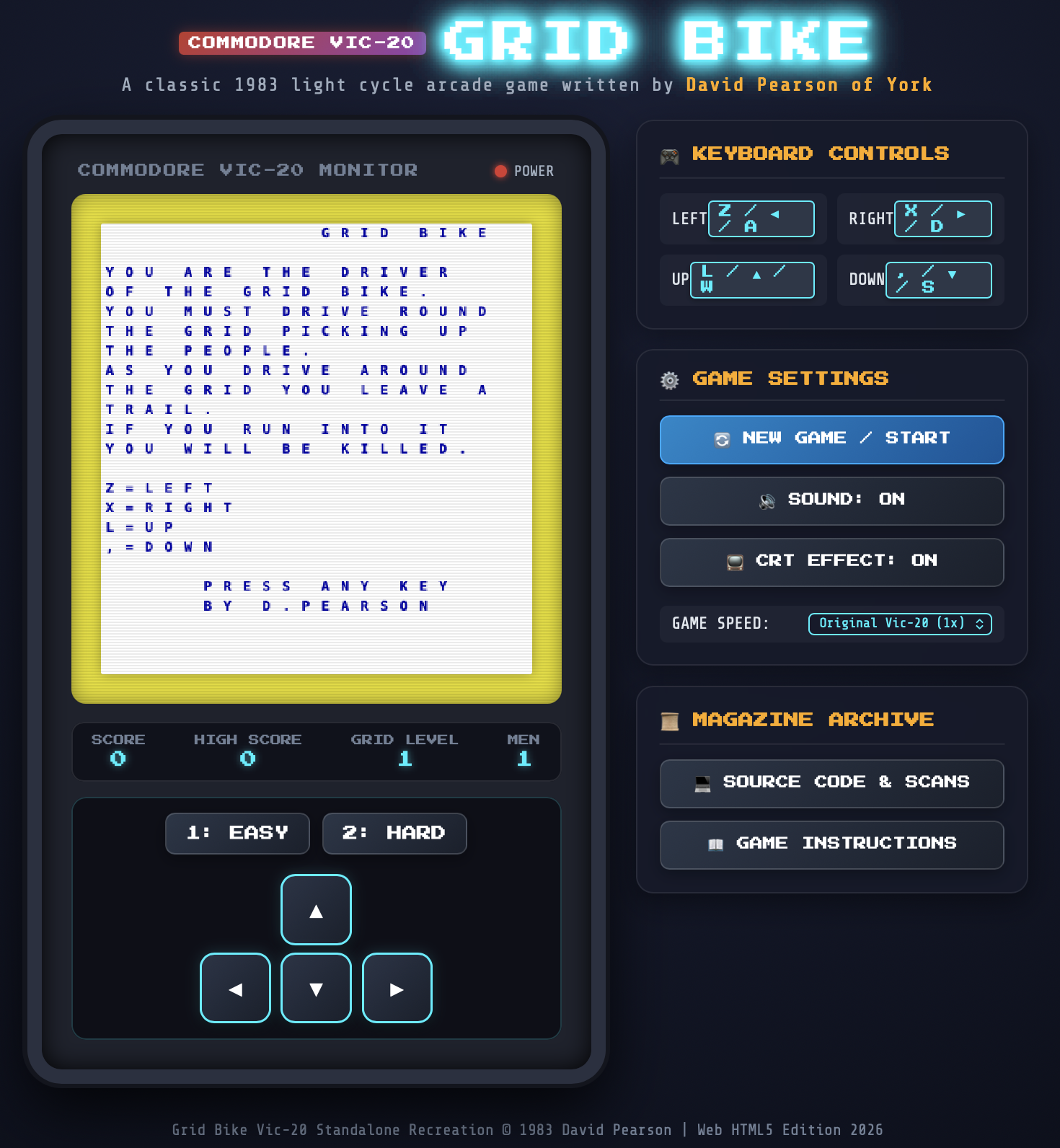
One wee section I wasn't going to get rid of though was my scans of three pages from a UK magazine called Personal Computer News. These contain Grid Bike; a game I wrote for the VIC-20, all in BASIC, and got published. For my efforts I got a huge cheque for £40! If that doesn't seem like much to you, trust me, to 1983 me this was huge.

I bought a 16k RAM pack with the money.

Funnily enough, while trying to improve some of the links in the text, I decided to see if there was now an archive online somewhere and, sure enough, there is: in the obvious place. This means that my web site isn't the only copy of my program on the net. If you go to the December 21st 1983 edition and turn to around page 84, there I am!

The cover of PCN

At this point I'm almost tempted to try and get an emulator up and running and get the code going again. How much fun would it be to add a video to my YouTube channel, of me playing one of the very first games I wrote?

Website: Norton Guide information moved

1 min read

This morning I've spent a wee bit of time tinkering with the configuration of the planned complete remake of my personal website. As part of this I made an effort to "port" over a section of the site. The choice for the first section to move was easy enough: Norton Guides.

Of all the parts of my old site, this is probably the most useful in terms of "contains information that isn't generally available out there on the web elsewhere and some folk might find it useful". I mean, at some point in the past, someone edited the Wikipedia page for Norton Guides and linked to mine as a source.

So getting that one back up and running as soon as possible made sense.

I've not added every bit of Norton Guide code to the main page, instead just pulling over and tidying up what was there before. On the other hand, just hacking on Markdown makes it all so much easier so I may expand on it a bit.

The really important part was moving over the file format details. This, I feel, is the information that people will be looking for, if anyone is ever looking.

So, proper start made; there's content beyond the landing page. There's still a lot to weed out and move over, and I think there's a lot of tweaking and the like with the configuration to do too. But the ball is rolling now. Ever time I get a spare hour and the desire to sit at my desk I can pick a section, look it over, decide if it deserves to come over, and act on that.

Heck, at this rate I might even end up with an actively-maintained website again!

The reboot begins

2 min read

And I'm off! This morning I spent a good amount of time going through the sources for the old version of davep.org and removing everything that won't be needed any more, and also building up a rough TODO list of things I may want to recreate as content.

With that done, as mentioned earlier today, I started work on building the site around Pelican. Pretty quickly though I started to feel that that was going to be a bad choice. While Pelican felt like a perfect fit for this blog -- mainly because it seems to be very blog-oriented -- it was feeling a bit clunky for a general website that would have a handful of static pages at best; likely something I wouldn't be updating too often.

So I put it aside and went on with my morning, doing normal Friday domestic stuff like the weekly supermarket shop. It was while I was out doing that that I realised the obvious answer: use what we use for the Textual docs and what's been used for label.dev: Material for MkDocs!

I've just spent about 40 minutes after lunch kicking that off and it was really straightforward. Of course the result is horrifically cookie-cutter in terms of its look -- such is the way that mkdocs-material sites end up looking out of the box -- but I don't much care about that; what's important is that I've got a placeholder page in place, and I've quickly built a framework for writing and publishing the content.

So that's the plan: now that the welcome page is in place and there's something on my domain that looks like a working website again I can start to slowly drag in old content in a new format. Heck, if I'm careful I might even be able to retain some of the old URLs!

Longer-term plans might involve finally sorting out https support (yes, even today, my site is http-only), and perhaps adding some sort of RSS feed so there's a record of when changes are made.

After that... hopefully that'll be about it and perhaps the website will last another 22 years running on top of the same engine (actually that part should be easier because the "engine" is now local and it generates a static site).

The question then becomes who'll last longer, the site or me?

Admitting defeat on my website

2 min read

I've had davep.org since very late 1999. Initially it started as a domain used just for email; while I did have a website, around that time it was still hosted on my then-ISPs hosting service, with a mirror on a friend's web server.

A year or so later I finally did a proper revamp of my website and finally settled on www.davep.org as the place to point people to. I think, when I made that move, that's when I decided to write my own website engine in php. It was fun. It worked. I didn't want to code backend stuff (I don't think the backend vs frontend distinction was even a thing we were talking about then) so hacking it together in an unholy mix of ruby to generate various static files that live in the filesystem and then php to turn them into actual HTML made sense.

And it worked.

The earliest version of davep.org I can find

I heavily maintained the site for many years; keeping the same engine, tweaking the styles, adding features and content. I figure some time around 2013 or 2014 I probably stopped being quite so active in messing with it, and then in the last 5 or 6 years I've pretty much neglected it.

The neglect shows.

Meanwhile... php has changed. Quite a lot. It's one of those languages I used back in the day and pay no attention to. Then earlier this week I noticed that there must have been an update on the host and huge parts of my site broke, lots of content missing, pretty much useless and dead in the water.

I did briefly think about breaking out the latest and greatest php locally, setting things up to investigate what's going on, and seeing if I could breathe some more life into it; but really what's the point?

So after all these years I'm finally admitting defeat.

Right now, on the home page, I've just got a placeholder saying that bitrot finally ate my website and that I'm going to start again from scratch. That's my plan: given that I had a good experience moving this blog over to Pelican I think I'm going to build a new www.davep.org with Pelican. Where possible I'll try and drag some of the old content over, but I'm also going to use this opportunity to have a proper digital spring clean.

There's no planned timescale for this, but this morning I've spent an hour or so over coffee, branching the repo for the site and pruning out all the stuff I know I won't need and don't want.

I'll try and drop the odd update in here as things progress.