Posts tagged with "work"

Solidarity, Empathy, and Patience -- thinking about code reviews

6 min read

So I saw this video...

A chiral crystal

Death Stranding, along with its sequel, is my absolute favourite video game ever, and probably one of my favourite pieces of fiction ever too; I've watched and read a lot about the game (not to mention I've played both releases a ton too). A good few months back I was watching a video about the making of the first game and during the video, around the 27:20 mark, the narrator says the phrase:

the game's core values of solidarity, empathy, and patience

This stood out to me. There was something about that phrase and what it meant given my experiences in Death Stranding and Death Stranding 2; it spoke to me enough that I jotted it down and kept coming back to it and thinking about it. It was a phrase I couldn't get out of my head.

Around the same time I was also doing a lot of thinking about, and note-writing about, code reviews. Although I've been working in software development1 for a few decades now (I started in July 1989), I was quite late to the whole process of code review -- at least in the way we talk about it today. This mostly comes down to the fact that for a lot of my time I either worked in very small companies or I was the only developer around.

Given this, thinking about my own approach to reviews is something I've only really been doing for the past few years. I've made personal notes about it, read posts and articles about it, I've had conversations about it; my thoughts and feelings about it have drifted a little but seem to have settled.

The idea of that phrase from the Death Stranding video crept into this thought process, as I felt it nicely summed up what a good code review would look and feel like. Weirdly I also realised that, perhaps, the things I like and value about Death Stranding are also the things I like, value, and want to embody when it comes to code reviews.

One of the big selling points for me, with Death Stranding, is the asynchronous multiplayer aspect of it; the reason Kojima calls it a "Strand type game". I have my game, I have my goal, but other people can indirectly affect it, either doing work in their game that leaks into mine in a beneficial way, or by leaking into mine in a way that I have to clean up. There's something really satisfying about this asynchronous collaboration. That feels similar to the collective effort of working in a single repository, each person working on their own branch or PR, sometimes in tandem, sometimes in series, sometimes to the benefit of each other and sometimes in ways that block each other.

But that's not the point here. There's a similarity if I think about it, but I don't want to get too carried away on that line of thought. It's the phrase from the video I care about; it's the approach of involving solidarity, empathy and patience I want to think about more.

Solidarity

In the mountains

This, for me, is all about where you position yourself when you approach reviewing code. I sense things only work well if you view the codebase as something with common ownership. I've worked on and with a codebase where the original author invited others in to collaborate, but where they constantly acted as a gatekeeper, and often as a gatekeeper who was resistant to their own contributions being reviewed, and it was an exhausting experience.

I believe the key here is to work against a "your code" vs "my standard" approach, instead concentrating on an "our repository" view. That's not to say that there shouldn't be standards and that they shouldn't be maintained -- there should be and they should be -- but more to say that they should be agreed upon, mutually understood to be worthwhile, and that any callout of a standard not being applied is seen as a good and helpful thing.

The driving force here should be the shared intent, and how the different degrees of knowledge and experience can come together to express that intent. If a reviewer can see issues with a submission, with a proposed change or addition to the codebase, the ideal approach is to highlight them in such a way as to make it feel like we discovered them, not that I discovered them and you should sort it out. Depending on the degree of proposed change, this might actually be expressed by (if you're using GitHub, for example) using the "Suggested Change" feature to directly feed back into the PR, or perhaps for something a little more complex, or the offer to pair up to work on the solution.

Empathy

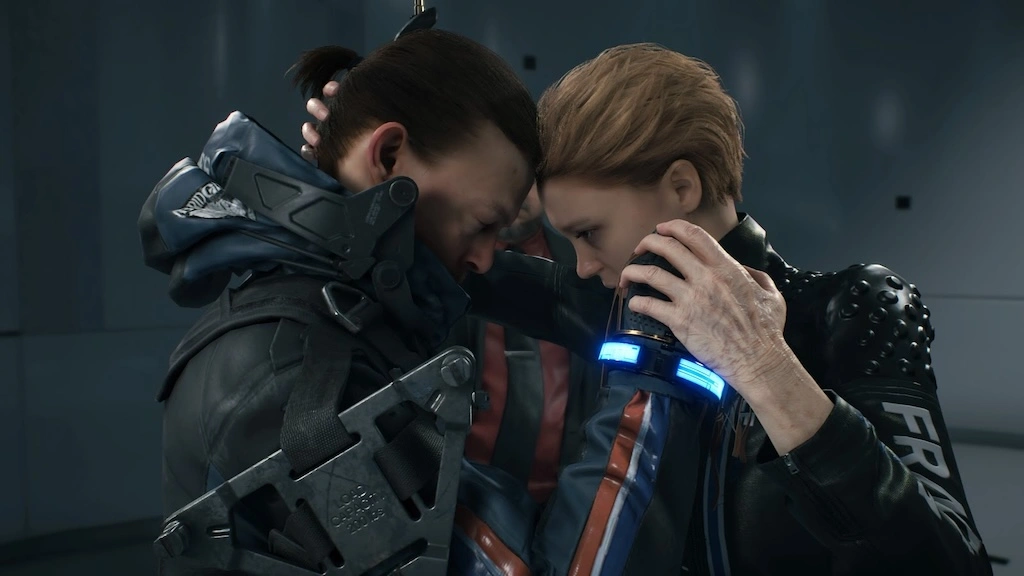
Sam and Fragile

As someone who has written a lot of code, and so written a lot of bugs and made a lot of bad design choices, I feel empathy is the easiest of the three words to get behind and understand, but possibly the hardest one to actually put into practice.

When you look at a PR, it's easy to see code, to see those design choices, and to approach the reading as if you were the one who had written it, assessing it through that lens. In my own experience, this is where I find myself writing and re-writing my comments during a review. As much as possible I try and ask the author why they've taken a particular approach. It could be, perhaps, that I've simply missed a different perspective they have. If that's the case I'll learn something about the code (and about them); if that isn't the case I've invited them to have a second read of their contribution. It seems to me that this benefits everyone.

I feel that where I land with this is the idea of striving to act less like a critic and more like a collaborator, and in doing so aiming to add to an atmosphere of psychological safety. Nobody should feel like there's a penalty to getting something "wrong" in a contribution; they should ideally feel like they've learnt a new "gotcha" to be mindful of in the future (both as an author and a reviewer). Done right the whole team, and the work, benefits.

Patience

Arriving at the plate gate

The patience aspect of this view of reviews, for me, covers a few things. There's the patience that should be applied when reading over the code; there's the patience that should be applied when walking someone through feedback and suggestions; and there's the patience needed by the whole team to not treat code reviews as a speed bump on the road to getting work over the line. While patience applies to other facets of a review too, I think these are the most important parts.

In a work environment I think it's the last point -- that of the team's collective patience -- that is the most difficult to embody and protect. Often we'll find ourselves in a wider environment that employs a myopic view of progress and getting things done, where the burn-down chart for the sprint is all that matters. In that sort of environment a code review can often be seen, by some, as a frustrating hurdle to moving that little card across that board. Cards over quality. Cards over sustainability.

It's my belief that this is one of those times where the phrase "slow down to speed up" really does apply. For me, review time is where the team gets to grow, to own the project, to own the code, to really apply the development and engineering principles they want to embody. Time spent on a review now will, in my experience, collectively save a lot more time later on, as the team becomes more cohesive and increasingly employs a shared intuition for what's right for the project.

This is not (entirely) a post about code reviews

Near the wind farm

The thing with code reviews, or any other team activities, is they don't exist in a vacuum. They take on the taste and smell of the culture in which they operate. It's my experience that it doesn't matter how much solidarity, empathy or patience you display during your day-to-day, if it's counter to the culture in which you work it's always going to be exhausting, it's always going to feel like a slog.

If leadership in technology, in software engineering, were to show more of these three basic qualities, they'd start to appear like they realise that they're working with actual humans, not producers of code; and I think we need more of that now than at any time in the history of coding.

Since I first saw that video, and heard that phrase, and had it run around my head, I've come to feel that it's not just a good mantra for code reviews; I think it's a simple blueprint for what good tech leadership should look like. If there was more "Strand-type" leadership in my chosen industry I feel it would be more open, more accessible, would offer more psychological safety and ultimately would result in teams, and projects, that thrive.


  1. Or software engineering, if you prefer, but that's a whole other blog post I'll never get round to writing one day. 

On to something new (redux) (redux)

3 min read

It's been a wee while since I wrote anything here (been about a month) so I thought I'd make mention of what's going on.

The main news is that I'm employed again!

Once the news about the Textual layoffs hit I, of course, started the job hunting process. This lasted for a wee while (and I have a couple of stories about that -- perhaps I'll write them up one day). I officially became "unemployed" on April the 1st (yeah, I know), and by the 23rd I had an offer for a new position, which I accepted.

As of the time of writing I've been in that position for a touch over 3 weeks and it's going really well. Right at this moment I'm doing zero Python work (that will change, I strongly suspect) and, actually, for the first time ever, I'm writing some TypeScript (it's tempting me to dive into that some more).

The team I'm working in are great and I'm also really impressed so far by the practices they have in place relating to getting stuff done. It's actually a refreshing change to work in a bigger organisation and actually find it not massively frustrating!

I'm also back to working from home full time. This isn't that big a deal for me as I spent around 22 years doing so up until 2018, and of course it isn't that big of a deal to many folk these days anyway thanks to the 2020- period. This prompted me to finally clear out the spare room (I've only been in here a touch under 5 years so of course there were a lot of "I'll sort those soon" boxes and stuff in there), buy a second desk, and make a work-coding area that is away from totally separate from my for-fun-coding area.

This has turned out to be a really good decision. I love my main hacking space in the living room, and have done a lot of work there, but that was always on the odd days here and there when I'd work at home. Now that working at home is a full-time role it felt important to make the distinction.

Weirdly though, all of this means that I'm spending less time working on personal stuff. When I was working at Textualize, most days, I'd be spending the best part of 3 hours in the day getting to and from the office. I thought that perhaps getting that time back would translate into having more time to tinker with my own stuff. Actually what I'm finding I'm doing is I'm spending the time on more general self-care and domestic things. This is a good thing.

Doubtless once things really settle down and I form my new routine I'll dive back into FOSS coding more again, and perhaps get back to streaming while I code.

Meanwhile though you can find me steaming many late evenings, mucking about on my PS5. Right at this moment I'm finally playing all the way through Just Cause 4 (a game I bought back in 2019 and never finished). In fact last night I finished the main story.

Expect a lot more PS5-based streaming nonsense over the next few months.

One other change I have made is to my VR video publishing schedule. For the longest time I had the time and was playing so much that I published a video every day. This wasn't a schedule I set myself, this was more a case of I was playing so much that to publish less frequently would mean there would be a huge backlog. These days I'm back to working 5 days a week (previously I was working 4 days) so I have to cram a little more into my weekends, and also I want to try and do other things during weekends too. So recently I changed to an every-other-day schedule.

And, really, that's about it. For now expect to see a bit less Python-based content on here, and also quite a bit less Textual-based stuff too. Currently my focus is elsewhere and it also seems that Textual is a bit of a moving target recently, throwing in some fun new bugs and breaking changes which are tricky to keep on top of. That said, you will still find me in the repo, lending a hand when I can, and of course in the Textual Discord too; just don't expect to see me quite so omnipresent there, especially during the work day.

Goodbye Textualize

2 min read

While I have been on the receiving end of redundancy once before, that was after 21 years of service at a company that, while it was in part about software development, I would never have called it a "tech" company.

So, as of today, I can finally say that the "tech layoffs" came for me and I'm one of 67% of employees being let go from a tech startup.

Achievement unlocked, I guess?

!Achievement unlocked

To be clear: I'm not annoyed about this, I'm not even shocked about this; I planned for this from the off and realised and recognised the gamble I was taking back in 2022.

Announcing being hired

I am disappointed about this. Not in a "I'm disappointed in you" kind of way, but disappointed for all involved and what it says about how FOSS projects are funded and maintained.

It's been an interesting journey, and it's been a privilege to do something I've been wanting to do since the 1990s, when I first read the GNU Manifesto and subsequently watched the free software and open source movements develop and grow: work on FOSS for a living. In doing this I've developed my thoughts about the feasibility of such an endeavour, I've refined how I feel about working in very small teams, I've learnt a lot of useful lessons I'm going to draw on in the future (keeping a journal of my experience has been a great move; I have a lot of notes and thoughts written down that I'll be reviewing and distilling for myself over the coming weeks).

Most of all: it's been an absolute blast working on something that people are actually using to build cool things, and to provide help and guidance to those people when they've needed it.

So... what happens now? Well, of course, right now, I'm looking for a new position. If you're reading this and you are looking for someone who's kinda handy with Python and a bunch of other languages and who loves learning new stuff, or if you know someone who is looking for such a person, do drop me a line!

As for what happens with Textual, and my involvement with it...

Well, what happens with Textual is Will's call, of course. As for my involvement with it: I care about FOSS and I care about Textual; I also care about the folk who have been kind enough to use their time to explore it, test it, build with it, commit to it and make neat stuff with it. My intention, as long as free time allows, is to carry on being involved, both on GitHub and in the Discord server.

It's my sincere hope that, as a community of FOSS-friendly developers, we see Textual over the 1.0 line and beyond.

But all that starts next week. It's a bank holiday weekend and I think I might have deserved a run, a bit of mucking about in VR, a beer, and just a wee bit of down time.

Cmd-Tab switcher on all screens

1 min read

This week, on Monday gone in fact, we moved office. We've now got a bigger space and, as part of that, bigger desks. Somewhat (but not entirely) coincidentally the work desk will also convert into a standing desk1. Also also... I inherited a second screen for the desk too. Ever since the days of CRTs and video cards that supported it, I've been a fan of having at least a couple of screens in front of me, and now at my work desk I've got 3 (two external displays and the display of the MacBook Pro itself).

This caused a slight problem though: horizontally there's quite the spread of things to look at. This is fine, mostly I'm looking at the screen that's in front of me; the MacBook is to the left and the "second" screen is to the right, both with "other" stuff on them. In front of me is Emacs and my browser, which I flip between lots.

The problem is this: the MacBook needs to go to the left (because of physical layout), which means that despite me setting the screen in front of me as the "main" screen, the Cmd-Tab display (you know the thing: when you hit Cmd-Tab you see the icons of all your active applications) appears on the left-most display, which is the MacBook.

Not great. If I'm looking at the right-most display, and want to switch using the keyboard, I've got to look over to the left, as a worst case. That makes for a lot of unnecessary head-swivelling.

One quick Google later and Today I Learnt that the following pretty much solves the problem:

defaults write com.apple.Dock appswitcher-all-displays -bool true
killall Dock

As the name of the setting would suggest: once done, the switcher appears on all displays.

That's perfect.


  1. Although the work one is manual hand-cranked, not electronic button-push goodness like my new one at home

Be the Keymaster!

(Modified: 2026-04-28 10:21:31 UTC+01:00)
3 min read

That didn't go to plan

So... yeah... the dogfooding... When I wrote my previous post I had wanted to try and do a post towards the end of each week, highlighting what I'd done on the "dogfooding" front. Life kinda had other plans. Not in a terrible way, but it turns out that getting both flu and Covid jabs (AKA "jags" as they tend to say in my adopted home) on the same day doesn't really agree with me too well.

I have been working, but there's been some odd moments in the past week and a bit and, last week, once I got to the end, I was glad for it to end. So no blog post happened.

Anyway...

What have I been up to?

While mostly sat feeling sorry for myself on my sofa, I have been coding. Rather than list all the different things here in detail, I'll quickly mention them with links to where to find them and play with them if you want:

FivePyFive

While my Textual 5x5 puzzle is one of the examples in the Textual repo, I wanted to make it more widely available so people can download it with pip or pipx. See over on PyPI and see if you can solve it. ;-)

textual-qrcode

I wanted to put together a very small example of how someone may put together a third party widget library, and in doing so selected what I thought was going to be a mostly-useless example: a wrapper around a text-based QR code generator website. Weirdly I've had a couple of people express a need for QR codes in the terminal since publishing that!

A Textual QR Code

PISpy

PISpy is a very simple terminal-based client for the PyPI API. Mostly it provides a hypertext interface to Python package details, letting you look up a package and then follow its dependency links. It's very simple at the moment, but I think more fun things can be done with this.

OIDIA

I'm a big fan of the use of streak-tracking in one form or another. Personally I use a streak-tracking app for keeping tabs of all sorts of good (and bad) habits, and as a heavy user of all things Apple I make a lot of use of the Fitness rings, etc. So I got to thinking it might be fun to do a really simple, no shaming, no counting, just recording, streak app for the Terminal. OIDIA is the result.

As of the time of writing I only finished the first version of this yesterday evening, so there are plenty of rough edges; but having got it to a point where it performed the basic tasks I wanted from it, that seemed like a good time to publish.

Expect to see this getting more updates and polish.

Wait, what about this Keymaster thing?

Ahh, yes, about that... So one of the handy things I'm finding about Textual is its key binding system. The more I build Textual apps, the more I appreciate the bindings, how they can be associated with specific widgets, the use of actions (which can be used from other places too), etc.

But... (there's always a "but" right -- I mean, there'd be no blog post to be had here otherwise).

The terminal doesn't have access to all the key combinations you may want to use, and also, because some keys can't necessarily be "typed", at least not easily (think about it: there's no F1 character, you have to type F1), many keys and key combinations need to be bound with specific names.

So there's two problems here: how do I discover what keys even turn up in my application, and when they do, what should I call them when I pass them to Binding?

That felt like a "well Dave just build an app for it!" problem. So I did:

If you're building apps with Textual and you want to discover what keys turn up from your terminal and are available to your application, you can:

pipx install textual-keys

and then just run textual-keys and start mashing the keyboard to find out.

There's a good chance that this app, or at least a version of it, will make it into Textual itself (very likely as one of the devtools). But for now it's just an easy install away.

I think there's a call to be made here too: have you built anything to help speed up how you work with Textual, or just make the development experience "just so"? If so, do let folk know, and come yell about it on the #show-and-tell channel in the Discord server.

ℹ️ Note

This personal development blog post was first hosted on the Textual devlog.

On dog food, the (original) Metaverse, and (not) being bored

(Modified: 2026-04-28 08:52:53 UTC+01:00)
8 min read

Introduction

Cutler, armed with a schedule, was urging the team to "eat its own dog food". Part macho stunt and part common sense, the "dog food diet" was the cornerstone of Cutler’s philosophy.

G. Pascal Zachary — Show-Stopper!

I can't remember exactly when it was -- it was likely late in 1994 or some time in 1995 -- when I first came across the concept of, or rather the name for the concept of, "eating your own dog food". The idea and the name played a huge part in the book Show-Stopper! by G. Pascal Zachary. The idea wasn't new to me of course; I'd been writing code for over a decade by then and plenty of times I'd built things and then used those things to do things, but it was fascinating to a mostly-self-taught 20-something me to be reading this (excellent -- go read it if you care about the history of your craft) book and to see the idea written down and named.

While Textualize isn't (thankfully -- really, I do recommend reading the book) anything like working on the team building Windows NT, the idea of taking a little time out from working on Textual, and instead work with Textual, makes a lot of sense. It's far too easy to get focused on adding things and improving things and tweaking things while losing sight of the fact that people will want to build with your product.

So you can imagine how pleased I was when Will announced that he wanted all of us to spend a couple or so weeks building something with Textual. I had, of course, already written one small application with the library, and had plans for another (in part it's how I ended up working here), but I'd yet to really dive in and try and build something more involved.

Giving it some thought: I wasn't entirely sure what I wanted to build though. I do want to use Textual to build a brand new terminal-based Norton Guide reader (not my first, not by a long way) but I felt that was possibly a bit too niche, and actually could take a bit too long anyway. Maybe not, it remains to be seen1.

Eventually I decided on this approach: try and do a quick prototype of some daft idea each day or each couple of days, do that for a week or so, and then finally try and settle down on something less trivial. This approach should work well in that it'll help introduce me to more of Textual, help try out a few different parts of the library, and also hopefully discover some real pain-points with working with it and highlight a list of issues we should address -- as seen from the perspective of a developer working with the library.

So, here I am, at the end of week one. What I want to try and do is briefly (yes yes, I know, this introduction is the antithesis of brief) talk about what I built and perhaps try and highlight some lessons learnt, highlight some patterns I think are useful, and generally do an end-of-week version of a TIL. TWIL?

Yeah. I guess this is a TWIL.

gridinfo

I started the week by digging out a quick hack I'd done a couple of weeks earlier, with a view to cleaning it up. It started out as a fun attempt to do something with Rich Pixels while also making a terminal-based take on slstats.el. I'm actually pleased with the result and how quickly it came together.

The point of the application itself is to show some general information about the current state of the Second Life grid (hello to any fellow residents of the original Metaverse!), and to also provide a simple region lookup screen that, using Rich Pixels, will display the object map (albeit in pretty low resolution -- but that's the fun of this!).

So the opening screen looks like this:

The initial screen of gridinfo, showing the main SL stats

and a lookup of a region looks like this:

Looking up the details of the first ever region

Here's a wee video of the whole thing in action:

Worth a highlight

Here's a couple of things from the code that I think are worth a highlight, as things to consider when building Textual apps:

Don't use the default screen

Use of the default Screen that's provided by the App is handy enough, but I feel any non-trivial application should really put as much code as possible in screens that relate to key "work". Here's the entirety of my application code:

class GridInfo( App[ None ] ):
    """TUI app for showing information about the Second Life grid."""

    CSS_PATH = "gridinfo.css"
    """The name of the CSS file for the app."""

    TITLE = "Grid Information"
    """str: The title of the application."""

    SCREENS = {
        "main": Main,
        "region": RegionInfo
    }
    """The collection of application screens."""

    def on_mount( self ) -> None:
        """Set up the application on startup."""
        self.push_screen( "main" )

You'll notice there's no work done in the app, other than to declare the screens, and to set the main screen running when the app is mounted.

Don't work hard on_mount

My initial version of the application had it loading up the data from the Second Life and GridSurvey APIs in Main.on_mount. This obviously wasn't a great idea as it made the startup appear slow. That's when I realised just how handy call_after_refresh is. This meant I could show some placeholder information and then fire off the requests (3 of them: one to get the main grid information, one to get the grid concurrency data, and one to get the grid size data), keeping the application looking active and updating the display when the replies came in.

Pain points

While building this app I think there was only really the one pain-point, and I suspect it's mostly more on me than on Textual itself: getting a good layout and playing whack-a-mole with CSS. I suspect this is going to be down to getting more and more familiar with CSS and the terminal (which is different from laying things out for the web), while also practising with various layout schemes -- which is where the revamped Placeholder class is going to be really useful.

unbored

The next application was initially going to be a very quick hack, but actually turned into a less-trivial build than I'd initially envisaged; not in a negative way though. The more I played with it the more I explored and I feel that this ended up being my first really good exploration of some useful (personal -- your kilometerage may vary) patterns and approaches when working with Textual.

The application itself is a terminal client for the Bored-API. I had initially intended to roll my own code for working with the API, but I noticed that someone had done a nice library for it and it seemed silly to not build on that. Not needing to faff with that, I could concentrate on the application itself.

At first I was just going to let the user click away at a button that showed a random activity, but this quickly morphed into a "why don't I make this into a sort of TODO list builder app, where you can add things to do when you are bored, and delete things you don't care for or have done" approach.

Here's a view of the main screen:

The main Unbored screen

and here's a view of the filter pop-over:

Setting filters for activities

Worth a highlight

Don't put all your BINDINGS in one place

This came about from me overloading the use of the escape key. I wanted it to work more or less like this:

  • If you're inside an activity, move focus up to the activity type selection buttons.
  • If the filter pop-over is visible, close that.
  • Otherwise exit the application.

It was easy enough to do, and I had an action in the Main screen that escape was bound to (again, in the Main screen) that did all this logic with some if/elif work but it didn't feel elegant. Moreover, it meant that the Footer always displayed the same description for the key.

That's when I realised that it made way more sense to have a Binding for escape in every widget that was the actual context for escape's use. So I went from one top-level binding to...

...

class Activity( Widget ):
    """A widget that holds and displays a suggested activity."""

    BINDINGS = [
        ...
        Binding( "escape", "deselect", "Switch to Types" )
    ]

...

class Filters( Vertical ):
    """Filtering sidebar."""

    BINDINGS = [
        Binding( "escape", "close", "Close Filters" )
    ]

...

class Main( Screen ):
    """The main application screen."""

    BINDINGS = [
        Binding( "escape", "quit", "Close" )
    ]
    """The bindings for the main screen."""

This was so much cleaner and I got better Footer descriptions too. I'm going to be leaning hard on this approach from now on.

Messages are awesome

Until I wrote this application I hadn't really had a need to define or use my own Messages. During work on this I realised how handy they really are. In the code I have an Activity widget which takes care of the job of moving itself amongst its siblings if the user asks to move an activity up or down. When this happens I also want the Main screen to save the activities to the filesystem as things have changed.

Thing is: I don't want the screen to know what an Activity is capable of and I don't want an Activity to know what the screen is capable of; especially the latter as I really don't want a child of a screen to know what the screen can do (in this case "save stuff").

This is where messages come in. Using a message I could just set things up so that the Activity could shout out "HEY I JUST DID A THING THAT CHANGES ME" and not care who is listening and not care what they do with that information.

So, thanks to this bit of code in my Activity widget...

    class Moved( Message ):
        """A message to indicate that an activity has moved."""

    def action_move_up( self ) -> None:
        """Move this activity up one place in the list."""
        if self.parent is not None and not self.is_first:
            parent = cast( Widget, self.parent )
            parent.move_child(
                self, before=parent.children.index( self ) - 1
            )
            self.emit_no_wait( self.Moved( self ) )
            self.scroll_visible( top=True )

...the Main screen can do this:

    def on_activity_moved( self, _: Activity.Moved ) -> None:
        """React to an activity being moved."""
        self.save_activity_list()
⚠️ Warning

The code above used emit_no_wait. Since this blog post was first published that method has been removed from Textual. You should use post_message_no_wait or post_message instead now.

Pain points

On top of the issues of getting to know terminal-based-CSS that I mentioned earlier:

  • Textual currently lacks any sort of selection list or radio-set widget. This meant that I couldn't quite do the activity type picking how I would have wanted. Of course I could have rolled my own widgets for this, but I think I'd sooner wait until such things are in Textual itself.
  • Similar to that, I could have used some validating Input widgets. They too are on the roadmap but I managed to cobble together fairly good working versions for my purposes. In doing so though I did further highlight that the reactive attribute facility needs a wee bit more attention as I ran into some (already-known) bugs. Thankfully in my case it was a very easy workaround.
  • Scrolling in general seems a wee bit off when it comes to widgets that are more than one line tall. While there's nothing really obvious I can point my finger at, I'm finding that scrolling containers sometimes get confused about what should be in view. This becomes very obvious when forcing things to scroll from code. I feel this deserves a dedicated test application to explore this more.

Conclusion

The first week of "dogfooding" has been fun and I'm more convinced than ever that it's an excellent exercise for Textualize to engage in. I didn't quite manage my plan of "one silly trivial prototype per day", which means I've ended up with two (well technically one and a half I guess given that gridinfo already existed as a prototype) applications rather than four. I'm okay with that. I got a lot of utility out of this.

Now to look at the list of ideas I have going and think about what I'll kick next week off with...

ℹ️ Note

This personal development blog post was first hosted on the Textual devlog.


  1. Far future edit: it didn't happen, but I did eventually build it

On to something new (redux)

(Modified: 2026-04-28 11:25:08 UTC+01:00)
3 min read

Just over five years ago I got a message from my then employer to say I was going to be made redundant after 21 years working for them. After the 3 month notice period the final day came. Meanwhile, I found something new that looked terrifying but interesting. In the end it was less terrifying and way more interesting than I imagined it would be. It was fun too.

But... (there's always a but isn't there?)

In the four and change years I've been there the company got bought out, and then the result of that got bought up. As I've mentioned before I'm generally not a "big company" kind of person; in all my years I've found that I'm happier working in a smaller place. After a couple of buyouts my employer had gone from being 10s of people in size to 100s of people in size (and technically 10s of 1,000s of people in size depending on how you look at it).

This change in ownership and size meant the culture became... well, let's just say not as friendly as you tend to enjoy when it's a smaller group of folk. On top of that I was starting to notice that my efforts were making less of an impact as things got bigger, and I started to feel like my contributions weren't really relevant any more. There were some problematic things happening too: undermining of efforts, removal of responsibilities without consultation or communication, that sort of thing. Plus worse. There's little point in going into the detail, but it's fair to say that work wasn't as fun as it used to be.

That felt like a good time to start to look around. If work makes you feel unhappy and you can look around... look around.

Thing is, I wasn't sure what to look for. I was in the comfortable position of, unlike last time, not needing to find something, so I could take my time at least. Over the course of the last year I've spoken to many different companies and organisations, some big (yes, I know, I said I don't like big places -- sometimes what's on offer deserves a fair hearing), some small, but none of them quite said "this feels like me". In some cases the whole thing didn't have the right vibe, in others the industry either didn't interest me, or felt uncomfortable given my personal values. In one particular case a place looked interesting until I checked the CTO's socials and OMG NO NO NO AVOID AVOID (that was a fun one).

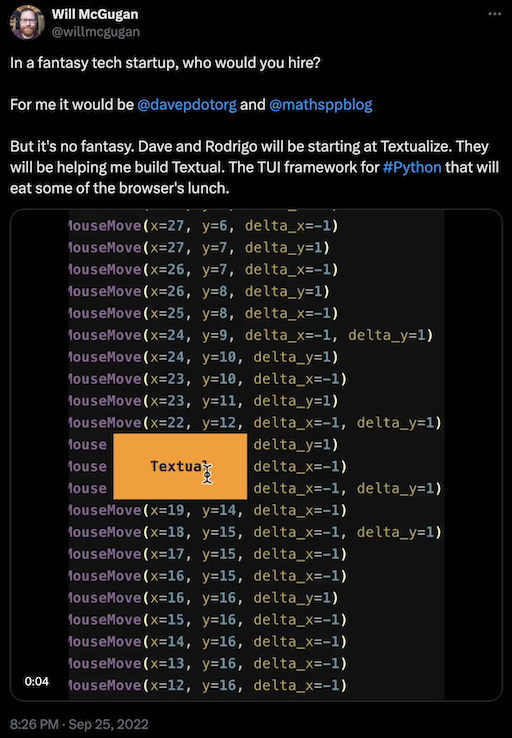
Then I saw Will McGugan saying he was hiring to expand Textualize. This caught my interest right away for two reasons.

I can't remember how long I've been following Will on Twitter; I likely stumbled on him as I got back into Python in 2018 and I also remember noting that he was a Python hacker just up the road from me. We'd vaguely chatted on Twitter, briefly, in that "Twitter acquaintance" way we all often do (I remember one brief exchange about fungus on The Meadows). A small company run by someone I was acquainted with seemed like a safe bet.

The second reason was Textual itself. I'd been watching Will develop it, in open, with great interest. I had (and still have) a plan to write a brand new CHUI-based (okay fine TUI-based as the kids like to say these days!) Norton Guide reader1, all in Python, and Textual looked like the perfect framework to do the UI in. The chance to be involved with it sounded awesome.

Now, I said two reasons, but there's also a third I guess: Will's pitch for applying to Textualize felt so damn accessible! I'm on the older end of the age range of this industry; for much of my working life as a developer I've worked in isolation from other developers; while I first touched Python in the 90s, I've only been using it in anger since 2018 and still feel like I've got a lot to learn. Despite all these things, and more, saying "aye Dave this is beyond you" I felt comfortable dropping Will a line.

Which resulted in a chat.

Which resulted in some code tinkering and chatting.

Which resulted in...

Something new.

So, yeah, as of 2022-10-10 I'm on yet another new adventure. Time for me to really work on my Python coding as I work with Will and the rest of the team as part of Textualize.

Or, as I put it on Twitter a few days ago: "I'm going to be a Python impostor syndrome speedrunner".


  1. Future edit to add: it happened eventually

On to something new

2 min read

Today is a fairly significant day for me. For the past 21 (and a bit) years I've worked for the same company. I know that, for lots of people in my industry, that's a hell of a long time to be in one position. It was a setup that served me pretty well; the company was small (I'm not much of a big company person), I generally got to dictate the development tools and direction, and I also got to work from home.

The working from home part was especially helpful as other life events involved me and happened around me. The job I've been in has seen a marriage come and go, and a move from Hampshire to Lincolnshire, and then from Lincolnshire to Midlothian. There's been a few adventures along the way.

But, three months ago, I got a call to say that I was to be made redundant. This sucked, obviously. It also appeared pretty stupid on the part of my employer: a company that is based around software had decided it no longer wanted an in-house software developer. A bold, and I think unwise, choice. From this point on they've decided to only go with contract developers and only contract developers from overseas (or so the story goes).

As it goes, things have turned out okay. Today is my last day with my old employer and, as I'm sat here typing this out while having some lunch, I'm actually glad that it's coming to a close and that I can get to move on.

I have a new employer, and will be starting in my new position during the first week of January. It'll be very different. It'll all be different. Not only will I be back working in an office (one where jeans and t-shirts are the norm, thankfully!), I'm also going to be working in an industry (as a developer still, of course) that I have no background in and no real knowledge of. It's going to be a seriously exciting challenge.

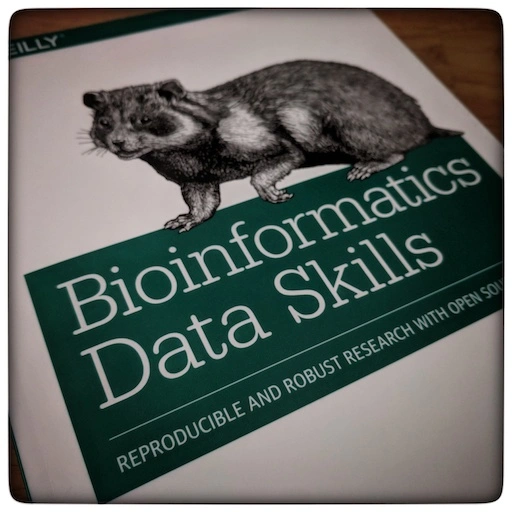
New book

Over the next couple of weeks I've got a fair amount of background reading (and video watching) to be doing. This isn't so much that I can get on with the job of development (although there will be a good bit of that to do too -- who doesn't want to be trying to understand new options for development?), it's more about understanding the language of the industry I'll be in and so that I can understand the needs of my users.

Goodbye fashion retail and all related things. Hello genetics and... well, I don't know, I'm going to find out. :)